1. Įvadas
This manual provides detailed instructions for the ipega PG-9162 Mini Wireless Game Controller. This controller is designed for use with the Nintendo Switch console, offering both wireless and wired connectivity options. It features a compact design, six-axis gyroscope, dual motor vibration, and a TURBO function to enhance your gaming experience.

1.1 vaizdas: priekis view of the ipega PG-9162 Mini Wireless Game Controller.
2. Produkto ypatybės
- Suderinamumas: Designed for the Nintendo Switch host, supporting both wireless and wired connections to the Switch dock.
- Ergonomiškas dizainas: Small and exquisite handle for comfortable grip during extended gaming sessions.
- Six-axis Gyroscope: Built-in six-axis gyro chip for precise motion control and fine-tuning assistance in games.
- Dvigubo variklio vibracija: Integrated dual motors provide immersive feedback based on in-game actions.
- TURBO funkcija: Supports continuous TURBO function for rapid button presses.
- Ilgas baterijos veikimo laikas: Built-in 380mAh battery capacity provides over 8 hours of continuous play.

2.1 vaizdas: Baigtaview of key features including vibration, gyroscope, and TURBO function.
3. Pakuotės turinys
- ipega PG-9162 Mini Wireless Game Controller
- USB įkrovimo laidas (C tipo)
- Vartotojo vadovas

Image 3.1: Retail packaging of the ipega PG-9162 controller.
4. Produktas baigtasview
The ipega PG-9162 controller features standard gamepad buttons and joysticks, designed for intuitive control. Familiarize yourself with the layout:

4.1 pav.: Viršus view of the controller highlighting its button layout.
- Kairysis analoginis vairasvirtis: Judėjimui ir kameros valdymui.
- D-Pad: Kryptinis įvedimas.
- Namų mygtukas: Returns to the Switch home menu.
- Ekrano kopijos mygtukas: Fiksuoja ekrano kopijas.
- Dešinė analoginė svirtis: Kameros valdymui arba konkretiems veiksmams žaidime.
- Veiksmų mygtukai (A, B, X, Y): Dėl veiksmų žaidime.
- Shoulder Buttons (L, R) & Triggers (ZL, ZR): Įvairioms žaidimo funkcijoms.
- Plus (+) & Minus (-) Buttons: For menu navigation and options.
- LED indikatoriai: Rodyti ryšio būseną ir akumuliatoriaus lygį.
5. Sąranka ir prijungimas
5.1 Wireless Connection to Nintendo Switch
- Įsitikinkite, kad jūsų „Nintendo Switch“ konsolė įjungta ir atnaujinta į naujausią sistemos programinę įrangą.
- HOME meniu pasirinkite „Valdikliai“ > „Keisti rankeną / tvarką“.
- On the ipega PG-9162 controller, press and hold the Pagrindinis mygtukas ir Y mygtukas simultaneously for a few seconds until the LED indicators start flashing rapidly. This indicates pairing mode.
- The Switch console will detect the controller. Once detected, the LED indicators on the controller will become solid, indicating a successful connection.
- You can now use the controller wirelessly with your Nintendo Switch.
5.2 Wired Connection to Nintendo Switch Dock
- Place your Nintendo Switch console into its dock.
- Connect one end of the USB charging cable to the ipega PG-9162 controller and the other end to an available USB port on the Nintendo Switch dock.
- The controller will automatically connect to the Switch console via the wired connection.
- Ensure that "Pro Controller Wired Communication" is enabled in the Switch System Settings (System Settings > Controllers and Sensors > Pro Controller Wired Communication).
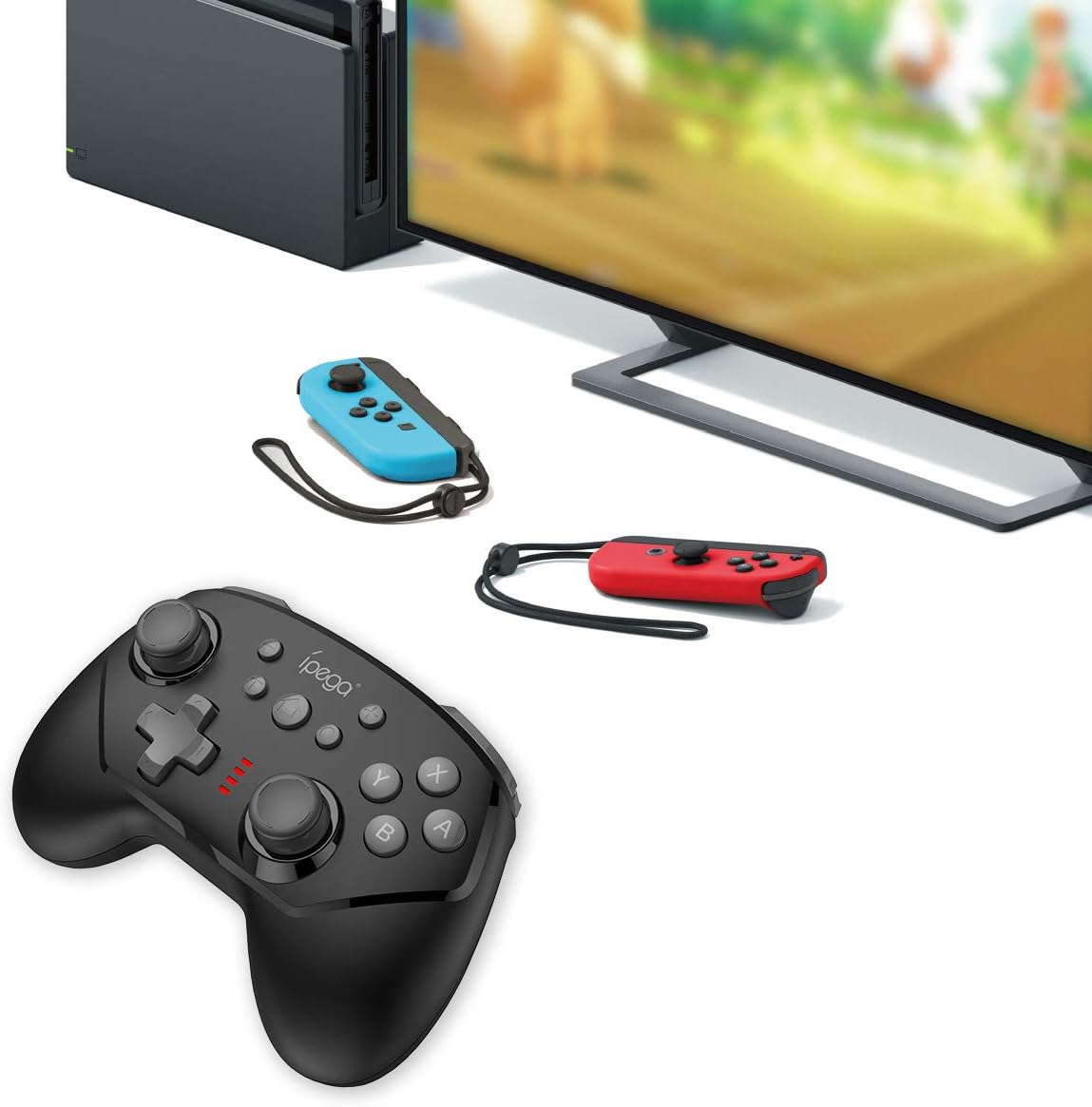
Image 5.1: The controller connected to a Nintendo Switch dock, demonstrating wired play.
6. Naudojimo instrukcijos
6.1 TURBO funkcija
The TURBO function allows for rapid, continuous pressing of a button without repeatedly pressing it manually.
- To Set TURBO: Press and hold the desired action button (e.g., A, B, X, Y, L, R, ZL, ZR), then press the TURBO mygtukas once. The button will now continuously register presses as long as you hold it down.
- To Clear TURBO: Repeat the process: press and hold the button with TURBO enabled, then press the TURBO mygtukas again. The TURBO function for that specific button will be deactivated.
6.2 Six-axis Gyroscope
The built-in six-axis gyroscope provides motion control capabilities, allowing for precise aiming and in-game interactions by tilting and moving the controller.
- Ensure the game you are playing supports gyroscope controls.
- Calibrate the gyroscope if you experience drift or inaccurate motion sensing. Refer to your Nintendo Switch system settings for calibration options.

Image 6.1: Illustration of the six-axis gyroscope in action, enhancing aiming precision.
6.3 Vibracijos funkcija
The dual motor vibration provides tactile feedback, immersing you further into the game by reacting to in-game events like collisions, explosions, or character actions.
- Vibration intensity is typically controlled by the game itself.
- If vibration is not working, check the in-game settings or Nintendo Switch system settings to ensure it is enabled.

Image 6.2: Visual representation of the built-in dual motor vibration feature.
7. Valdiklio įkrovimas
The ipega PG-9162 controller has a built-in rechargeable battery. When the battery is low, the LED indicators will flash slowly.
- Connect the provided USB charging cable to the Type-C port on the controller.
- Connect the other end of the USB cable to a USB power source (e.g., Nintendo Switch dock, computer USB port, or a USB wall adapter).
- The LED indicators will show charging status. Once fully charged, the indicators will typically turn off or show a solid light.
- A full charge provides over 8 hours of gameplay.
8. Priežiūra
- Laikykite valdiklį sausą ir atokiau nuo drėgmės.
- Saugokite valdiklį nuo ekstremalių temperatūrų.
- Clean the controller with a soft, dry cloth. Do not use harsh chemicals or abrasive cleaners.
- Kai nenaudojate, laikykite valdiklį saugioje vietoje, kad išvengtumėte pažeidimų.
9. Problemų sprendimas
9.1 Valdiklis neprisijungia
- Įsitikinkite, kad valdiklis yra pakankamai įkrautas.
- Verify the Nintendo Switch console is updated to the latest system software.
- Pakartokite susiejimo procesą (5.1 skyrius).
- If using wired connection, ensure "Pro Controller Wired Communication" is enabled in Switch settings.
- Try restarting both the controller and the Nintendo Switch console.
9.2 Įvesties delsa arba atjungimai
- Įsitikinkite, kad šalia nėra stiprių elektromagnetinių trukdžių.
- Move closer to the Nintendo Switch console.
- Disconnect other wireless devices that might be causing interference.
9.3 Mygtukai nereaguoja
- Patikrinkite, ar valdiklis tinkamai prijungtas.
- Test the buttons in the Switch's controller test menu (System Settings > Controllers and Sensors > Test Input Devices).
- Nuvalykite aplink mygtukus, kad jų neužstotų šiukšlės.
10. Specifikacijos
| Prekės ženklas | ipega |
| Modelio numeris | PG-9162 |
| Ryšys | Belaidis (Bluetooth), Laidinis (USB) |
| Baterijos talpa | 380 mAh |
| Baterijos veikimo laikas | >8 hours (approx.) |
| Ypatingos savybės | Six-axis Gyroscope, Dual Motor Vibration, TURBO Function |
| Suderinamumas | Nintendo Switch |
| Matmenys | 17.53 x 13.72 x 6.6 cm (apytiksliai) |
| Svoris | 295 g (maždaug) |
11. Garantija ir palaikymas
This product comes with a standard manufacturer's warranty. For specific warranty terms, please refer to the documentation included with your purchase or contact the retailer. For technical support or further assistance, please visit the official ipega websvetainėje arba susisiekite su klientų aptarnavimo skyriumi.
Gamintojas: ipega
Pirmą kartą pasiekiama data: 2 m. rugpjūčio 2019 d


