1. Baigėsiview
The Crenova BL-76 Home Video Projector is designed to provide a versatile and immersive viewing experience. Supporting Full HD 1080P resolution, this projector offers remarkable brightness and clarity for various entertainment needs, from streaming movies to gaming. Its compact design and multiple connectivity options make it suitable for both indoor home theater setups and outdoor activities.

Figure 1.1: Crenova BL-76 Home Video Projector, showcasing savo elegantišku dizainu.
2. Saugos instrukcijos
Please read and follow all safety instructions carefully to prevent injury or damage to the projector.
- Maitinimas: Use only the specified power adapter. Ensure the power voltage is compatible with the projector's requirements.
- Vėdinimas: Neužblokuokite ventiliacijos angų. Užtikrinkite pakankamą oro cirkuliaciją aplink projektorių, kad jis neperkaistų.
- Vieta: Place the projector on a stable, flat surface. Avoid placing it in direct sunlight, near heat sources, or in humid environments.
- Valymas: Prieš valydami atjunkite maitinimą. Naudokite minkštą, sausą šluostę. Nenaudokite skystų ar aerozolinių valiklių.
- Akių apsauga: Nežiūrėkite tiesiai į projektoriaus objektyvą, kai lamp įjungtas, nes gali pažeisti akis.
- Remontas: Nebandykite patys taisyti projektoriaus. Visus techninės priežiūros darbus patikėkite kvalifikuotiems techninės priežiūros specialistams.
3. Pakuotės turinys
Patikrinkite, ar pakuotėje yra visi reikalingi daiktai:
- Crenova BL-76 Home Video Projector
- Nuotolinio valdymo pultas
- Maitinimo kabelis
- AV Cable (RCA to 3.5mm)
- Instrukcijų vadovas
- Simple Projection Screen (100-inch) with accessories

Figure 3.1: Projector and included accessories, including the remote control, cables, and projection screen.
4. Produkto ypatybės
The Crenova BL-76 projector offers a range of features designed to enhance your viewpatirtis:
- Didelis ryškumas ir raiška: Native 1280x720P resolution with 6000 Lux brightness, supporting up to 1080P input for clear and vibrant images.
- Large Image Display: Projects images up to 200 inches, with a zoom function (75%-100%) for flexible screen sizing.
- Kelios ryšio parinktys: Equipped with HDMI, VGA, USB, AV inputs, and TF Card slot for connecting various devices like TV sticks, game consoles, PCs, laptops, and smartphones (additional adapter may be required for smartphones).
- Integruotas garsas: Integrated SRS sound system provides a satisfactory audio experience without external speakers.
- Efektyvi aušinimo sistema: Features SmartEco technology and updated double tube cooling to minimize lamp consumption and extend lamp tarnavimo laikas iki 50,000 XNUMX valandų.
- Focus & Keystone Adjustment: Manual focus and keystone correction allow for precise image alignment and clarity.

Figure 4.1: Visual representation of the projector's native 1080P HD resolution capability.
5. Sąranka
5.1 Pradinis išdėstymas
Choose a dark or semi-dark environment for optimal viewing. Position the projector on a stable surface at the desired distance from your projection screen or wall.
5.2 Maitinimo jungtis
Connect the power cable to the projector's power input and then plug it into a power outlet.
5.3 Fokusavimo ir trapecijos koregavimas
Use the focus ring and keystone correction dial located on the projector to achieve a clear and rectangular image. Adjust until the image appears sharp and undistorted.

Figure 5.1: Adjusting the focus and keystone for optimal image clarity.
6. Naudojimo instrukcijos
6.1 Maitinimo įjungimas/išjungimas
Norėdami įjungti arba išjungti įrenginį, paspauskite projektoriaus arba nuotolinio valdymo pulto maitinimo mygtuką.
6.2 Šaltinio pasirinkimas
Use the 'Source' button on the remote or projector control panel to select the desired input source (HDMI, VGA, USB, AV, TF Card).
6.3 Meniu naršymas
Navigate through the on-screen menu using the arrow keys and 'OK' button on the remote or projector. Adjust settings such as picture mode, brightness, contrast, and color temperature as needed.

Figure 6.1: The projector displaying a large image, demonstrating its screen size capabilities.
7. Ryšys
The Crenova BL-76 projector offers various ports for connecting external devices:
- HDMI: Connects to devices like TV sticks, game consoles (PS4, Xbox), laptops, and Blu-ray players.
- USB: For playing media directly from USB drives or connecting devices like Amazon Fire Stick.
- VGA: Jungiamasi prie senesnių kompiuterių ar nešiojamųjų kompiuterių.
- APIE: Connects to devices with RCA outputs (e.g., DVD players).
- TF kortelė: Insert a TF card to play media files tiesiogiai.
- Garso išvestis: Norėdami pagerinti garsą, prijunkite išorinius garsiakalbius arba ausines.
7.1 Smartphone Connection
To connect a smartphone, an additional HDMI adapter (not included) is required. This allows for a stable wired connection. Note that copyrighted content from services like Hulu or Netflix cannot be mirrored or screencast directly from a smartphone due to copyright restrictions.

7.1 pav. Baigtaview of the various input ports for connecting multiple devices to the projector.
7.2 Oficialūs produktų vaizdo įrašai
Native 1080P Projector BL-76 Overview
7.1 vaizdo įrašas: šiame vaizdo įraše pateikiama išsami informacijaview of the Crenova BL-76 projector, highlighting its native 1080P capabilities and design.
CRENOVA 1080P OUTDOOR VIDEO PROJECTOR - Quick Look
7.2 vaizdo įrašas: trumpas vaizdo įrašo pristatymasasing the Crenova 1080P projector, emphasizing its suitability for outdoor use.
8. Priežiūra
Regular maintenance ensures the longevity and optimal performance of your projector:
- Objektyvo valymas: Use a soft lens cleaning cloth to gently wipe the projector lens. Avoid abrasive materials that could scratch the lens.
- Dulkių šalinimas: Periodically clean the ventilation grilles to prevent dust buildup, which can affect cooling efficiency. Use a soft brush or compressed air.
- Saugykla: Jei projektorius ilgesnį laiką nenaudojamas, jį laikykite vėsioje, sausoje vietoje, apsaugotoje nuo dulkių ir ekstremalių temperatūrų.
- Lamp Gyvenimas: LED lemputė lamp has a lifespan of up to 50,000 hours. No user replacement is typically required for the lamp.
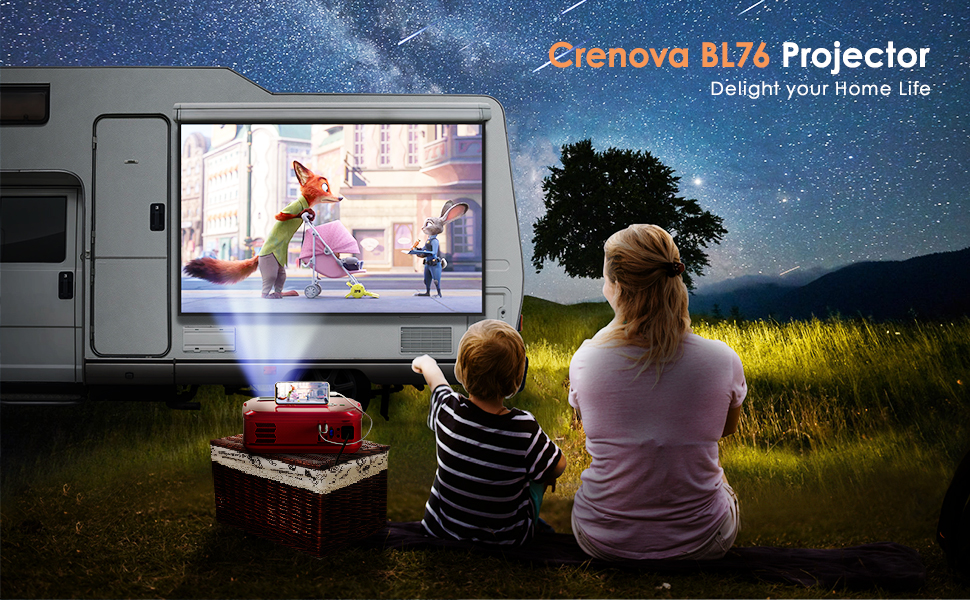
Figure 8.1: The projector in operation, demonstrating its visual output.
9. Problemų sprendimas
Jei kyla problemų dėl projektoriaus, žr. šiuos dažniausiai pasitaikančius sprendimus:
| Problema | Galima priežastis | Sprendimas |
|---|---|---|
| Vaizdas nerodomas | Pasirinktas neteisingas įvesties šaltinis; atsilaisvinęs kabelio prijungimas; įrenginys neįjungtas. | Select the correct input source; check all cable connections; ensure connected device is powered on. |
| Neryškus vaizdas | Lens out of focus; incorrect keystone adjustment. | Adjust the focus ring; adjust the keystone correction dial. |
| Nėra garso | Volume too low; audio cable not connected; external device audio settings. | Increase projector volume; ensure audio cables are connected correctly; check audio output settings on the connected device. |
| Nuotolinio valdymo pultas neveikia | Batteries depleted; obstruction between remote and projector; remote sensor blocked. | Replace batteries; ensure clear line of sight to projector's IR sensor; remove any obstructions. |
10. Specifikacijos
| Funkcija | Detalė |
|---|---|
| Prekės ženklas | Krenova |
| Modelio numeris | BL-76 |
| Ekrano raiška | Native 1280 x 720 (Supports 1080P) |
| Ryškumas | 6000 liuksų |
| Kontrasto santykis | 5000:1 |
| Ryšio technologija | HDMI, VGA, USB, AV, TF Card |
| Garsiakalbio tipas | Stereo (SRS Sound System) |
| Lamp Gyvenimas | Iki 50,000 valandų |
| Gaminio matmenys | 16.54 x 6.69 x 11.81 colio |
| Prekės svoris | 7.65 svaro |
11. Garantija ir palaikymas
For warranty information, technical support, or service inquiries, please refer to the contact details provided in your product packaging or visit the official Crenova websvetainėje. Išsaugokite pirkimo kvitą kaip pirkimo įrodymą garantiniams reikalavimams.


