1. Įvadas
This manual provides detailed instructions for the setup, operation, and maintenance of your WiMiUS P21 Full HD 1080P LED Projector. Please read this manual thoroughly before using the projector to ensure proper function and longevity of the device.

Vaizdas: priekis view of the WiMiUS P21 Projector, showing the lens and control panel.
2. Pakuotės turinys
Patikrinkite, ar pakuotėje yra visi toliau išvardyti daiktai. Jei kurių nors daiktų trūksta arba jie pažeisti, susisiekite su klientų aptarnavimo tarnyba.
- WiMiUS P21 Projector
- Nuotolinio valdymo pultas
- Maitinimo kabelis
- HDMI kabelis
- VGA laidas
- AV kabelis
- Objektyvo dangtelis
- Vartotojo vadovas (šis dokumentas)

Image: The WiMiUS P21 Projector displayed with its remote control, power cable, HDMI cable, VGA cable, AV cable, and user manual.
3. Produkto ypatybės
The WiMiUS P21 Projector offers advanced features for an enhanced viewpatirtis:
- Didelis ryškumas ir kontrastas: 6500 Lumens brightness and an 8000:1 contrast ratio for clear and vivid images.
- Gimtoji 1080P raiška: Delivers a native resolution of 1920x1080 pixels, supporting 1080P at 60Hz and 4K input for detailed visuals.
- Lankstus projekcijos dydis: Adjustable projection size from 50 to 300 inches with a projection distance of 1.5 to 6.5 meters.
- Skaitmeninio priartinimo funkcija: Allows image size reduction from 100% to 75% via remote control without moving the projector.
- Integruotas garsas: Dual built-in 5W stereo speakers provide clear sound.
- Platus ryšys: Equipped with 2 HDMI ports, 2 USB ports, 1 VGA port, and 1 AV port for connecting various devices.
- Ilgas Lamp Gyvenimas: LED lamp designed for up to 100,000 hours of operation.

Image: Visual comparison illustrating the difference between 6500 lumens with 8000:1 contrast and lower specifications, highlighting improved clarity and color saturation.
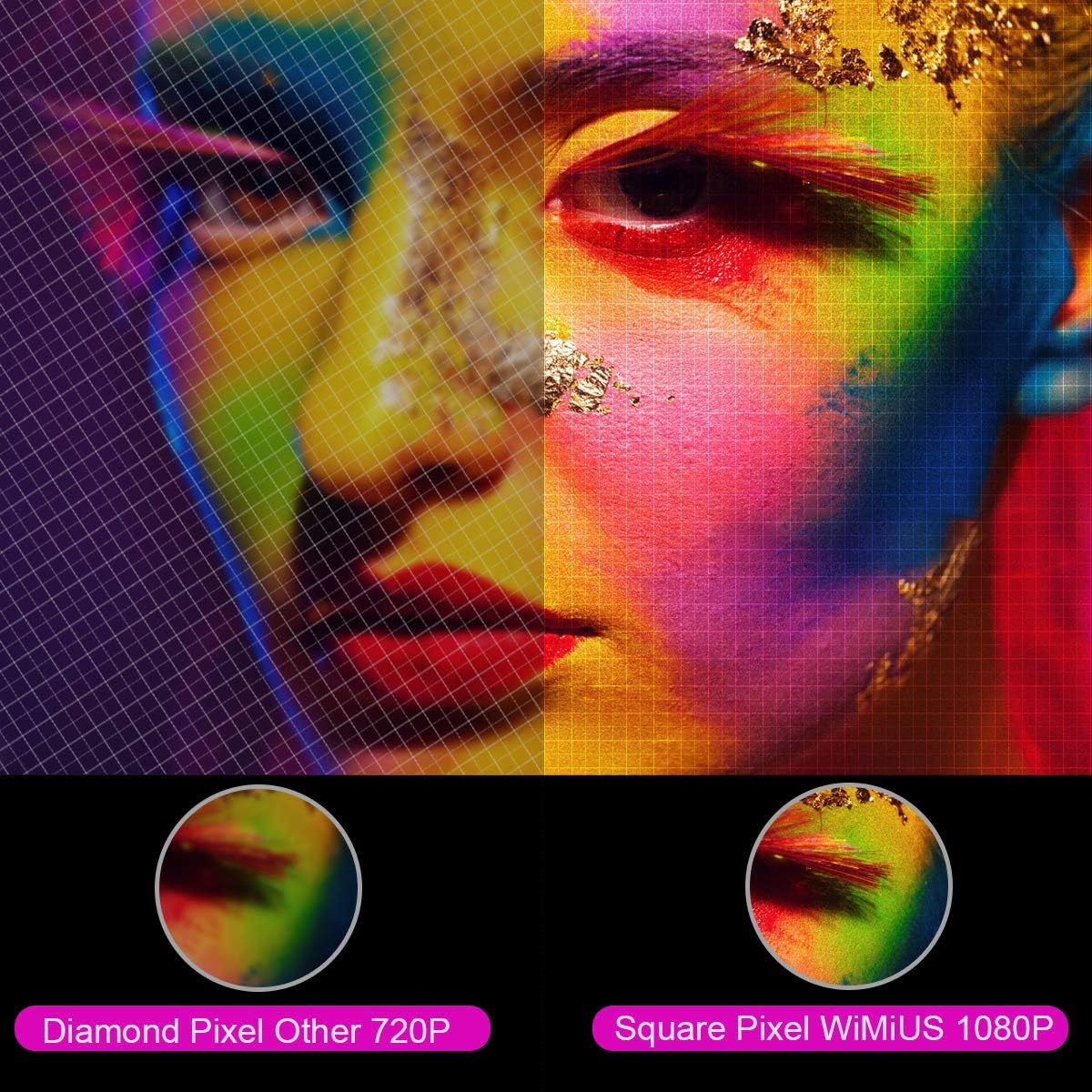
Vaizdas: Padidintas view comparing the pixel structure of a 720P projector (diamond pixel) versus the WiMiUS 1080P projector (square pixel), demonstrating higher resolution.

Image: Diagram showing the projector with sound waves emanating from it, indicating the presence of built-in dual 5W speakers.
4. Sąranka
4.1 Įdėjimas
Place the projector on a stable, flat surface or mount it to a ceiling. Ensure there is adequate ventilation around the unit. The optimum projection distance is approximately 3 meters (9.8 feet) for a balanced image size and clarity.

Image: A diagram illustrating various projection sizes (50-300 inches) and corresponding projection distances (1.5m to 6.5m), with an optimal distance of 3m highlighted.
4.2 Maitinimo jungtis
- Prijunkite maitinimo laidą prie projektoriaus maitinimo įvesties.
- Kitą maitinimo laido galą įkiškite į elektros lizdą.
- Paspauskite maitinimo mygtuką ant projektoriaus arba nuotolinio valdymo pulto, kad įjungtumėte įrenginį.
4.3 Išorinių įrenginių prijungimas
The P21 projector supports multiple input sources. Refer to the diagram below for port locations.

Image: A detailed diagram highlighting the various connection ports on the projector, including HDMI (x2), USB (x2), AV, Audio Out, Y/Pb/Pr, and PC-RGB (VGA).
- HDMI: Connect devices like laptops, Blu-ray players, gaming consoles (PS3, PS4, Xbox), Chromecast, or Fire TV Stick using an HDMI cable.
- USB: Įkiškite USB atmintinę, kad galėtumėte leisti mediją files tiesiogiai.
- VGA (PC-RGB): Connect to a computer using a VGA cable.
- APIE: Senesniems įrenginiams prijungti naudokite pridedamą AV kabelį.
- Garso išvestis: Connect external speakers or headphones if desired.
Note: If connecting a device and experiencing no sound, ensure that Dolby Digital output is turned off on the connected device, as the projector may not support it directly.
5. Naudojimo instrukcijos
5.1 Maitinimo įjungimas/išjungimas
Norėdami įjungti arba išjungti įrenginį, paspauskite projektoriaus arba nuotolinio valdymo pulto maitinimo mygtuką.
5.2 Šaltinio pasirinkimas
Use the "Source" button on the remote control or projector panel to select the desired input source (HDMI1, HDMI2, USB1, USB2, VGA, AV).
5.3 Fokusavimas ir trapecijos korekcija
- Fokusas: Rotate the focus ring near the lens until the image is clear.
- Keystone korekcija: Adjust the keystone ring or use the menu settings for vertical ±15° keystone correction to correct distorted images.
5.4 Mastelio keitimo funkcija
The digital zoom function allows you to adjust the image size without moving the projector. Use the zoom controls on the remote control to reduce the image size from 100% down to 75%.

Image: A visual representation of the zoom function, showing a projected image shrinking from 100% to 75% on a screen, controlled by the projector.
5.5 Meniu nustatymai
Press the "Menu" button on the remote to access settings for picture mode, sound mode, aspect ratio (4:3/16:9), and other advanced options.
6. Priežiūra
6.1 Objektyvo valymas
Use a soft, lint-free cloth specifically designed for optical lenses to gently clean the projector lens. Avoid using abrasive cleaners or excessive force.
6.2 Oro filtro valymas
Regularly check and clean the air filter to prevent dust buildup, which can affect performance and lamp life. Refer to the projector's exterior for the air filter location and cleaning instructions.
6.3 Lamp Gyvenimas
LED lemputė lamp in your WiMiUS P21 projector has an estimated lifespan of up to 100,000 hours. No user replacement is typically required during the product's operational life. If the lamp stops working, please contact customer support.
7. Problemų sprendimas
| Problema | Galima priežastis | Sprendimas |
|---|---|---|
| Vaizdas nerodomas | Power cable disconnected, incorrect input source, lens cap on. | Patikrinkite maitinimo jungtį, pasirinkite tinkamą įvesties šaltinį, nuimkite objektyvo dangtelį. |
| Vaizdas neryškus | Nenustatytas fokusavimas, projektorius per arti/toli nuo ekrano. | Adjust the focus ring, ensure optimal projection distance. |
| Vaizdas iškraipytas (trapecijos formos) | Projektorius nėra statmenas ekranui. | Sureguliuokite trapecijos korekciją. |
| No sound from projector | Volume too low, incorrect audio settings, Dolby Digital enabled on source device. | Increase volume, check audio settings, turn off Dolby Digital on the connected device. |
| Nuotolinio valdymo pultas neveikia | Išsikrovusios baterijos, kliūtis tarp nuotolinio valdymo pulto ir projektoriaus. | Replace batteries, ensure clear line of sight to IR receiver. |
8. Specifikacijos
| Funkcija | Detalė |
|---|---|
| Prekės ženklas | „WiMiUS“ |
| Modelis | 21 p |
| Ryškumas | 6500 liumenų |
| Kontrasto santykis | 8000:1 |
| Gimtoji raiška | 1920 x 1080 (Full HD) |
| Maksimalios skiriamosios gebos palaikymas | 4K Ultra HD |
| Ekrano technologija | LED |
| LED L.amp Gyvenimas | 100,000 valandų |
| Projekcijos dydis | 50-300 colių |
| Projekcijos atstumas | 1.5–6.5 metrai |
| Mastelio funkcija | 100% - 75% (Reduced) |
| Krašto santykis | 4:3 / 16:9 |
| Keystone Korekcija | Vertikalus ±15° |
| Garsiakalbiai | Dual built-in stereo (2 x 5W) |
| Ryšys | 2x HDMI, 2x USB, 1x VGA, 1x AV, Audio Out |
| Triukšmo lygis | 30 decibelų |
| Energijos suvartojimas | 140 vatų |
| Gaminio matmenys | 32 x 24 x 11 cm |
| Svoris | 2.5 kg |
9. Garantija ir palaikymas
The WiMiUS P21 HD Projector comes with a lifetime warranty. If the LED lamp stops functioning or any other issues arise with the projector, please contact WiMiUS customer support for assistance or replacement. A repair center is available in the USA for service needs.
For further support, please refer to the official WiMiUS websvetainėje arba susisiekite su klientų aptarnavimo skyriumi.


