1. Įvadas
The LUME CUBE 2.0 is a compact, app-controlled, and waterproof LED light designed for photography and video applications. It provides professional-quality illumination for various indoor and outdoor shooting environments, offering adjustable brightness and robust construction.

Image 1.1: The LUME CUBE 2.0 Portable LED Light, showcasing its compact, cube-shaped design with the light emitter facing forward and control buttons on top.
2. Kas yra dėžutėje
Išpakuodami patikrinkite, ar yra visi komponentai:
- Lume Cube 2.0 LED Light
- DSLR Shoe Mount
- USB-C įkrovimo laidas
3. Produktas baigtasview
The LUME CUBE 2.0 is engineered with several key features to enhance your lighting capabilities:
- Profesionali kokybė: Daylight balanced 5600K, 95+ CRI, and a diffused beam angle of 80º for consistent and high-quality illumination.
- Reguliuojamas ryškumas: Offers 10 levels of brightness control, accessible via manual buttons or wirelessly through Bluetooth.
- Išmaniojo telefono valdymas: Seamless integration with the Lume-X app for both iPhone and Android devices, enabling remote control of light settings.
- Atsparus vandeniui ir patvarus: Constructed with an aluminum housing, providing waterproof capabilities up to 10 meters (30 feet).
- Kompaktiškas ir nešiojamas: Designed for ease of transport and use in various locations.

3.1 pav.: Viršus view of the LUME CUBE 2.0, showing the power button and brightness adjustment buttons (+/-) for manual control.
4. Sąranka
4.1. Įrenginio įkrovimas
Before initial use, fully charge your LUME CUBE 2.0. Connect the provided USB-C charging cable to the device's charging port and plug the other end into a compatible USB power source.
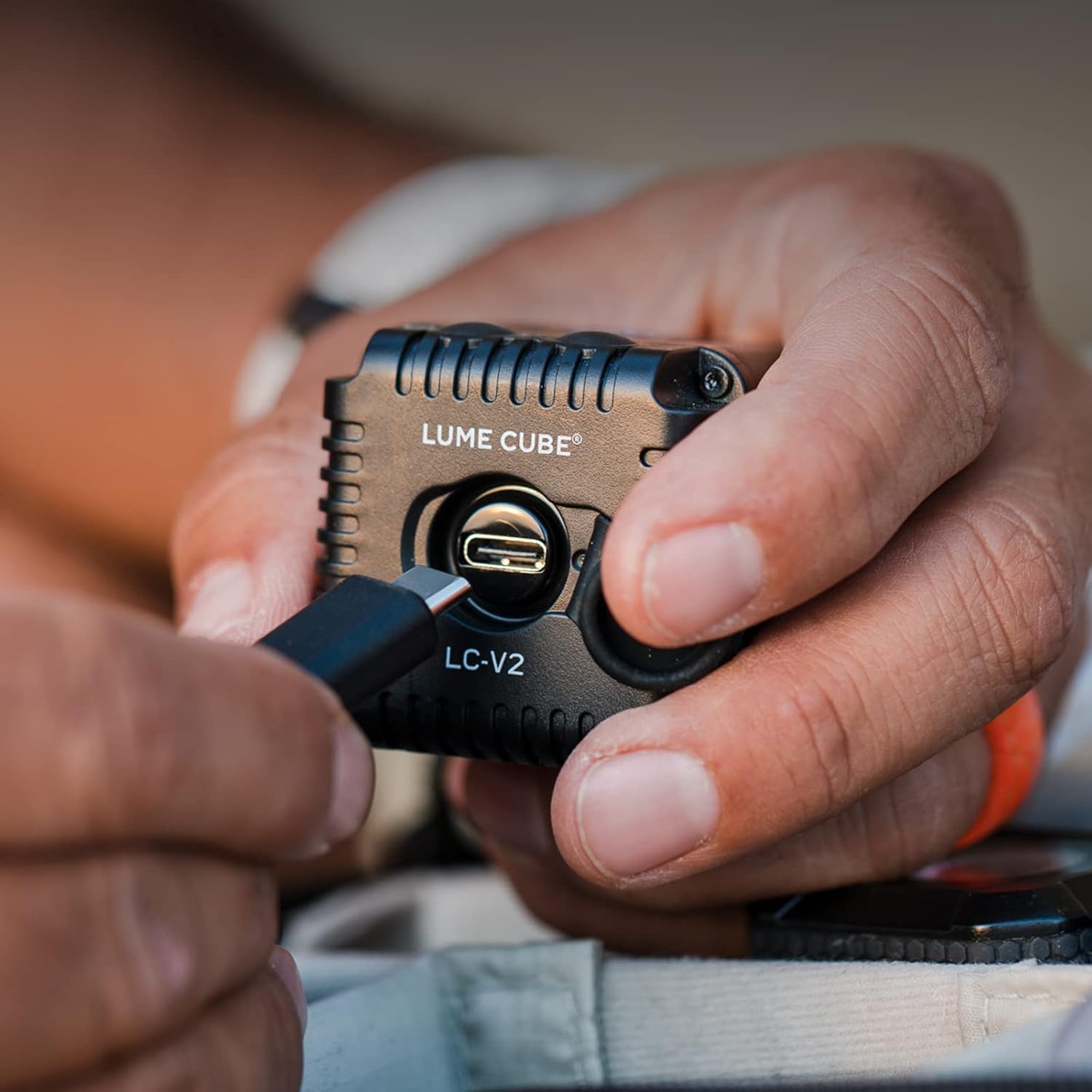
Image 4.1: A hand connecting a USB-C cable to the LUME CUBE 2.0 for charging. The charging port is visible on the side of the device.
4.2. Montavimo parinktys
The LUME CUBE 2.0 includes a DSLR shoe mount for easy attachment to cameras. It can also be mounted to various accessories using its integrated 1/4"-20 tripod thread.

Image 4.2: The LUME CUBE 2.0 attached to the hot shoe of a DSLR camera, providing on-camera illumination.
4.3. App Control (Lume-X App)
For advanced control, download the Lume-X app from the App Store (iOS) or Google Play Store (Android). Enable Bluetooth on your smartphone and follow the in-app instructions to pair with your LUME CUBE 2.0. The app allows for wireless brightness adjustment and other settings.

Image 4.3: A smartphone displaying the Lume-X app interface, showing controls for brightness and strobe settings for the LUME CUBE 2.0.
5. Naudojimo instrukcijos
5.1. Maitinimo įjungimas/išjungimas
- To power on, press and hold the power button (marked with a circle and vertical line) on the top of the LUME CUBE 2.0 until the light illuminates.
- To power off, press and hold the power button again until the light turns off.
5.2. Ryškumo reguliavimas
- Rankinis valdymas: Use the '+' and '-' buttons on the top of the device to increase or decrease brightness in 10 distinct levels.
- Programos valdymas: Open the Lume-X app on your paired smartphone and use the brightness slider to precisely adjust the light output.
5.3. Waterproof Use
The LUME CUBE 2.0 is designed to be waterproof up to 10 meters (30 feet). Ensure all ports and covers are securely closed before submerging the device in water.

Image 5.1: The LUME CUBE 2.0 resting on a rock in shallow water, demonstrating its waterproof capability.
6. Priežiūra
- Valymas: Nuvalykite įrenginį minkšta, sausa šluoste. Įsisenėjusiam purvui naudokite šiek tiek drėgnąamp skudurėliu. Venkite abrazyvinių valiklių ar tirpiklių.
- Saugykla: Store the LUME CUBE 2.0 in a cool, dry place when not in use.
- Akumuliatoriaus priežiūra: For optimal battery life, avoid fully discharging the battery frequently. Charge the device regularly, even during periods of non-use.
7. Problemų sprendimas
- Įrenginys neįsijungia: Ensure the battery is charged. Connect to a power source using the USB-C cable and attempt to power on after a few minutes.
- Nepavyksta prisijungti prie programėlės:
- Įsitikinkite, kad jūsų išmaniajame telefone įjungtas „Bluetooth“.
- Verify the LUME CUBE 2.0 is powered on.
- Restart both the LUME CUBE 2.0 and your smartphone.
- Ensure the Lume-X app is updated to the latest version.
- Light Output Issues: Check brightness settings via manual controls or the app. Ensure the device is not in a low-power mode.
8. Specifikacijos
| Funkcija | Detalė |
|---|---|
| Gaminio matmenys | 1.57 x 1.57 x 1.57 colio |
| Prekės svoris | 8.4 uncijos |
| Prekės modelio numeris | LC-V2-1 |
| Baterijos | 1 ličio polimero baterija (pridedama) |
| Ryšio technologija | Bluetooth, USB |
| Techninės įrangos sąsaja | Bluetooth |
| UPC | 810019500381 |
| Gamintojas | Lume Cube, Inc. |
9. Garantija ir palaikymas
For warranty information and technical support, please refer to the official LUME CUBE websvetainėje arba susisiekite tiesiogiai su jų klientų aptarnavimo tarnyba. Išsaugokite pirkimo įrodymą garantiniams reikalavimams.
Internetiniai ištekliai: www.lumecube.com/support