Įvadas
The Sitecom CH-005 Wireless Charging Stand & Power Bank is a versatile 2-in-1 solution designed to quickly charge your smartphone and other devices. It functions as a wireless charging stand for home or office use and as a portable 10,000 mAh power bank for on-the-go charging. Featuring Qi-certified wireless charging, USB-C Power Delivery, and USB-A ports, it offers multiple fast-charging options for a wide range of devices.
Kas yra dėžutėje
- Sitecom CH-005 Wireless Charging Stand & Power Bank (10,000 mAh)
- Dokų stotis
- USB-C to USB-A Cable (0.8m, male-to-male)
- Vartotojo vadovas
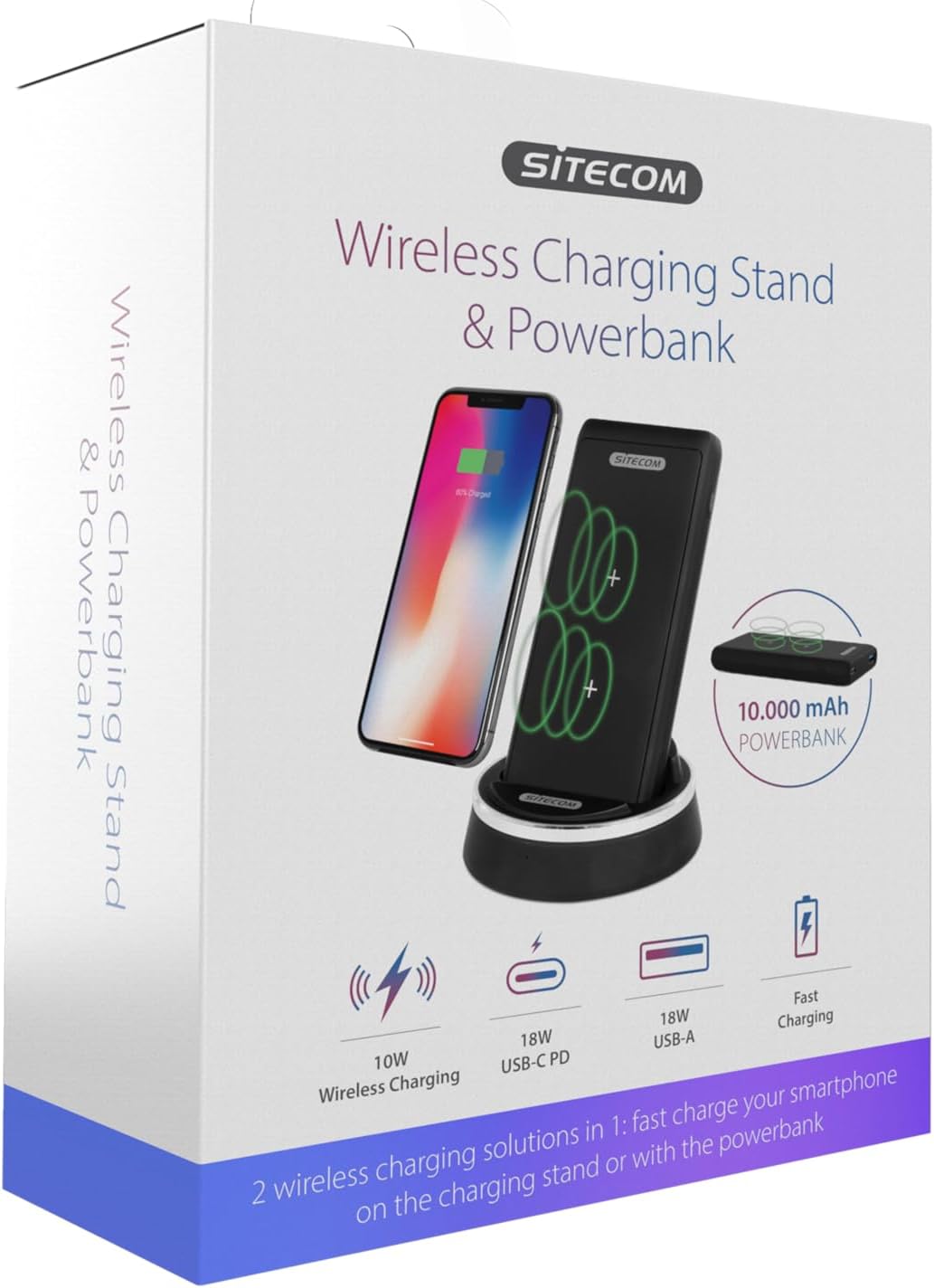
Image: The product packaging for the Sitecom CH-005, illustrating the wireless charging stand and power bank along with key features like 10W wireless charging, 18W USB-C PD, and 18W USB-A.
Sąranka
- Išpakuoti: Atsargiai išimkite visus komponentus iš pakuotės.
- Connect the Docking Station: Use the provided USB-C to USB-A cable to connect the docking station to a compatible USB power adapter (not included, 10W (5V/2A) USB charger recommended).
- Insert Power Bank: Place the 10,000 mAh power bank into the docking station. Ensure it is seated correctly; the power bank will automatically begin charging when docked.

Image: The Sitecom CH-005 Wireless Charging Stand with the power bank securely docked, ready for use.
Naudojimo instrukcijos
1. Wireless Charging (Stand Mode)
When the power bank is docked in the charging stand and connected to power, it acts as a wireless charging stand.
- Įsitikinkite, kad įkrovimo stotelė įjungta.
- Place your Qi-compatible smartphone vertically on the power bank while it is in the docking station. The dual-coil charging zone allows for flexible placement.
- The charging indicator on your phone will show that charging has begun.

Image: A smartphone placed vertically on the Sitecom CH-005 charging stand, indicating active wireless charging.
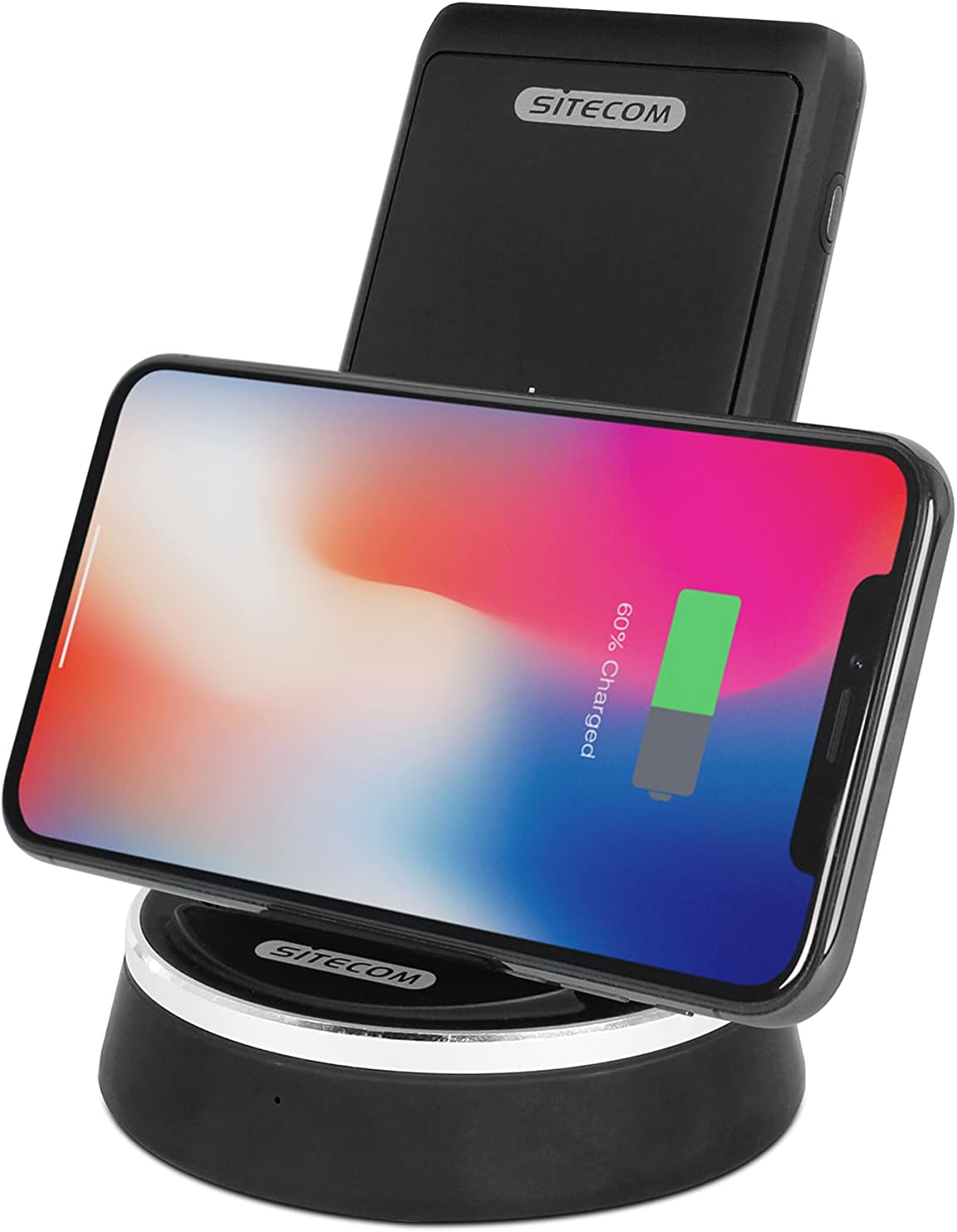
Image: A smartphone placed horizontally on the Sitecom CH-005 charging stand, demonstrating wireless charging in landscape mode.

Image: An illustrative diagram showing the internal wireless charging coils within the Sitecom CH-005 power bank and how a smartphone aligns for optimal charging.
2. Wireless Charging (Power Bank Mode)
The power bank can be used independently for wireless charging on the go.
- Remove the power bank from the docking station.
- Place your Qi-compatible smartphone directly on the rubberized surface of the power bank.
- Ensure the phone is centered over the charging coils for optimal performance. The power bank's rubberized surface helps keep the phone in place.
- The charging indicator on your phone will show that charging has begun.

Image: A smartphone lying flat on the Sitecom CH-005 power bank, demonstrating its portable wireless charging capability.

Paveikslėlis: Iš viršaus į apačią view of the Sitecom CH-005 power bank, highlighting its charging indicators and the USB-A and USB-C ports.
3. Wired Charging (Power Bank Mode)
The power bank features both USB-C Power Delivery (PD) and USB-A ports for fast wired charging.
- USB-C PD išvestis: Connect your device to the USB-C port using a compatible USB-C to USB-C cable for fast charging (e.g., 5V/2A, 9V/2A, 12V/1.5A).
- USB-A išėjimas: Connect your device to the USB-A port using a compatible USB-A cable for fast charging (e.g., 5V/3A, 9V/2A, 12V/1.5A).
4. Išorinės baterijos įkrovimas
The power bank can be recharged in two ways:
- Via Docking Station: Simply place the power bank into the docking station. It will automatically begin to recharge.
- Via USB-C PD Input: Connect a USB-C cable from a power source to the USB-C port on the power bank (e.g., 5V/2A, 9V/2A).
Specifikacijos
| Funkcija | Detalė |
|---|---|
| Modelio numeris | CH-005 |
| Baterijos tipas | 1 Lithium-Polymer Battery (3.7V/10,000mAh/37Wh) |
| Belaidžio įkrovimo išvestis | 5W / 7.5W (for iPhone 8/X) / 10W (for Samsung Galaxy) |
| USB-C PD įvestis | 5V/2A, 9V/2A |
| USB-C PD išvestis | 5V/2A, 9V/2A, 12V/1.5A |
| USB-A išvestis | 5V/3A, 9V/2A, 12V/1.5A |
| Bendra produkcija | 18W maks |
| Docking Station Input/Output | 5V/2A |
| Matmenys | 12.3 x 7 x 16.5 cm |
| Svoris | 354 gramų |
| Saugos ypatybės | Viršsrovė, viršįtampistage, Short-circuit, Overheating Protection, Foreign Object Detection |
| Sertifikatai | Qi-certified (Version 1.2.4) |
Saugos informacija
- Nelaikykite prietaiso ekstremaliose temperatūrose, tiesioginiuose saulės spinduliuose ar didelėje drėgmėje.
- Do not disassemble, modify, or repair the device yourself. Refer to qualified service personnel.
- Laikyti atokiai nuo vandens ir kitų skysčių.
- Stenkitės, kad prietaisas nenumestų ar nepatirtų stipraus smūgio.
- Do not place metal objects or foreign materials between the charging surface and your device during wireless charging, as this may cause overheating or damage.
- Use only the provided cable or certified cables for charging.
- Produktą utilizuokite atsakingai, laikydamiesi vietinių elektroninių atliekų tvarkymo taisyklių.
Trikčių šalinimas
| Problema | Galimas sprendimas |
|---|---|
| Įrenginys neįkraunamas belaidžiu būdu. | Ensure your device is Qi-compatible. Reposition the device on the charging surface to ensure proper alignment with the coils. Remove any thick phone cases or metal attachments. Check if the power bank/docking station is powered on. |
| Lėtas įkrovimas. | Ensure you are using a compatible fast-charging adapter (e.g., 10W (5V/2A) for the docking station). Check the cable for damage. Some phone cases can hinder optimal wireless charging speed. |
| Nesikrauna išorinė baterija. | Ensure the docking station is properly connected to a power source, or if charging via USB-C, ensure the cable and adapter are functional. Check the connection points for debris. |
| Neveikia LED indikatoriai. | The device might be fully charged or not connected to a power source. If the issue persists, contact customer support. |
Priežiūra
- Valymas: Įrenginio paviršiui valyti naudokite minkštą, sausą šluostę. Nenaudokite abrazyvinių valiklių ar tirpiklių.
- Saugykla: Laikykite prietaisą vėsioje, sausoje vietoje, toliau nuo tiesioginių saulės spindulių ir ekstremalių temperatūrų, kai jo nenaudojate ilgesnį laiką.
- Akumuliatoriaus priežiūra: For optimal battery life, avoid fully discharging the power bank frequently. Recharge it regularly, even if not in constant use.
Garantija ir palaikymas
Sitecom products are designed and manufactured to the highest quality standards. For information regarding warranty terms and conditions, please refer to the warranty card included with your product or visit the official Sitecom website. If you encounter any issues or require technical assistance, please contact Sitecom customer support through their official channels.
Websvetainė: www.sitecom.com


