Įvadas
Thank you for choosing the GENBOLT GB209H 2.4/5GHz Dual-Band Wi-Fi Outdoor Security Camera. This manual provides essential information for the proper installation, operation, and maintenance of your security camera. Please read these instructions carefully before use and retain them for future reference.
The GB209H camera is designed for outdoor surveillance, offering advanced features such as AI human detection, smart color night vision, two-way audio communication, and flexible storage options including microSD card and cloud services. Its dual-band Wi-Fi connectivity ensures stable and reliable performance.
Pakuotės turinys
Prieš diegdami patikrinkite, ar pakuotėje yra visi toliau išvardyti elementai:
- GENBOLT GB209H Security Camera
- Maitinimo adapteris (DC 12V / 1A)
- Tinklo kabelis
- Neperšlampamas dangtelis
- Tvirtinimo varžtai ir šešiakampis raktas
- Vartotojo vadovas

Image: Contents of the GENBOLT GB209H security camera package, including the camera, power adapter, network cable, waterproof cap, screws, and user manual.
Produktas baigtasview
Familiarize yourself with the components of your GENBOLT GB209H camera:

Image: Diagram showing the various parts of the GENBOLT GB209H camera, including the 2.4/5GHz Wi-Fi antennas, bracket, metal aluminum case, white LEDs, 2MP HD lens, infrared LEDs, motion sensor, external SD card slot, speaker, reset button, LAN/PoE port, and power port.
- Dvi antenos: For enhanced 2.4GHz and 5GHz Wi-Fi signal reception.
- 2MP HD Lens: Captures clear 1080p video.
- Infrared & White LEDs: Provide night vision and smart color night vision capabilities.
- Judesio jutiklis: Detects movement for alerts and recording.
- External SD Card Slot: Supports up to 128GB MicroSD card for local storage.
- Garsiakalbis ir mikrofonas: Įgalina dvipusį garso ryšį.
- LAN/PoE prievadas: For wired network connection and Power over Ethernet (PoE) functionality.
- Atkūrimo mygtukas: Naudojamas gamykliniams nustatymams atkurti.
Sąranka
1. Fotoaparato maitinimo įjungimas
Connect the camera to the provided DC 12V/1A power adapter. Alternatively, if using a PoE switch or NVR, connect a standard Ethernet cable to the LAN/PoE port. The camera supports IEEE802.3af PoE for simplified wiring.
2. Tinklo ryšys
The GB209H supports both 2.4GHz and 5GHz Wi-Fi. For initial setup, it is recommended to connect the camera to your router via the Ethernet cable. Once connected, you can configure Wi-Fi settings through the mobile application.

Image: Illustration showing the coverage difference between 5GHz Wi-Fi for high-speed, strong network connection and 2.4GHz Wi-Fi for longer-range transmission.
3. Mobiliosios programėlės diegimas
Download the official GENBOLT mobile application from your device's app store (iOS or Android). Follow the in-app instructions to add your camera to your account. Detailed instructions and the app can be found on the GENBOLT websvetainė: www.genbolt.com.
4. „MicroSD“ kortelės įdėjimas
The camera supports up to a 128GB MicroSD card for local video storage. To install, carefully open the external SD card slot cover, insert the MicroSD card with the contacts facing down, and close the cover securely to maintain IP66 weather resistance.
Vaizdas: Stambus planas view of the external SD card slot on the GENBOLT GB209H camera, demonstrating how to easily insert a MicroSD card without disassembling the camera.
Naudojimo instrukcijos
1. Gyvai View ir Įrašymas
Access live video streams through the GENBOLT app. You can manually initiate recordings or configure automatic recording based on motion detection. The camera records in 1080p high definition.
2. AI Human Detection
The camera utilizes AI human detection technology to accurately identify human shapes, significantly reducing false alarms triggered by animals, vehicles, or environmental factors like snow and rain. When a human is detected, the camera can automatically track their movement within the surveillance area.

Image: A person carrying wood is highlighted by a yellow box, demonstrating the AI human detection feature. A dog is also visible in the foreground, illustrating how the system differentiates between humans and other moving objects, reducing false alarms from snow, rain, insects, fog, or car lights.
3. Išmanusis spalvotas naktinis matymas
The camera features smart color night vision. In low-light conditions, it can automatically switch to color mode when motion is detected, providing clearer and more detailed nighttime footage. The three high-brightness LEDs can be programmed to activate based on a schedule or motion trigger.

Image: A split image comparing day vision (left, full color) and night vision (right, black and white infrared) with a 'Smart Mode' option checked, indicating the camera's ability to switch between modes for optimal clarity.
4. Two-Way Audio & Deterrence
With a built-in microphone and speaker, the camera supports two-way audio, allowing you to communicate with visitors or deter intruders remotely via the app. You can also customize siren sounds (e.g., dog barking) to activate upon motion detection, providing an active deterrent.
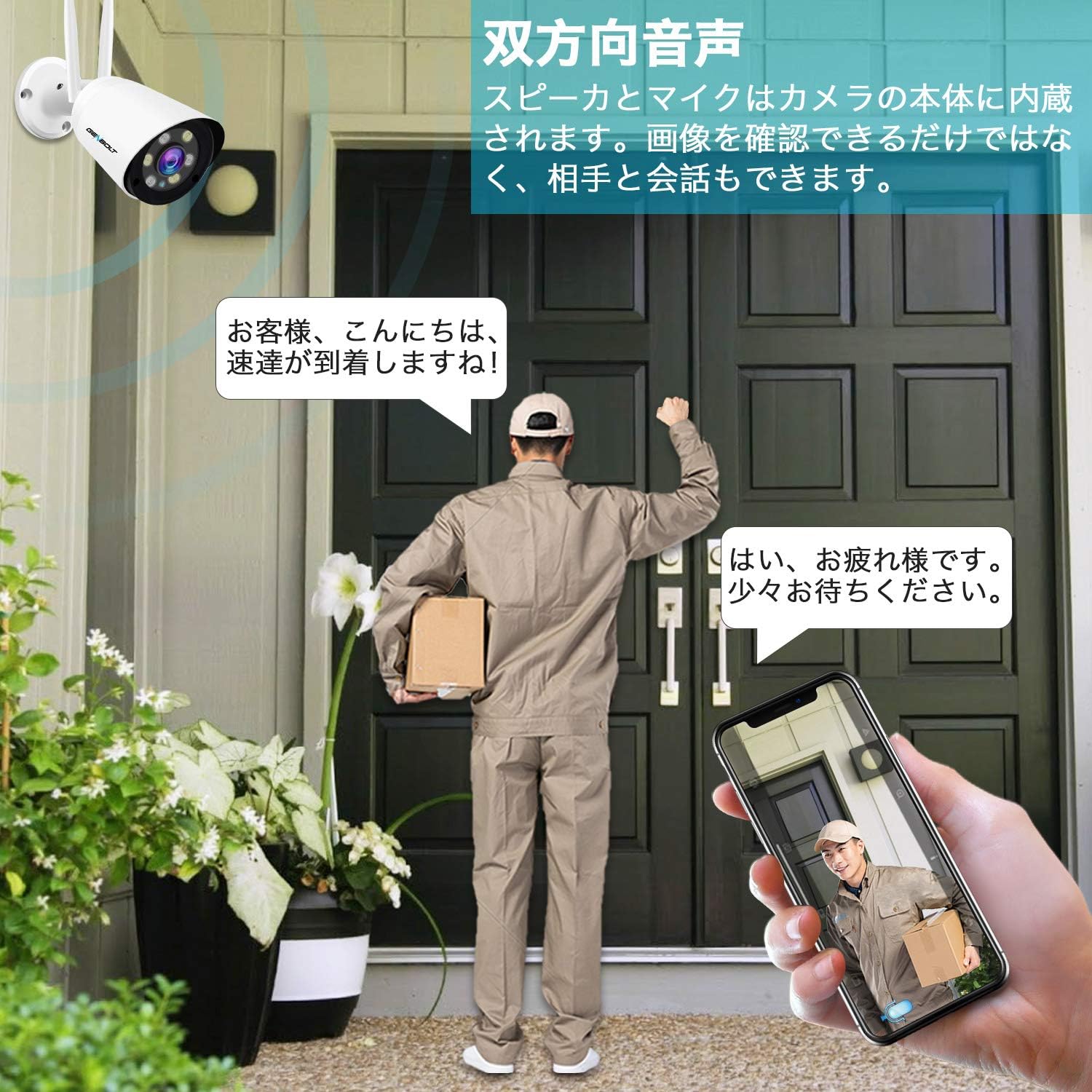
Image: An illustration depicting a security camera shining a bright light on an intruder at night, with a speech bubble saying "Stop, who is it?" and text indicating that siren alarms prevent crime. This demonstrates the active light and sound deterrence feature.
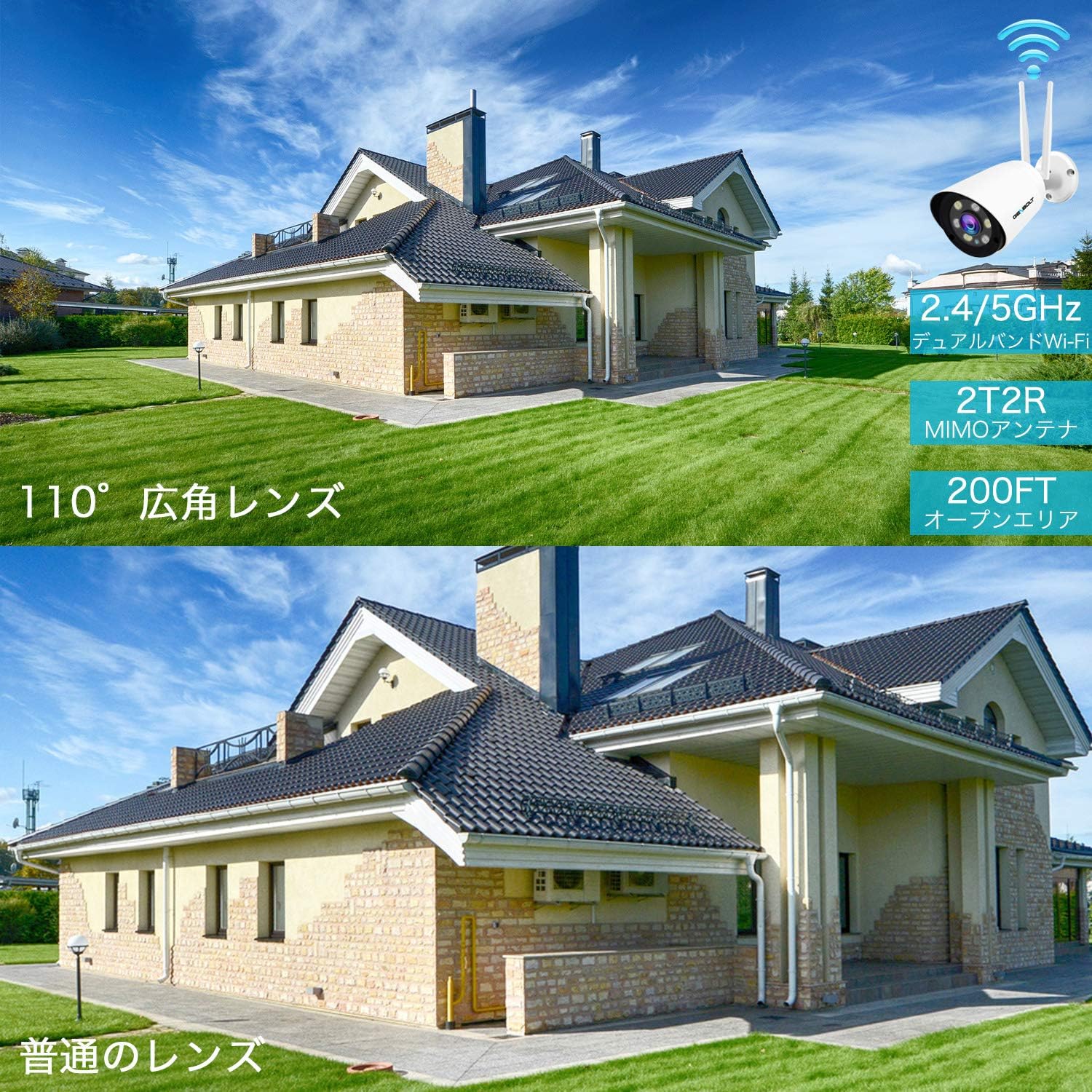
Image: A delivery person stands at a door while a user communicates via a smartphone app, showcasing the two-way audio feature of the camera. The phone screen displays the live camera feed.
5. Cloud Storage and Playback
In addition to local MicroSD card storage, the camera offers cloud storage with a 7-day free trial. Cloud storage provides unlimited capacity, data security, and allows you to view recordings even if the camera goes offline. Playback of recorded events is easily accessible through the mobile app.

Image: An icon representing cloud storage with text "Cloud Storage 7-day free trial" next to a smartphone displaying a list of recorded video events with playback options, illustrating the cloud storage and easy app playback features.
6. Customizable Detection Zones and Schedules
You can define specific detection zones within the camera's field of view to focus on critical areas and minimize unnecessary alerts. Alarm schedules can also be set via the app to activate or deactivate alerts during specific times or days.

Paveikslėlis: Viršutinė dalis view of a house and driveway with a security camera icon, showing a blue shaded area representing a customizable detection zone. This illustrates how users can define specific areas for motion detection.

Image: A smartphone screen displaying advanced alarm settings, showing a weekly schedule grid where users can set specific times for motion detection and recording to be active or inactive, allowing for customized surveillance.
Savybės
- AI žmogaus aptikimas: Advanced algorithms detect human shapes, reducing false alarms from other moving objects.
- Išmanusis stebėjimas: Automatically follows human movement within the surveillance area.
- 1080P didelės raiškos: Užfiksuoja aiškų ir išsamų vaizdo įrašątage.
- 110° Ultra-Wide Angle: Provides extensive coverage, equivalent to multiple standard cameras.
- Išmanusis spalvotas naktinis matymas: Automatically switches to color mode in darkness upon motion detection using high-brightness LEDs.
- Sound & Light Deterrence: Activates bright LEDs and customizable siren alarms (e.g., dog barking) to deter intruders.
- Dvipusis garsas: Integruotas mikrofonas ir garsiakalbis bendravimui realiuoju laiku.
- Dual-Band Wi-Fi (2.4/5GHz): Supports both frequency bands for flexible and stable wireless connectivity.
- PoE (Power over Ethernet) Support: Supaprastina diegimą, nes maitinimas ir duomenys tiekiami per vieną Ethernet kabelį.
- „MicroSD“ kortelės saugykla: Supports up to 128GB for local recording with intelligent compression and overwrite function.
- Saugykla debesyje: Offers a 7-day free trial with unlimited capacity and secure data backup.
- IP66 atsparumas oro sąlygoms: Patvarus dizainas, skirtas naudoti lauke įvairiomis oro sąlygomis.
- Kelių vartotojų bendrinimas: Allows multiple users to access and monitor the camera feed.
Priežiūra
- Reguliarus valymas: Reguliariai valykite kameros objektyvą ir korpusą minkšta šluosteamp šluoste, kad užtikrintumėte aiškią vaizdo kokybę. Venkite abrazyvinių valiklių.
- Firmware atnaujinimai: Check the GENBOLT websvetainėje ar programėlėje ieškokite galimų programinės įrangos atnaujinimų, kad užtikrintumėte optimalų našumą ir saugumą.
- Tinklo stabilumas: Ensure your Wi-Fi network is stable and has sufficient bandwidth for continuous video streaming and recording.
- SD kortelės tvarkymas: If using a MicroSD card, regularly check its status via the app. The camera supports an overwrite function, but periodic review of important footagRekomenduojama e.
- Maitinimo jungtis: Verify that the power connection is secure and free from damage.
Trikčių šalinimas
- Fotoaparatas neprisijungęs: Check power supply and network connection. Ensure Wi-Fi signal strength is adequate. Try restarting the camera and your router.
- Prasta vaizdo kokybė: Clean the camera lens. Ensure there are no obstructions in the field of viewPatikrinkite tinklo pralaidumą.
- Klaidingi pavojaus signalai: Adjust AI human detection sensitivity settings in the app. Define specific detection zones to exclude irrelevant areas.
- Nėra garso: Verify microphone and speaker settings in the app. Ensure there are no physical obstructions.
- SD kortelė neįrašo: Check if the MicroSD card is properly inserted and formatted. Ensure it is not full (if overwrite is disabled).
- Cannot Connect to 5GHz Wi-Fi: Ensure your router supports 5GHz and the camera is within range. Some older routers may have compatibility issues.
Specifikacijos
| Modelio pavadinimas | GB209H |
| Prekės ženklas | GENBOLTAS |
| Efektyvi vaizdo raiška | 1080 pikselių |
| Laukas View | 110 laipsnių |
| Naktinio matymo diapazonas | 30 metrų |
| Ryšio technologija | Wireless (2.4GHz/5GHz Wi-Fi), Wired (LAN/PoE) |
| Atsparumas vandeniui | IP66 |
| Galia | DC 12V, 3W (PoE supported) |
| „MicroSD“ kortelių palaikymas | Iki 128 GB |
| Gaminio matmenys (IxPxH) | 18 x 6 x 6 cm |
| Produkto svoris | 650 g |
Garantija ir palaikymas
GENBOLT provides comprehensive support for its products:
- Garantinis laikotarpis: The surveillance camera comes with a 2-year service warranty.
- Produkto pakeitimas: Within 1 year, if an individual product is found to be defective, a replacement will be promptly provided.
- Pinigų grąžinimo garantija: Suteikiama 30 dienų pinigų grąžinimo garantija.
- Techninė pagalba: Teikiama visą gyvenimą trunkanti techninė pagalba.
- Susisiekite: For any issues or further assistance, please feel free to contact GENBOLT support.
For detailed instructions and application downloads, please visit the official GENBOLT websvetainė: www.genbolt.com.
Vaizdo demonstravimas
Peržiūrėkite šį vaizdo įrašą, kad greitai apžvelgtumėteview of the camera's key features, including night vision, alarm functions, motion detection, and dual-band Wi-Fi capabilities.
Vaizdo įrašas: trumpas įžanginis vaizdo įrašasview demonstrating the GENBOLT GB209H camera's night vision, active alarm, motion detection, and dual-band Wi-Fi features.


