1. Įvadas
The TicPods 2 Pro are advanced true wireless earbuds designed for a seamless audio experience and intuitive control. Featuring Bluetooth 5.0, dual-mic noise cancellation, and smart gesture controls, they offer high-quality sound and convenience for various activities. This manual provides detailed instructions for setup, operation, maintenance, and troubleshooting to ensure optimal use of your earbuds.

Image: TicPods 2 Pro Ice earbuds and their charging case.
2. Kas yra dėžutėje
- 1 x TicPods 2 Pro Ice Earbuds
- 1 x įkrovimo dokas
- 1 x Vartotojo vadovas

Image: The package contents, including earbuds, charging dock, and user guide.
3. Sąrankos vadovas
3.1 Pradinis įkrovimas
Before first use, fully charge your TicPods 2 Pro. Place the earbuds into the charging case. Connect the charging case to a power source using the provided Type-C cable. A 5-minute charge provides 1 hour of playing time, and a full charge offers 4 hours of playback, extending to 23 hours with the charging case.
3.2 Susiejimas su jūsų įrenginiu
The TicPods 2 Pro feature quick pairing via Bluetooth 5.0 for a stable connection within 10 meters. Simply open the charging case, and the earbuds will enter pairing mode. Select 'TicPods 2 Pro' from your device's Bluetooth settings.
Video: Demonstrates quick pairing and Bluetooth 5.0 connectivity.
3.3 Mobvoi App Installation
For enhanced features and to ensure optimal performance, install the Mobvoi app on your smartphone. The app allows for OTA updates, smart control customization, and battery life monitoring.

Image: Screenshot of the Mobvoi app interface, showing device connection and features.
4. Naudojimo instrukcijos
4.1 Smart Controls
The TicPods 2 Pro offer various intuitive control methods:
- Tickle Feature: Control playback and calls without taking out your smartphone.
- Dukart spustelėkite: Play the next song or hang up a call.
- Paspauskite ir palaikykite (2 sekundes): Wake up voice assistant or reject a call.
- Slinkti aukštyn / žemyn: Padidinkite arba sumažinkite garsumą.
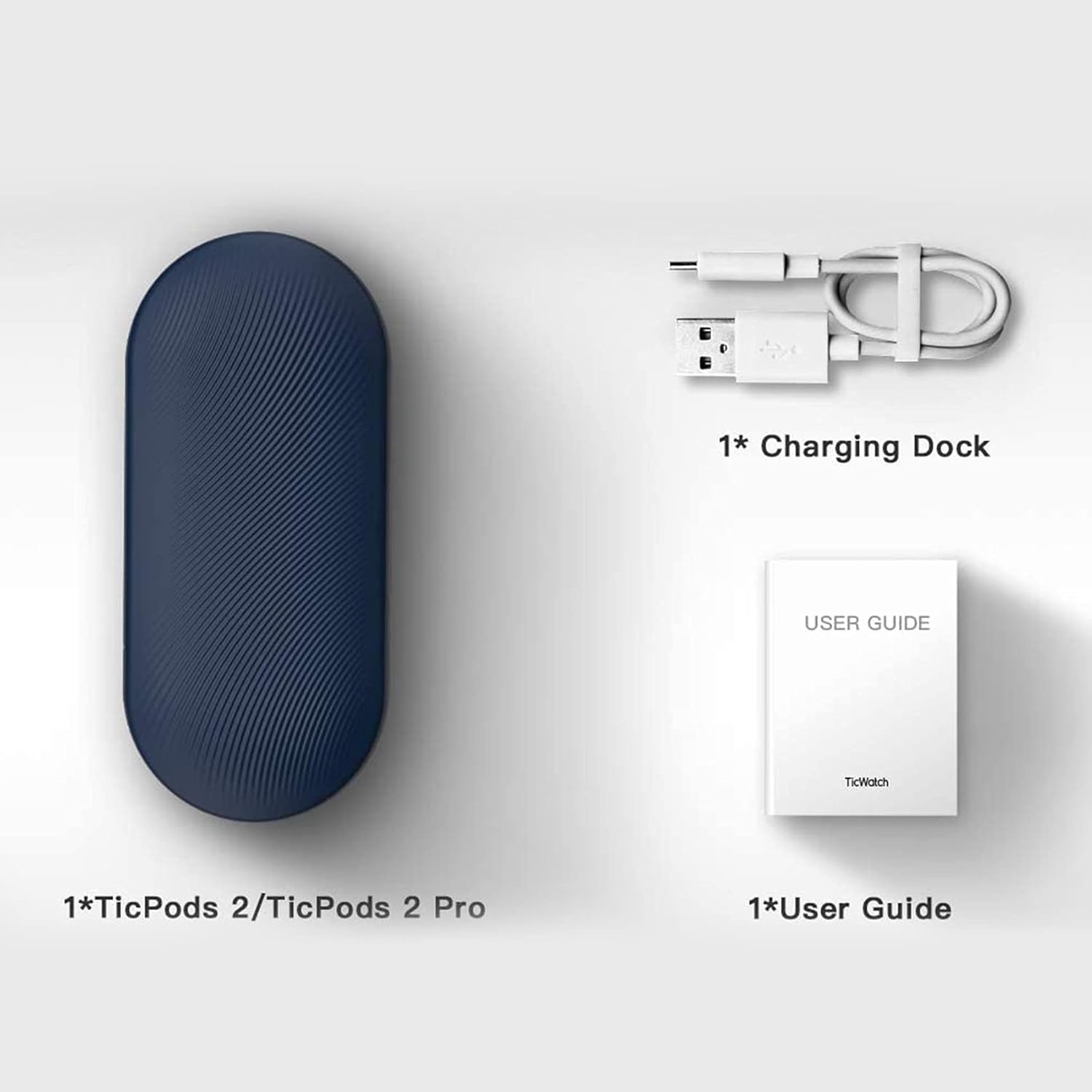
Image: A person demonstrating interaction with the earbuds, highlighting AI human-machine interaction.
4.2 Head Gesture Controls
Answer or reject calls with simple head movements:
- Nod Twice: Pick up an incoming call.
- Papurtyti galvą: Atmesti įeinantį skambutį.
4.3 Quick Commands
Use voice commands for common actions without a wake word:
- Say "Play music" to start playback.
- Say "Hey Tico" to activate your default voice assistant.
4.4 Ausinių aptikimas ausyje
High-precision sensors automatically play or pause music the moment you wear or remove the earbuds.
4.5 Garso kokybė
Experience superior sound with 13mm moving coils. The earbuds support Hi-Fi protocols such as aptX and AAC, delivering an audio sensitivity of 132dB@1kHZ for an immersive listening experience.

Image: Diagram illustrating the dual-mic system for noise cancellation.
4.6 Atsparumas vandeniui
The TicPods 2 Pro are IPX4 rated, providing protection against splashes and sweat, making them suitable for workouts and outdoor activities.
5. Priežiūra
To ensure the longevity and optimal performance of your TicPods 2 Pro, follow these maintenance guidelines:
- Valymas: Reguliariai valykite ausines ir įkrovimo dėklą minkštu, sausu, nepūkuotu skudurėliu. Venkite naudoti abrazyvines medžiagas ar stiprias chemines medžiagas.
- Saugykla: Kai nenaudojate, laikykite ausines įkrovimo dėkle, kad apsaugotumėte jas nuo dulkių ir pažeidimų. Laikykite jas vėsioje, sausoje vietoje, toliau nuo ekstremalių temperatūrų.
- Įkrovimo kontaktai: Periodically check and gently clean the charging contacts on both the earbuds and inside the case to ensure a proper connection.
6. Problemų sprendimas
If you encounter issues with your TicPods 2 Pro, refer to the following common solutions:
- Ausinės nesusijungia: Ensure both earbuds are in the charging case, then open the lid to activate pairing mode. Check your device's Bluetooth settings and forget previous connections if necessary.
- Nėra garso iš vienos ausinės: Įdėkite abi ausines atgal į įkrovimo dėklą, uždarykite dangtelį, palaukite kelias sekundes ir vėl atidarykite. Tai dažnai iš naujo sinchronizuoja jas.
- Įkrovimo problemos: Verify that the charging cable and adapter are working correctly. Clean the charging contacts on the earbuds and case to remove any debris.
- Valdikliai nereaguoja: Ensure the earbuds are properly seated in your ears. Try restarting the earbuds by placing them in the case and taking them out again.
- Programinės įrangos atnaujinimai: Regularly check for and install the latest firmware updates via the Mobvoi app to resolve potential bugs and improve performance.
For persistent issues, please contact Ticwatch customer support.
7. Specifikacijos
| Funkcija | Specifikacija |
|---|---|
| Modelio pavadinimas | TicPods 2 Pro Ice |
| Ryšio technologija | Belaidis ryšys („Bluetooth 5.0“) |
| Bluetooth diapazonas | 10 metrai |
| Atsparumo vandeniui lygis | IPX4 (atsparus vandeniui) |
| Baterijos veikimo laikas (vienas įkrovimas) | 4 valandų |
| Baterijos veikimo laikas (su įkrovimo dėklu) | 23 valandų |
| Garso tvarkyklės dydis | 13 milimetrų |
| Jautrumas | 132 dB |
| Valdymo tipas | Palieskite, balso asistentas |
| Prekės svoris | 6.4 uncijos |
| Gaminio matmenys | 2.8 x 1.26 x 0.94 colio |

Image: Diagram illustrating key technical specifications of the TicPods 2 Pro.
8. Garantija ir palaikymas
Ticwatch offers a replacement for quality-related issues for 12 mėnesių from the date of your purchase. You can extend this by an additional 6 months (total 18 months) by joining the Mobvoi membership program at mobvoi.com/membership.
For further assistance or to report issues, please visit the official Ticwatch support websvetainėje arba susisiekite su jų klientų aptarnavimo tarnyba.


