Įvadas
This manual provides essential instructions for the safe and efficient use of your Redmi 10000mAh Power Bank (Model PB100LZm). Please read this manual thoroughly before using the product and retain it for future reference.
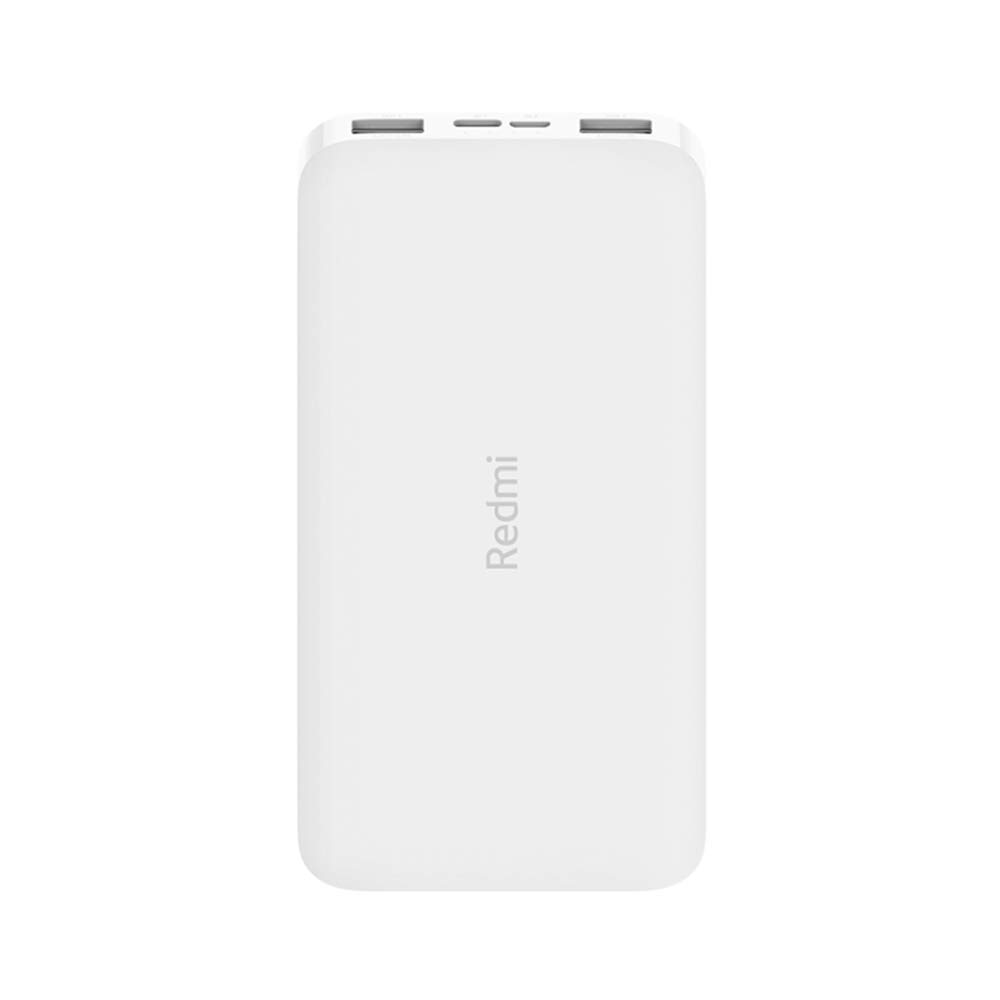
Vaizdas: kampuotas view of the white Redmi 10000mAh Power Bank.
Saugos informacija
To prevent injury, damage to the product, or damage to property, observe the following safety precautions:
- Do not disassemble, repair, or modify the power bank.
- Do not expose the power bank to fire, high temperatures, or direct sunlight.
- Venkite kontakto su vandeniu ar kitais skysčiais.
- Do not drop, impact, or subject the power bank to strong vibrations.
- Laikyti vaikams nepasiekiamoje vietoje.
- Naudokite tik suderinamus įkrovimo laidus ir adapterius.
- Dispose of the power bank according to local regulations.
Produktas baigtasview
Familiarize yourself with the components of your Redmi 10000mAh Power Bank.

Image: Close-up of the power bank's top edge showing two USB-A output ports (OUT1, OUT2), one Micro-USB input port (IN1), one USB-C input port (IN2), and four LED battery level indicators.
- USB-A išvesties prievadai (OUT1, OUT2): Naudojamas išoriniams įrenginiams įkrauti.
- Micro-USB Input Port (IN1): Used to charge the power bank.
- USB-C Input Port (IN2): Used to charge the power bank.
- LED indikatoriai: Four small lights indicating the remaining battery level.
- Maitinimo mygtukas: Located on the side, used to check battery level or activate charging.

Vaizdas: Šoninė view of the power bank highlighting the power button.
Sąranka
Pradinis išorinės baterijos įkrovimas
Before first use, fully charge your Redmi 10000mAh Power Bank.
- Connect a compatible USB cable to either the Micro-USB (IN1) or USB-C (IN2) input port on the power bank.
- Kitą laido galą prijunkite prie USB maitinimo adapterio (nepridedamas) arba kompiuterio USB prievado.
- The LED indicators will light up, showing the charging progress. All four LEDs will be solid when fully charged.
Įrenginių prijungimas
The power bank is compatible with mobile phones and other USB-powered devices.
- Use the appropriate charging cable for your device.
- Connect one end of the cable to one of the USB-A output ports (OUT1 or OUT2) on the power bank.
- Prijunkite kitą laido galą prie savo įrenginio įkrovimo prievado.
Naudojimo instrukcijos
Išorinių įrenginių įkrovimas
Once a device is connected, the power bank should automatically begin charging. If not, press the power button once to initiate charging.

Image: The power bank connected via a USB cable to charge a mobile phone, resting on a wooden table.
- The LED indicators will show the power bank's remaining battery level during charging.
- Galite įkrauti du įrenginius vienu metu naudodami abu USB-A išvesties prievadus.
Baterijos lygio tikrinimas
Press the power button once to check the remaining battery level. The LED indicators will light up for a few seconds:
- 1 šviesos diodas: 0-25% akumuliatoriaus likutis
- 2 šviesos diodai: 25-50% akumuliatoriaus likutis
- 3 šviesos diodai: 50-75% akumuliatoriaus likutis
- 4 šviesos diodai: 75-100% akumuliatoriaus likutis
Priežiūra
- Valymas: Išorinę bateriją nuvalykite minkštu, sausu skudurėliu. Nenaudokite stiprių cheminių medžiagų ar abrazyvinių medžiagų.
- Saugykla: Laikykite išorinę bateriją vėsioje, sausoje vietoje, toliau nuo tiesioginių saulės spindulių ir ekstremalių temperatūrų.
- Akumuliatoriaus priežiūra: For optimal battery life, avoid fully discharging the power bank frequently. Recharge it when the battery level is low. If not used for extended periods, charge it to about 50% every three months.
Trikčių šalinimas
| Problema | Galimas sprendimas |
|---|---|
| Nešiojamoji baterija neįkraunama. |
|
| Įrenginys neįkraunamas iš išorinės baterijos. |
|
| Lėtas įkrovimas. |
|
Specifikacijos
| Prekės ženklas | Xiaomi |
| Modelio numeris | PB100LZm |
| Talpa | 10000 mAh |
| Spalva | Baltas |
| Baterijos tipas | Ličio polimeras |
| Įvesties prievadai | 1x Micro-USB, 1x USB-C |
| Išvesties prievadai | 2x USB-A (5.1V=2.4A each) |
| Suderinami įrenginiai | Mobile Phones and other USB-powered devices |
| Matmenys | 15.8 x 8 x 2 cm |
| Svoris | 276 gramų |
Garantija ir palaikymas
Based on the provided product information, this product is indicated as having be garantijos. For any product-related inquiries or technical support, please refer to the official Xiaomi support channels or your point of purchase.


