1. Produktas baigtasview
The BoomPods BOOMBUDS XR are wireless in-ear earphones designed for active lifestyles. They feature Bluetooth 5.0 connectivity for stable audio transmission and an IPX7 waterproof rating, making them suitable for various environments including workouts and outdoor activities. The earbuds are engineered for a secure and comfortable fit, and offer customizable sound profiles.

1.1 paveikslas: BoomPods BOOMBUDS XR Earbuds and Charging Case. The image displays the black earbuds and their compact charging case, highlighting their sleek design.
2. Kas yra dėžutėje
Upon unboxing your BoomPods BOOMBUDS XR, verify that all the following components are included:
- BoomPods BOOMBUDS XR in-ear earphones (Left and Right)
- Įkrovimo dėklas
- Mikro USB įkrovimo laidas
- Spare ear cups (multiple sizes for optimal fit)
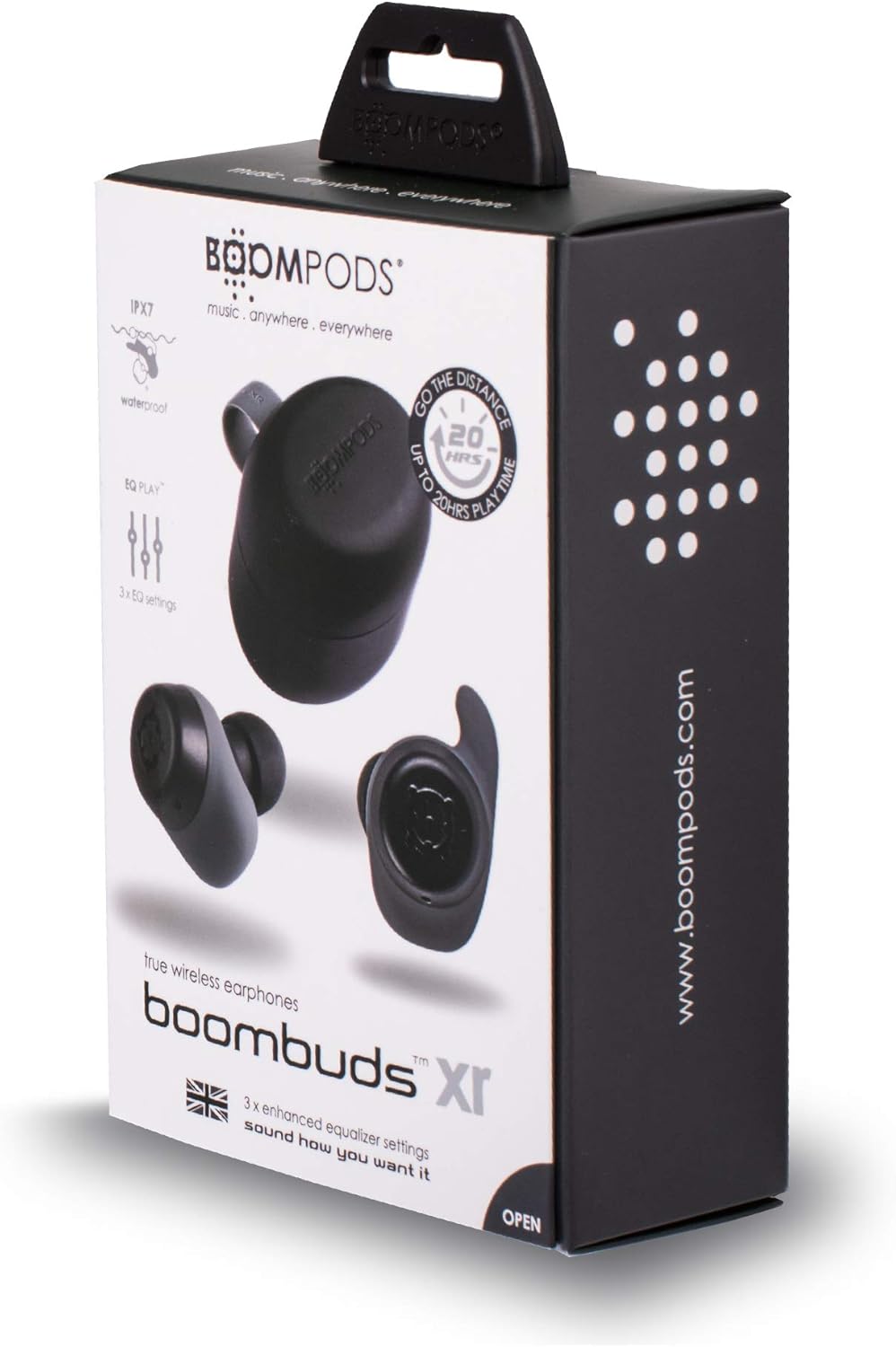
2.1 paveikslas: BoomPods BOOMBUDS XR Retail Packaging. The image shows the product box, indicating the contents and key features like IPX7 waterproof rating and EQ settings.
3. Sąrankos vadovas
3.1. Ausinių ir dėklo įkrovimas
Before first use, fully charge the earbuds and the charging case. The charging case provides approximately 20 hours of additional playback time, while the earbuds offer up to 4.5 hours on a single charge. A full charge takes approximately 1.5 hours.
- Place the earbuds into their respective slots in the charging case. Ensure they are seated correctly for the charging contacts to align.
- Connect the Micro USB charging cable to the charging port on the case and plug the other end into a USB power source (e.g., wall adapter, computer USB port).
- Indicator lights on the case will show the charging status. Refer to the product's specific LED indicators for detailed information (not provided in source).
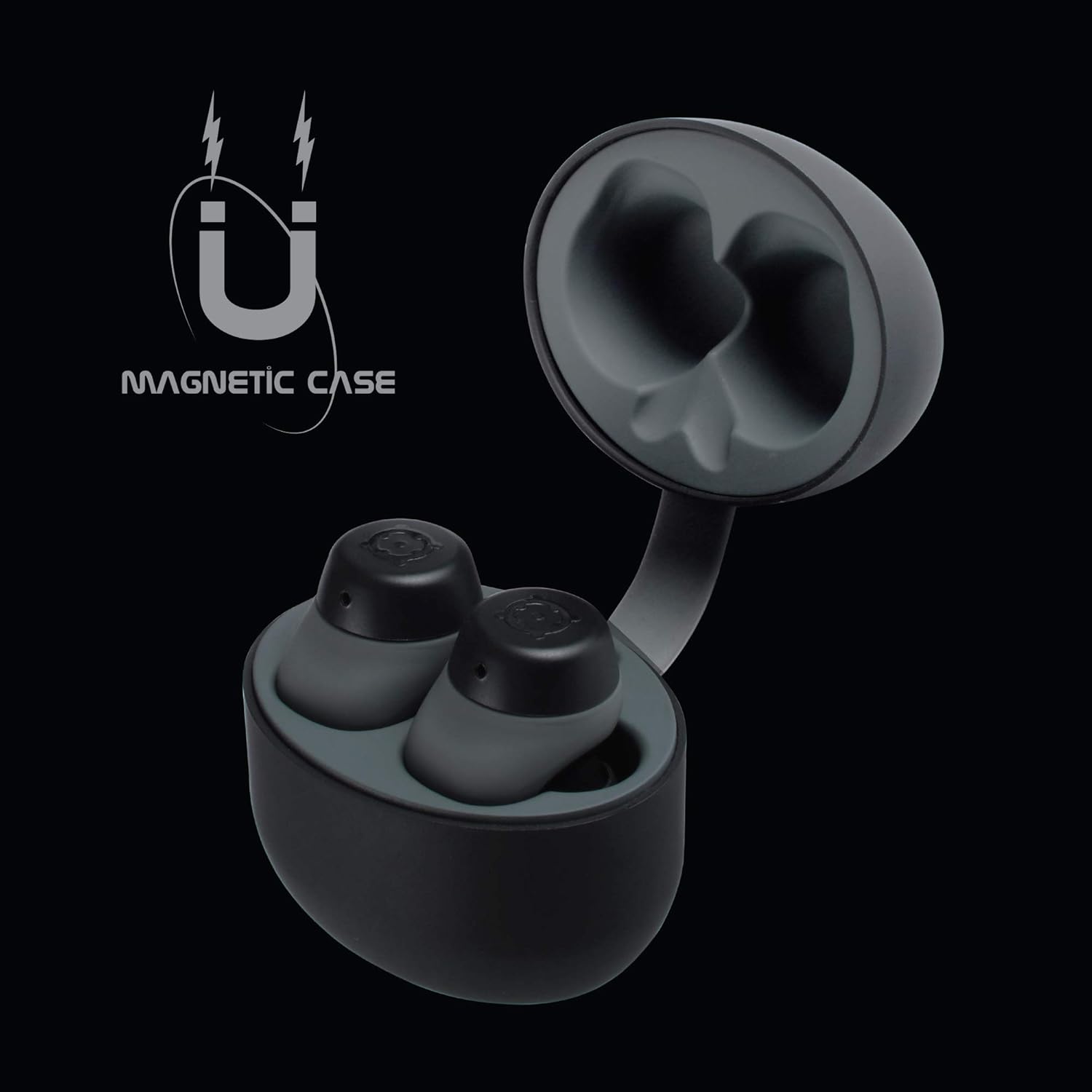
3.1 paveikslas: Charging Case with Earbuds. The image shows the open charging case with the earbuds placed inside, ready for charging.

3.2 paveikslas: Magnetic Case. This graphic illustrates the magnetic feature of the charging case, ensuring earbuds are securely held in place during charging and transport.
3.2. Susiejimas su įrenginiu
The BOOMBUDS XR utilize Bluetooth 5.0 for a quick and stable connection.
- Įsitikinkite, kad ausinės yra įkrautos ir išimtos iš įkrovimo dėklo. Jos turėtų automatiškai įsijungti į susiejimo režimą.
- Išmaniajame telefone arba „Bluetooth“ įrenginyje eikite į „Bluetooth“ nustatymus.
- Ieškokite available devices and select "BOOMBUDS XR" from the list.
- Prijungus ausines, bus rodomas sėkmingas susiejimas (pvz., garsinis pranešimas arba pasikeitęs LED indikatorius).

3.3 paveikslas: Bluetooth 5.0 Connectivity. This graphic highlights the instant and secure connection provided by Bluetooth 5.0 technology.
3.3. Achieving the Perfect Fit
A proper fit is crucial for both comfort and optimal sound quality, especially for bass response and noise isolation. The BOOMBUDS XR come with multiple sizes of ear cups to ensure a secure fit for various ear shapes.
- Experiment with the different sizes of ear cups provided.
- Gently insert the earbud into your ear canal and twist slightly to secure it. The ergonomic design (Ergofit) helps keep them in place during activity.
- Test the fit by moving your head and performing light activities. If the earbuds feel loose or the sound quality is poor, try a different size ear cup.
3.4 paveikslas: Ergofit Design. This graphic illustrates the ergonomic design of the earbuds, engineered for a secure and comfortable fit within the ear.
4. Naudojimo instrukcijos
4.1. Muzikos ir skambučių valdikliai
The BOOMBUDS XR feature integrated controls on the earbuds for managing audio playback and calls. These controls include volume adjustment, play/pause, and track skipping.
| Veiksmas | Kontrolė |
|---|---|
| Leisti / pristabdyti | Double-click the earbud button. |
| Kitas takelis | (Specific control not detailed in source, typically triple-click or long press) |
| Ankstesnis takelis | (Specific control not detailed in source) |
| Padidinti garsumą | (Specific control not detailed in source, but volume control is present) |
| Sumažinti garsumą | (Specific control not detailed in source, but volume control is present) |
| Atsiliepti / Baigti skambutį | (Specific control not detailed in source) |
| Įjungti balso asistentą („Siri“ / „Google“ asistentas) | (Specific control not detailed in source) |
| Išjungti | Hold button for five seconds. |
Note: For detailed control gestures, refer to the full user manual provided with your product.
4.2. EQ Play Settings
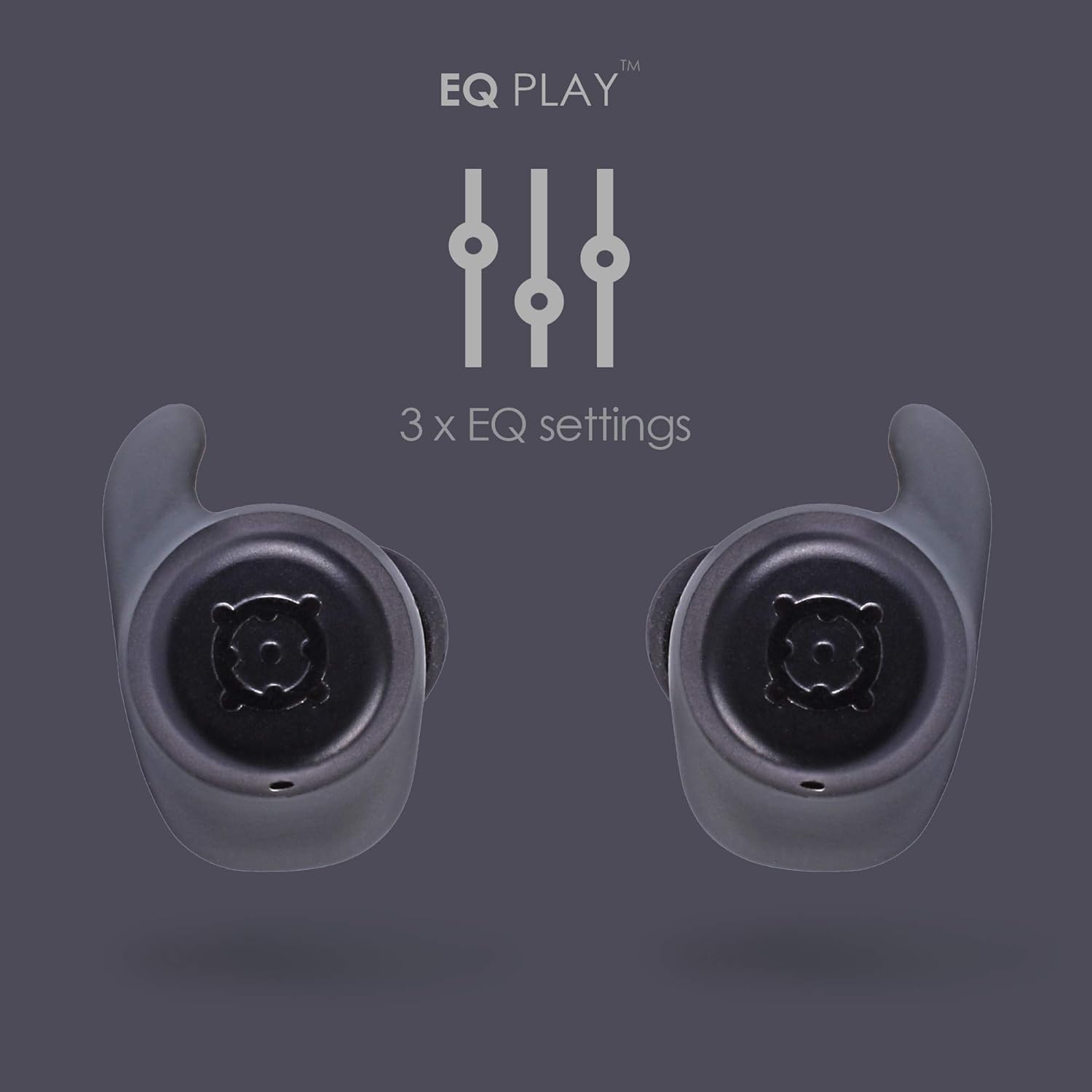
The BOOMBUDS XR allow you to customize your listening experience with three distinct equalizer (EQ) settings:
- Žemų dažnių stiprinimas: Enhances low-frequency sounds for a more powerful bass.
- Vokalo stiprinimas: Optimizes mid-range frequencies to make vocals clearer and more prominent.
- BoomPods Studio: Suteikia profesionalų subalansuotą garsąfile, designed for general listening.
To switch between EQ settings, use the designated control on the earbuds (specific control not detailed in source).

4.1 paveikslas: EQ Play Settings. This graphic illustrates the three available equalizer settings for customized audio output.
5. Priežiūra ir priežiūra
5.1. Waterproofing (IPX7 Rating)
The BOOMBUDS XR are rated IPX7 waterproof, meaning they can withstand immersion in water up to 1 meter for 30 minutes. This makes them resistant to sweat, rain, and splashes, and suitable for use in showers or by the pool.
Svarbi pastaba: While the earbuds are waterproof, Bluetooth technology has limitations when transmitting through water. Therefore, continuous audio streaming underwater is not recommended as the connection may be interrupted.

5.1 paveikslas: IPX7 Waterproofing in Use. The image shows a person showering while wearing the earbuds, demonstrating their water-resistant capabilities.
5.2. Valymas ir laikymas
- Reguliariai valykite ausines ir įkrovimo dėklą minkštu, sausu, nepūkuotu skudurėliu.
- Remove the ear cups and clean them separately with mild soap and water if necessary. Ensure they are completely dry before reattaching.
- Venkite naudoti abrazyvinius valiklius, tirpiklius ar aerozolinius purškalus.
- Kai nenaudojate, laikykite ausines įkrovimo dėkle, kad apsaugotumėte ir liktų įkrautos.
- Keep the charging contacts on both the earbuds and the case clean and free of debris to ensure proper charging.
6. Problemų sprendimas
If you encounter issues with your BoomPods BOOMBUDS XR, refer to the following common troubleshooting steps:
| Problema | Galima priežastis / sprendimas |
|---|---|
| Ausinės neįkraunamos |
|
| Earbuds not pairing / connecting |
|
| Prasta garso kokybė / Mažas garsumas |
|
| Microphone issues / Call quality poor |
|
| Iškrenta ausinės |
|
7. Techninės specifikacijos
| Funkcija | Detalė |
|---|---|
| Modelio pavadinimas | BXRBLK |
| Ryšio technologija | „Bluetooth 5“, belaidis ryšys |
| Belaidžio ryšio technologija | Bluetooth |
| Medžiaga | Silikonas |
| Specifinis produkto naudojimas | Sportas ir mankšta, studija |
| Įkrovimo laikas | 1.5 valandų |
| Suderinami įrenginiai | Išmanieji telefonai |
| Valdymo tipas | Volume Control, Remote with Mic |
| Prekės svoris | 48 gramų (1.69 uncijos) |
| Atsparumo vandeniui lygis | IPX7 (atsparus vandeniui) |
| Dažnių diapazonas | 50Hz-15kHz |
| Baterijos veikimo laikas (ausinės) | 4.5 valandų |
| Baterijos veikimo laikas (su įkrovimo dėklu) | Up to 20 Hours additional playback |
| Bluetooth versija | 5.0 |
| Ypatingos savybės | Microphone Included, Sweatproof, USB connectivity, Volume Control, Ergonomic Design, EQ Play (3 settings) |
| Gaminio matmenys | 0.2 x 3.11 x 1.34 colio |
| Gamintojas | Boompodai |
| Spalva | Juoda |
| Ausų išdėstymas | Ausyje |
| Formos faktorius | Ausyje |
8. Garantija ir palaikymas
8.1. Ribota garantija
The BoomPods BOOMBUDS XR are covered by a 2 metų ribota garantija nuo įsigijimo datos. Ši garantija taikoma gamybos defektams ir gedimams įprasto naudojimo sąlygomis. Ji netaikoma žalai, atsiradusiai dėl netinkamo naudojimo, nelaimingų atsitikimų, neleistinų modifikacijų ar įprasto nusidėvėjimo.
For specific terms and conditions of the warranty, please refer to the warranty card included with your product or visit the official BoomPods websvetainę.
8.2. Pagalba klientams
For further assistance, technical support, or warranty claims, please contact BoomPods customer service through their official channels. You can typically find contact information on the product packaging, the official BoomPods website, or the brand store on Amazon.
Aplankykite pareigūną BoomPods Store on Amazon daugiau informacijos apie produktą ir pagalbos išteklių.


