Įvadas
This manual provides detailed instructions for the setup, operation, maintenance, and troubleshooting of your EasySMX Wireless Controller, model SP5226-R-EU. This controller is designed for use with Nintendo Switch, Nintendo Switch Lite, and Windows PC. Please read this manual thoroughly before use to ensure proper functionality and to maximize your gaming experience.
Pakuotės turinys
Patikrinkite, ar pakuotėje yra visi reikalingi daiktai:
- 1 x EasySMX Wireless Pro Controller for Nintendo Switch
- 1 x 1.2 Meter USB-C Charging Cable
- 1 x Naudotojo vadovas (šis dokumentas)
Produktas baigtasview
The EasySMX Wireless Controller features an ergonomic design for comfortable use and includes various buttons and functions for an enhanced gaming experience. Below are images illustrating the controller's layout and key features.

Vaizdas: Priekyje view of the EasySMX Wireless Controller. This image highlights the controller's main buttons, dual analog sticks, D-pad, and action buttons (A, B, X, Y). Icons above the controller indicate key features such as 6-Axis Gyro, Bluetooth connectivity, Vibration feedback, Switch Host compatibility, and Screenshot functionality.

Vaizdas: Atgal view of the EasySMX Wireless Controller. This image displays the rear of the controller, including the R and L triggers, and regulatory markings such as "SWITCH Wireless Controller," "Input: DC 5V 500mA," and "Made in China."
Valdiklio įkrovimas
The controller is equipped with a built-in 500mAh rechargeable lithium battery. To charge the controller:
- Connect the provided USB-C charging cable to the USB-C port on the controller.
- Connect the other end of the cable to a USB power source (e.g., a Nintendo Switch dock, a computer USB port, or a USB wall adapter).
- The indicator lights on the controller will show the charging status.
A full charge typically takes approximately 2-3 hours. Once fully charged, the controller provides approximately 8 hours of operating time.
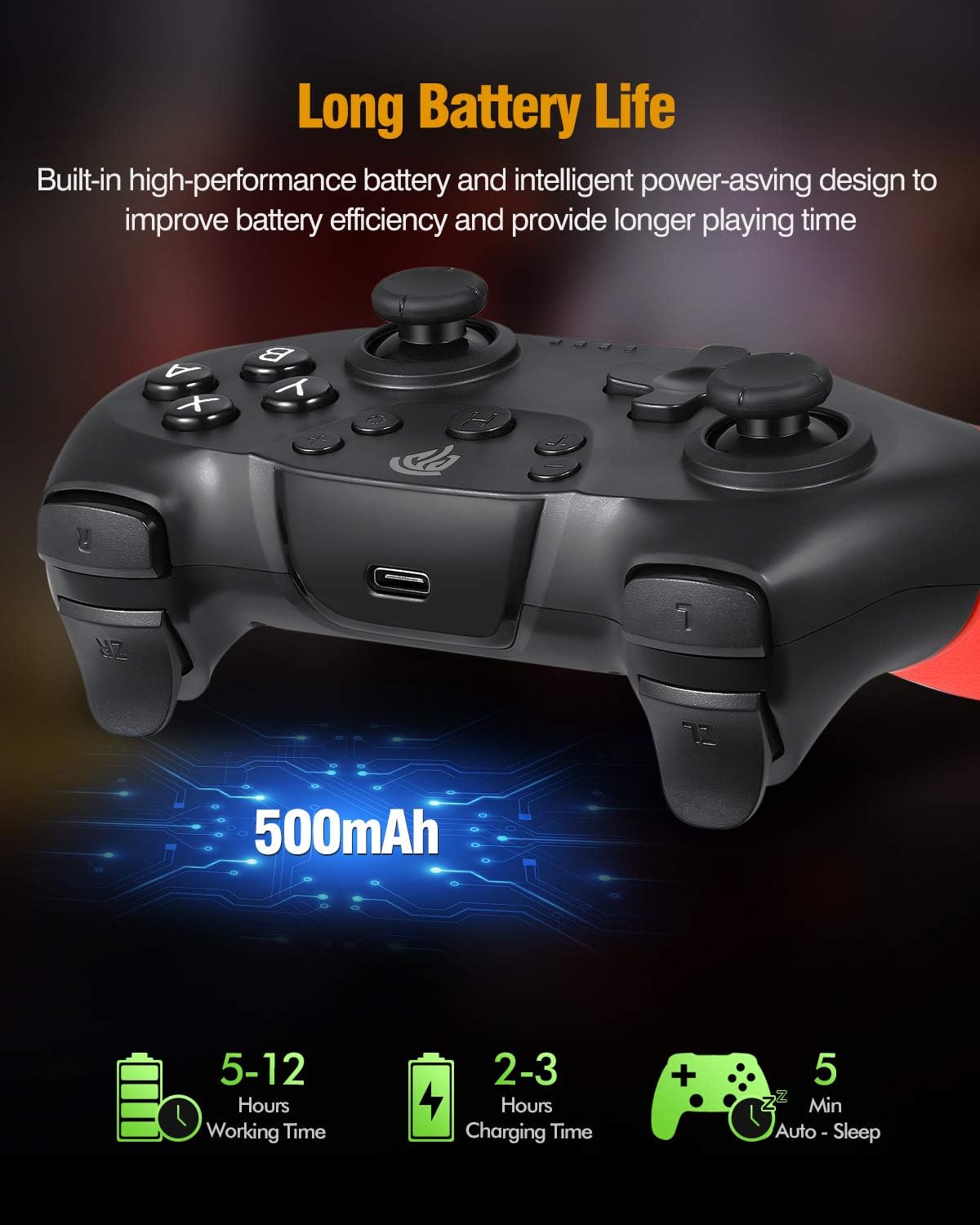
Vaizdas: Illustration of the controller's battery life and charging. The image shows the controller with a USB-C port, indicating a 500mAh battery. Text overlays specify a working time of 5-12 hours (note: actual working time is approximately 8 hours as per product features), a charging time of 2-3 hours, and an auto-sleep function after 5 minutes of inactivity.
Prisijungimas prie „Nintendo Switch“
Follow these steps to pair your EasySMX Wireless Controller with your Nintendo Switch console:
- From the Nintendo Switch HOME Menu, select "Controllers" > "Change Grip/Order."
- On the controller, press and hold the SYNC button (usually a small button on the top or back) for a few seconds until the LED indicators begin to flash rapidly.
- Once the controller is successfully paired, the player LED(s) corresponding to the controller number will remain lit.
- The controller will automatically connect to the Switch console when powered on if it has been paired previously.
Prijungimas prie kompiuterio („Windows“)
The controller can be connected to a Windows PC via Bluetooth or a USB cable.
„Bluetooth“ ryšys:
- Įsitikinkite, kad jūsų kompiuteryje įjungtas „Bluetooth“ ryšys.
- On your PC, go to "Settings" > "Devices" > "Bluetooth & other devices."
- Select "Add Bluetooth or other device" > "Bluetooth."
- Press and hold the SYNC button on the controller until the LED indicators flash rapidly.
- Pasirinkite valdiklį iš galimų „Bluetooth“ įrenginių sąrašo savo kompiuteryje.
- Vykdykite visus ekrane pateikiamus nurodymus, kad užbaigtumėte susiejimo procesą.
Laidinis ryšys:
- Prijunkite įkrovimo laido USB-C galą prie valdiklio.
- Prijunkite USB-A kabelio galą prie laisvo kompiuterio USB prievado.
- The PC should automatically detect and install the necessary drivers. The controller will be recognized as a standard gamepad.
Veikimo ypatybės
Turbo funkcija
The controller supports a Turbo function for rapid firing of buttons. To activate Turbo:
- Paspauskite ir palaikykite mygtuką, kurį norite nustatyti į „Turbo“ režimą (pvz., A, B, X, Y, L, R, ZL, ZR).
- While holding the button, press the Turbo button once. The button will now continuously register input when held down.
- To deactivate Turbo for that button, repeat the process: hold the button and press the Turbo button again.
Atsiliepimai apie vibraciją
The controller features dual motors for vibration feedback, providing a more immersive gaming experience. Vibration intensity is typically controlled by the game itself.

Vaizdas: Illustration of the controller's vibration feedback. The image shows the controller with visual effects emanating from the grips, symbolizing the dual motor vibration. A gaming scene is depicted in the background, suggesting an immersive experience.
Gyro Axis / 6-Axis Somatosensory
The built-in 6-axis gyro provides somatosensory assistance, allowing for subtle and precise aiming movements in compatible games.

Vaizdas: Demonstration of the 6-axis somatosensory feature. The image shows hands holding the controller, with a game displayed on a screen in the background. Text indicates that the built-in 6-axis gyro assists subtle aiming with high precision, making aiming movements smoother and faster.
Sleep Function / Automatic Power Off
To conserve battery life, the controller will automatically enter sleep mode after approximately 5 minutes of inactivity. To wake the controller, press any button.
Priežiūra
Norėdami užtikrinti valdiklio ilgaamžiškumą ir optimalų veikimą, laikykitės šių priežiūros nurodymų:
- Valymas: Valdiklį valykite minkšta, sausa šluoste. Venkite naudoti stiprias chemines medžiagas ar abrazyvines medžiagas.
- Saugykla: Laikykite valdiklį vėsioje, sausoje vietoje, apsaugotoje nuo tiesioginių saulės spindulių ir ekstremalių temperatūrų.
- Venkite lašų: Nenumeskite ir nedarykite stipraus smūgio valdiklio, nes tai gali pažeisti vidinius komponentus.
- Skysčio ekspozicija: Keep the controller away from liquids. If it comes into contact with liquid, power it off immediately and allow it to dry completely before attempting to use it again.
Trikčių šalinimas
If you encounter issues with your EasySMX Wireless Controller, refer to the following common problems and solutions:
- Valdiklis neįsijungia:
- Ensure the controller is fully charged. Connect it to a power source using the provided USB-C cable.
- Controller does not pair with Nintendo Switch/PC:
- Įsitikinkite, kad valdiklis yra susiejimo režime (LED lemputės greitai mirksi).
- For Switch: Confirm you are in the "Change Grip/Order" menu.
- For PC: Ensure Bluetooth is enabled on your PC and the controller is discoverable.
- Try restarting the controller and the console/PC.
- Įsitikinkite, kad kiti belaidžiai įrenginiai nekelia trukdžių.
- Įvesties delsa arba atjungimas:
- Ensure the controller is within the 10-meter operating range of the console/PC.
- Patikrinkite, ar nėra galimų belaidžio ryšio trukdžių iš kitų įrenginių.
- Įsitikinkite, kad valdiklio akumuliatorius yra pakankamai įkrautas.
- Mygtukai arba analoginės vairalazdės nereaguoja:
- Restart the controller and the console/PC.
- Įsitikinkite, kad valdiklio programinė įranga yra atnaujinta (patikrinkite oficialią „EasySMX“ svetainę). website for updates if available).
- Jei problema išlieka, susisiekite su klientų aptarnavimo tarnyba.
Specifikacijos
| Modelio numeris | SP5226-R-EU |
| Gamintojas | EasySMX |
| Ryšys | „Bluetooth“ belaidis ryšys |
| belaidis diapazonas | Iki 10 metrų |
| Baterijos talpa | 500 mAh ličio baterija |
| Įkrovimo laikas | 2-3 valandas |
| Veikimo laikas | Maždaug 8 val |
| Įvesties tomastage | DC 5V 500mA |
| Suderinamumas | Nintendo Switch, Switch Lite, Windows PC (Not compatible with Xbox 360/One, Mac, iOS) |
| Savybės | 6-Axis Gyro, Dual Vibration Motors, Turbo Function, Automatic Sleep Mode |
| Matmenys (paketas) | 16.61 x 16.31 x 7.19 cm |
| Svoris (pakuotės) | 340 g |
Garantija ir palaikymas
„EasySMX“ produktai sukurti patikimumui ir našumui užtikrinti. Informacijos apie garantiją, techninės pagalbos ar papildomos pagalbos ieškokite prie gaminio pridėtoje garantijos kortelėje arba apsilankykite oficialioje „EasySMX“ svetainėje. websvetainėje. Prašome išsaugoti pirkimo įrodymą, jei prireiktų pateikti pretenziją dėl garantijos.


