1. Įvadas
This manual provides comprehensive instructions for the installation, operation, and maintenance of your Paulmann 79808 Amaris LED Panel. This ultra-flat LED panel, measuring 595 x 295 mm, offers versatile lighting options including warm white, cool white, and RGBW color control. It is compatible with Zigbee 3.0 for seamless integration into your smart home system. Please read this manual carefully before installation and use, and retain it for future reference.

Figure 1: Paulmann Amaris LED Panel product packaging.
2. Saugos informacija
- Prieš montuodami, atlikdami techninę priežiūrą ar valymą, įsitikinkite, kad maitinimo šaltinis yra atjungtas.
- Installation must be performed by a qualified electrician or competent person in accordance with local electrical codes.
- Jokiu būdu nemodifikuokite gaminio. Neleistini pakeitimai gali panaikinti garantiją ir kelti pavojų saugumui.
- Šis gaminys skirtas naudoti tik patalpose.
- Venkite tiesioginio sąlyčio su vandeniu arba didelės drėgmės.
- Do not cover the LED panel with insulating material or other objects that may impede heat dissipation.
- Šio šviestuvo šviesos šaltinis yra nekeičiamas; kai šviesos šaltinis pasiekia savo tarnavimo laiką, reikia pakeisti visą šviestuvą.
3. Pakuotės turinys
Prieš tęsdami montavimą, patikrinkite, ar visi komponentai yra ir nepažeisti.
- 1x Paulmann Amaris LED Panel (Model 79808)
- 1x LED Driver (Power Supply Unit)
- 1x tvirtinimo laikiklis
- Montavimo instrukcijos (šis dokumentas)

Figure 2: Included components of the Paulmann Amaris LED Panel.
4. Sąranka ir diegimas
The Paulmann Amaris LED Panel is designed for ceiling mounting. Follow these steps for secure installation.
4.1 Matmenys
The panel measures 595 mm in length, 295 mm in width, and has a height of 52 mm.

3 pav.: Gaminio matmenys, skirti montavimo planavimui.
4.2 Montavimo žingsniai
- Paruošimas: Įsitikinkite, kad pagrindinis maitinimo šaltinis montavimo vietoje yra išjungtas grandinės pertraukikliu.
- Žymėjimas: Pritvirtinkite tvirtinimo laikiklį prie lubų norimoje vietoje ir pažymėkite gręžimo taškus.
- Gręžimas: Drill holes at the marked points. Use appropriate drill bits and wall plugs for your ceiling material.
- Saugus laikiklis: Attach the mounting bracket securely to the ceiling using screws.
- Elektros jungtis: Connect the LED driver to the 230V AC mains supply. This panel does not require an external transformer. Ensure correct wiring (Live, Neutral, Earth) according to local regulations.
- Connect Panel to Driver: Plug the LED panel's connector into the LED driver's output.
- Pritvirtinti skydelį: Carefully lift the LED panel and hook it onto the mounting bracket. Secure the panel to the bracket, ensuring it is flush with the ceiling.
- Galutinis patikrinimas: Once the panel is securely mounted and wired, restore power to the circuit.
5. Naudojimo instrukcijos
The Paulmann Amaris LED Panel offers various lighting functionalities through its Smart Home Zigbee compatibility.
5.1 Pagrindinės operacijos
Once installed and powered, the panel can be controlled via a compatible Zigbee gateway and associated control devices (e.g., remote control, smartphone app).
- Įjungta/Išjungta: Use your Zigbee controller or app to switch the panel on or off.
- Pritemdymas: Adjust the brightness level from 1% to 100% via your control device.
5.2 Color Temperature Adjustment (Tunable White)
The panel allows you to adjust the white light color temperature to suit your preference or activity.
- Diapazonas: Adjust the white light from 2700 Kelvin (warm white) to 6500 Kelvin (daylight white).
- Valdymas: Use the color temperature slider or presets in your Zigbee app or remote control.
5.3 RGBW Color Selection
Explore a wide spectrum of colors to create different ambiances in your room.
- Spalvų paletė: Select any color from the RGBW color palette available in your Zigbee app.
- Efektai: Some Zigbee systems may offer pre-programmed color effects or scenes.

Figure 4: The LED panel's capability to display a wide range of RGBW colors.

5 pav. Pvzample of ambient lighting using the panel's RGBW features.
6. Smart Home Integration (Zigbee)
The Paulmann Amaris LED Panel is Zigbee 3.0 compatible, allowing integration into various smart home ecosystems.
6.1 Zigbee Compatibility
Zigbee is a wireless communication protocol that enables devices from different manufacturers to connect and communicate within a smart home network.

Figure 6: Zigbee logo, signifying smart home integration capabilities.
6.2 Susiejimas su „Zigbee“ šliuzu
To control your LED panel via a smartphone app or voice assistant, you need a compatible Zigbee gateway (e.g., Philips Hue Bridge, Amazon Echo with built-in Zigbee hub, Google Nest Hub).
- Maitinimas: Ensure the LED panel is powered on.
- Vartų sąranka: Follow the instructions for your specific Zigbee gateway to put it into pairing mode.
- Atraskite įrenginius: Initiate a device search within your gateway's app. The LED panel should be discovered as a new light device.
- Priskirti: Assign the discovered LED panel to a room or group within your smart home app for easy control.
The panel is ready for Amazon Alexa and Google Assistant integration when connected to a compatible Zigbee 3.0 gateway.

Figure 7: Smart lighting control options with Zigbee 3.0 gateway.
7. Priežiūra
Regular maintenance ensures optimal performance and longevity of your LED panel.
- Valymas: Prieš valydami atjunkite maitinimą. Naudokite minkštą, sausą arba šiek tiek sudrėkintą šluostę.amp cloth to wipe the surface of the panel. Do not use abrasive cleaners, solvents, or harsh chemicals.
- Patikra: Periodically check for any loose connections or physical damage. If any damage is found, disconnect power and contact support.
- Šviesos šaltinis: LED šviesos šaltinis yra integruotas ir negali būti keičiamas vartotojo.
8. Problemų sprendimas
If you encounter issues with your Paulmann Amaris LED Panel, refer to the following troubleshooting guide:
| Problema | Galima priežastis | Sprendimas |
|---|---|---|
| Skydelis neįsijungia. | No power supply; Loose wiring; Faulty driver. | Check circuit breaker. Ensure all connections are secure. Contact support if driver is suspected faulty. |
| Cannot connect to Zigbee gateway. | Panel not in pairing mode; Gateway too far; Interference. | Ensure panel is powered on. Bring gateway closer. Check for other wireless devices causing interference. Reset panel (refer to gateway manual for specific reset procedure if needed). |
| Spalvos yra neteisingos arba nenuoseklios. | Software glitch; Calibration issue. | Restart the panel by cycling power. Check for firmware updates for your Zigbee gateway. |
| Panel flickers. | Unstable power supply; Incompatible dimmer (if not using smart dimming). | Ensure stable power. This panel is designed for smart dimming via Zigbee; do not use with external conventional dimmers. |
9. Specifikacijos
Detailed technical specifications for the Paulmann 79808 Amaris LED Panel.
| Prekės ženklas | Paulmannas |
| Modelio numeris | 79808 |
| Matmenys (I x P x A) | 59.5 x 29.5 x 5.2 cm |
| Svoris | 2.24 kilogramo |
| Medžiaga | Metalas |
| Stilius | Modernus |
| Forma | Square (Rectangular Panel) |
| ttage | 230 voltų |
| Maitinimo šaltinis | AC |
| Lemputės tipas | LED |
| Šviesos srautas | 2300 lm |
| Kaitrinis ekvivalentas | 142 vatų |
| Spalvos temperatūra | 2700K (Warm White) to 6500K (Daylight White) |
| Ypatingos savybės | Dimmable, RGBW Color Control, Smart Home Zigbee 3.0 Compatible |
| Vidutinis gyvenimas | 30,000 valandų |
| Energijos vartojimo efektyvumo klasė | F |
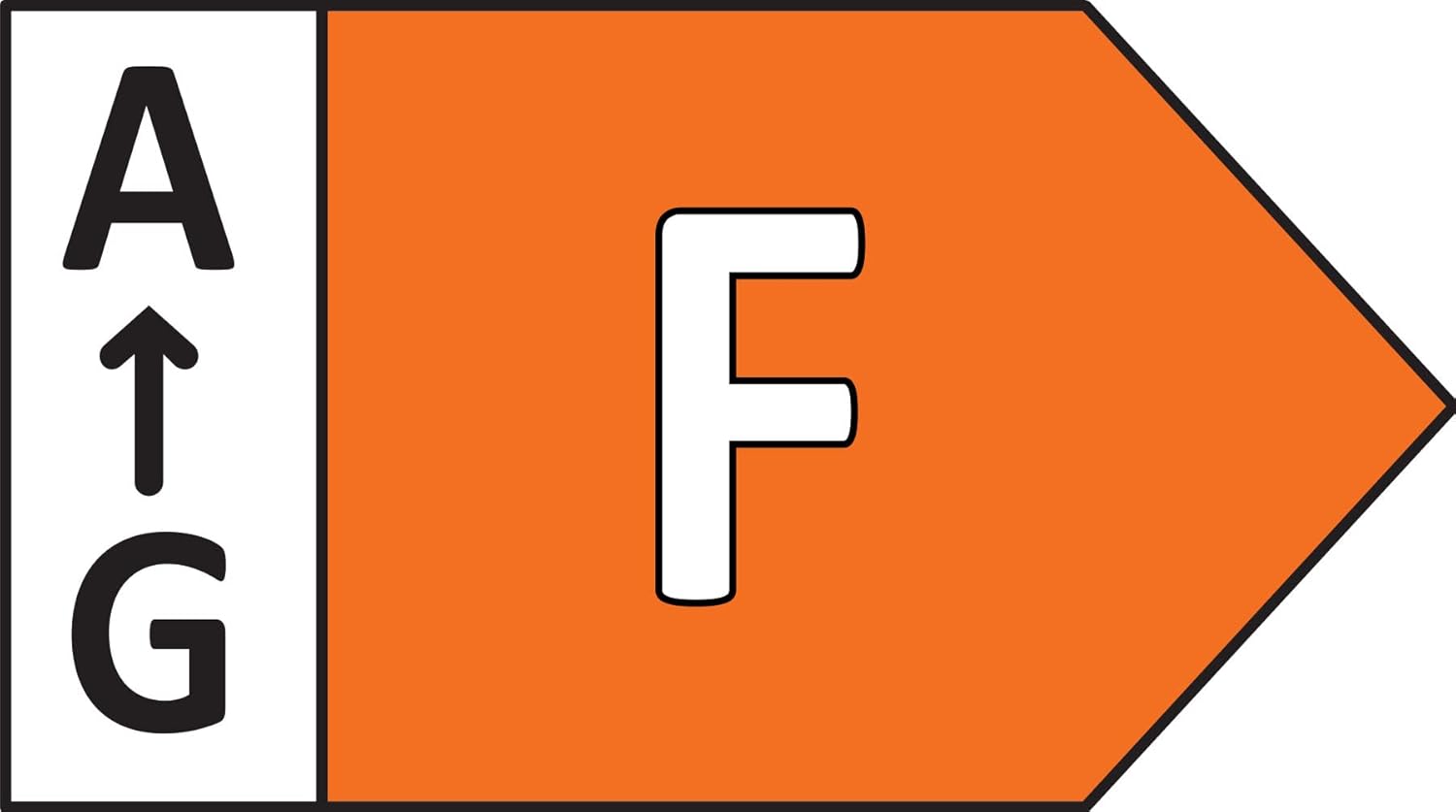
Figure 8: Energy efficiency rating of the Paulmann Amaris LED Panel.
10. Garantija ir palaikymas
Paulmann provides a commitment to quality for its products.
- Atsarginių dalių prieinamumas: Atsarginės dalys galioja 1 metus nuo įsigijimo datos.
- Klientų aptarnavimas: For technical assistance, warranty claims, or further inquiries, please contact Paulmann customer service through their official websvetainėje arba jūsų pardavėjui.


