Įvadas
Thank you for choosing the VISION Talking Analog and Digital Watch. This watch is designed to provide clear time announcements in Spanish, making it ideal for individuals with visual impairments, children, and the elderly. It features both an analog display for traditional time-telling and a digital display for precise readings, along with an alarm function.

1 pav.: priekis view of the VISION Talking Analog and Digital Watch.
Sąranka
1. Išpakavimas ir pradinė apžiūra
Carefully remove the watch from its packaging. Inspect the watch for any visible damage. The watch comes with a battery pre-installed and is ready for initial setup.

Figure 2: The watch as it appears in its original clear plastic case.
2. Initial Time Setting (Digital)
The digital time needs to be set first. Refer to the 'Operating Instructions' section for detailed steps on setting the digital time using the 'MODE', 'HOUR', and 'MINUTE' buttons.
3. Pradinis laiko nustatymas (analoginis)
The analog hands are set independently using the crown (small knob) on the side of the watch. Pull out the crown and rotate it to adjust the analog hands to match the digital time. Push the crown back in to secure the setting.
Naudojimo instrukcijos
Mygtukų funkcijos
- MODE mygtukas: Used to cycle through different modes (Time, Alarm Setting).
- TALKING Button: Press to hear the current time announced in Spanish.
- VALANDOS mygtukas: Used to adjust the hour in setting modes.
- MINUČIŲ mygtukas: Used to adjust the minute in setting modes.
- Karūna: Used to set the analog hands.
Telling Time
- Balso pranešimas: Paspauskite KALBA button to hear the current time spoken aloud in Spanish.
- Skaitmeninis ekranas: The digital display shows the time in a 12-hour format (AM/PM).
- Analoginis ekranas: The traditional hands indicate the hour and minute.
Skaitmeninio laiko nustatymas
- Paspauskite REŽIMAS mygtuką kelis kartus, kol skaitmeniniame ekrane bus rodomas laiko nustatymo režimas (dažnai tai rodo mirksintys skaitmenys).
- Naudokite VALANDA button to adjust the hour. Pay attention to AM/PM indicators.
- Naudokite MINUTĖ mygtuką norėdami sureguliuoti minutes.
- Paspauskite REŽIMAS button again to confirm and exit the time setting mode.
Signalo nustatymas
- Paspauskite REŽIMAS button until the alarm setting mode is displayed (often indicated by an alarm icon or 'AL').
- Naudokite VALANDA mygtuką, kad nustatytumėte norimą žadintuvo valandą.
- Naudokite MINUTĖ mygtuką, kad nustatytumėte norimas žadintuvo minutes.
- Paspauskite REŽIMAS button to activate the alarm and exit the setting mode.
- To turn off a sounding alarm, press any button.
Priežiūra
Valymas
Norėdami nuvalyti laikrodį, švelniai nuvalykite jį minkšta, sausa šluoste. Jei nešvarumai sunkiai įveikiami, šiek tiek nuvalykite.amp Galima naudoti audinį, tačiau įsitikinkite, kad į laikrodį nepatenka drėgmės. Venkite naudoti stiprias chemines medžiagas ar abrazyvines medžiagas.
Baterijos keitimas
The watch uses a Lithium-metal battery. When the voice announcement becomes faint or the digital display dims, it's time to replace the battery. It is recommended to have battery replacement performed by a qualified watch technician to ensure proper sealing and function.
Atsparumas vandeniui
This watch is marked as "WATER RESISTANT." This typically means it can withstand splashes, rain, or brief immersion in water, such as washing hands. It is ne suitable for swimming, showering, or diving. Prolonged exposure to water or submersion may cause damage.
Trikčių šalinimas
- No Voice Announcement:
- Patikrinkite akumuliatoriaus lygį. Jei žemas, pakeiskite.
- Ensure the TALKING button is pressed firmly.
- Skaitmeninis ekranas tuščias arba blankus:
- Battery may be depleted. Replace the battery.
- Laikas netikslus:
- Re-set the digital time following the instructions in the 'Operating Instructions' section.
- Ensure the analog hands are synchronized with the digital time by adjusting the crown.
- Low battery can affect timekeeping accuracy. Consider battery replacement.
- Signalizacija neskamba:
- Ensure the alarm is set correctly and activated.
- Patikrinkite akumuliatoriaus lygį.
Specifikacijos
| Funkcija | Aprašymas |
|---|---|
| Prekės ženklas | VIZIJA |
| Modelis | 861ZTS-GRN-MEX |
| Rinkimo tipas | Analoginis ir skaitmeninis |
| Judėjimas | Electronic Digital and Analog |
| Balso funkcija | Yes (Spanish) |
| Signalizavimo funkcija | Taip |
| Bylos medžiaga | Plastikiniai |
| Korpuso skersmuo | 40 mm (1.57 coliai) |
| Dirželio plotis | 18 mm (0.71 coliai) |
| Korpuso storis | 16 mm (0.63 coliai) |
| Baterijos tipas | 1 Lithium-metal (included) |
| Atsparumas vandeniui | Water Resistant (Splash/Rain proof, not for submersion) |
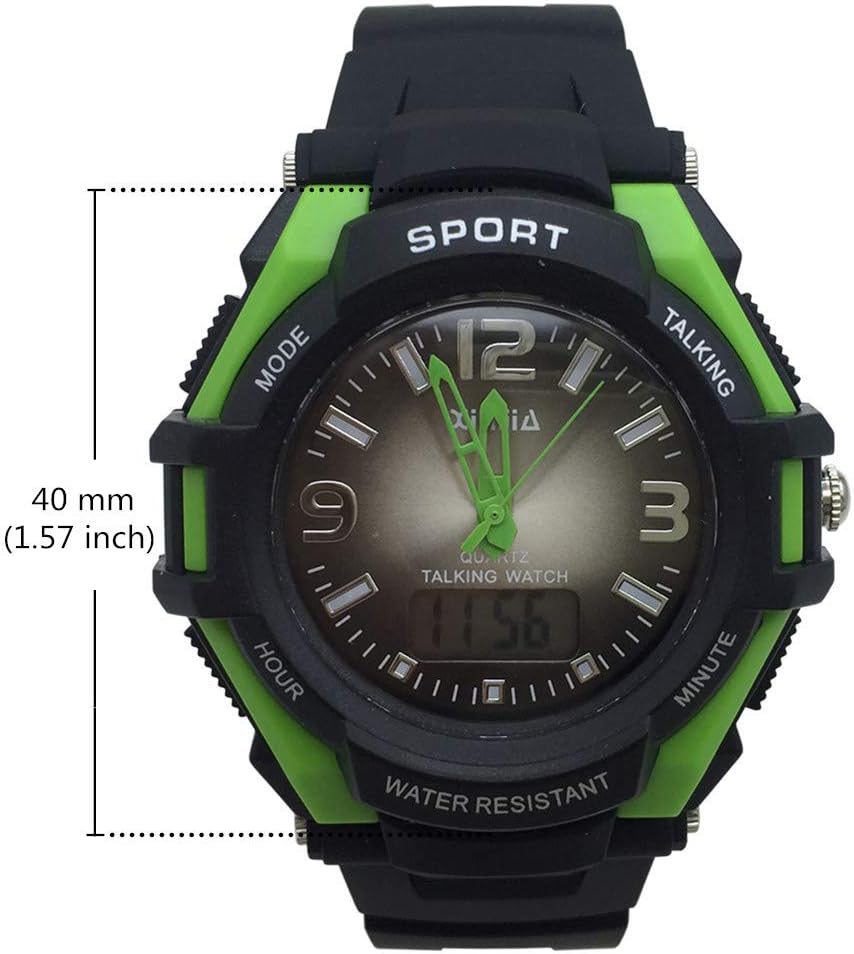
Figure 3: Watch face diameter measurement (40 mm).
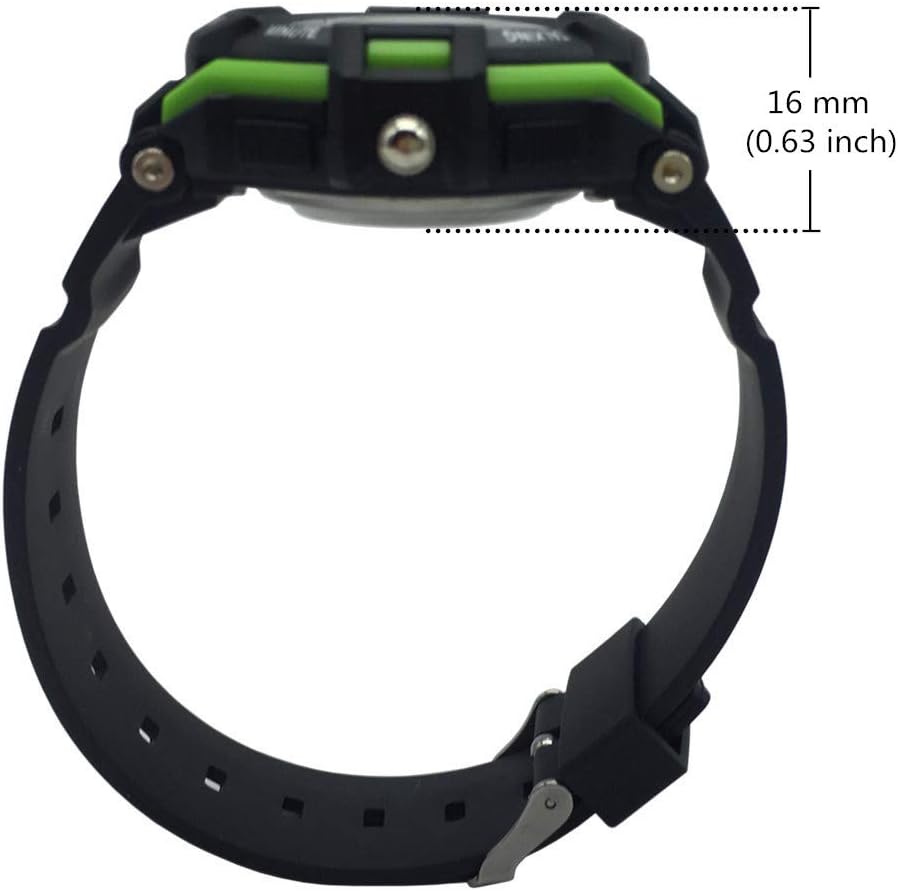
Figure 4: Watch case thickness measurement (16 mm).

Figure 5: Watch strap width measurement (18 mm).
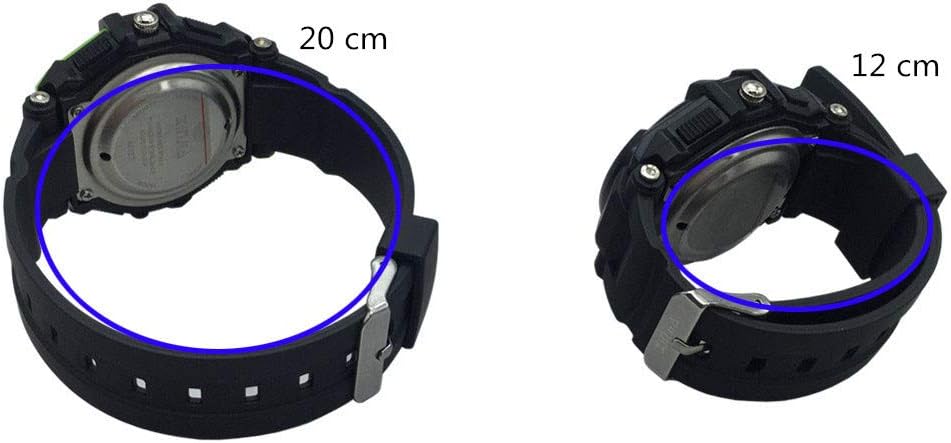
6 pav. Pvzamples of wrist circumference fit (20 cm and 12 cm).
Garantija ir palaikymas
For warranty information or technical support, please refer to the documentation included with your purchase or contact the seller/manufacturer directly. Keep your proof of purchase for any warranty claims.