1. Įvadas
Ačiū, kad pirkoteasing the LG 43LM5600PTC Full HD Smart LED TV. This manual provides detailed instructions to help you set up, operate, and maintain your television. Please read this manual thoroughly before using the product and keep it for future reference.
The LG 43LM5600PTC is a 43-inch Full HD (1920x1080) Smart LED TV, featuring WebOS for smart functionality, AI ThinQ for voice control, and various connectivity options. It offers a vibrant viewing experience with a 50 Hz refresh rate and powerful 20 Watts audio output.

The LG 43LM5600PTC TV displayed on a modern media console, showcasing its sleek design in a home environment.
2. Kas yra dėžutėje
Upon unpacking your LG 43LM5600PTC TV, please ensure all the following components are present:
- 1 LED televizorius
- 1 stalo stovas
- 1 Naudotojo vadovas (šis dokumentas)
- 1 garantinis talonas
- 1 Nuotolinis valdymas
- 2 AAA baterijos (nuotolinio valdymo pultui)
If any items are missing or damaged, please contact LG customer support immediately.
3. Sąranka
3.1 Fizinė konfigūracija
Your LG TV can be set up on a table using the included stand or mounted on a wall. Ensure the TV is placed on a stable, level surface or securely mounted to a wall according to the wall mount instructions (sold separately).
Table Top Stand Installation
- Atsargiai padėkite televizorių ekranu žemyn ant minkšto, lygaus paviršiaus, kad nepažeistumėte.
- Attach the table top stand to the designated slots on the bottom of the TV using the provided screws. Ensure the stand is firmly secured.
- Carefully lift the TV and place it on your desired table or cabinet.
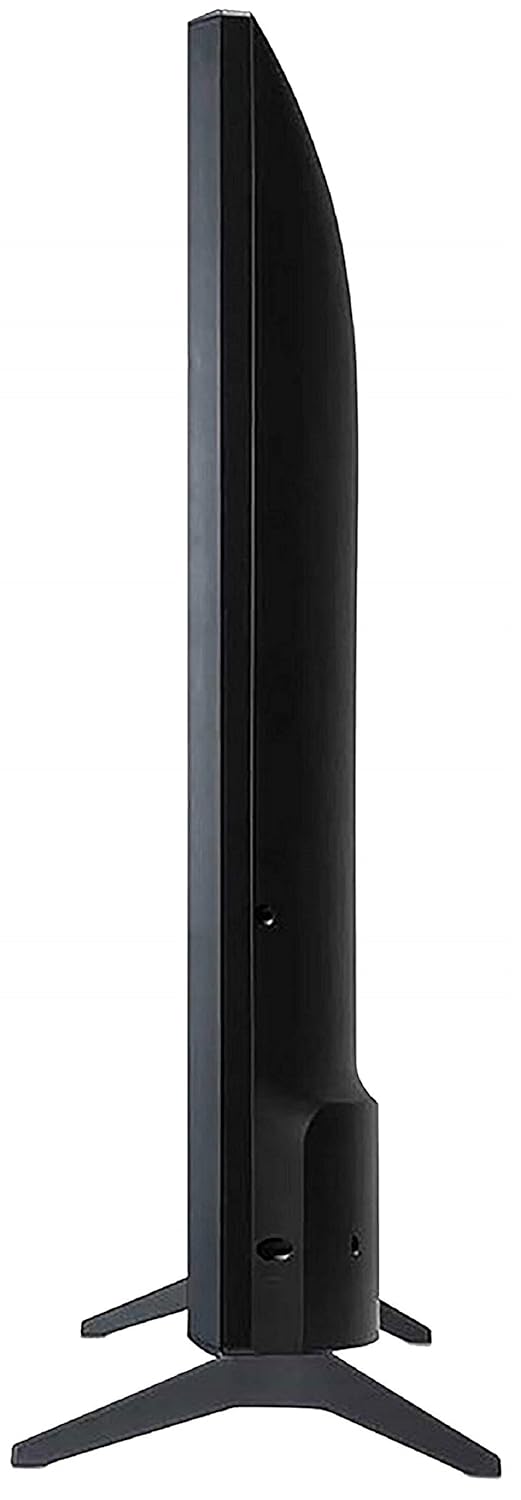
A view from the bottom of the LG TV, showing the stable base of the table-top stand.
Montavimas ant sienos
For wall mounting, it is recommended to use a professional installation service. Refer to the wall mount kit's instructions for proper installation. Ensure adequate ventilation around the TV.
3.2 Įrenginių prijungimas
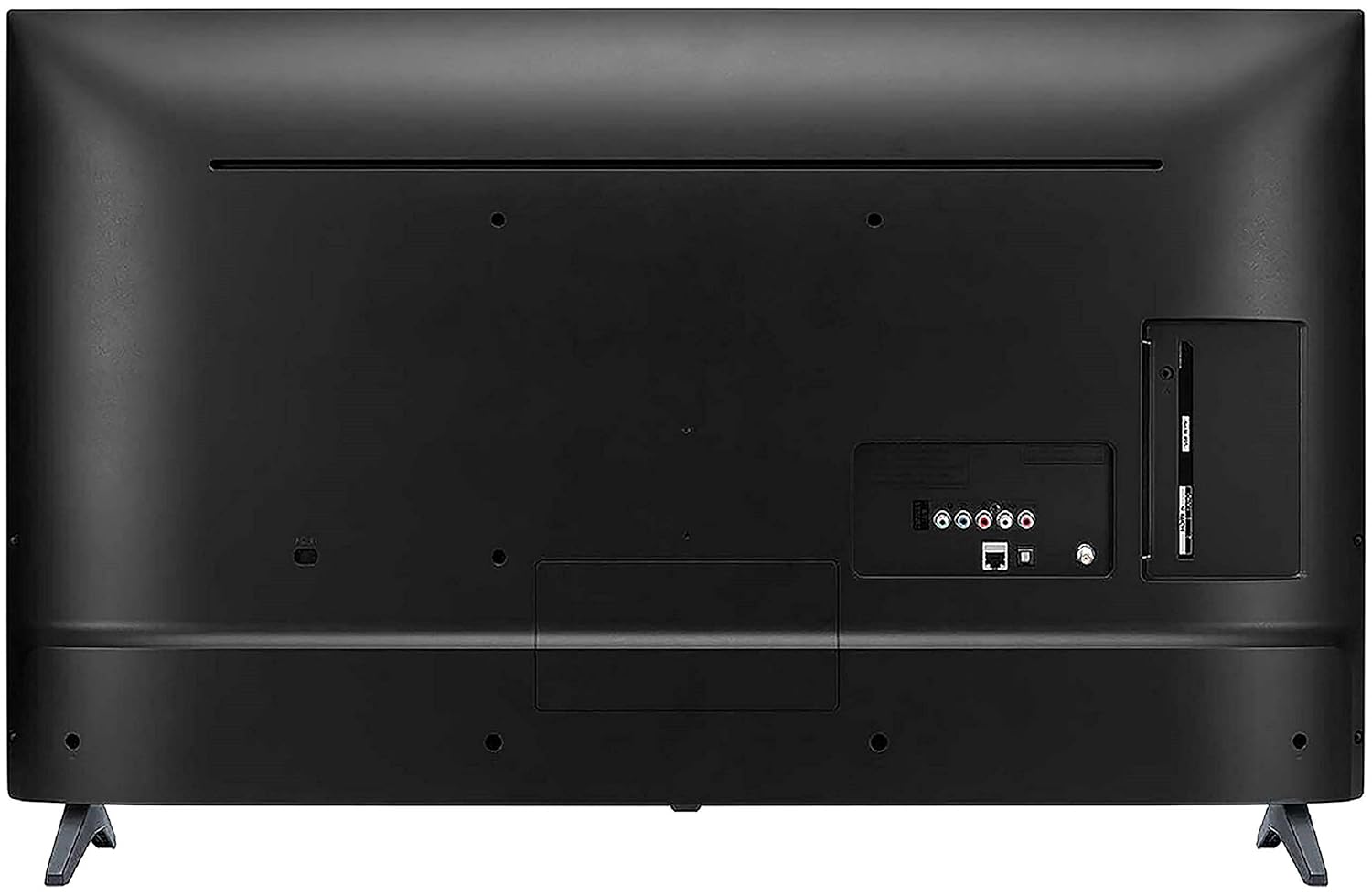
Connect your external devices such as set-top boxes, Blu-ray players, gaming consoles, or USB drives to the appropriate ports on the back of the TV.
The back panel of the LG TV, detailing the arrangement of various input and output ports, including HDMI, USB, and antenna connections.
- HDMI prievadai: The TV features 2 HDMI ports for connecting high-definition devices. Use HDMI cables for optimal picture and sound quality.
- USB prievadas: A single USB port is available for connecting USB storage devices to play media files.
- „Wi-Fi“: Connect to your home network wirelessly for smart TV features and internet access.
3.3 Pradinis įjungimas
After connecting all necessary cables, plug the TV's power cord into an electrical outlet. Press the power button on the remote control or on the TV itself to turn it on. Follow the on-screen instructions for initial setup, including language selection, network connection, and channel scanning.
4. Televizoriaus valdymas
4.1 Nuotolinis valdymas
The included standard remote control allows you to navigate the TV's menus, change channels, adjust volume, and access smart features. Insert the two AAA batteries into the remote control, ensuring correct polarity.
4.2 Išmaniojo televizoriaus funkcijos (WebOS)
Jūsų LG televizorius veikia su WebOS operating system, providing a user-friendly interface for accessing a variety of smart features.
- AI ThinQ: Utilize voice control options for convenient operation and smart home integration.
- One-touch Access: Quickly access popular streaming services like Netflix and Amazon Prime Video with dedicated buttons on your remote.
- Miracast (Screen Sharing): Belaidžiu būdu perkelkite turinį iš suderinamų išmaniųjų telefonų ar planšetinių kompiuterių į savo televizoriaus ekraną.
- AI Launcher: Access your favorite apps and content quickly from the customizable launcher bar.
- Pagrindinis prietaisų skydelis: Manage connected devices and smart home appliances directly from your TV.
- Turinio parduotuvė: Download and install additional applications and games from the LG Content Store.

Screenshot of the LG Home Dashboard, showing various connected devices and smart home controls.

The LG Content Store interface, displaying available apps and content for download.
4.3 Vaizdo ir garso nustatymai
Access the TV's settings menu to customize picture and sound to your preference. Key display features include:
- Aktyvus HDR: Pagerina kontrastą ir spalvas, kad vaizdas būtų dinamiškesnis viewpatirtį.
- HDR Dynamic Tone Mapping: Optimizuoja HDR turinį kiekvienai scenai.
- Spalvos stipriklis: Adjusts color saturation and hue for vivid images.
- DTS virtualus:X: Suteikia įtraukiantį, daugiamačio garso potyrį.

Vizualus buvęsample of Active HDR technology, highlighting improved contrast and detail in bright and dark areas of the image.

A visual representation of the Color Enhancer feature, showing enhanced color vibrancy on the TV screen.

An image representing the DTS Virtual:X audio experience, suggesting immersive sound.
5. Priežiūra
Tinkama priežiūra užtikrina jūsų televizoriaus ilgaamžiškumą ir optimalų veikimą.
- Ekrano valymas: Švelniai nuvalykite ekraną minkšta, sausa mikropluošto šluoste. Jei dėmės sunkiai įveikiamos, šiek tiek nuvalykite.ampNuvalykite šluostę vandeniu arba specializuotu ekrano valikliu (nepurkškite tiesiai ant ekrano).
- Spintos valymas: Televizoriaus korpusą valykite minkšta, sausa šluoste. Venkite naudoti abrazyvinius valiklius ar tirpiklius.
- Vėdinimas: Įsitikinkite, kad televizoriaus ventiliacijos angos nėra užblokuotos. Nestatykite televizoriaus uždaroje erdvėje be pakankamo oro srauto.
- Maitinimo laidas: Regularly check the power cord for any damage. If damaged, replace it immediately with an authorized LG part.
6. Problemų sprendimas
If you encounter any issues with your TV, refer to the following common troubleshooting steps before contacting customer support.
- Nėra galios: Patikrinkite, ar maitinimo laidas tvirtai prijungtas prie televizoriaus ir elektros lizdo. Įsitikinkite, kad lizdas veikia.
- Nėra vaizdo / garso: Patikrinkite, ar pasirinktas teisingas įvesties šaltinis. Patikrinkite visas kabelių jungtis (HDMI, antenos ir kt.), ar jos nėra atsilaisvinusios.
- Nuotolinio valdymo pultas neveikia: Pakeiskite nuotolinio valdymo pulto baterijas. Įsitikinkite, kad tarp nuotolinio valdymo pulto ir televizoriaus IR jutiklio nėra jokių kliūčių.
- Išmaniosios funkcijos neveikia: Check your Wi-Fi connection. Restart your router and the TV.
- Vaizdo kokybės problemos: Sureguliuokite vaizdo nustatymus (ryškumą, kontrastą, spalvas). Įsitikinkite, kad įvesties šaltinis teikia aukštos kokybės signalą.
For more complex issues, consult the full user manual available on the LG websvetainėje arba susisiekite su LG klientų aptarnavimo tarnyba.
7. Specifikacijos
Detailed technical specifications for the LG 43LM5600PTC TV:
| Funkcija | Specifikacija |
|---|---|
| Prekės ženklas | LG |
| Modelis | 43LM5600PTC |
| Modelio metai | 2019 |
| Ekrano dydis | 43 colių (108 cm) |
| Ekrano technologija | LED |
| Rezoliucija | „Full HD“ (1920 x 1080 pikselių) |
| Atnaujinimo dažnis | 50 Hz |
| Operacinė sistema | WebOS |
| Grafikos koprocesorius | LG Graphic Processor |
| Atminties talpa | 4 GB |
| Įdiegtos RAM atminties dydis | 1 GB |
| Ryšio technologija | HDMI, USB, „Wi-Fi“ |
| HDMI prievadai | 2 |
| USB prievadai | 1 |
| Garso išvesties režimas | Stereo |
| Garso vatatage | 20 vatų |
| Garsiakalbių erdvinis garsas | Galingas garsas |
| Viewing kampas | 178 laipsnių |
| Gaminio matmenys (be stovo) | 8.1 x 97.7 x 57.5 cm |
| Prekės svoris | 8.3 kg |
| Maitinimo šaltinis | AC |
| Nuotolinio valdymo pulto tipas | Standard Remote (IR, Bluetooth) |

Diagram illustrating the precise dimensions of the LG 43LM5600PTC TV, including width (97.7 cm), height (57.5 cm without stand, 61.5 cm with stand), and depth (8.08 cm without stand, 18.7 cm with stand).
8. Garantija ir palaikymas
Your LG 43LM5600PTC TV comes with a 1-year LG India Comprehensive Warranty. An additional 1-year warranty is applicable on the panel/module. Please retain your purchase invoice to avail warranty services.
For installation, wall mounting, or product demonstration requests after delivery, please contact LG customer service. You can find contact details on the warranty card or LG's official websvetainę.
This product is eligible for replacement within 10 days of delivery in case of any product defects, damage, or features not matching the description provided. Refer to the retailer's return policy for details.
9. Produktas baigtasview Vaizdo įrašas
Peržiūrėkite šį oficialų produkto vaizdo įrašą, kad gautumėte trumpą apžvalgąview of the LG 43LM5600PTC Full HD Smart LED TV's key features and benefits.
Šis vaizdo įrašas pateikia trumpą apžvalgąview of the LG 43LM5600PTC TV's main features, including its Full HD resolution, connectivity options, powerful sound, smart capabilities like AI ThinQ and Miracast, and warranty information.