1. Įvadas
Thank you for choosing the eKids Kids Bluetooth Wireless Headphones. These headphones are designed to provide a safe and enjoyable audio experience for children, featuring volume-limiting technology to protect young ears. They offer versatile connectivity options, comfortable wear, and a durable, foldable design for easy portability.
This manual provides detailed instructions on how to set up, operate, and maintain your headphones, ensuring optimal performance and longevity.
2. Pakuotės turinys
- eKids Kids Bluetooth Wireless Headphones
- USB įkrovimo laidas
- 3.5 mm garso laidas
3. Produktas baigtasview

1 pav.: priekis view of the eKids Kids Bluetooth Wireless Headphones, showcasing the white design with black ear cushions.

2 pav. Išsamus view highlighting key features such as the adjustable headband, foldable design for portability, soft ear cushions, charging port, and line-in audio port.

Figure 3: Illustration of the headphone controls including power/pairing/charging LED indicators, USB charging port, AUX jack, microphone, volume up/skip forward, play/pause/power on/off, hang up/answer phone, and volume down/skip back buttons. Also shows product dimensions.
Pagrindinės funkcijos:
- Bluetooth ryšys: Wirelessly stream high-quality stereo sound from compatible devices.
- Volume Reduced for Child Safety: Incorporates volume-limiting technology to protect young ears.
- Integruotas mikrofonas: Facilitates clear communication for video calls and online learning.
- Laidinė parinktis: Includes a 3.5mm audio cable for listening when Bluetooth is unavailable or the battery is low.
- Ilgas baterijos veikimo laikas: Up to 18 hours of continuous Bluetooth playtime.
- Tinkintas pritaikymas: Adjustable headband and soft ear cushions for comfortable wear.
- Sulankstomas dizainas: Ensures easy storage and portability.
4. Darbo pradžia
4.1 Ausinių įkrovimas
Before first use, fully charge the headphones. Connect the included USB charging cable to the USB charging port on the headphones (refer to Figure 3 for location) and plug the other end into a USB power source (e.g., computer USB port, USB wall adapter). The LED indicator will show charging status.
- Įkrovimo laikas: Apytiksliai 2-3 valandos pilnai įkrauti.
- LED indikatorius: Red light indicates charging; light turns off when fully charged.
4.2 Įjungimas / išjungimas
- Norėdami įjungti: Press and hold the Power/Play/Pause button (refer to Figure 3) for approximately 3 seconds until the LED indicator flashes.
- Norėdami išjungti: Press and hold the Power/Play/Pause button for approximately 3 seconds until the LED indicator turns off.
4.3 Bluetooth poravimas
Norėdami belaidžiu būdu prijungti ausines prie įrenginio:
- Įsitikinkite, kad ausinės yra išjungtos.
- Press and hold the Power/Play/Pause button for approximately 5-7 seconds until the LED indicator flashes red and blue alternately. This indicates pairing mode.
- Savo įrenginyje (išmaniajame telefone, planšetiniame kompiuteryje, kompiuteryje) įjunkite „Bluetooth“ ir ieškokite galimų įrenginių.
- Select "eKids Headphones" from the list of found devices.
- Kai susiejimas bus atliktas, ausinių LED indikatorius lėtai mirksės mėlynai.
4.4 Laidinis ryšys
You can use the headphones with the included 3.5mm audio cable when Bluetooth is not desired or the battery is depleted.
- Plug one end of the 3.5mm audio cable into the AUX jack on the headphones (refer to Figure 3).
- Kitą galą prijunkite prie garso įrenginio ausinių lizdo.
- Ausinės automatiškai persijungs į laidinį režimą.

Figure 4: Illustration demonstrating the flexibility of switching between wired mode (using the 3.5mm audio cable) and wireless Bluetooth mode, highlighting the battery life for wireless use.
5. Ausinių valdymas
5.1 Muzikos atkūrimo valdikliai
Use the control buttons on the headphones (refer to Figure 3) to manage your audio:
- Leisti / pristabdyti: Press the Power/Play/Pause button once.
- Pagarsink: Paspauskite garsumo didinimo mygtuką.
- Patildyti: Paspauskite garsumo mažinimo mygtuką.
- Praleisti pirmyn: Paspauskite ir palaikykite garsumo didinimo mygtuką.
- Praleisti atgal: Paspauskite ir palaikykite garsumo mažinimo mygtuką.
5.2 Telefono skambučių valdikliai
Prisijungę per „Bluetooth“, galite valdyti telefono skambučius:
- Atsiliepti / Baigti skambutį: Press the Power/Play/Pause button once.
- Atmesti skambutį: Press and hold the Power/Play/Pause button for approximately 2 seconds.
5.3 Volume Limiting Feature
These headphones are designed with a built-in volume limiter to ensure safe listening levels for children. This feature cannot be disabled, providing peace of mind during extended use.
6. Suderinamumas
The eKids Kids Bluetooth Wireless Headphones are compatible with a wide range of devices:
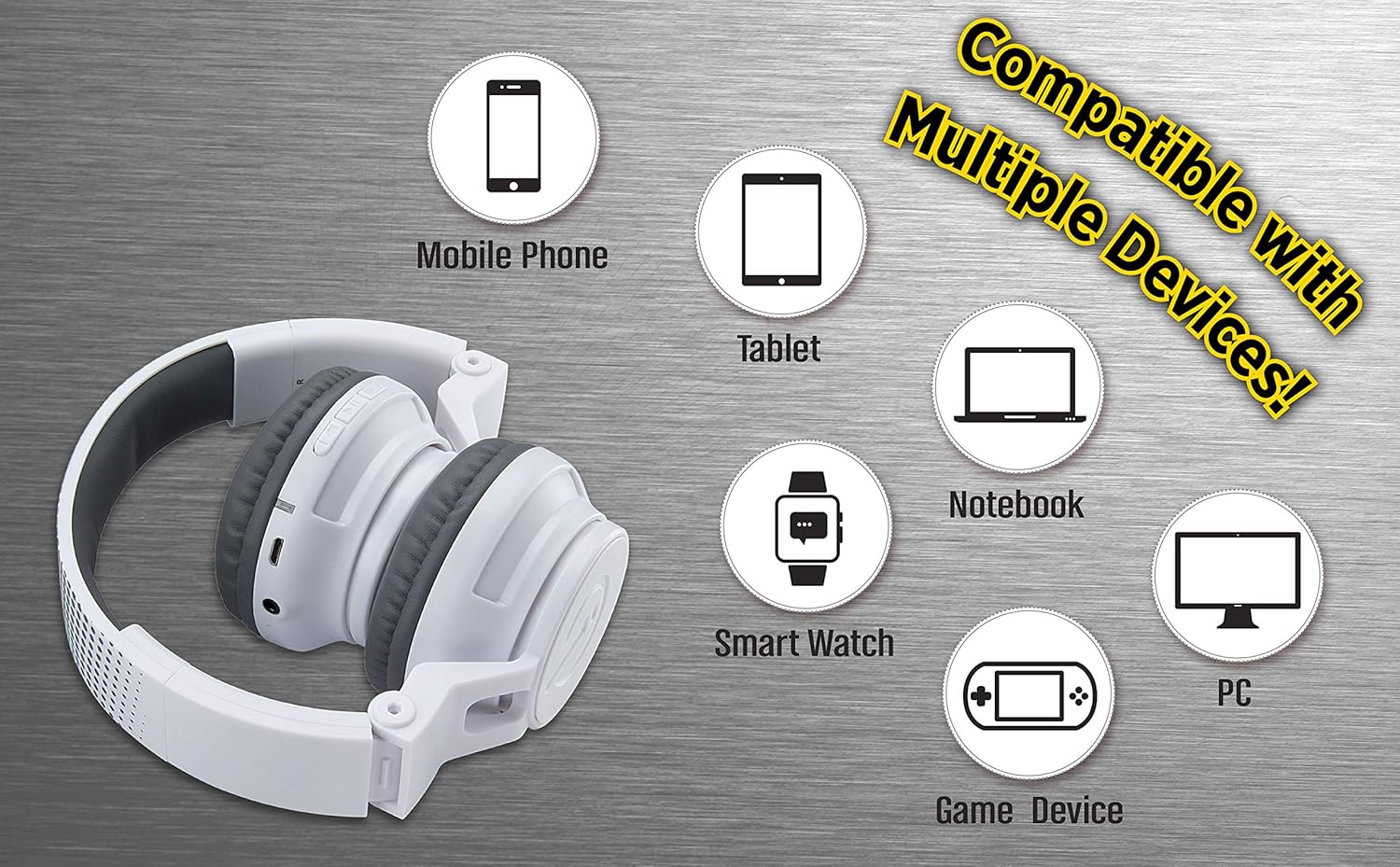
Figure 5: Visual representation of device compatibility, showing the headphones connecting to mobile phones, tablets, notebooks, smartwatches, PCs, and game devices.
- Išmanieji telefonai („iOS“ ir „Android“)
- Tabletės
- Kompiuteriai (asmeniniai, nešiojamieji kompiuteriai)
- Gaming Devices (with 3.5mm audio jack)
7. Priežiūra ir priežiūra
- Valymas: Ausinėms valyti naudokite minkštą, sausą šluostę. Nenaudokite skystų valiklių ar aerozolių.
- Saugykla: When not in use, fold the headphones to their compact size and store them in a cool, dry place away from direct sunlight and extreme temperatures.
- Venkite drėgmės: These headphones are not water-resistant. Keep them away from water and excessive moisture.
- Elkitės atsargiai: Venkite ausinių numetimo ir stiprių smūgių.
8. Problemų sprendimas
8.1 Nėra galios
- Įsitikinkite, kad ausinės yra visiškai įkrautos. Prijunkite jas prie maitinimo šaltinio naudodami USB įkrovimo laidą.
- Patikrinkite, ar įkrovimo laidas ir maitinimo šaltinis veikia tinkamai.
8.2 Nepavyksta susieti per „Bluetooth“
- Įsitikinkite, kad ausinės yra susiejimo režime (LED mirksi raudonai ir mėlynai pakaitomis).
- Įsitikinkite, kad jūsų įrenginyje įjungtas „Bluetooth“ ryšys ir jis yra diapazone (paprastai 10 metrų).
- Pamirškite įrenginį savo įrenginio „Bluetooth“ nustatymuose ir bandykite susieti dar kartą.
- Iš naujo paleiskite ausines ir įrenginį.
8.3 No Sound in Wired Mode
- Ensure the 3.5mm audio cable is securely plugged into both the headphones and the audio device.
- Check the volume level on both the headphones and the audio device.
- Test the audio cable with another device if possible to rule out a faulty cable.
8.4 Mažas garsumas
- Remember that these headphones have a built-in volume limiter for child safety.
- Padidinkite garsumą tiek ausinėse, tiek prijungtame įrenginyje.
9. Specifikacijos
| Modelio numeris | EK-B50W.EXV0 |
| Ryšio technologija | Belaidis („Bluetooth“), laidinis (3.5 mm lizdas) |
| Belaidžio ryšio technologija | Bluetooth |
| Baterijos veikimo laikas | Iki 18 valandų (Bluetooth grojimo laikas) |
| Ausinės forma | Ant ausies |
| Ypatingos savybės | Adjustable Headband, Foldable, Microphone Included, Volume Reduced |
| Suderinami įrenginiai | Smartphones, Tablets, Computers, TVs |
| Medžiaga | Plastikiniai |
| Prekės svoris | 14.7 uncijos (0.42 kilogramo) |
| Pakuotės matmenys | 8.5 x 8.5 x 3.75 colio |
| Atsparumo vandeniui lygis | Neatsparus vandeniui |
| UPC | 092298949741 |
10. Oficialus produkto vaizdo įrašas
Video: eKids Kids Bluetooth Wireless Headphones. This video provides a visual overview of the headphones' features and functionality, including their design, connectivity options, and child-safe volume limiting.
11. Garantija ir palaikymas
For warranty information and customer support, please refer to the documentation included with your purchase or visit the official eKids websvetainėje. Išsaugokite pirkimo įrodymą garantiniams reikalavimams.
Dėl papildomos pagalbos taip pat galite apsilankyti eKids Store on Amazon.


