Įvadas
This manual provides detailed instructions for the Keychron K8 Wireless Bluetooth/USB Wired Mechanical Keyboard. The K8 is a hot-swappable, tenkeyless (87-key) keyboard featuring RGB LED backlighting, Gateron Brown switches, and N-Key Rollover. It is designed for compatibility with both Mac and Windows operating systems, and includes an aluminum frame for durability.
Sąranka
Pakuotės turinys
- Keychron K8 Mechanical Keyboard
- C tipo USB kabelis
- Klaviatūros traukiklis
- Jungiklio traukiklis
- Papildomi klavišų dangteliai „Windows“ ir „Mac“ operacinėms sistemoms
Pradinis įkrovimas
Before first use, connect the keyboard to a USB power source using the provided USB Type-C cable to ensure the internal 4000mAh battery is fully charged. The charging indicator light will provide status.
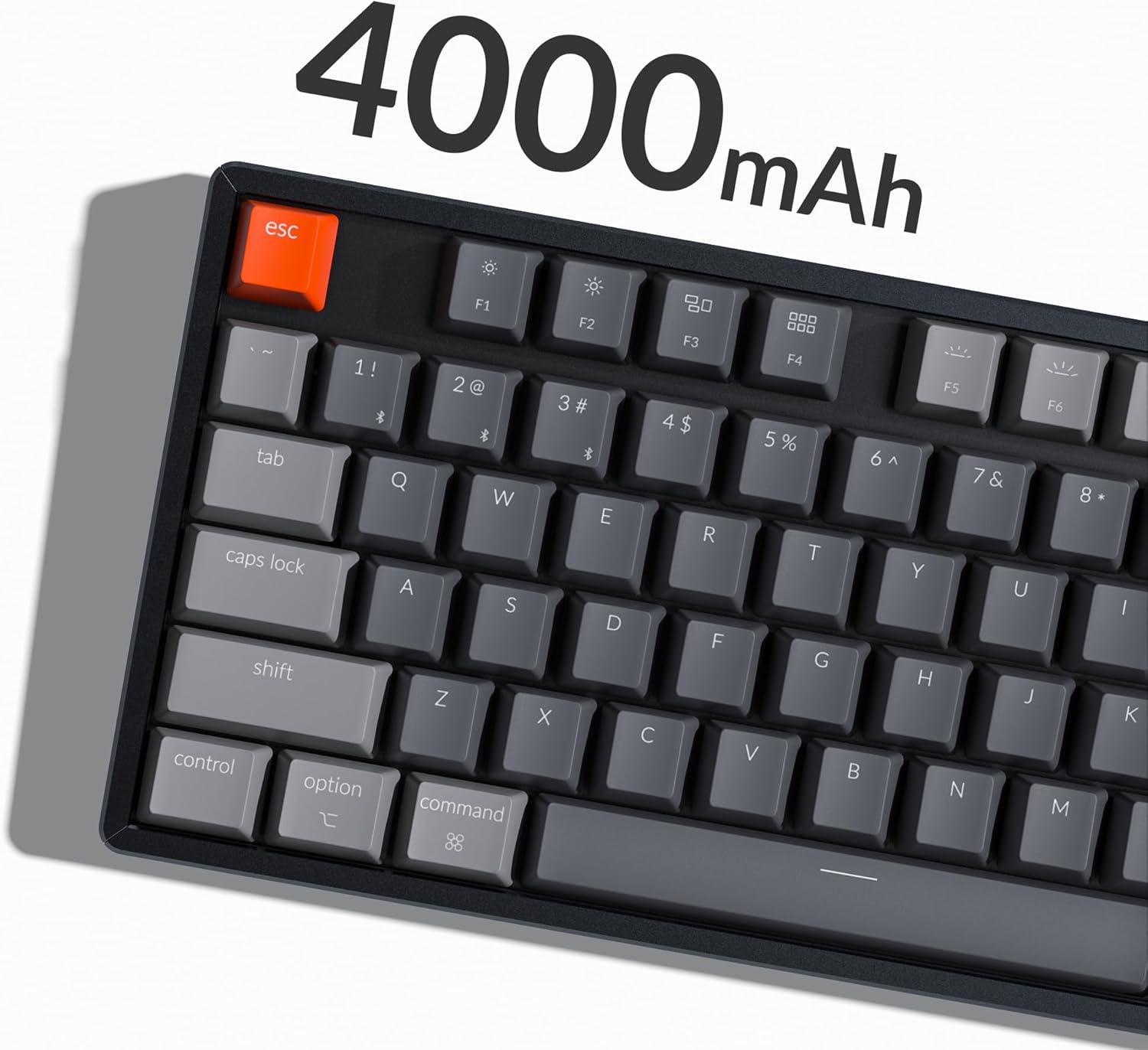
Image: The Keychron K8 keyboard highlighting its 4000mAh battery capacity.
Ryšio parinktys
The Keychron K8 supports both wireless Bluetooth 5.1 and wired USB Type-C connections.

Image: The Keychron K8 keyboard demonstrating its dual wireless and wired connectivity options alongside a laptop and smartphone.
Bluetooth ryšys
- Ensure the keyboard's mode switch (located on the side) is set to "Bluetooth".
- Paspauskite ir palaikykite fn+1 (arba fn+2 / fn+3) key combination for 4 seconds until the indicator light flashes rapidly, indicating pairing mode.
- On your device (smartphone, laptop, iPad), enable Bluetooth and search for "Keychron K8".
- Select "Keychron K8" to pair. The indicator light will stop flashing upon successful connection.
- The keyboard can connect with up to 3 devices and switch between them easily using fn+1, fn+2, arba fn+3.

Image: The Keychron K8 keyboard positioned with a laptop, tablet, and smartphone, demonstrating its ability to connect to three devices simultaneously.
Laidinis ryšys
- Įsitikinkite, kad klaviatūros režimo jungiklis yra nustatytas į „Kabelinė“ padėtį.
- Prijunkite USB C tipo laidą nuo klaviatūros prie kompiuterio USB prievado.
- Klaviatūra bus automatiškai atpažinta ir paruošta naudoti.
Operacinės sistemos suderinamumas
The K8 features a unique Mac layout with all necessary Mac function keys, and is also fully compatible with Windows. Extra keycaps for both operating systems are included. For Linux users, a dedicated user group is available for support.
Naudojimo instrukcijos
Pagrindinės funkcijos ir išdėstymas
The Keychron K8 is a tenkeyless (TKL) 87-key layout keyboard, designed for productivity. It supports N-Key Rollover for accurate input during fast typing or gaming.

Paveikslėlis: Iš viršaus į apačią view of the Keychron K8 mechanical keyboard, showcasing its 87-key tenkeyless layout, with a Gateron Brown switch displayed separately.

Paveikslėlis: kampuotas view of the Keychron K8, highlighting its compact tenkeyless layout.
RGB foninio apšvietimo valdymas
The K8 features charming RGB LED backlighting with elegant keycap legends, aiding visibility in dim environments. You can cycle through various static color backlight modes and 15+ types of RGB lighting effects.

Image: The Keychron K8 keyboard displaying its vibrant RGB LED backlighting.
Refer to the included quick start guide or Keychron's official website for specific key combinations to control backlight modes and brightness.
Adjustable Angled Feet
The keyboard is equipped with two adjustable angled feet, allowing you to customize the typing angle for ergonomic comfort.
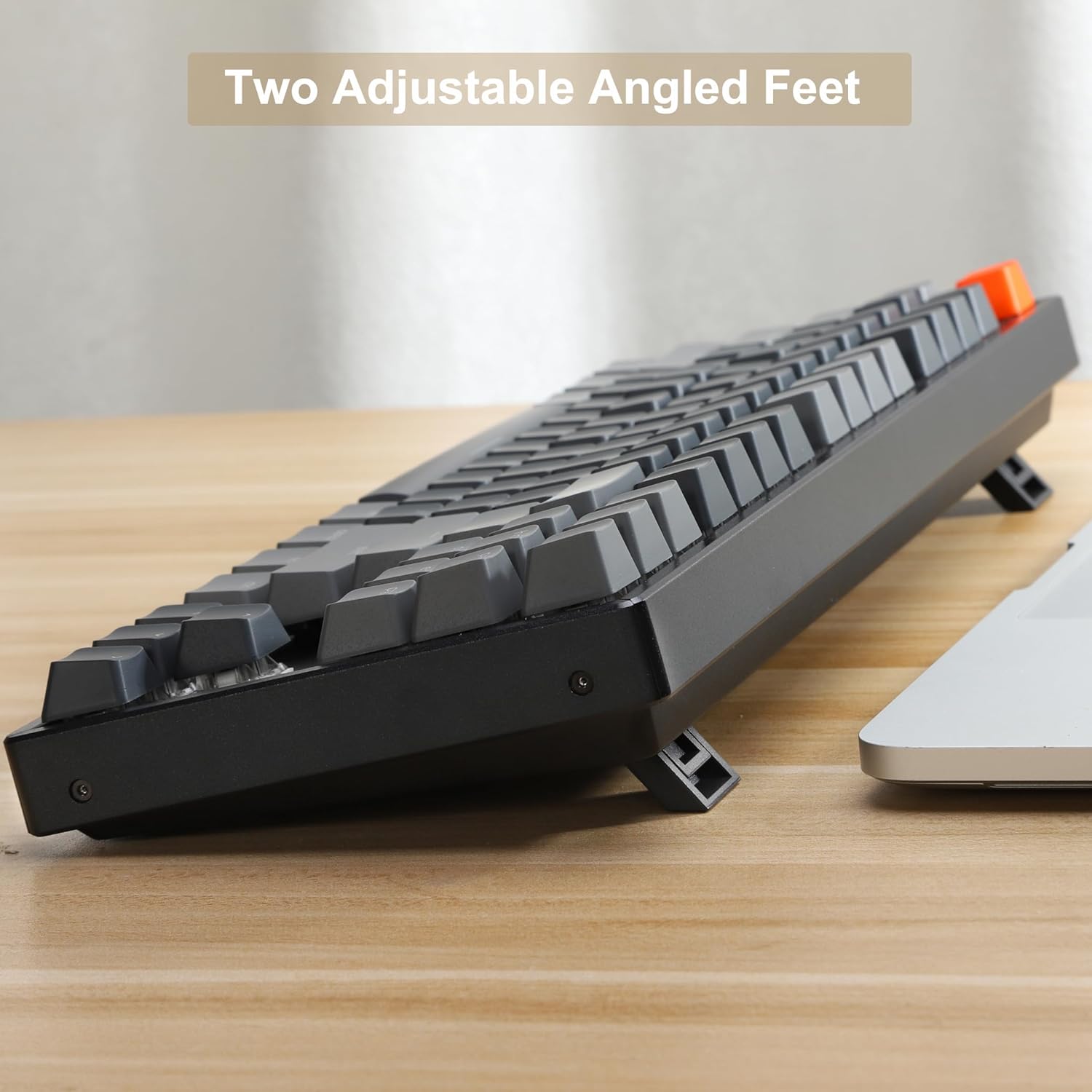
Paveikslėlis: Šoninė pusė view of the Keychron K8 keyboard, illustrating its two adjustable angled feet in an extended position.
Priežiūra
Klaviatūros valymas
- Šiek tiek naudokite minkštą, be pūkelių šluostę dampKlaviatūros dangtelius ir rėmelį nuvalykite vandeniu arba švelniu valymo tirpalu.
- Dulkėms ir šiukšlėms tarp klavišų pašalinti naudokite suslėgtą orą.
- Venkite purkšti skysčius tiesiai ant klaviatūros.
Karštai keičiami jungikliai
The K8 features hot-swappable mechanical switches, allowing you to easily change switches without soldering. The PCB supports both 3-pin and 5-pin MX mechanical switches.

Vaizdas: Stambus planas view of the Keychron K8 keyboard demonstrating its hot-swappable switch sockets, with examples of different switch types.
- To remove a keycap, use the provided keycap puller.
- To remove a switch, use the provided switch puller. Gently grasp the switch and pull upwards.
- To install a new switch, align the pins with the holes on the PCB and press down firmly until it clicks into place. Ensure pins are not bent.
Trikčių šalinimas
Ryšio problemos
- „Bluetooth“ neprisijungia:
- Ensure the keyboard is in Bluetooth mode and pairing mode (indicator light flashing).
- Patikrinkite, ar jūsų prietaise įjungtas „Bluetooth“ ryšys.
- Forget the device on your computer/phone and try pairing again.
- Įsitikinkite, kad klaviatūra įkrauta.
- Laidinis ryšys neveikia:
- Ensure the keyboard is in Cable mode.
- Išbandykite kitą kompiuterio USB prievadą.
- Išbandykite kitą USB C tipo laidą.
Foninio apšvietimo problemos
- Foninis apšvietimas neįsijungia:
- Įsitikinkite, kad klaviatūra įkrauta.
- Check backlight control key combinations (e.g., Fn + Light key, Fn + arrow keys for brightness).
Pagrindinis reagavimas
- Klavišai nereaguoja:
- Check if the keyboard is properly connected (Bluetooth or wired).
- If a specific key is not working, try removing and re-inserting the switch for that key, ensuring it is seated correctly.
- Nuvalykite aplink pažeistą klavišą.
Specifikacijos
| Funkcija | Detalė |
|---|---|
| Modelio numeris | K8J3 |
| Išdėstymas | Be klavišų (87 klavišai) |
| Jungikliai | Gateron Brown (Hot-swappable) |
| Ryšys | „Bluetooth 5.1“, USB C tipo (laidinis) |
| Baterijos talpa | 4000 mAh |
| Foninis apšvietimas | RGB LED |
| Rėmo medžiaga | Aliuminis |
| Suderinami įrenginiai | Nešiojamasis kompiuteris, išmanusis telefonas, planšetinis kompiuteris |
| Operacinės sistemos suderinamumas | „Mac“, „Windows“, „Linux“ |
| Gaminio matmenys | 14.13 x 14.13 x 5 colio |
| Prekės svoris | 2.9 svaro |
Garantija ir palaikymas
Informacija apie garantiją
Specific warranty details for the Keychron K8 keyboard are typically provided with the product packaging or can be found on the official Keychron websvetainėje. Prašome išsaugoti pirkimo įrodymą garantiniams reikalavimams.
Pagalba klientams
For further assistance, technical support, or inquiries, please visit the official Keychron support page or contact their customer service. A dedicated user group is also available for Linux users.
Official Keychron Store: „Keychron“ „Amazon“ parduotuvė
Susiję dokumentai - K8J3
 |
Keychron K8 belaidės mechaninės klaviatūros vartotojo vadovas „Keychron K8 TKL“ belaidės mechaninės klaviatūros instrukcijos ir funkcijos, įskaitant „Bluetooth“ ir laidinį ryšį, klavišų perkėlimą ir automatinio miego režimo išjungimą. |
 |
„Keychron Q3“ greitojo paleidimo vadovas ir VIA programinės įrangos sąranka Šiame vadove pateikiamos instrukcijos, kaip nustatyti mechaninę „Keychron Q3“ klaviatūrą, įskaitant sistemos perjungimą, VIA klavišų perprogramavimo programinės įrangos naudojimą, foninio apšvietimo valdymą, garantijos sąlygų supratimą ir gamyklinių parametrų atkūrimą. Jame taip pat pateikiamos nuorodos, kaip atsisiųsti reikiamą programinę ir programinę-aparatinę įrangą. |
 |
„Keychron K5SE Bluetooth“ mechaninės klaviatūros naudotojo vadovas Išsamus „Keychron K5SE Bluetooth“ mechaninės klaviatūros vadovas, kuriame aptariama sąranka, funkcijos, trikčių šalinimas ir specifikacijos. Sužinokite, kaip prijungti, pritaikyti apšvietimą ir optimizuoti spausdinimo patirtį. |
 |
„Keychron V5 Max“ greito paleidimo vadovas Išsamus vadovas, kaip nustatyti ir naudoti „Keychron V5 Max“ pritaikytą belaidę mechaninę klaviatūrą, apimantis 2.4 GHz, „Bluetooth“ ir laidinį ryšį, foninį apšvietimą, klavišų perjungimą, VIA programinę įrangą ir trikčių šalinimą. |
 |
„Keychron K3“ itin plona mechaninė klaviatūra: trumpas pradžios vadovas Pradėkite naudoti itin ploną belaidę mechaninę klaviatūrą „Keychron K3“. Šiame vadove aprašomos „Bluetooth“ ir laidinės jungtys, apšvietimo efektai, klavišų dangtelių keitimas, automatinio miego režimo nustatymai, klavišų perprogramavimas ir gamyklinių parametrų atkūrimas „Mac“ ir „Windows“ sistemose. |
 |
„Keychron K6 65% Compact“ belaidės mechaninės klaviatūros naudotojo vadovas Šiame vadove pateikiamos instrukcijos, kaip nustatyti ir naudoti kompaktišką belaidę mechaninę klaviatūrą „Keychron K6 65%“. Sužinokite apie „Bluetooth“ ir laidinį ryšį, foninio apšvietimo pritaikymą, miego režimo išjungimą, klavišų perkėlimą ir prieigą prie multimedijos funkcijų. |