1. Produktas baigtasview
The Billboard BB425 Gaming Headset is designed for an immersive audio experience across various gaming platforms. It features a boom microphone for clear communication, enhanced bass for rich sound, and convenient in-line controls for volume adjustment and instant muting. The headset is lightweight and adjustable, ensuring a comfortable fit during extended use, and comes with a durable fabric cord.
- Strėlės mikrofonas: For clear voice communication.
- Patobulintas bosas: Užtikrina sodrų garso potyrį.
- In-line Control: Easily adjust volume and mute the microphone.
- Reguliuojamas dizainas: Lightweight and comfortable for prolonged gaming sessions.
- Durable Fabric Cord: Designed for longevity.
2. Sąrankos instrukcijos
Follow these steps to connect your Billboard BB425 Gaming Headset to your device.
- Nustatykite jungtis: The headset features a single 3.5mm TRRS jack for combined audio and microphone functionality. An included Y-splitter cable separates this into two 3.5mm TRS jacks: one for audio output (typically green) and one for microphone input (typically pink).
- For Devices with a Single 3.5mm Port (e.g., most laptops, gaming controllers, smartphones):
- Plug the headset's single 3.5mm TRRS jack directly into your device's combined audio/microphone port.
- For Devices with Separate Audio and Microphone Ports (e.g., most desktop PCs):
- Connect the headset's single 3.5mm TRRS jack into the female end of the Y-splitter cable.
- Plug the audio output jack (often green) of the Y-splitter into your device's audio output port.
- Plug the microphone input jack (often pink) of the Y-splitter into your device's microphone input port.
- Pritaikyti: Place the headset over your ears and adjust the headband for a comfortable and secure fit. Position the boom microphone near your mouth for optimal voice pickup.
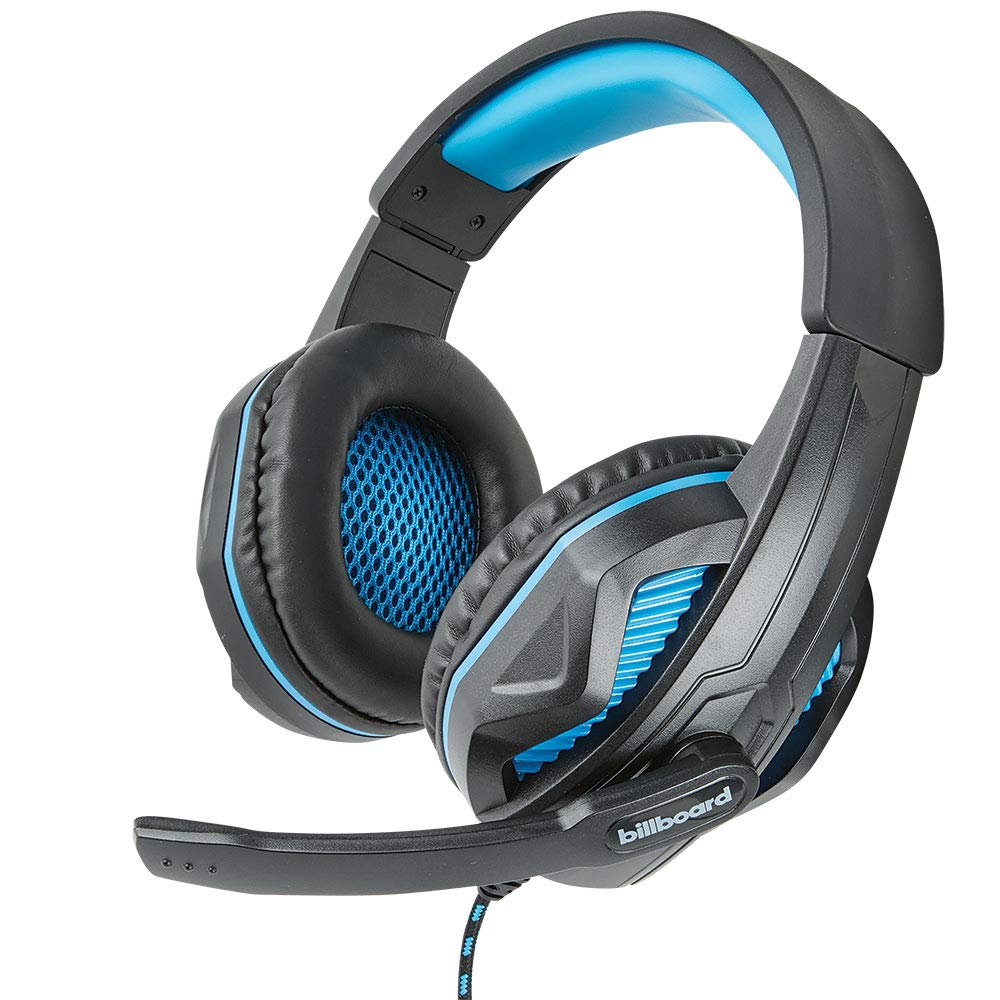
Image: The Billboard BB425 Gaming Headset's braided cable, in-line control unit, and the included Y-splitter cable with two 3.5mm TRS jacks for separate audio and microphone connections.
3. Naudojimo instrukcijos
The in-line control unit provides easy access to essential audio functions.
- Garsumo valdymas: Use the scroll wheel on the in-line control unit to adjust the audio volume. Scroll up to increase volume and down to decrease it.
- Mikrofono nutildymas: The in-line control unit features a switch to mute or unmute the microphone. Slide the switch to the "OFF" position to mute your microphone, and to the "ON" position to enable it.
- Boom Microphone Adjustment: The flexible boom microphone can be positioned closer or further from your mouth to optimize voice clarity.
4. Priežiūra ir priežiūra
Tinkama priežiūra prailgins jūsų ausinių tarnavimo laiką.
- Valymas: Ausines nuvalykite minkšta, sausa šluoste. Ausų pagalvėles šiek tiek nuvalykite.amp Galima naudoti šluostes su švelniu muilu, tačiau prieš naudojimą įsitikinkite, kad jos yra visiškai sausos. Nenaudokite stiprių cheminių medžiagų ar abrazyvinių valiklių.
- Saugykla: Laikykite ausines švarioje, sausoje vietoje, toliau nuo ekstremalių temperatūrų ir tiesioginių saulės spindulių. Venkite laido susipainiojimo.
- Tvarkymas: Do not pull on the cable to disconnect the headset. Always grasp the plug firmly. Avoid dropping or subjecting the headset to strong impacts.
5. Problemų sprendimas
If you encounter issues with your Billboard BB425 Gaming Headset, refer to the following common solutions.
- Nėra garso arba mažas garsumas:
- Ensure the headset's 3.5mm jack(s) are fully inserted into the correct port(s) on your device.
- Check the in-line volume control wheel and adjust it to an audible level.
- Verify your device's audio output settings. Ensure the headset is selected as the default playback device.
- Išbandykite ausines su kitu įrenginiu, kad atmestumėte su įrenginiu susijusią problemą.
- Mikrofonas neveikia:
- Ensure the microphone mute switch on the in-line control unit is in the "ON" position.
- If using the Y-splitter, ensure the microphone jack (typically pink) is correctly plugged into your device's microphone input port.
- Check your device's microphone input settings. Ensure the headset microphone is selected as the default recording device and that its input volume is not muted or set too low.
- Išbandykite mikrofoną su kita programa ar įrenginiu.
- Static or Distorted Audio:
- Įsitikinkite, kad visos jungtys yra tvirtos ir be dulkių ar šiukšlių.
- Try connecting the headset to a different audio port or device to check if the issue persists.
- Venkite kabelio dėti šalia stiprių elektromagnetinių trukdžių šaltinių.
6. Specifikacijos
| Funkcija | Detalė |
|---|---|
| Modelio pavadinimas | BB425 |
| Prekės ženklas | Skelbimų lenta |
| Ryšio technologija | Laidinis |
| Ausinių lizdas | 3.5 mm lizdas |
| Ausų išdėstymas | Virš ausies |
| Formos faktorius | Ant ausies |
| Suderinami įrenginiai | Gaming Consoles, Desktops, Laptops, Telephones |
| Ypatingos savybės | Enhanced bass |
| Valdymo tipas | In-line control (Volume, Mute) |
| Kabelio funkcija | Retractable, Durable Fabric Cord |
| Medžiaga | Plastikiniai |
| Spalva | Juoda |
| Gaminio matmenys | 25.15 x 22.86 x 8.89 cm |
| Prekės svoris | 386 g |
| Reikalingos baterijos | Nr |
7. Informacija apie garantiją
This product is covered by a manufacturer's warranty. For specific details regarding warranty coverage, duration, and terms, please refer to the warranty card included with your product or visit the official Billboard websvetainėje. Išsaugokite pirkimo kvitą kaip pirkimo įrodymą bet kokiems garantiniams prašymams.
8. Pagalba klientams
If you require further assistance or have questions not addressed in this manual, please contact Billboard customer support. Contact information can typically be found on the product packaging or the official Billboard websvetainę.
Gamintojas: ESI dėklai ir priedai


