1. Įvadas
This manual provides essential information for the safe and effective use of your Paladone PP7335MAN The Mandalorian Child Grogu Desktop Light. Please read these instructions carefully before operating the product and retain them for future reference.
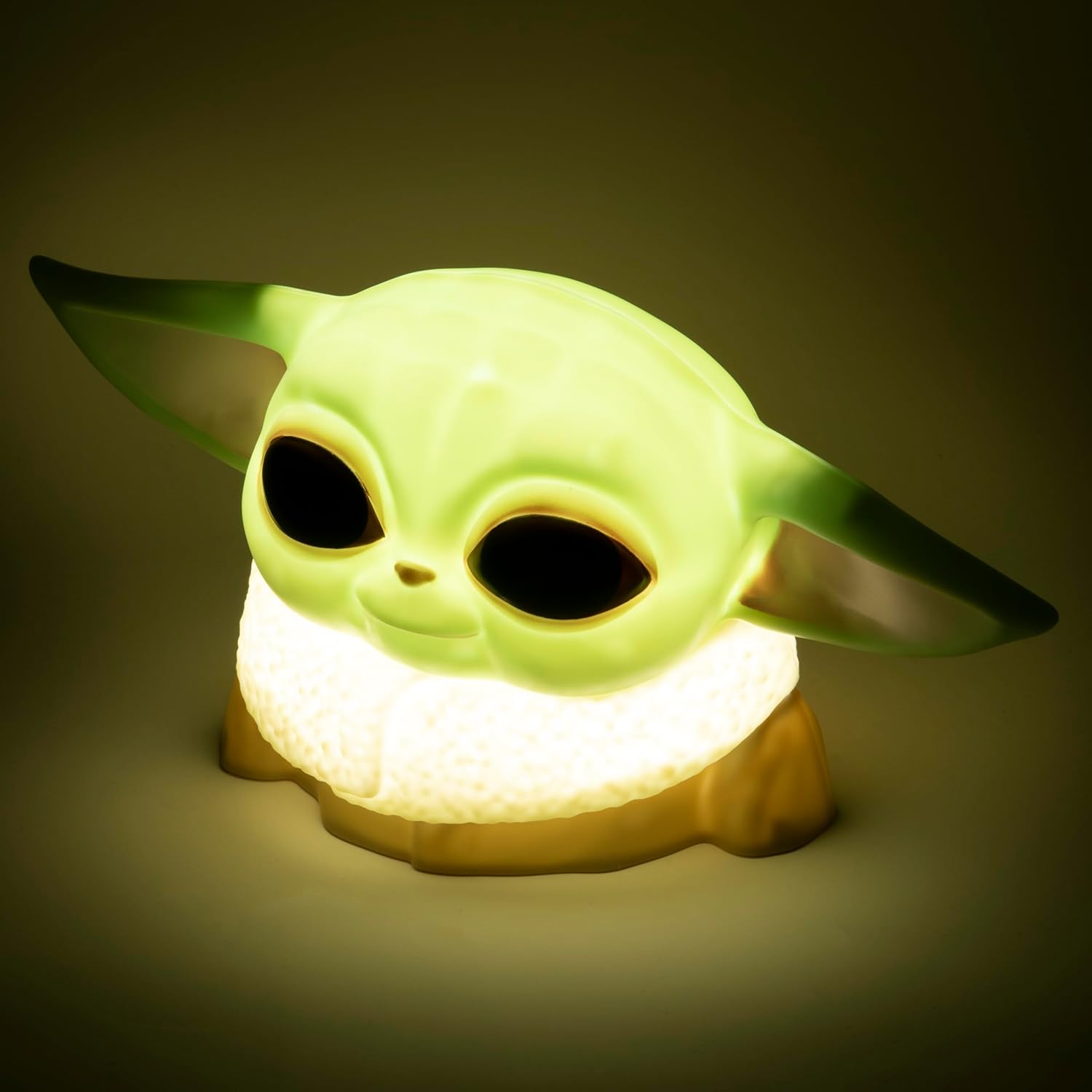
Image 1.1: The Paladone The Mandalorian Child Grogu Desktop Light, illuminated and ready for use.
2. Saugos informacija
- Įspėjimas: Netinka vaikams iki 36 mėnesių dėl smulkių dalių. Užspringti.
- Šis gaminys skirtas naudoti tik patalpose.
- Saugokite gaminį nuo vandens ar per didelės drėgmės.
- Nebandykite ardyti ar modifikuoti gaminio. Tai panaikins garantiją.
- Naudotas baterijas išmeskite atsakingai pagal vietines taisykles.
3. Pakuotės turinys
Patikrinkite pakuotės turinį, kad įsitikintumėte, jog yra visi reikalingi daiktai:
- 1 x Paladone PP7335MAN The Mandalorian Child Grogu Desktop Light
- 1 x Naudotojo vadovas (šis dokumentas)
Pastaba: 2x AAA batteries are required for operation and are neįtraukta pakuotėje.

Image 3.1: The Paladone The Mandalorian Child Grogu Desktop Light shown in its retail box.
4. Sąranka
- Išpakuokite šviesą: Carefully remove the Grogu Desktop Light from its packaging.
- Įdėkite baterijas: Locate the battery compartment on the underside of the light. Open the compartment cover. Insert 2x AAA batteries, ensuring correct polarity (+/-) as indicated inside the compartment. Close the battery compartment cover securely.
- Vieta: Place the light on a stable, flat surface away from direct sunlight, heat sources, and moisture.

Image 4.1: The Paladone The Mandalorian Child Grogu Desktop Light in an unlit state, showing its detailed design.
5. Naudojimo instrukcijos
To operate your Grogu Desktop Light:
- Įjungimas: Locate the power switch, typically on the base or back of the figure. Press the switch to the 'ON' position to illuminate the light.
- Išjungimas: To turn off the light, press the power switch to the 'OFF' position.

Image 5.1: The Paladone The Mandalorian Child Grogu Desktop Light displayed on a wooden shelf, demonstrating its decorative appeal.
6. Priežiūra
- Valymas: To clean the light, gently wipe it with a dry, soft cloth. Do not use abrasive cleaners, solvents, or harsh chemicals, as these may damage the surface.
- Baterijos keitimas: When the light begins to dim or stops working, it is time to replace the batteries. Follow the battery installation steps in Section 4.2.
- Saugykla: If storing the light for an extended period, remove the batteries to prevent leakage and corrosion. Store in a cool, dry place.
7. Problemų sprendimas
| Problema | Galima priežastis | Sprendimas |
|---|---|---|
| Šviesa neįsijungia. | Baterijos išsikrovė arba įdėtos neteisingai. | Pakeiskite baterijas naujomis AAA baterijomis, užtikrindami teisingą poliškumą. |
| Šviesa blanki. | Baterijos išsikrovusios. | Pakeiskite baterijas naujomis AAA baterijomis. |
| Šviesos mirgėjimas. | Atsilaisvinęs akumuliatoriaus kontaktas arba išsikrovę akumuliatoriai. | Check battery compartment for secure connection. Replace batteries if necessary. |
8. Specifikacijos
| Modelio numeris | PP7335MAN |
| Gaminio matmenys | 14 cm gylio x 21.7 cm pločio x 12.5 cm aukščio (apytiksliai 25 x 25 x 13 cm) |
| Prekės svoris | 130 gramų |
| Maitinimo šaltinis | 2 x AAA baterijos (į komplektą neįeina) |
| Medžiaga | Plastikiniai |
| Jungiklio tipas | Mygtukas |
| Šviesos tipas | LED stalinis apšvietimas |
9. Garantija ir palaikymas
This product is covered by a manufacturer's warranty. For specific details regarding the warranty period and terms, please refer to the packaging or contact Paladone customer support.
If you encounter any issues not covered in the troubleshooting section or require further assistance, please contact Paladone customer support through their official website or the retailer from whom you purchased the product. Please have your model number (PP7335MAN) and proof of purchase ready.


