1. Įvadas
Ačiū, kad pirkoteasing the G Keni LC-10W Elegant CD Player Alarm Clock Radio. This versatile device combines multiple audio playback options with convenient alarm clock features and wireless charging capabilities. Please read this manual thoroughly to ensure proper use and to maximize your enjoyment of the product.
2. Saugos informacija
- Saugokite įrenginį nuo lietaus, drėgmės ar ekstremalių temperatūrų.
- Ensure the power cord is UL certified and connected to a compatible 100V-240V AC outlet.
- Venkite įrenginio statyti šalia šilumos šaltinių arba tiesioginiuose saulės spinduliuose.
- Neardykite ir nebandykite taisyti įrenginio patys. Kreipkitės į kvalifikuotus techninės priežiūros darbuotojus.
- Saugokite įrenginį nuo stiprių magnetinių laukų.
- Use only the specified 2*AAA dry batteries for time setting memory backup (not included).
3. Pakuotės turinys
- 1x G Keni LC-10W CD Player Alarm Clock Radio
- 1x kintamosios srovės laidas
- 1x nuotolinio valdymo pultas
- 1x Naudotojo vadovas
4. Produktas baigtasview
The G Keni LC-10W features a sleek design with a large mirror LED display and intuitive controls. It integrates a top-loading CD player, FM radio, Bluetooth connectivity, USB and AUX inputs, and a wireless charging pad.

1 pav.: priekis view of the G Keni LC-10W unit, showcasing the digital display, wireless charging pad with a phone, and the included remote control.
4.1. Valdikliai ir prievadai
- Viršutinis skydelis: Mode button, Play/Pause, Skip/Search buttons, Program button, Snooze/Sleep button, Volume/Tune knob, Alarm 1/2 buttons, Dimmer, Wireless Charging On/Off.
- Priekinis skydelis: Large Dimmable Mirror LED Display.
- Šoninis skydelis: USB port, AUX-IN port, Headphone output.
- Galinis skydas: FM Antenna, AC Power Input.
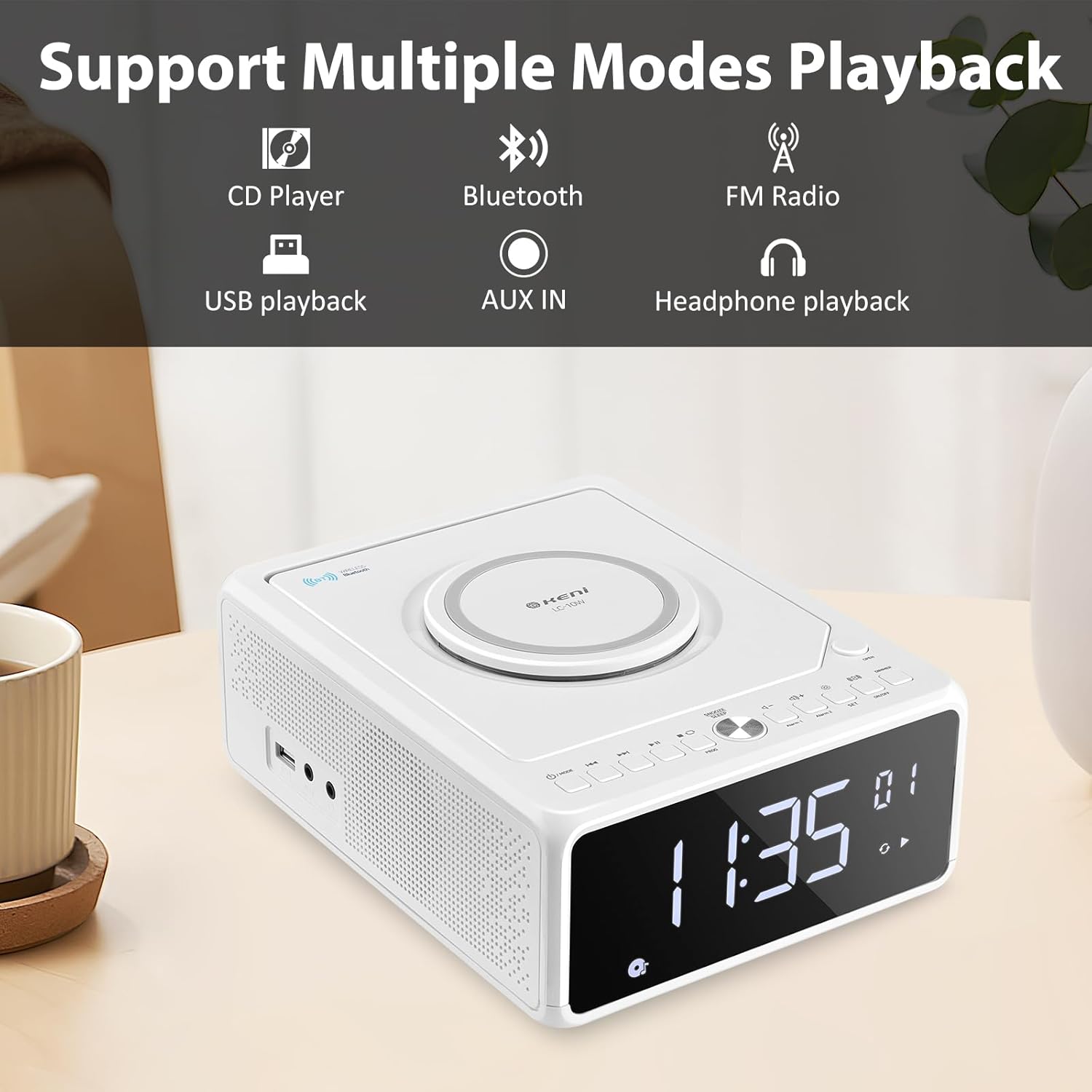
Figure 2: Diagram illustrating the various playback modes supported by the G Keni LC-10W, including CD, Bluetooth, FM Radio, USB, AUX, and headphone output.
5. Sąranka
5.1. Maitinimo prijungimas
- Prijunkite pridedamą kintamosios srovės maitinimo laidą prie AC IN lizdo, esančio įrenginio gale.
- Plug the other end of the power cord into a standard wall outlet (100V-240V AC).
- Įrenginys įsijungs ir užsidegs ekranas.
5.2. Baterijos atsarginis maitinimas (neprivaloma)
For time setting memory backup during power outages, install 2*AAA dry batteries (not included) into the battery compartment on the bottom of the unit. This will retain time and alarm settings.
1 vaizdo įrašas: metimas per sekundęview of the G Keni CD Player Alarm Clock, demonstrating its features and basic operation. This video is provided by the seller.
6. Naudojimo instrukcijos
6.1. Laiko nustatymas
- Ensure the unit is in standby mode (display showing time only). If not, press and hold the Power/Mode button until only the time is displayed.
- Paspauskite ir palaikykite NUSTATYTI button until the time digits start blinking.
- Paspauskite Pirmyn or Atsukti atgal buttons to switch between 12-hour and 24-hour format.
- Paspauskite NUSTATYTI again to set the hour. Use Pirmyn or Atsukti atgal to adjust the hour (pay attention to AM/PM in 12-hour format).
- Paspauskite NUSTATYTI again to set the minute. Use Pirmyn or Atsukti atgal norėdami pakoreguoti minutę.
- Paspauskite NUSTATYTI one last time to confirm and save the time.
6.2. Žadintuvo nustatymas
The unit supports dual alarms (Alarm 1 and Alarm 2) with adjustable volume and various wake-up sounds.
- Paspauskite ir laikykite bet kurį Signalas 1 or Signalas 2 button until the hour digits start blinking.
- Naudokite Pirmyn or Atsukti atgal mygtukus, kad nustatytumėte norimą žadintuvo valandą.
- Paspauskite atitinkamą Signalizacija button again to set the minute. Use Pirmyn or Atsukti atgal norėdami pakoreguoti minutę.
- Paspauskite Signalizacija button again to select the wake-up sound: Buzzer, Radio, CD, USB, or Bluetooth. Use Pirmyn or Atsukti atgal , kad galėtumėte peržiūrėti parinktis.
- Paspauskite Signalizacija button again to set the alarm volume (indicated by 'U' followed by a number). Use Tūris +/- mygtukai reguliuoti.
- Paspauskite Signalizacija button one last time to confirm and activate the alarm. An alarm icon will appear on the display.
- Norėdami išjungti žadintuvą, paspauskite atitinkamą Signalizacija mygtuką vieną kartą. Žadintuvo piktograma išnyks.
Video 2: Detailed instructions on how to set the alarm on the G Keni LC-10W. This video is provided by the seller.
6.3. CD grotuvo valdymas
The top-loading CD player supports audio CDs, CD-Rs, CD-RWs, and MP3 CDs.
- Paspauskite ATIDARYTI button on the top right to open the CD compartment.
- Atsargiai uždėkite kompaktinį diską ant veleno etikete į viršų.
- Uždarykite CD skyriaus dangtį.
- Paspauskite REŽIMAS button until 'CD' appears on the display.
- The CD will begin playing automatically. Use Leisti / pristabdyti, Praleisti/ieškoti mygtukai, skirti valdyti atkūrimą.
- Programavimo funkcija: CD režimu paspauskite mygtuką PROG button to enter programming mode. Use Praleisti/ieškoti to select tracks and PROG to add them to the playlist. Press Žaisti to start the programmed sequence.

Figure 3: The top-loading CD player of the G Keni LC-10W is shown open, with a CD being placed inside. The remote control is also visible, highlighting ease of operation.
6.4. FM radijo veikimas
The unit features a digital FM radio (87.5-108MHz). AM radio is not supported.
- Extend the telescopic FM antenna on the rear of the unit for optimal reception.
- Paspauskite REŽIMAS mygtuką, kol ekrane pasirodys „FM“.
- Automatinis nuskaitymas: Paspauskite ir palaikykite Leisti / pristabdyti mygtuką, kad automatiškai nuskaitytumėte ir išsaugotumėte galimas FM stotis.
- Rankinis derinimas: Trumpai paspauskite Praleisti/ieškoti buttons to manually tune to the next available station.
- Nutildyti: Paspauskite Nutildyti button to temporarily silence the radio.

Figure 4: The G Keni LC-10W displaying FM Radio mode, indicating the frequency and the availability of a sleep timer function.
6.5. Bluetooth ryšys
Belaidžiu būdu transliuokite garsą iš savo „Bluetooth“ įrenginių.
- Paspauskite REŽIMAS button until 'BT' appears on the display. The unit will enter pairing mode, indicated by a blinking Bluetooth icon.
- Savo mobiliajame įrenginyje įjunkite Bluetooth ir ieškokite galimų įrenginių.
- Select 'LC-10W' from the list to pair. Once connected, the Bluetooth icon will stop blinking.
- You can now play music from your device through the G Keni LC-10W. Use the unit's controls or your device to manage playback.
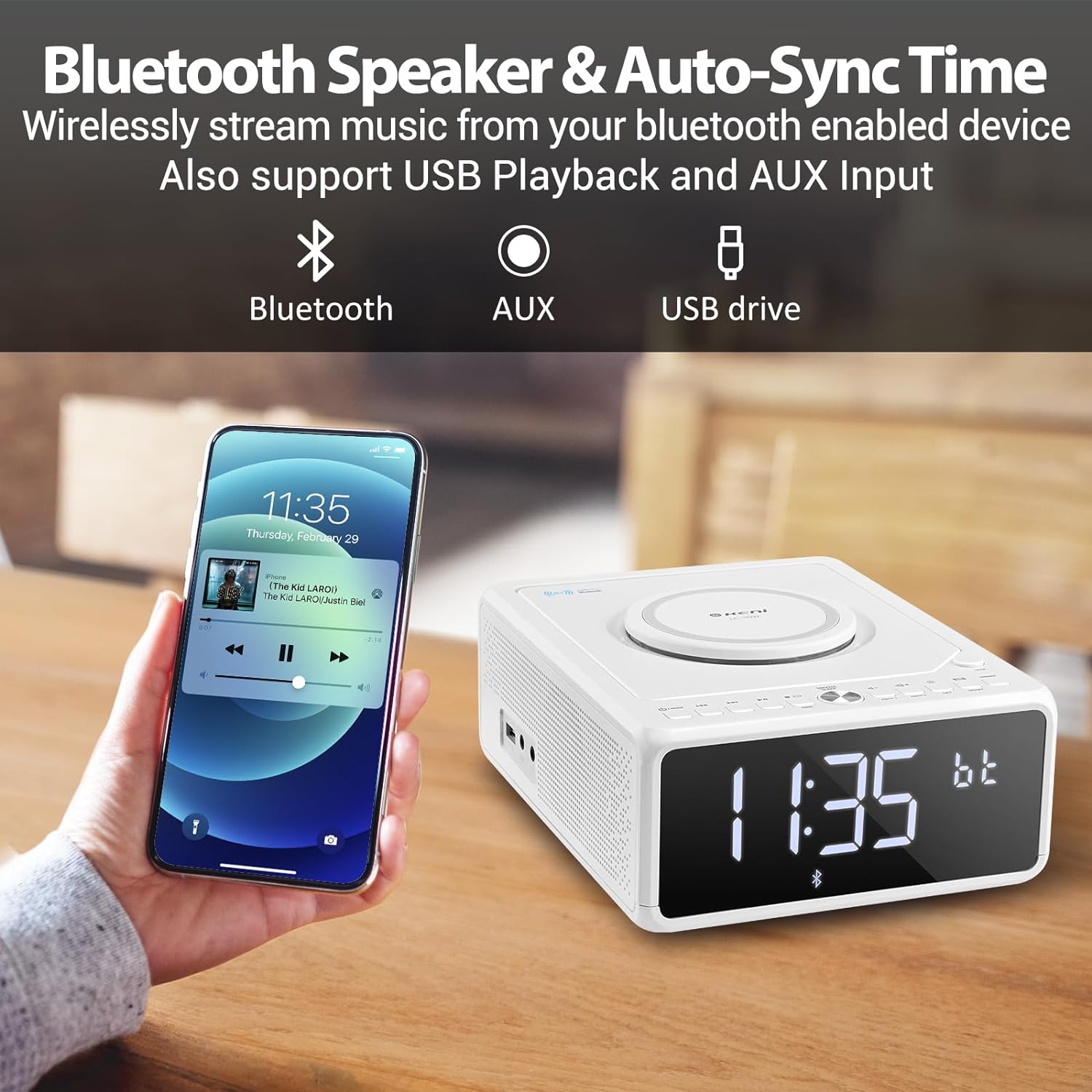
Figure 5: A smartphone is shown wirelessly connected to the G Keni LC-10W via Bluetooth, demonstrating music streaming capabilities.
6.6. USB muzikos atkūrimas
Play MP3/WMA music files tiesiai iš USB atmintinės.
- Įkiškite USB atmintinę į įrenginio šone esantį USB prievadą.
- Paspauskite REŽIMAS button until 'USB' appears on the display.
- The unit will automatically detect and begin playing music from the USB drive.
- Naudokite Leisti / pristabdyti, Praleisti/ieškoti mygtukai, skirti valdyti atkūrimą.
6.7. AUX-IN Connection
Prijunkite išorinius garso įrenginius naudodami 3.5 mm garso kabelį (nepridedamas).
- Connect one end of a 3.5mm audio cable to the AUX-IN port on the side of the unit.
- Connect the other end to the headphone jack or AUX-OUT port of your external audio device.
- Paspauskite REŽIMAS button until 'AUX' appears on the display.
- Control playback from your external audio device. Adjust volume using the unit's volume knob.
6.8. Belaidis įkrovimas
The unit features a Qi-compatible wireless charging pad on top.
- Ensure the wireless charging function is enabled by pressing the ĮJUNGTA/IŠJUNGTA button for wireless charging. A blue light will indicate it's ready.
- Place your Qi-compatible smartphone on the charging pad.
- The light will turn red to indicate active charging.
- Output: 7.5W for iOS devices, 10W for Android devices.

Figure 6: The wireless charging pad on the G Keni LC-10W is shown, illustrating its fast charging capabilities for both Android (10W) and iPhone (7.5W) devices.
6.9. Display Brightness (Dimmer)
Adjust the LED display brightness to your preference.
- Paspauskite REŽIMAS button repeatedly to cycle through 5 levels of brightness, including an 'off' setting for complete darkness.
6.10. Snooze & Sleep Timer
Enhance your sleep routine with these functions.
- Snausti: Kai suskamba žadintuvas, paspauskite SNAUTI/MIEGA button to temporarily silence it for 9 minutes. This can be repeated within an hour.
- Miego laikmatis: While playing audio (Radio, CD, USB, Bluetooth), press the SNAUTI/MIEGA button repeatedly to set the sleep timer (10-90 minutes). The unit will automatically turn off after the selected duration.
7. Priežiūra
- Valymas: Įrenginio išorę valykite minkšta, sausa šluoste. Nenaudokite abrazyvinių valiklių ar tirpiklių.
- CD priežiūra: Handle CDs by their edges. Clean with a soft, lint-free cloth in a straight line from the center to the outer edge.
- Saugykla: Kai ilgesnį laiką nenaudojate įrenginio, atjunkite jį nuo elektros tinklo ir laikykite jį vėsioje, sausoje vietoje.
8. Problemų sprendimas
| Problema | Galima priežastis | Sprendimas |
|---|---|---|
| Įrenginys neįsijungia. | Maitinimo laidas netinkamai prijungtas. | Check AC power cord connection to unit and wall outlet. |
| Nėra garso iš garsiakalbių. | Per mažas garsumas; įjungtas nutildymas; pasirinktas neteisingas režimas. | Increase volume; Deactivate Mute; Select correct playback mode. |
| CD praleidžia arba negroja. | Dirty or scratched CD; CD inserted incorrectly. | Clean or replace CD; Ensure CD is placed correctly. |
| Prastas FM radijo priėmimas. | Antena neištiesta; silpnas signalas. | Fully extend the telescopic antenna; Reposition the unit. |
| „Bluetooth“ įrenginys nesusijungia. | Unit not in BT mode; Device too far; Device already paired. | Ensure unit is in BT mode; Move device closer; Disconnect from other devices. |
| Belaidis įkrovimas neveikia. | Wireless charging off; Phone not Qi-compatible; Phone not centered. | Press wireless charging ON/OFF; Check phone compatibility; Reposition phone. |
9. Specifikacijos
| Funkcija | Detalė |
|---|---|
| Modelio numeris | LC-10W |
| Matmenys (I x P x A) | 8.46 x 6.69 x 3.15 colio |
| Svoris | 2.6 svaro |
| Ryšys | Pagalbinis, „Bluetooth“, USB |
| Bluetooth versija | 5.0 |
| Belaidžio įkrovimo išvestis | 7.5W (iOS), 10W (Android) |
| FM dažnių diapazonas | 87.5-108 MHz |
| Garsiakalbio tipas | Dvigubas garsiakalbis |
| Maitinimo įvestis | AC 100V-240V (UL certified) |
| Baterijos atsarginė kopija | 2*AAA dry batteries (for time memory, not included) |
10. Garantija ir palaikymas
G Keni offers a one-year warranty and friendly customer service for this product. For any issues or support inquiries, please contact the seller or manufacturer directly. Please refer to your purchase documentation for specific warranty terms and contact information.