1. Įvadas
This manual provides essential information for the safe and efficient operation of your Sharp 32Bi3EA Smart Android TV. Please read these instructions thoroughly before using the television and retain them for future reference. This television features Android TV 9.0, Google Assistant with voice control, integrated Chromecast, Bluetooth connectivity, Harman/Kardon speakers, HDR10 support, and DTS Virtual X audio technology.
2. Saugos informacija
Visada laikykitės šių saugos priemonių, kad išvengtumėte elektros smūgio, gaisro ar televizoriaus sugadinimo:
- Saugokite televizorių nuo lietaus ar drėgmės.
- Neatidarykite spintelės; techninę priežiūrą patikėkite kvalifikuotam personalui.
- Užtikrinkite tinkamą vėdinimą aplink televizorių.
- Avoid placing the television near heat sources or in direct sunlight.
- Use only the power cord supplied with the television.
- Baterijas laikykite vaikams nepasiekiamoje vietoje.
3. Kas yra dėžutėje
Verify that all the following items are included with your Sharp 32Bi3EA Smart Android TV:
- Sharp 32Bi3EA Smart Android TV Unit
- Pedestal Stand (2 pieces)
- Nuotolinio valdymo pultas
- AAA baterijos (2x)
- Instrukcijų vadovas (šis dokumentas)
- Maitinimo laidas
4. Sąranka
4.1. Fizinis įrengimas
Your television can be installed using the included pedestal stand or mounted on a wall (wall mount not included).
Attaching the Pedestal Stand
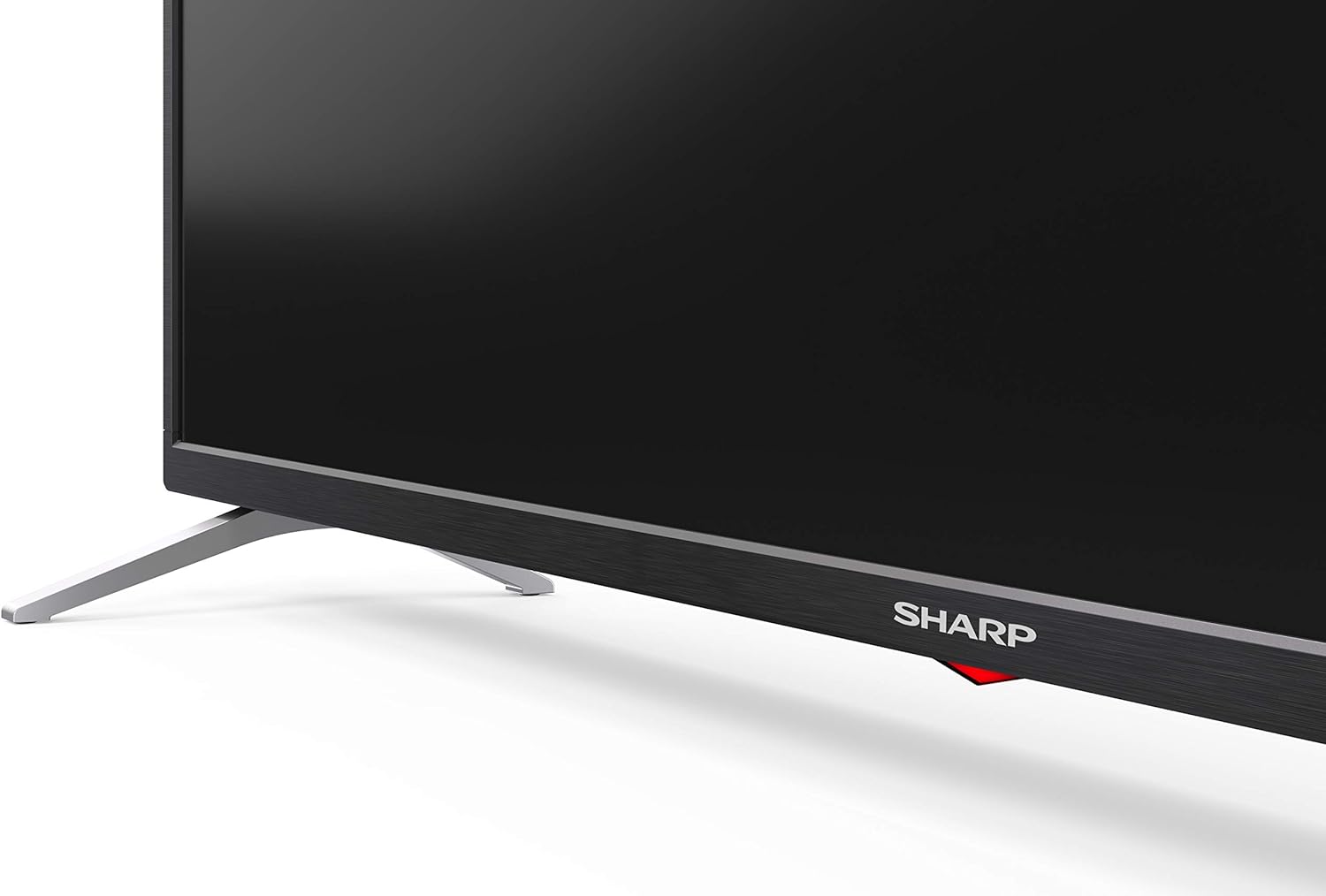
Carefully place the TV screen-down on a soft, flat surface. Align the pedestal stands with the screw holes on the bottom of the TV and secure them using the provided screws. Ensure the stands are firmly attached before placing the TV upright.

Vaizdas: Šoninė view of the Sharp 32Bi3EA TV, illustrating the slim profile and the attached pedestal stand.
Montavimas ant sienos
If you choose to wall mount the television, use a VESA compatible bracket with dimensions of 200x100 mm. Consult a professional for wall mounting to ensure proper installation and safety.
4.2. Prietaisų prijungimas
Connect your external devices to the appropriate ports on the back or side of the television.
Vaizdas: Galinis view of the Sharp 32Bi3EA TV, highlighting the Ethernet, Optical, HDMI, USB, and AV input ports.
- HDMI prievadai (3): Prijunkite „Blu-ray“ grotuvus, žaidimų konsoles arba priedėlius.
- USB prievadai (2): Prijunkite USB atmintines, kad galėtumėte atkurti medijos failus arba atnaujinti programinę įrangą.
- Ethernet prievadas: Laidiniam interneto ryšiui.
- Optinė skaitmeninė garso išvestis: Skirta prijungti prie išorinės garso sistemos.
- AV įvestis: Senesniems įrenginiams, naudojantiems kompozicinį vaizdo įrašą ir stereo garsą.
4.3. Initial Power-On and Android TV Setup
After connecting the power cord and turning on the TV, follow the on-screen instructions to complete the initial setup. This includes selecting your language, connecting to a Wi-Fi network, and logging into your Google account to activate Android TV features like Google Assistant and Chromecast.
5. Televizoriaus valdymas
5.1. Nuotolinio valdymo pultas
The included remote control allows you to navigate the Android TV interface, adjust settings, and use Google Assistant voice commands. Insert the two AAA batteries into the remote control, ensuring correct polarity.
- Maitinimo mygtukas: Įjungia arba išjungia televizorių.
- „Google“ asistento mygtukas: Activates voice control. Press and hold to speak commands.
- Naršymo mygtukai: Norėdami pereiti per meniu, naudokite krypties mygtukus ir mygtuką „Gerai“.
- Namų mygtukas: Grąžina į „Android TV“ pagrindinį ekraną.
- Tūris +/-: Reguliuoja garsumo lygį.
- Kanalas +/-: Keičia televizijos kanalus.
- Programėlės spartieji mygtukai: Direct access to popular streaming services (e.g., Netflix, Amazon Prime Video).
5.2. Išmaniojo televizoriaus funkcijos („Android TV“)
Your Sharp 32Bi3EA TV runs on Android TV 9.0, providing access to a wide range of applications and services.
- „Google“ padėjėjas: Use your voice to search for content, control smart home devices, get answers, and manage tasks.
- Įtaisytasis „Chromecast“: Transliuokite turinį iš suderinamo išmaniojo telefono, planšetinio kompiuterio ar kompiuterio tiesiai į televizoriaus ekraną.
- „Google Play“ parduotuvė: Atsisiųskite ir įdiekite papildomas programas, žaidimus ir srautinio perdavimo paslaugas.
- Palaikomos interneto paslaugos: Access popular platforms such as Netflix, Amazon Prime Video, HBO, Disney+, Movistar+, DAZN, Atresmedia, KODI, IPTV, Steamlink, Twitch, VLC, YouTube, Puffin TV Browser, Spotify, Deezer, and TuneIn Radio.
5.3. Garso ir vaizdo nustatymai
The television supports advanced audio and video technologies for an enhanced viewpatirtį.
- HDR10: Suteikia platesnį spalvų ir kontrasto diapazoną suderinamam turiniui.
- Harman/Kardon Speakers: Integrated audio system designed to deliver clear and powerful sound (2x10W).
- DTS Virtual X / DTS HD: Enhances audio with virtual surround sound capabilities.
- Active Motion 400: Pagerina judesio aiškumą greito tempo scenose.
5.4. Ryšys
Televizorius siūlo įvairias prijungimo galimybes:
- „Wi-Fi“: Prisijungia prie jūsų namų belaidžio tinklo, kad galėtumėte naudotis internetu.
- Bluetooth: Pair with compatible devices such as headphones, soundbars, or game controllers.
6. Priežiūra
6.1. Valymas
Norėdami išvalyti televizoriaus ekraną, švelniai nuvalykite jį minkštu, nepūkuotu skudurėliu. Jei dėmės sunkiai pašalinamos, šiek tiek nuvalykiteampen the cloth with water or a specialized screen cleaner. Do not use abrasive cleaners or solvents. For the TV cabinet, use a soft, dry cloth.
6.2. Programinės įrangos atnaujinimai
Your Android TV may receive software updates periodically to improve performance and add new features. Ensure your TV is connected to the internet to receive these updates. You can check for updates manually through the TV's settings menu.
7. Problemų sprendimas
Jei kyla problemų dėl televizoriaus, žr. šiuos įprastus sprendimus:
| Problema | Galimas sprendimas |
|---|---|
| Nėra galios | Patikrinkite, ar maitinimo laidas tvirtai prijungtas prie televizoriaus ir sieninio lizdo. Išbandykite kitą lizdą. |
| Nėra vaizdo/garso | Įsitikinkite, kad pasirinktas teisingas įvesties šaltinis. Patikrinkite kabelio jungtis su išoriniais įrenginiais. |
| Nuotolinio valdymo pultas neveikia | Pakeiskite baterijas. Įsitikinkite, kad tarp nuotolinio valdymo pulto ir televizoriaus IR jutiklio nėra jokių kliūčių. |
| Wi-Fi ryšio problemos | Iš naujo paleiskite maršrutizatorių ir televizorių. Patikrinkite „Wi-Fi“ slaptažodį. Įsitikinkite, kad televizorius yra maršrutizatoriaus veikimo zonoje. |
| Android TV apps freezing | Restart the TV. Clear the cache of the problematic app in the TV settings. Uninstall and reinstall the app. |
If the problem persists after trying these solutions, please contact Sharp customer support.
8. Specifikacijos
| Funkcija | Detalė |
|---|---|
| Modelio numeris | 32Bi3E |
| Ekrano dydis | 32 colių (81 cm) |
| Ekrano technologija | LED |
| Rezoliucija | 720p (1366 x 768 pikselių) |
| Atnaujinimo dažnis | 60 Hz |
| Operacinė sistema | Android TV 9.0 |
| Ypatingos savybės | Google Assistant, Chromecast Built-in, HDR10, DTS Virtual X, Active Motion 400 |
| Garso sistema | Harman/Kardon (2x10W) |
| Ryšys | Bluetooth, Ethernet, HDMI (3x), USB (2x), Wireless (Wi-Fi) |
| VESA kalnas | 200x100 mm |
| Matmenys (su stovu) | 803.0 x 542.0 x 149.0 mm (plotis x aukštis x gylis) |
| Matmenys (be stovo) | 730.0 x 436.1 x 83.5 mm (plotis x aukštis x gylis) |
| Svoris | 4.6 kg |
| Energijos suvartojimas (1000 val.) | 31 kWh (Energy Class F) |

Image: Energy efficiency label for the Sharp 1T-C32BIx series, indicating an F energy class and 31 kWh per 1000 hours of operation. For more details, refer to the official EU EPREL database via the QR code or link: EPREL duomenų bazė.

Image: Detailed Product Information Sheet, providing comprehensive technical specifications and regulatory information for the Sharp 32Bi3EA TV in various languages.
9. Garantija ir palaikymas
9.1. Informacija apie garantiją
Your Sharp 32Bi3EA Smart Android TV comes with a standard manufacturer's warranty. Please refer to the warranty card included with your product or visit the official Sharp websvetainėje, kurioje rasite išsamias jūsų regionui taikomas sąlygas.
9.2. Pagalba klientams
For technical assistance, troubleshooting beyond this manual, or warranty claims, please contact Sharp customer support. Contact information can typically be found on the official Sharp websvetainėje arba prie televizoriaus pridėtoje dokumentacijoje.
Online resources and FAQs may also be available on the Sharp support portal.


