Įvadas
Thank you for choosing BEBEN T9 Wireless Earbuds. These earbuds are designed to provide a high-quality audio experience with advanced features such as Bluetooth 5.3 connectivity, intelligent touch control, and a long-lasting battery. This manual will guide you through the setup, operation, and maintenance of your new earbuds to ensure optimal performance and longevity.
Kas yra dėžutėje
- BEBEN T9 Wireless Earbuds (Left and Right)
- Įkrovimo dėklas
- USB įkrovimo laidas (C tipo)
- Vartotojo vadovas
Produktas baigtasview
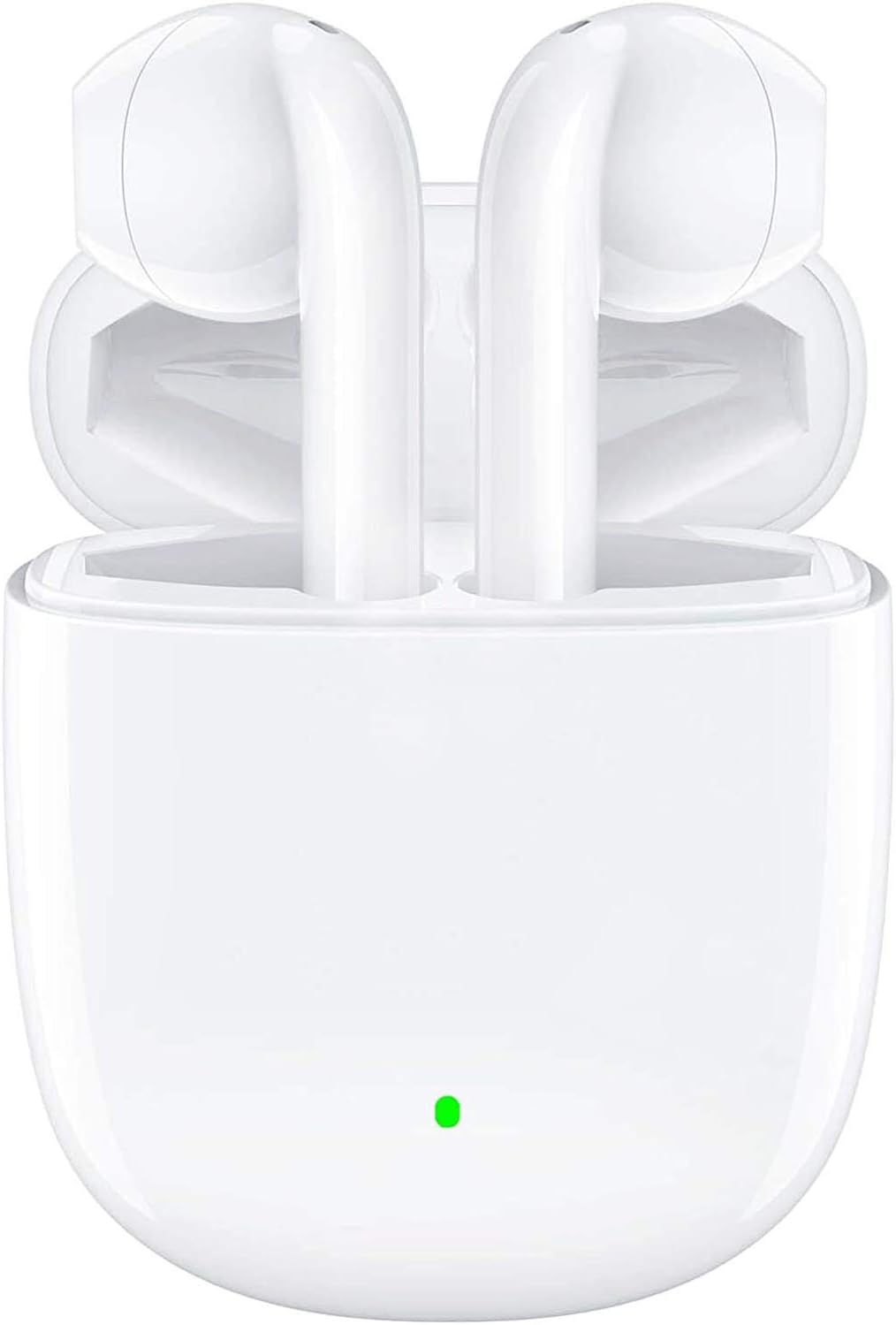
The BEBEN T9 Wireless Earbuds are housed in a compact charging case, designed for portability and convenience. The earbuds feature an ergonomic semi-in-ear design for comfortable wear.

Each earbud is equipped with a 14mm dynamic driver, engineered to deliver high-fidelity stereo sound with clear audio reproduction.

The charging case is designed to be pocket-sized, making it easy to carry your earbuds and charge them on the go. Its dimensions are approximately 2.2 inches by 1.85 inches by 0.86 inches.
Sąranka
1. Ausinių ir dėklo įkrovimas
Before first use, ensure both the earbuds and the charging case are fully charged. The charging case provides extended battery life for your earbuds.
- Įdėkite ausines į įkrovimo dėklą.
- Connect the provided USB Type-C charging cable to the charging port on the case and to a compatible USB power source (e.g., wall adapter, computer USB port, power bank).
- Įkrovimo dėklo indikatoriaus lemputė rodys įkrovimo būseną. Visiškas įkrovimas paprastai trunka apie 1.5 valandos.
- Once fully charged, the earbuds offer 4 to 5 hours of continuous use, and the charging case provides multiple recharges for a total playtime of up to 35 hours.

The earbuds and case support Type-C fast charging, providing up to 35 hours of total playtime with the charging case's backup power.
2. Susiejimas su jūsų įrenginiu (susiejimas vienu veiksmu)
The BEBEN T9 earbuds feature a convenient one-step pairing process thanks to Bluetooth 5.3 technology.
- Ensure Bluetooth is enabled on your smartphone, tablet, or other Bluetooth-enabled device.
- Atidarykite įkrovimo dėklo dangtelį. Ausinės automatiškai įsijungs ir persijungs į susiejimo režimą.
- On your device, search for Bluetooth devices and select "T9" from the list.
- Prijungus, išgirsite patvirtinimo signalą ir ausinės bus paruoštos naudoti.
- After the initial pairing, the earbuds will automatically connect to the last paired device when you open the charging case.

The earbuds offer one-step pairing, automatically connecting to your device when the charging case is opened.
Naudojimo instrukcijos
Išmanusis jutiklinis valdymas
The T9 earbuds utilize intelligent touch controls for various functions. Gently tap the touch area on either earbud to perform the following actions:

The earbuds feature intelligent touch controls for easy management of music playback, calls, and voice assistant activation.
| Veiksmas | Palieskite komandą |
|---|---|
| Leisti / pristabdyti muziką | Vienu bakstelėjimu bet kurią ausinę |
| Atsiliepti / Baigti skambutį | Vienu bakstelėjimu bet kurią ausinę |
| Atmesti skambutį | Press and hold for 2 seconds on either earbud |
| Kita daina | Dukart bakstelėkite dešinįjį ausinės antgalį |
| Ankstesnė daina | Dukart bakstelėkite kairįjį ausinės antgalį |
| Padidinti garsumą | Tris kartus bakstelėkite dešinįjį ausinės antgalį |
| Sumažinti garsumą | Tris kartus bakstelėkite kairįjį ausinės antgalį |
| Įjungti balso asistentą („Siri“ / „Google“ asistentas) | Press and hold for 3 seconds on either earbud |
Single Earbud Mode vs. Binaural Mode
The T9 wireless earbuds allow flexible usage, supporting both single earbud (mono) and binaural (stereo) modes. You can switch between modes seamlessly.
- Vienos ausinės režimas: You can use either the left or right earbud independently. Simply take one earbud out of the charging case, and it will connect to your device. This is useful for situations where you need to be aware of your surroundings.
- Binauralinis režimas: To use both earbuds for stereo sound, take both earbuds out of the charging case. They will automatically connect to each other and then to your device.
- Perjungimo režimai: If you are using one earbud and wish to switch to binaural mode, simply take the other earbud out of the case. They will automatically connect. If you are using both and wish to switch to single mode, place one earbud back into the charging case; the other will continue to function.

The earbuds support flexible usage, allowing for single earbud use, binaural stereo sound, or even sharing one earbud with another person.
Priežiūra
Valymas
Reguliarus valymas padeda palaikyti garso kokybę ir higieną.
- Ausinėms ir įkrovimo dėklui nuvalyti naudokite minkštą, sausą, nepūkuotą šluostę.
- Įsisenėjusiam purvui šiek tiek pamirkykiteamplt šluostę nuvalykite vandeniu arba švelniu, neabrazyviniu valikliu.
- Do not use harsh chemicals, alcohol, or abrasive materials.
- Įsitikinkite, kad abiejų ausinių ir dėklo įkrovimo kontaktai yra švarūs ir sausi.
Sandėliavimas
Kai nenaudojate, laikykite ausines įkrovimo dėkle, kad jos būtų apsaugotos ir įkrautos.
- Laikyti vėsioje, sausoje vietoje, toliau nuo ekstremalių temperatūrų ir tiesioginių saulės spindulių.
- Venkite laikyti dulkėtoje ar nešvarioje aplinkoje.
Atsparumas vandeniui
The BEBEN T9 earbuds are designed with a waterproof exterior, making them suitable for sports and fitness activities where they may encounter sweat or light splashes. However, they are not designed for submersion in water. Avoid prolonged exposure to water or using them while swimming or showering.
Trikčių šalinimas
| Problema | Galimas sprendimas |
|---|---|
| Ausinės nesusijungia / nesusijungia | Ensure earbuds are charged. Turn off and on Bluetooth on your device. Forget "T9" in your device's Bluetooth settings and re-pair. Place earbuds back in case, close lid, then open again. |
| Veikia tik viena ausinė | Ensure both earbuds are charged. Place both earbuds back in the charging case, close the lid for 5 seconds, then open it again. They should automatically re-sync. |
| Mažas garsumas arba prasta garso kokybė | Adjust volume on both your device and using the earbud touch controls. Ensure earbuds are clean and free of debris. Check if the earbuds are properly seated in your ears. |
| Ausinės neįkraunamos | Ensure the charging cable is securely connected to both the case and the power source. Check if the charging contacts on the earbuds and inside the case are clean. Try a different USB port or cable. |
| Jutikliniai valdikliai nereaguoja | Įsitikinkite, kad jūsų pirštai švarūs ir sausi. Pabandykite iš naujo paleisti ausines įdėdami jas į dėklą ir vėl išimdami. |
Specifikacijos
| Funkcija | Detalė |
|---|---|
| Modelio pavadinimas | T9 |
| Ryšio technologija | Belaidis ryšys („Bluetooth“) |
| Belaidžio ryšio technologija | Bluetooth 5.3 |
| Bluetooth diapazonas | Iki 10 metrų (33 pėdų) |
| Garso tvarkyklės tipas | Dinaminis vairuotojas |
| Garso tvarkyklės dydis | 13 milimetrų |
| Baterijos veikimo laikas (ausinės) | 4–5 valandų (nepertraukiamo naudojimo) |
| Bendras grojimo laikas (su įkrovimo dėklu) | Iki 35 valandų |
| Įkrovimo prievadas | C tipo USB |
| Kontrolės metodas | Palieskite valdymą |
| Atsparumo vandeniui lygis | Waterproof (suitable for sweat/light splashes) |
| Ausų išdėstymas | In Ear (Semi-in-ear design) |
| Gaminio matmenys | 3.15 x 3.15 x 3.15 colio |
| Prekės svoris | 3.2 uncijos |
Garantija ir palaikymas
BEBEN products are manufactured to high standards and undergo rigorous quality checks. For specific warranty information, please refer to the warranty card included with your product or visit the official BEBEN websvetainę.
If you encounter any issues or have questions regarding your BEBEN T9 Wireless Earbuds, please contact BEBEN customer support through the retailer's platform or the contact information provided on the official BEBEN websvetainę. Kreipdamiesi į palaikymo tarnybą, turėkite paruoštą savo produkto modelį ir pirkimo informaciją.


