1. Įvadas
This manual provides comprehensive instructions for the installation, operation, and maintenance of the VIVOTEK FE9380-HV 5MP Outdoor Network Fisheye Dome Camera. Please read this manual thoroughly before using the product to ensure proper setup and functionality. The FE9380-HV is designed for robust outdoor surveillance, offering a 360-degree panoramic view with high-resolution imaging.
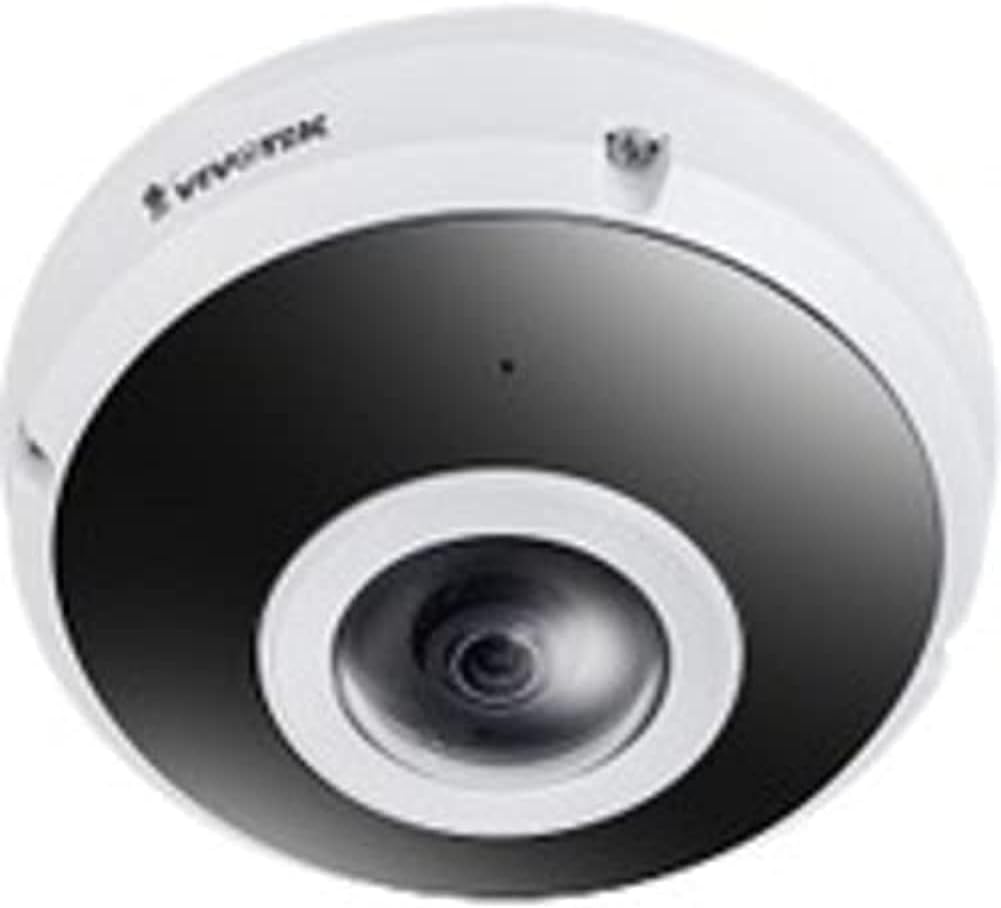
Figure 1: VIVOTEK FE9380-HV Fisheye Dome Camera. This image displays the camera's white dome housing with a central black lens assembly, characteristic of a fisheye surveillance camera.
2. Saugos informacija
Observe the following safety precautions to prevent damage to the camera and ensure safe operation:
- Ensure the power source matches the camera's requirements (220V, Corded Electric).
- Do not expose the camera to extreme temperatures or humidity beyond its specified operating conditions.
- Venkite tiesioginių stiprių šviesos šaltinių, kurie gali pažeisti vaizdo jutiklį.
- Montavimą turėtų atlikti kvalifikuoti specialistai, laikydamiesi vietinių elektros kodeksų.
- Nebandykite ardyti ar modifikuoti kameros. Tai panaikins garantiją.
- Clean the camera lens and housing with a soft, dry cloth. Avoid abrasive cleaners.
3. Pakuotės turinys
Prieš tęsdami montavimą, patikrinkite, ar pakuotėje yra visi reikalingi daiktai:
- VIVOTEK FE9380-HV Fisheye Dome Camera (1 unit)
- Montavimo varžtai ir inkarai
- Greito montavimo vadovas
- Vandeniui atspari jungtis (jei taikoma)
- Alignment Sticker (if applicable)
Pastaba: konkretūs priedai gali skirtis priklausomai nuo regiono arba pakuotės.
4. Sąranka ir diegimas
4.1 Montavimo vieta
The FE9380-HV is designed for outdoor wall mount installation. Choose a location that provides the desired field of view (360 degrees) and is within reach of a power source and network connection. Ensure the mounting surface is strong enough to support the camera's weight (approximately 4.4 pounds).
4.2 Fizinis įrengimas
- Paruoškite montavimo paviršių: Use the provided alignment sticker (if included) to mark drilling points for the mounting screws.
- Gręžimo skylės: Drill pilot holes according to the marks. Insert wall anchors if mounting on drywall or masonry.
- Pritvirtinkite kameros pagrindą: Tvirtai pritvirtinkite kameros tvirtinimo pagrindą prie paruošto paviršiaus naudodami pateiktus varžtus.
- Prijunkite laidus:
- Galia: Connect the camera to a 220V corded electric power source. Ensure connections are secure and waterproof for outdoor use.
- Tinklas: Connect an Ethernet cable to the camera's network port. This camera supports Wi-Fi connectivity, but a wired connection is recommended for initial setup and stable performance.
- Pritvirtinkite kameros korpusą: Secure the main camera body to the mounted base, ensuring all connections are properly seated and sealed.
4.3 Tinklo konfigūracija
After physical installation, connect the camera to your network. The camera supports Wi-Fi connectivity. Refer to the Quick Installation Guide for detailed instructions on initial network discovery and IP address assignment. Typically, you will use a VIVOTEK utility or access the camera's web interface via its default IP address to configure network settings, including Wi-Fi connection details.
5. Fotoaparato valdymas
5.1 Prieiga prie kameros sąsajos
The VIVOTEK FE9380-HV can be controlled via a dedicated mobile application or through its web-based interface using a standard web browser. Once the camera is connected to your network, use the VIVOTEK utility to discover its IP address, then enter the IP address into your browser's address bar.
5.2 Pagrindinės funkcijos
- Tiesiogiai View: Access real-time video streams from the camera. The 360-degree fisheye view can be de-warped into various display modes (e.g., panoramic, quad view) through the interface.
- Įrašas: Configure recording schedules, motion detection triggers, and storage locations (e.g., local storage via 128 GB Flash Memory, Network Attached Storage).
- Atkūrimas: Review įrašytas footage.
- Nustatymai: Adjust image quality (5 MP resolution), network settings, user accounts, and advanced features like night color technology for low-light conditions.
- Programos valdymas: Utilize the dedicated VIVOTEK app for remote monitoring and control from your smartphone or tablet.
6. Priežiūra
Regular maintenance ensures optimal performance and longevity of your VIVOTEK FE9380-HV camera:
- Valymas: Periodically clean the camera lens and housing to remove dust, dirt, or water spots. Use a soft, lint-free cloth. For stubborn marks, a mild, non-abrasive cleaning solution can be applied to the cloth (not directly to the camera).
- Firmware atnaujinimai: Check the VIVOTEK official website regularly for firmware updates. Keeping the firmware updated ensures the latest features, security patches, and performance improvements.
- Kabelio apžiūra: Periodically inspect all cables (power and network) for any signs of wear, damage, or loose connections, especially in outdoor environments.
- Aplinkosaugos patikrinimai: Ensure the camera's immediate environment remains clear of obstructions that could block its field of view or interfere with its operation.
7. Problemų sprendimas
This section addresses common issues you might encounter with your VIVOTEK FE9380-HV camera.
| Problema | Galima priežastis | Sprendimas |
|---|---|---|
| No video feed / Camera offline |
|
|
| Prasta vaizdo kokybė |
|
|
| Negaliu prieiti web sąsaja |
|
|
8. Specifikacijos
| Modelio numeris | FE9380-HV |
| Prekės ženklas | VIVOTEK |
| Aprašymas | 5 MP lauko tinklo žuvies akies kupolinė kamera |
| Montavimo tipas | Sieninis laikiklis |
| Vaizdo įrašymo raiška | 5 MP |
| Efektyvi vaizdo raiška | 5 MP |
| Maksimalus Webcam Vaizdo raiška | 5 MP |
| Kanalų skaičius | 4 |
| Belaidžio ryšio technologija | Wi-Fi |
| Formos faktorius | Kupolas |
| Maitinimo šaltinis | Laidinis elektrinis (220 V) |
| Vattage | 3600W |
| Matmenys (I x P x A) | 3.15 x 5.12 x 4.72 colio |
| Įdiegtos „Flash“ atminties dydis | 128 GB |
| Prekės svoris | 4.4 svaro (2 kilogramo) |
| Optinis priartinimas | 3 x |
| Laukas View | 360 laipsnių |
| Silpnos šviesos technologija | Naktinė spalva |
| Recommended Usage Environments | Lauko apsauga |
| Naudojimas viduje / lauke | Lauke |
| Vaizdo įrašymo formatas | MPEG-4 |
| Tarptautinis apsaugos įvertinimas | IP21 |
| Kontrolės metodas | Programėlė |
| Gamintojas | „Vivotek“ |
| Pasiekiama pirmoji data | 31 m. liepos 2020 d |
9. Garantija ir palaikymas
Išsamesnės informacijos apie garantiją ieškokite prie gaminio pridėtoje garantijos kortelėje arba apsilankykite oficialioje VIVOTEK svetainėje. website. VIVOTEK provides technical support for its products. For assistance with installation, configuration, or troubleshooting beyond this manual, please contact VIVOTEK customer support through their official channels.
Internetiniai ištekliai:


