Įvadas
Thank you for choosing the Tecno Minipod M1 True Wireless Stereo (TWS) Earbuds. This manual provides detailed instructions on how to set up, operate, and maintain your Minipod M1 earbuds to ensure optimal performance and longevity. The Minipod M1 offers a seamless audio experience with its portable charging case, long playback time, IPX4 water resistance, and smart touch controls.
Kas yra dėžutėje
- 1 x Tecno Minipod M1 TWS Earphone (Left and Right)
- 1 x nešiojamas įkrovimo dėklas
- 1x USB įkrovimo laidas
- 1 x Vartotojo vadovas
- 2 x ausų antgalių poros (įvairių dydžių)
- 1 x Silicone Protective Cover
- 1 x Hook (Carabiner)

Image: Infographic highlighting key features of the Tecno Minipod M1, including 18 hours non-stop music, ENC Noise Reduction Technology, Bluetooth 5.0, cool touch controls, portable charging case, IPX4 water resistance, and 4.2gm ultra-light body.
Produktas baigtasview
The Tecno Minipod M1 consists of two lightweight earbuds and a compact charging case. The case not only protects the earbuds but also provides additional battery life for extended listening.
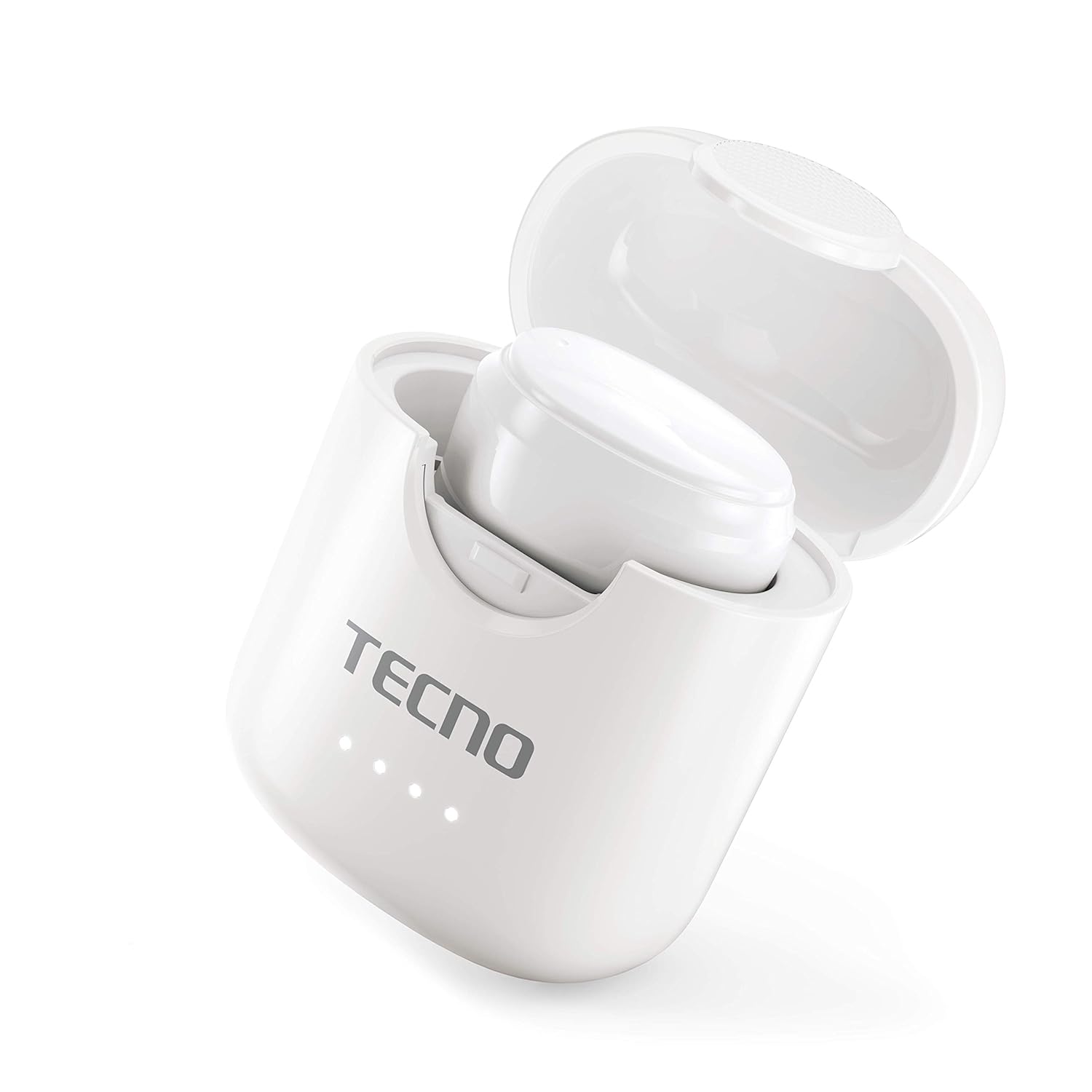
Image: The Tecno Minipod M1 earbud securely placed inside its open charging case, showing the compact design and charging indicators.

Image: A detailed close-up of a single Tecno Minipod M1 earbud, highlighting its ergonomic shape and touch-sensitive surface.
Komponentai:
- Earbuds: Left and Right, each with touch controls and built-in microphone.
- Įkrovimo dėklas: Talpina ir įkrauna ausines, su LED indikatoriais, rodančiais akumuliatoriaus būseną.
- USB įkrovimo prievadas: Maitinimo įvesties lizdas yra ant įkrovimo dėklo.
Sąranka
1. Pradinis įkrovimas:
Before first use, fully charge the Tecno Minipod M1 earbuds and their charging case.
- Įdėkite abi ausines į įkrovimo dėklą. Įsitikinkite, kad jos tinkamai įstatytos į atitinkamus lizdus.
- Prijunkite pridedamą USB įkrovimo laidą prie dėklo įkrovimo prievado, o kitą galą – prie USB maitinimo šaltinio (pvz., kompiuterio, sieninio adapterio).
- Įkrovimo dėklo LED indikatoriai užsidegs, rodydami įkrovimo būseną. Kai prietaisas bus visiškai įkrautas, indikatoriai gali pakeisti spalvą arba užgesti.

Image: The Tecno Minipod M1 charging case in a closed position, showing the LED indicators on the front that display charging status.
2. Susiejimas su jūsų įrenginiu:
The Minipod M1 earbuds use Bluetooth 5.0 for a stable and quick connection.
- Atidarykite įkrovimo dėklą. Ausinės automatiškai įsijungs susiejimo režimu.
- Išmaniajame telefone arba „Bluetooth“ įrenginyje eikite į „Bluetooth“ nustatymus.
- Ieškokite available devices and select "Tecno Minipod M1" from the list.
- Prijungus, išgirsite patvirtinimo toną ir pasikeis ausinių indikatoriaus lemputės.
- Vėlesniais naudojimo atvejais ausinės automatiškai prisijungs prie paskutinio suporuoto įrenginio, kai bus išimtos iš dėklo.
Veikiantis
„Smart Touch“ valdikliai:
The Tecno Minipod M1 features intuitive touch controls on each earbud.
| Veiksmas | Kontrolė |
|---|---|
| Leisti / pristabdyti muziką | Vienu bakstelėjimu bet kurią ausinę |
| Kitas takelis | Dukart bakstelėkite dešinįjį ausinės antgalį |
| Ankstesnis takelis | Dukart bakstelėkite kairįjį ausinės antgalį |
| Atsiliepti / Baigti skambutį | Vienu bakstelėjimu bet kurią ausinę |
| Atmesti skambutį | Paspauskite ir 2 sekundes palaikykite bet kurią ausinę |
| Suaktyvinkite balso padėjėją | Tris kartus bakstelėkite bet kurią ausinę |
Nešioti ausines:
Choose the correct size of eartips for a comfortable and secure fit. Insert the earbuds gently into your ear canal and twist slightly to ensure a snug fit. A proper fit enhances sound quality and noise cancellation.
Priežiūra
Valymas:
- Reguliariai valykite ausines ir įkrovimo dėklą minkštu, sausu, nepūkuotu skudurėliu.
- Nenaudokite abrazyvinių valiklių, alkoholio ar cheminių tirpiklių.
- Švelniai pašalinkite ausų sierą ar nešvarumus nuo ausų antgalių ir garsiakalbio tinklelio, naudodami mažą, minkštą šepetėlį arba vatos tamponėlį.
Saugykla:
- Kai nenaudojate, visada laikykite ausines įkrovimo dėkle, kad jos būtų apsaugotos ir įkrautos.
- Laikykite prietaisą vėsioje, sausoje vietoje, toliau nuo ekstremalių temperatūrų ir tiesioginių saulės spindulių.
Atsparumas vandeniui (IPX4):
The Tecno Minipod M1 earbuds are IPX4 water resistant, meaning they are protected against splashing water from any direction. This makes them suitable for workouts and light rain. However, they are not designed for swimming or submersion in water. Do not charge the earbuds or case if they are wet.

Image: The Tecno Minipod M1 charging case shown with various colorful silicone protective covers, emphasizing the included accessory for better protection and portability.
Trikčių šalinimas
| Problema | Galimas sprendimas |
|---|---|
| Ausinės neįkraunamos | Įsitikinkite, kad įkrovimo laidas yra tvirtai prijungtas. Patikrinkite, ar įkrovimo dėklas maitinamas. Nuvalykite abiejų ausinių ir dėklo įkrovimo kontaktus. |
| Nepavyksta susieti su įrenginiu | Make sure Bluetooth is enabled on your device. Ensure earbuds are in pairing mode (open case). Forget "Tecno Minipod M1" from your device's Bluetooth list and try pairing again. Move closer to your device. |
| Garsą groja tik viena ausinė | Įdėkite abi ausines atgal į įkrovimo dėklą, uždarykite dangtelį, palaukite kelias sekundes, tada atidarykite dangtelį ir bandykite dar kartą. Įsitikinkite, kad abi ausinės įkrautos. |
| Mažas garsumas arba prasta garso kokybė | Adjust the volume on your device. Ensure earbuds are properly seated in your ears. Clean any debris from the speaker mesh and eartips. |
| Mikrofonas neveikia skambučių metu | Ensure the earbuds are connected as a "headset" profile in your device's Bluetooth settings. Check for any obstructions on the microphone opening. |
Specifikacijos
| Funkcija | Detalė |
|---|---|
| Modelio pavadinimas | Tecno Minipod M1 |
| Bluetooth versija | 5.0 |
| Bendras atkūrimo laikas | Iki 18 valandų (6 valandos su ausinėmis + 12 valandų su įkrovimo dėklu) |
| Atsparumas vandeniui | IPX4 (atsparus prakaitui ir vandens purslams) |
| Triukšmo panaikinimas | Aplinkos triukšmo slopinimas (ENC) |
| Valdikliai | Išmanieji jutikliniai valdikliai |
| Ausinės svoris | Maždaug 4.2 g vienai ausinei |
| Matmenys (produktas) | 2.4 x 1.7 x 2.7 cm |
| Medžiaga | Polikarbonatas (PC), akrilnitrilo butadieno stirenas (ABS) |
| Operacinės sistemos suderinamumas | iOS, Android |
Garantija ir palaikymas
The Tecno Minipod M1 comes with a 6 mėnesių garantija nuo pirkimo datos. Ši garantija taikoma gamybos defektams. Prašome išsaugoti pirkimo įrodymą garantiniams reikalavimams.
For technical support, warranty claims, or any other inquiries, please contact Tecno customer service through their official website or the contact information provided with your purchase documentation. You can also visit the „Tecno“ parduotuvė „Amazon“ platformoje Norėdami gauti daugiau informacijos.