Įvadas
The Altec Lansing Nanobuds are truly wireless earbuds designed for an immersive audio experience with complete freedom of movement. Featuring Bluetooth 5.0 technology, these earbuds offer a stable connection up to 50 feet, making them ideal for various activities from travel to sports. Their ergonomic design ensures a comfortable and secure fit, while the IPX5 water-resistant rating provides protection against sweat and rain.
This manual provides essential information on setting up, operating, maintaining, and troubleshooting your Nanobuds to ensure optimal performance and longevity.

Image: Altec Lansing Nanobuds in their open charging case, highlighting the purple earbuds and the compact design.
Kas yra dėžutėje
Your Altec Lansing Nanobuds package includes the following components:
- „Altec Lansing Nanobuds“ (kairė ir dešinė ausinės)
- Įkrovimo dėklas
- USB kabelis (USB-C)

Image: The Nanobuds charging case with the included USB-C charging cable, illustrating the complete package contents.
Sąranka
Pradinis įkrovimas
Before first use, ensure your Nanobuds and charging case are fully charged. To charge:
- Place both earbuds securely into the charging case, ensuring they make good connection with the charging contacts.
- Connect the USB-C cable to the charging port on the case and plug it into a 5V or greater power source.
- The LED indicator on the case will flash while charging. Once fully charged, the LEDs may change or turn off depending on the model.
Aktyvinimas ir susiejimas
For first-time activation and pairing:
- Įdėkite abi ausines į įkrovimo dėklą.
- Remove both earbuds from the case. This action will activate the earbuds and put them into pairing mode.
- Išmaniajame telefone arba „Bluetooth“ įrenginyje eikite į „Bluetooth“ nustatymus.
- Select "Altec Lansing Nanobuds" from the list of available devices to connect.
- Susiejus ausines, ateityje jos automatiškai prisijungs prie jūsų įrenginio, kai bus išimtos iš dėklo.

Image: The Nanobuds charging case placed on a laptop, demonstrating a common charging scenario.
Naudojimo instrukcijos
Maitinimo įjungimas/išjungimas
- Įjungti: Išimkite ausines iš įkrovimo dėklo.
- Išjungti: Įdėkite ausines atgal į įkrovimo dėklą.
Palieskite valdiklius
The Nanobuds feature intuitive touch controls for easy management of your audio and calls:
- Leisti / pristabdyti: Vieną kartą bakstelėkite bet kurią ausinę.
- Kitas takelis: Dukart palieskite dešinįjį ausinės antgalį.
- Ankstesnis takelis: Dukart palieskite kairįjį ausinės antgalį.
- Atsiliepti / Baigti skambutį: Vieną kartą bakstelėkite bet kurią ausinę įeinančio skambučio metu.
- Atmesti skambutį: Įeinančio skambučio metu paspauskite ir 2 sekundes palaikykite nuspaudę bet kurią ausinę.
- Įjunkite balso asistentą („Siri“ / „Google“ asistentas): Tris kartus palieskite bet kurią ausinę.
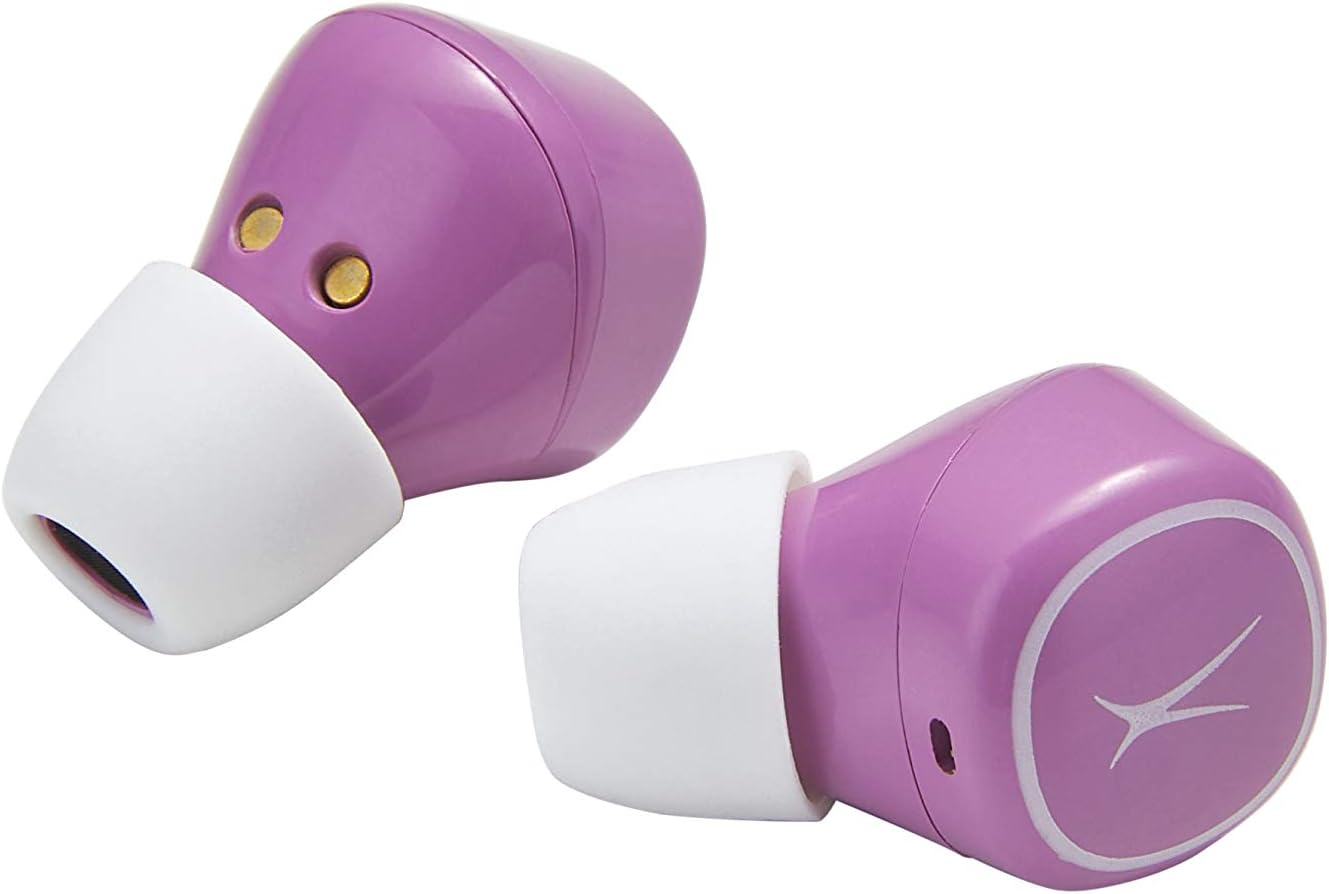
Image: Close-up of the Nanobuds earbuds, illustrating their ergonomic shape and the touch-sensitive surface.
Priežiūra
Valymas ir priežiūra
- Ausines ir įkrovimo dėklą nuvalykite minkštu, sausu, nepūkuotu skudurėliu.
- Venkite naudoti abrazyvinius valiklius, tirpiklius ar aerozolinius purškalus.
- Ensure charging contacts on both earbuds and case are clean and free of debris for proper charging.
Atsparumas vandeniui (IPX5)
The Nanobuds are IPX5 water-resistant, meaning they can withstand splashes of water from any direction. This makes them suitable for workouts and light rain. However, they are not designed for submersion in water. Do not expose them to pressurized water or prolonged immersion.
Trikčių šalinimas
Bendros problemos ir sprendimai
- Ausinės neįsijungia: Ensure the charging case is charged. If the LEDs do not turn on when earbuds are removed from the case, charge the case then try again.
- Earbuds not pairing together or with device:
Perform a Manual Reset (only if other solutions fail):
- Išimkite abi ausines iš dėklo.
- Hold down the left and right sensor for 9 seconds. Both earbuds will flash blue three times, then flash red and blue before resetting.
- Place both earbuds back into the case to activate them.
- Take both earbuds out of the case to re-pair them.
- Reconnect the smartphone to your earbuds.
- Įkrovimo problemos: Ensure earbuds are making good connection with the contacts in the case. Securely connect the USB-C cable to the charging port on the case and plug into a 5V or greater power source.
- Garso kokybės problemos: If the size of the earbud tips does not match your ear canals or the headset is not worn properly, you may not obtain correct sound qualities. Change earbud tips to ones that fit more snugly.
Specifikacijos
| Funkcija | Detalė |
|---|---|
| Modelio pavadinimas | Nanopumpurai |
| Modelio numeris | MZX559-PP |
| Ryšio technologija | Bluetooth 5.0 |
| belaidis diapazonas | Iki 50 pėdų |
| Baterijos veikimo laikas (ausinės) | Iki 4 valandų vienu įkrovimu |
| Baterijos veikimo laikas (su dėklu) | Iki 16 papildomų valandų |
| Atsparumo vandeniui lygis | IPX5 (atsparus vandeniui) |
| Valdymo tipas | Palieskite valdymą |
| Medžiaga | Plastikiniai |
| Prekės svoris | 3.5 uncijos |
| Gaminio matmenys | 3.94 x 3.39 x 1.93 colio |
| UPC | 021331153395 |
Garantija ir palaikymas
For detailed warranty information and additional support, please refer to the official documents and resources below:
- Vartotojo vadovas (PDF)
- Trikčių šalinimo vadovas (PDF)
- Aplankykite „Altec Lansing“ parduotuvė daugiau produktų ir pagalbos.


