1. Įvadas
Ačiū, kad pasirinkote O.urlife Kids Camera OU-630. This digital camera is designed for children, offering 1080p Full HD video recording, 12MP photo resolution, and a unique 60x macro magnification function for exploring the micro-world. It features a 3.5-inch large screen, various creative filters, games, and music playback. Please read this manual carefully to ensure proper use and maintenance of your camera.
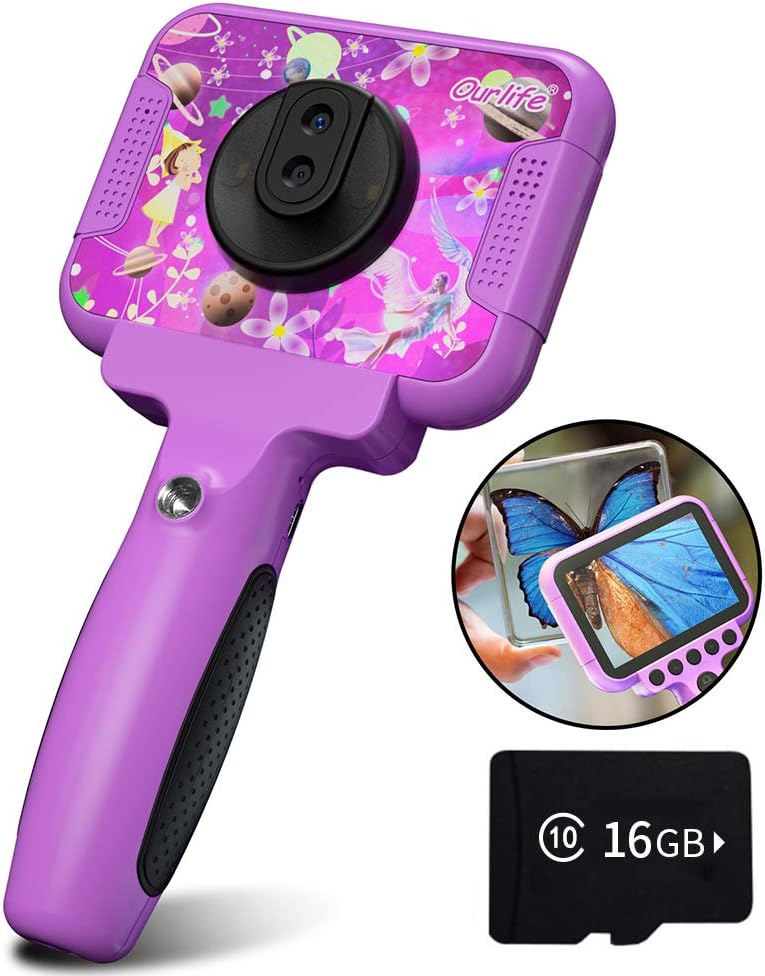
Image 1.1: The Ourlife Kids Camera OU-630, highlighting its design and macro capability.
2. Pakuotės turinys
Prašome patikrinti pakuotę, kad įsitikintumėte, jog yra visi reikalingi daiktai:
- Kids Camera x 1
- 16GB TF Card x 1
- Base Bracket x 1
- USB įkrovimo laidas x 1
- Vartotojo vadovas x 1
- Neck Lanyard x 1
- Rankinis dirželis x 1

Image 2.1: Contents of the Ourlife Kids Camera OU-630 package.
3. Produktas baigtasview
Susipažinkite su fotoaparato komponentais ir valdikliais:
- Ekranas: 3.5-inch color screen for viewing photos, videos, and navigating menus.
- Pagrindinis objektyvas: For standard photography and video.
- Makro objektyvas: Dedicated lens for 60x magnification.
- Valdymo mygtukai: M (Menu), Up, OK, Down, Power, Shutter/LED.
- Rankena: Ergonomically designed for child-friendly grip.
- USB prievadas: Įkrovimui ir duomenų perdavimui.
- TF kortelės lizdas: Atminties kortelės įdėjimui.

Image 3.1: Key features and specifications of the Ourlife Kids Camera OU-630.
Mygtukų funkcijų lentelė
| Mygtukas | Kameros režimas | Įrašymo režimas | Muzikos režimas | Žaidimo režimas | Atkūrimo režimas |
|---|---|---|---|---|---|
| M | Atgal į meniu | ||||
| ▲ | Change filters/Frames Long press: Zoom in | Change filters/Frames | Ankstesnė daina | Pereiti į kairę | Previous photo |
| OK | Long press: Open/Close LED light | OK | Choose music/story | OK | Leisti / pristabdyti |
| ▼ | Change filters/Frames Long press: Zoom out | Change filters/Frames | Kita daina | Judėti į dešinę | Kita nuotrauka |
| ⏻ | Switch to Splicing mode | Atgal į meniu | NULL | NULL | Ištrinti |
| ◎ | Fotografuoti | Atgal į meniu | NULL | NULL | NULL |
Image 3.2: Detailed functions of each button across different modes.
4. Sąranka
4.1. Fotoaparato įkrovimas
Before first use, fully charge the camera. Connect the included USB charging cable to the camera's USB port and to a compatible USB power source (e.g., computer, wall adapter). The charging indicator light will show the charging status. A full charge provides approximately 3 hours of use.
4.2. TF kortelės įdėjimas
The camera requires a TF (MicroSD) card to store photos and videos. A 16GB TF card is included. Locate the TF card slot on the side of the camera. Gently insert the TF card with the metal contacts facing down until it clicks into place. To remove, push the card in again until it springs out.
5. Naudojimo instrukcijos
5.1. Maitinimo įjungimas/išjungimas
- Norėdami įjungti, paspauskite ir palaikykite Power button (⏻) kol ekranas užsidega.
- Norėdami išjungti, paspauskite ir palaikykite Power button (⏻) kol ekranas išsijungs.
5.2. Meniu naršymas
Naudokite Aukštyn (▲) ir Žemyn (▼) buttons to navigate through menu options. Press the Gerai mygtukas to confirm a selection. Press the M (meniu) mygtukas to return to the previous menu or the main menu.
5.3. Fotografavimas
- Pagrindiniame meniu pasirinkite Kameros piktograma ir paspauskite OK.
- Kadruokite kadrą naudodami ekraną.
- Paspauskite Shutter button (◎) nufotografuoti.
- Naudokite Aukštyn (▲) ir Žemyn (▼) buttons to change filters or frames. Long press Aukštyn (▲) norėdami priartinti, ilgai paspauskite Žemyn (▼) norėdami nutolinti.
5.4. Vaizdo įrašų įrašymas
- Pagrindiniame meniu pasirinkite Vaizdo įrašo piktograma ir paspauskite OK.
- Paspauskite Shutter button (◎) norėdami pradėti įrašymą.
- Paspauskite Shutter button (◎) dar kartą, kad sustabdytumėte įrašymą.
- Naudokite Aukštyn (▲) ir Žemyn (▼) buttons to change filters or frames during recording.
5.5. Macro Function
The camera features a dedicated macro lens for 60x magnification, ideal for observing small objects. The optimal focal length for macro photography is 20-40mm.
- To switch between the main lens and macro lens, long press the Shutter button (◎).
- When in macro mode, position the camera close to the subject (20-40mm distance).
- Use the included base bracket for stability during macro shots to prevent hand shake.
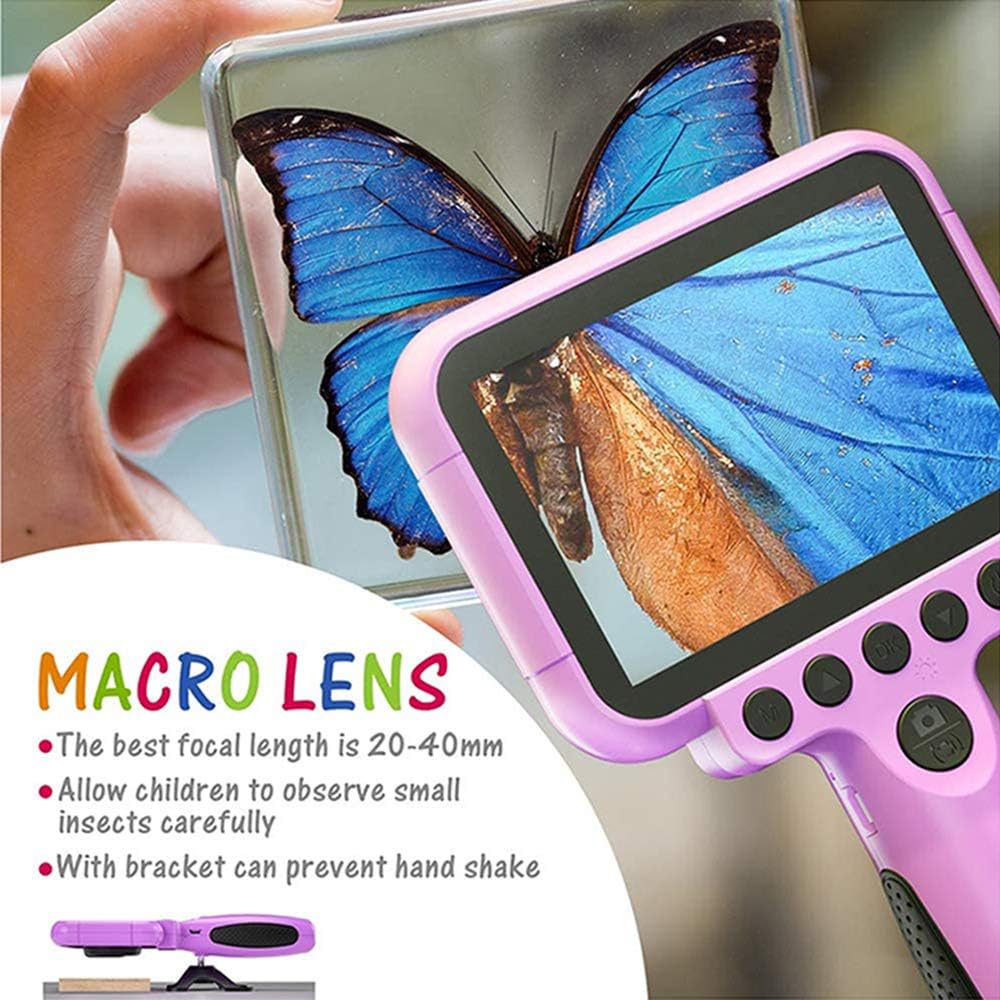
Image 5.1: Demonstrating the macro lens function for detailed observation.

Image 5.2: Switching between HD and Macro lenses.
5.6. Patchwork Mode (Splicing Mode)
This mode allows you to combine two separate photos into one. It includes various border patterns.
- In Camera Mode, press the Power button (⏻) to switch to Splicing (Patchwork) mode.
- Follow the on-screen prompts to take two photos that will be merged.
- Select from 9 available border patterns.

Image 5.3: Using the Patchwork Mode to combine images.
5.7. Muzikos režimas
The camera supports MP3 music playback. Store your favorite music files on the TF card. From the main menu, select the Muzikos piktograma ir paspauskite OK. Naudokite Aukštyn (▲) ir Žemyn (▼) buttons to select songs, and OK žaisti / pristabdyti.
5.8. Žaidimai
The camera includes pre-installed games for entertainment. From the main menu, select the Game icon ir paspauskite OK. Use the navigation buttons to play.
5.9. Atkūrimo režimas
Į view your captured photos and videos, select the Photos/Video Playback icon iš pagrindinio meniu ir paspauskite OK. Naudokite Aukštyn (▲) ir Žemyn (▼) buttons to browse, and OK to play videos or view photos. To delete a file, paspauskite Power button (⏻) kol viewtai padaryti.
5.10. Nustatymai
Access camera settings by selecting the Nustatymų piktograma from the main menu. Here you can adjust various parameters such as date/time, language, resolution, and more.
6. Priežiūra
- Fotoaparatą laikykite švarų, nuvalydami jį minkštu, sausu skudurėliu.
- Avoid exposing the camera to extreme temperatures, direct sunlight, or moisture.
- Nebandykite patys išardyti ar taisyti fotoaparato.
- Ensure the TF card is inserted correctly to prevent data loss.
- Charge the camera regularly to maintain battery health.
7. Problemų sprendimas
- Kamera neįsijungia: Įsitikinkite, kad akumuliatorius įkrautas. Prijunkite prie maitinimo šaltinio ir bandykite dar kartą.
- Negalima fotografuoti / filmuoti: Check if a TF card is inserted and if it has sufficient storage space.
- Prasta vaizdo kokybė: Ensure the lens is clean. Check lighting conditions. For macro shots, ensure correct focal distance (20-40mm).
- Kamera užstringa: Paspauskite ir palaikykite maitinimo mygtuką, kad priverstumėte paleisti iš naujo.
- TF card error: Reinsert the TF card. If the issue persists, try formatting the card (this will erase all data) or use a different TF card.
8. Specifikacijos
| Funkcija | Detalė |
|---|---|
| Modelio numeris | OU-630 |
| Veiksminga nejudančioji raiška | 12 MP |
| Vaizdo raiška | 1080p |
| Ekrano dydis | 3.5 colių |
| Vaizdo stabilizavimas | Skaitmeninis |
| Objektyvo tipas | Macro (60x zoom) |
| Baterijos tipas | 1 ličio polimeras (pridedamas) |
| Ryšio technologija | USB |
| Palaikomas laikmenos tipas | SD kortelė |
| Fotografavimo režimai | Loop recording, Continuous shooting, Timed photo, Macro photography, Filter photos |
| Elemento matmenys (D x P x A) | 3.94 "D x 7.28" P x 0.79" A |
9. Garantija ir palaikymas
Šis Ourlife Kids Camera OU-630 comes with a 12 mėnesių garantija from the date of purchase. This warranty covers manufacturing defects and workmanship. It does not cover damage caused by misuse, accidents, unauthorized repairs, or normal wear and tear.
For technical support, warranty claims, or any questions regarding your product, please contact Ourlife customer service. Refer to the contact information provided on the product packaging or the official Ourljei websvetainę.


