1. Įvadas
This manual provides detailed instructions for the proper installation, operation, and maintenance of your Dakota Micro AHD 7-inch Waterproof Monitor, model DM-WH7. This monitor is designed to complement Dakota Micro's ruggedized camera lines, offering seamless compatibility with various camera formats including CVBS, AHD, NTSC, and PAL. Its waterproof design ensures reliable performance in diverse weather conditions.
Prieš naudodami gaminį, atidžiai perskaitykite šį vadovą, kad užtikrintumėte optimalų veikimą ir ilgaamžiškumą.
2. Produktas baigtasview
2.1 Pagrindinės savybės
- Vandeniui atsparus dizainas, tinkantis visoms oro sąlygoms.
- Integrated sunshield for improved visibility in bright light.
- Includes monitor wire harness with watertight connections.
- Compatible with CVBS, AHD, NTSC, and PAL camera formats.
- 7-inch screen size for clear viewing.
2.2 Įtraukti komponentai
- Dakota Micro AHD 7-inch Waterproof Monitor (DM-WH7)
- Monitor Wire Harness with watertight connections
- Power Cable (e.g., cigarette lighter adapter)
- Montavimo laikiklis ir aparatūra
2.3 Vizualinė nuoroda

1 pav.: priekis view of the Dakota Micro AHD 7-inch Waterproof Monitor, showing the screen, control buttons, and integrated sunshield.

Figure 2: The monitor wire harness, featuring multiple watertight connectors for camera inputs and power.
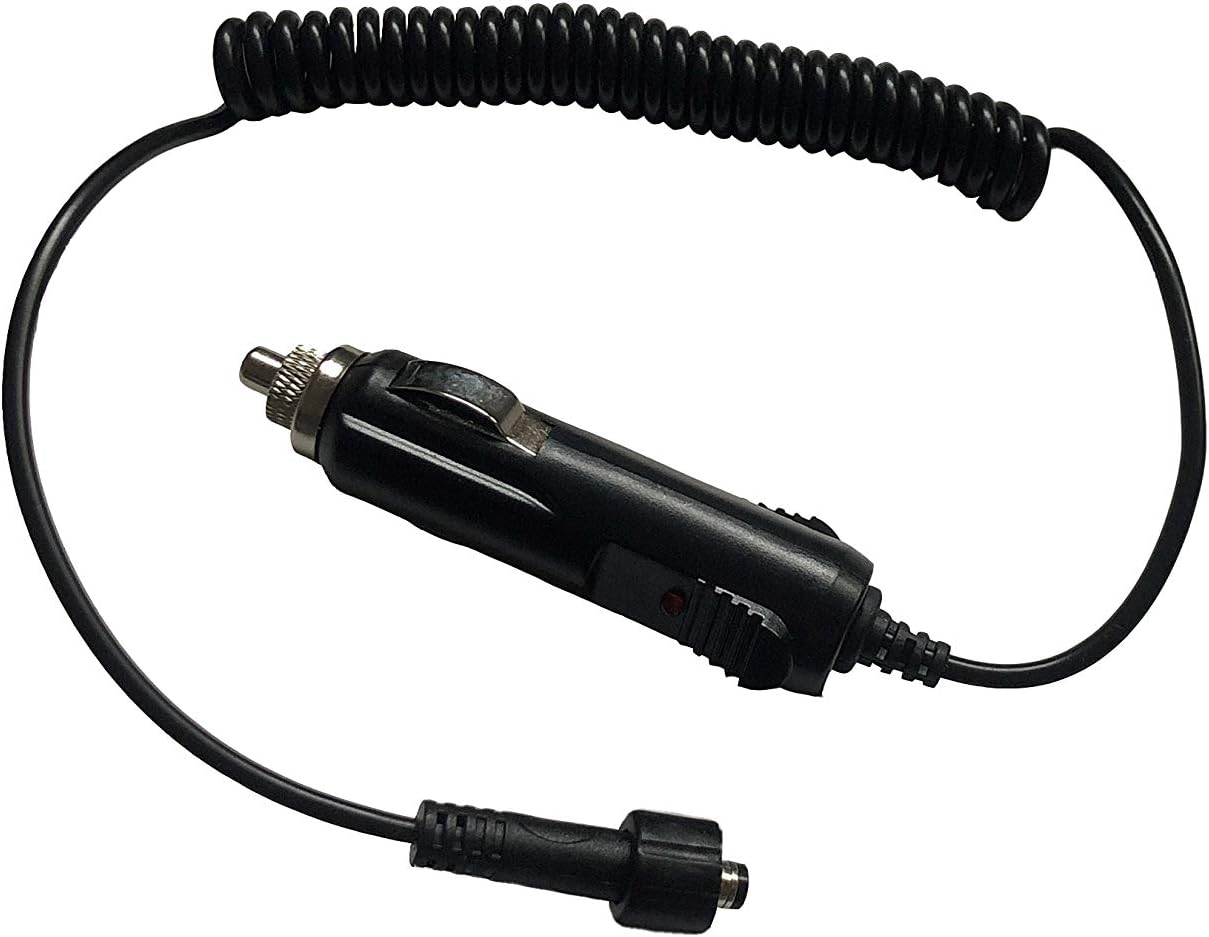
Figure 3: The power cable with a cigarette lighter adapter for convenient power supply.
3. Sąranka ir diegimas
3.1 Monitoriaus montavimas
- Pasirinkite vietą: Select a stable, flat surface in your vehicle or equipment where the monitor will be easily visible and accessible, but will not obstruct your view arba trukdyti valdyti transporto priemonę.
- Pritvirtinkite laikiklį: Use the provided mounting bracket and hardware to securely attach the monitor to the chosen surface. Ensure all screws are tightened to prevent vibration.
- Sureguliuoti kampą: Adjust the monitor's angle for optimal viewing, then tighten the adjustment knobs to fix its position.
3.2 Maitinimo prijungimas
- Prijunkite maitinimo kabelį: Plug the power cable into the designated power input on the monitor's wire harness. Ensure a secure, watertight connection.
- Prijunkite prie maitinimo šaltinio: Insert the cigarette lighter adapter into your vehicle's 12V power outlet. The monitor should power on or indicate readiness.
- Alternative Wiring (Optional): For a permanent installation, consult a qualified technician to hardwire the monitor directly to your vehicle's electrical system, ensuring proper fusing and voltage.
3.3 Kamerų prijungimas
- Identify Camera Inputs: The monitor harness provides multiple inputs for cameras. Identify the appropriate input for your camera type (AHD, CVBS, NTSC, PAL).
- Connect Camera Cables: Connect your Dakota Micro camera cables to the corresponding inputs on the monitor's wire harness. Ensure all connections are watertight and securely fastened.
- Maršruto kabeliai: Carefully route all cables to avoid pinching, abrasion, or interference with moving parts. Use cable ties or clips to secure them.
4. Naudojimo instrukcijos
4.1 Įjungimas / išjungimas
- Maitinimas: Paspauskite Galia button (usually marked with a circle and vertical line icon) on the monitor's front panel. The screen will illuminate.
- Išjungti: Paspauskite ir palaikykite Galia button for a few seconds until the screen turns off.
4.2 Kameros perjungimas Views
If multiple cameras are connected, use the AV or Kanalo pasirinkimas button on the monitor's front panel to cycle through the available camera inputs. Each press will switch to the next connected camera.
4.3 Nustatymų reguliavimas
The monitor features an M (meniu) button to access display settings.
- Prieigos meniu: Paspauskite M button to open the on-screen display (OSD) menu.
- Naršyti: Naudokite Up ir Žemyn arrow buttons to navigate through menu options (e.g., Brightness, Contrast, Color, Mirror/Flip).
- Koreguoti vertes: Naudokite Kairė ir Teisingai arrow buttons to adjust the selected setting's value.
- Išeiti iš meniu: Paspauskite M button again or wait for the menu to time out to exit.
Note: Specific button functions may vary slightly. Refer to the icons on your monitor for precise identification.
5. Priežiūra
- Valymas: Naudokite minkštą, damp cloth to clean the monitor screen and casing. Avoid abrasive cleaners or solvents that could damage the surfaces.
- Ryšio patikrinimai: Periodically inspect all cable connections for tightness and signs of wear or corrosion. Ensure watertight seals are intact.
- Saugykla: If storing the monitor for an extended period, disconnect it from power and store it in a clean, dry environment within its operating temperature range.
- Sunshield: Ensure the sunshield is free from obstructions and clean for optimal glare reduction.
6. Problemų sprendimas
| Problema | Galima priežastis | Sprendimas |
|---|---|---|
| Monitorius neįsijungia. | Nėra maitinimo; atsilaisvinęs prijungimas; perdegęs saugiklis. | Check power cable connection; ensure vehicle's 12V outlet is functional; check vehicle's fuse box. |
| Vaizdas nerodomas. | Camera not connected; incorrect input selected; faulty camera/cable. | Verify camera connections; cycle through AV inputs; test with a known working camera/cable. |
| Image is distorted or poor quality. | Loose cable connection; incompatible camera format; interference. | Secure all connections; ensure camera format matches monitor compatibility; check for strong electromagnetic interference sources. |
| Mygtukai nereaguoja. | Laikinas programinės įrangos triktis; fizinė žala. | Try powering off and on the monitor; if problem persists, contact support. |
7. Specifikacijos
| Funkcija | Detalė |
|---|---|
| Prekės ženklas | Dakota Micro |
| Modelis | DM-WH7 |
| Ekrano dydis | 7 colių |
| Suderinami įrenginiai | Monitor (for various camera types) |
| Diegimo tipas | Monitor (vehicle-mounted) |
| Optinių jutiklių technologija | CMOS (for compatible cameras) |
| Suderinamumas | CVBS, AHD, NTSC, PAL camera formats |
| Ypatingos savybės | Waterproof, Built-in Sunshield, Watertight Connections |
| UPC | 817436014699 |
8. Garantija ir palaikymas
For warranty information, technical support, or service inquiries, please contact Dakota Micro directly.
- Gamintojas: Dakota Micro
- Websvetainė: Aplankykite pareigūną Dakota Micro Store on Amazon dėl išsamesnės informacijos ir kontaktinių duomenų.
- Produktas ASIN: B08FTH4VHZ
Always refer to the manufacturer's official website or included documentation for the most current warranty terms and support procedures.


