1. Įvadas
The Akasa AK-MX293 Cable Comb Kit is designed to organize and manage PC power supply unit (PSU) cables, providing a clean and professional appearance for your computer build. This kit helps prevent cables from twisting and maintains their neat arrangement.
This manual provides instructions for the proper use and installation of the Akasa Cable Comb Kit.
2. Produkto turinys
The Akasa AK-MX293 Cable Comb Kit includes a total of 24 cable combs, designed for 3mm diameter cables:
- 4 vnt of 24-pin cable combs
- 12 vnt of 8-pin cable combs
- 8 vnt of 6-pin cable combs

1 vaizdas: Baigtaview of the Akasa AK-MX293 Cable Comb Kit, displaying all 24 combs in various sizes.

Image 2: Diagram illustrating the specific quantities of each comb type included in the kit: 4x 24-pin, 12x 8-pin, and 8x 6-pin.
3. Montavimo instrukcijos
The Akasa cable combs are designed for quick and easy installation. They can be installed even after your PC system has been built.
- Nustatykite kabelio tipą: Determine the type of cable you wish to organize (e.g., 24-pin ATX, 8-pin CPU/PCIe, 6-pin PCIe).
- Select Correct Comb: Choose the corresponding cable comb size from the kit (24-pin, 8-pin, or 6-pin). Ensure the comb matches the number of individual wires in the cable.
- Sulygiuokite kabelius: Neatly align the individual wires of the cable. For best results, ensure they are parallel and untwisted.
- Užfiksuoti vietoje: Gently press the cable comb over the aligned wires until it snaps securely into place. The rounded-edge design helps protect cable sleeving.
- Pakartokite: Install additional combs along the length of the cable as needed to achieve the desired level of organization and aesthetic.
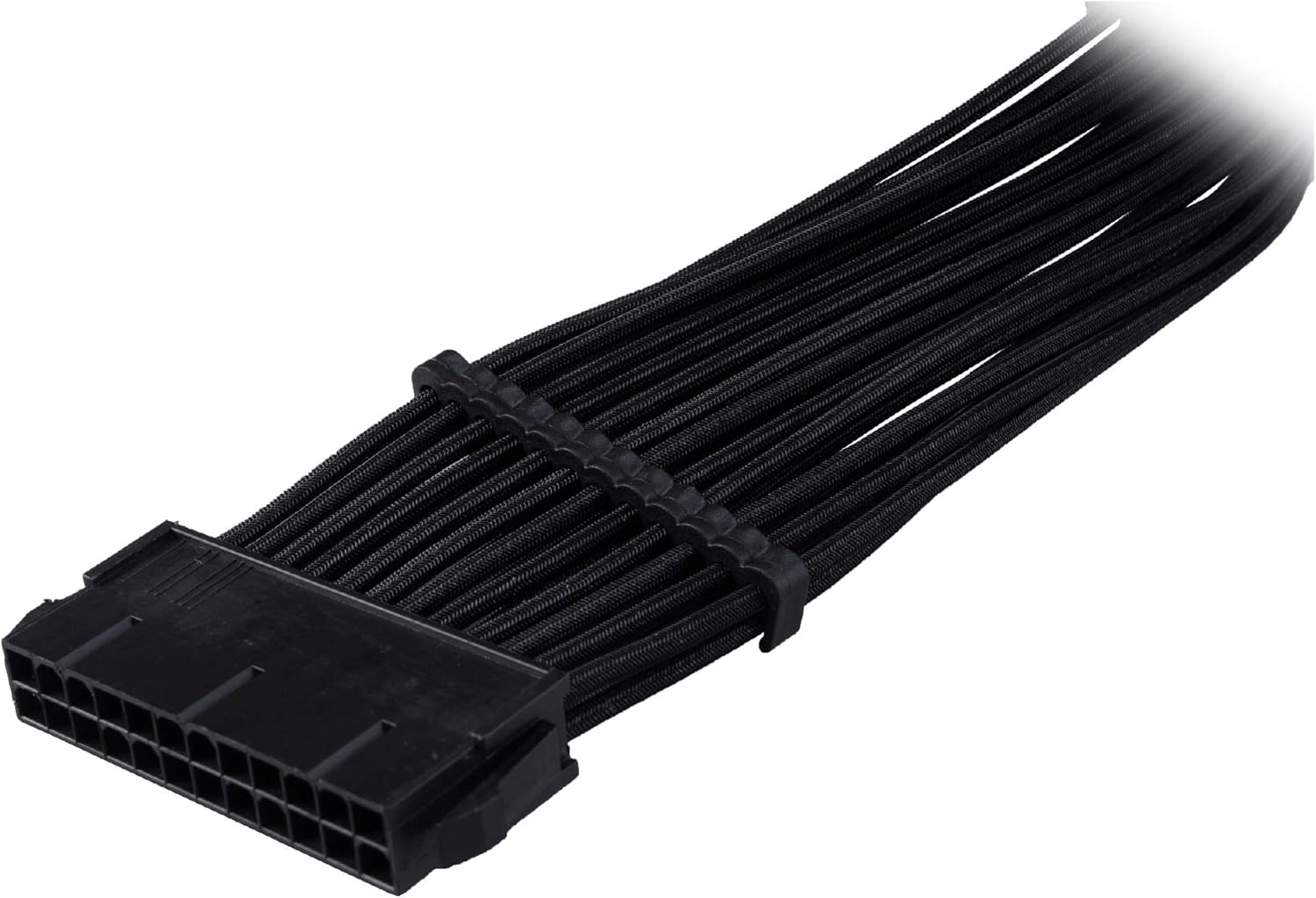
Image 3: A 24-pin ATX power cable with multiple Akasa cable combs neatly installed, demonstrating organized cable routing.

Image 4: An 8-pin PCIe power cable featuring Akasa cable combs, illustrating how they maintain individual wire separation and a tidy appearance.

Image 5: A 6-pin PCIe power cable with Akasa cable combs applied, showcasing effective organization for smaller power connections.

6 pav.: pvz.ample of Akasa cable combs in use within a PC case, organizing braided power cables for improved aesthetics and airflow.
4. Naudojimo instrukcijos
Once installed, the Akasa cable combs passively manage your PC cables. No further operation is required. They maintain the separation and alignment of individual wires, contributing to a neat internal PC environment and potentially improving airflow.
5. Priežiūra
The Akasa cable combs require minimal maintenance.
- Valymas: If dust accumulates, gently wipe the combs with a soft, dry cloth. Avoid using harsh chemicals or abrasive materials.
- Patikra: Periodically check the combs to ensure they remain securely in place and are not damaged.
6. Problemų sprendimas
- Combs do not fit: Ensure you are using the correct comb size for your cable (24-pin, 8-pin, or 6-pin). The combs are designed for 3mm diameter cables. If your cables are significantly thicker or thinner, the combs may not fit properly.
- Combs are loose: If a comb feels loose, ensure all individual wires are properly seated within its channels. If the cable diameter is too small for the comb, it may not hold securely.
- Combs break during installation: While made from durable ABS, excessive force can cause breakage. Apply gentle, even pressure when snapping combs into place.
7. Specifikacijos
| Taikymas | Managing PC cables |
| Rinkinio turinys | 4 x 24-pin, 12 x 8-pin, 8 x 6-pin combs (Total 24 pieces) |
| Cable Diameter Support | 3 mm cables |
| Spalva | Juoda |
| Medžiaga | Durable precision-moulded ABS (Acrylonitrile Butadiene Styrene) |
| Gaminio matmenys | 6.3 x 6.3 x 2.76 colio (pakuotė) |
| Prekės svoris | 0.704 uncijos |
| Modelio numeris | AK-MX293 |
| Gamintojas | Akasa |
8. Garantija ir palaikymas
For warranty information and technical support, please refer to the official Akasa websvetainėje arba susisiekite su pardavėju. Išsaugokite pirkimo įrodymą, jei prireiktų garantijos.


