Įvadas
Thank you for choosing the SOMIC MS300 Wireless Bluetooth Headphones. This manual provides essential information for setting up, operating, and maintaining your headphones to ensure optimal performance and longevity. The MS300 headphones offer high-fidelity stereo sound, extended battery life, and versatile connectivity options for various devices.

Image: SOMIC MS300 Wireless Bluetooth Headphones in white, showcasing elegantiškas dizainas.
Pakuotės turinys
- SOMIC MS300 Wireless Bluetooth Headphones
- 3.5mm Audio Cable (with built-in line mic)
- Įkrovimo laidas (USB)
- Vartotojo vadovas (šis dokumentas)
Sąranka
Ausinių įkrovimas
Before first use, fully charge your SOMIC MS300 headphones.
- Connect the charging cable to the charging port on the headphone.
- Kitą įkrovimo laido galą prijunkite prie USB maitinimo šaltinio (pvz., kompiuterio USB prievado, USB sieninio adapterio).
- Indikatoriaus lemputė rodys įkrovimo būseną (daugiau informacijos žr. LED indikatorių skyriuje).
- A full charge provides up to 72 hours of playtime. For quick use, a 5-minute charge can provide approximately 2 hours of playtime.

Image: SOMIC MS300 headphones on a desk, demonstrating the fast charging capability with text overlays indicating "Charge for 5 minutes" and "Used for 2 hours".
Maitinimo įjungimas/išjungimas
- To power on: Press and hold the Power Switch button until the indicator light illuminates.
- To power off: Press and hold the Power Switch button until the indicator light turns off.
Naudojimo instrukcijos
Bluetooth Pairing (Wireless Mode)
The SOMIC MS300 headphones utilize advanced Qualcomm Bluetooth 5.0 for stable and fast connections. They can connect to two devices simultaneously.
- Įsitikinkite, kad ausinės yra išjungtos.
- Press and hold the Power Switch button for approximately 5-7 seconds until the indicator light flashes blue and red alternately, indicating pairing mode.
- On your device (smartphone, tablet, laptop), enable Bluetooth and search for "SOMIC MS300" in the list of available devices.
- Select "SOMIC MS300" to connect. Once connected, the indicator light will turn solid blue or flash blue slowly.
- To connect a second device: After connecting the first device, disable Bluetooth on the first device. Put the headphones back into pairing mode. Connect the second device. Then, re-enable Bluetooth on the first device; the headphones should automatically reconnect to both.

Image: A person wearing the SOMIC MS300 headphones, highlighting their comfortable and lightweight design for extended use.
Laidinio režimo jungtis
The headphones can be used in wired mode with the included 3.5mm audio cable, even when the battery is depleted.
- Insert one end of the 3.5mm audio cable into the 3.5mm jack on the headphone.
- Insert the other end into the 3.5mm audio output of your device (e.g., cellphone, PC, laptop).
- In wired mode, the headphones function as passive headphones, and the built-in line mic on the cable can be used for calls.
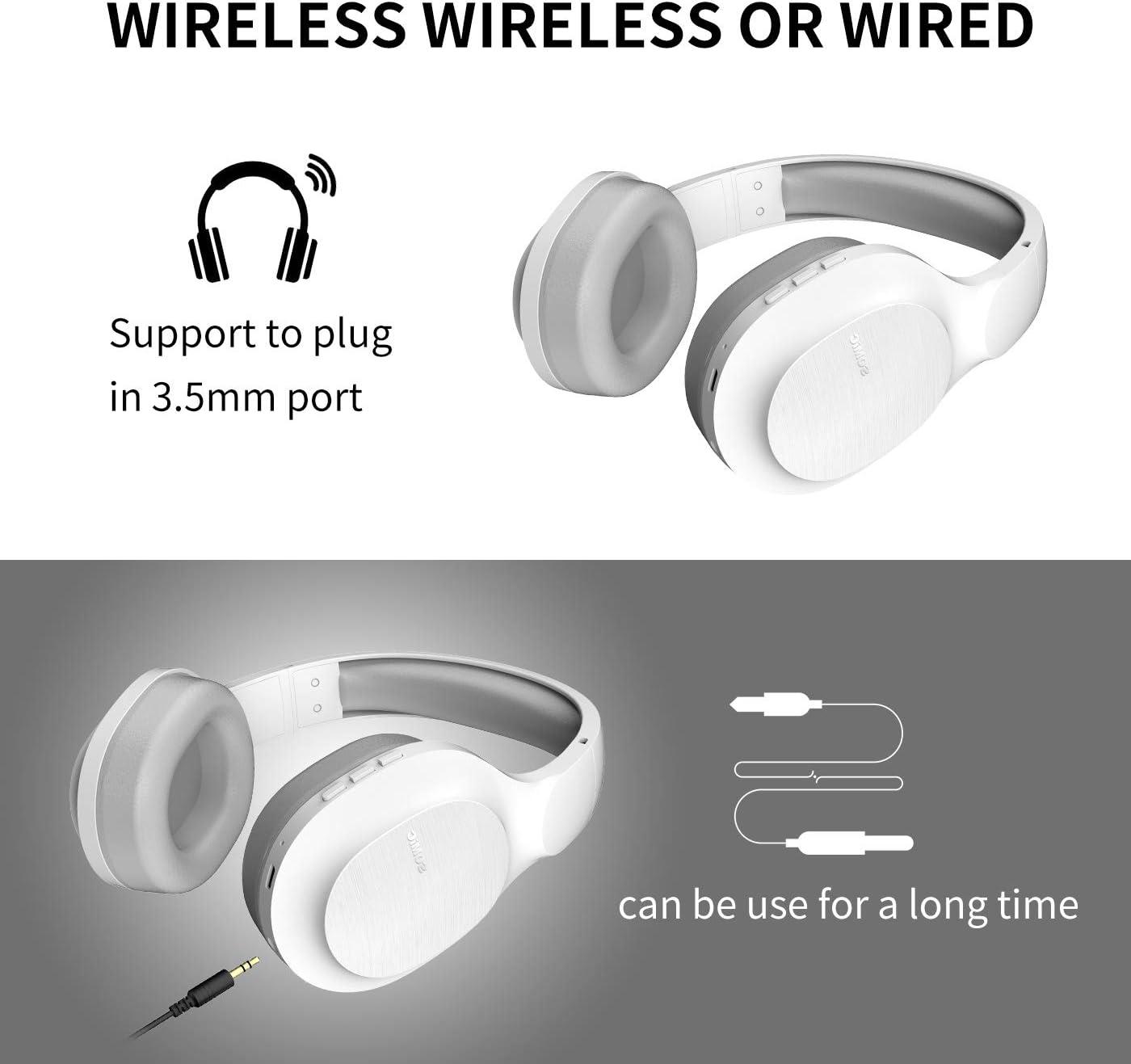
Image: SOMIC MS300 headphones demonstrating both wireless usage and the option to connect via a 3.5mm audio cable for wired listening.
Valdikliai
The functional controls are conveniently located on the ear cup.
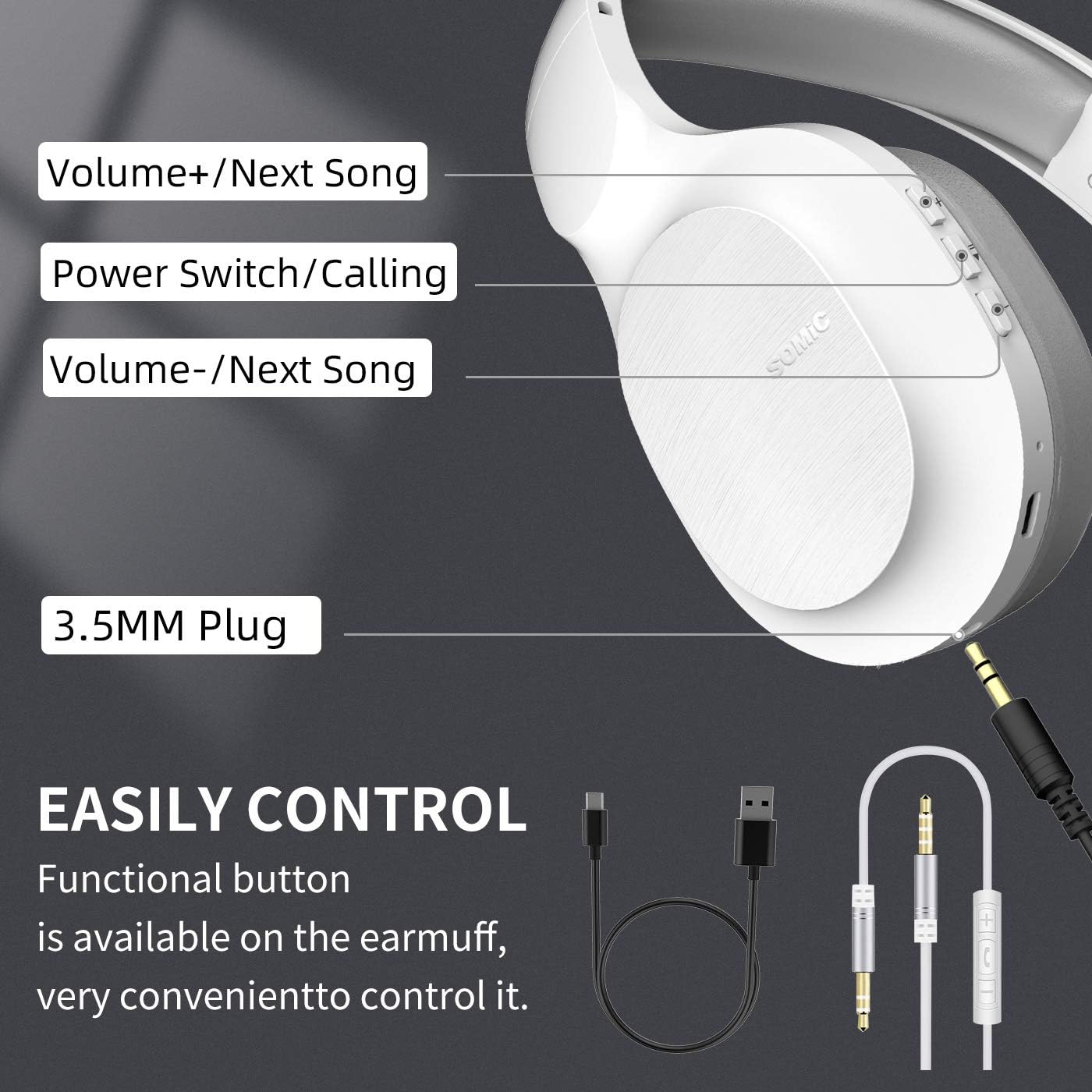
Image: A detailed diagram of the SOMIC MS300 headphone's right ear cup, labeling the Volume+/Next Song, Power Switch/Calling, Volume-/Previous Song buttons, and the 3.5mm plug.
- Garsumas + / Kita daina:
- Trumpas paspaudimas: padidinti garsumą.
- Long press: Skip to the next song.
- Power Switch / Calling:
- Short press: Play/Pause music.
- Short press (during call): Answer/End call.
- Long press: Power On/Off.
- Dvigubas paspaudimas: Pakartotinis paskutinio numerio surinkimas.
- Garsumas - / Ankstesnė daina:
- Trumpas paspaudimas: Sumažinti garsumą.
- Long press: Go to the previous song.
Priežiūra
Proper maintenance ensures the longevity and optimal performance of your SOMIC MS300 headphones.
- Valymas: Ausinėms valyti naudokite minkštą, sausą šluostę. Nenaudokite abrazyvinių valiklių, alkoholio ar cheminių tirpiklių.
- Saugykla: Ausines laikykite vėsioje, sausoje vietoje, toliau nuo tiesioginių saulės spindulių ir ekstremalių temperatūrų.
- Akumuliatoriaus priežiūra: Avoid fully discharging the battery frequently. If storing for a long period, charge the headphones to about 50% every few months.
- Venkite drėgmės: Saugokite ausines nuo vandens ar per didelės drėgmės.
- Elkitės atsargiai: Venkite ausinių numetimo ir stiprių smūgių.
Trikčių šalinimas
| Problema | Galima priežastis | Sprendimas |
|---|---|---|
| Ausinės neįsijungia. | Baterija išsikrovusi arba jos įkrova maža. | Pilnai įkraukite ausines. |
| Nepavyksta susieti per „Bluetooth“. | Ausinės neįjungtos susiejimo režimu; įrenginio „Bluetooth“ išjungtas; per toli nuo įrenginio. | Įsitikinkite, kad ausinės yra susiejimo režime (mirksi raudonai / mėlynai). Įjunkite įrenginio „Bluetooth“. Perkelkite ausines arčiau įrenginio (ne toliau kaip 10 metrų). |
| Belaidžiu režimu nėra garso. | Per mažas garsumas; neprijungtos ausinės; įrenginyje pasirinkta neteisinga garso išvestis. | Increase headphone and device volume. Re-pair headphones. Select "SOMIC MS300" as audio output on your device. |
| Laidiniu režimu nėra garso. | 3.5mm cable not fully inserted; cable damaged; device audio jack issue. | Ensure cable is fully inserted into both headphone and device. Try a different 3.5mm cable if available. Test with another device. |
| Prasta garso kokybė. | Žema akumuliatoriaus įkrova; trukdžiai; šaltinio garso kokybė. | Charge headphones. Move away from other wireless devices. Try different audio source. |
Specifikacijos
| Funkcija | Detalė |
|---|---|
| Modelio pavadinimas | MS300 |
| Ryšio technologija | Belaidis („Bluetooth 5.0“), laidinis (3.5 mm lizdas) |
| Bluetooth versija | 5.0 (Qualcomm chip) |
| Garso tvarkyklės tipas | Dinaminis garsiakalbis (40 mm) |
| Dažnių diapazonas | 20 Hz - 20000 Hz (20 KHz) |
| Baterijos veikimo laikas | Up to 72 Hours (music/talking time) |
| Charging Time (Fast Charge) | 5 minutės 2 valandų naudojimui |
| Ausinės forma | Virš ausies |
| Medžiaga | Plastic, Memory-Protein Earmuffs |
| Valdymo tipas | Volume Control, Play/Pause, Call Answer/End, Track Skip |
| Gaminio matmenys | 8.66 x 4.33 x 10.24 colio |
| Prekės svoris | 15.5 uncijos |
| Gamintojas | SOMIC |

Image: SOMIC MS300 headphones from behind, emphasizing their strong endurance with a "72" hours playtime graphic.
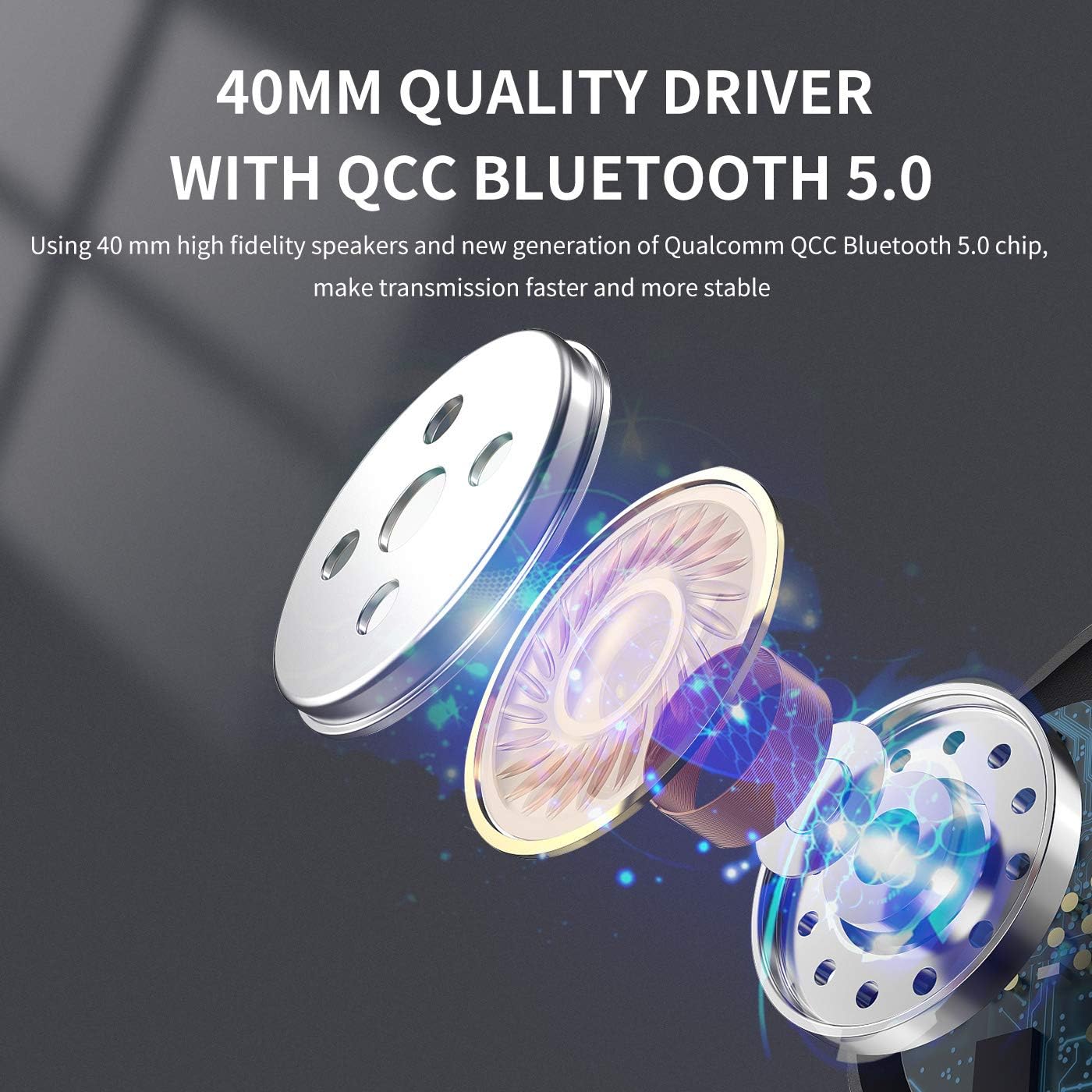
Paveikslėlis: sprogęs view diagram illustrating the 40mm high-fidelity speakers and Qualcomm QCC Bluetooth 5.0 chip inside the SOMIC MS300 headphones.
Garantija ir palaikymas
SOMIC provides a standard warranty for its products. Please refer to the warranty card included in your package for specific terms and conditions, or visit the official SOMIC webSvetainė, kurioje rasite naujausią garantijos informaciją.
For technical support, troubleshooting assistance, or warranty claims, please contact SOMIC customer service through their official websvetainėje arba kontaktinę informaciją, pateiktą ant produkto pakuotės.
SOMIC Official Websvetainė: Visit SOMIC Store on Amazon


