Įvadas
This manual provides comprehensive instructions for the beyerdynamic FOX Professional USB Studio Microphone and its accompanying Microphone Suspension Boom Scissor Arm. It covers essential information regarding product setup, operation, maintenance, and troubleshooting to ensure optimal performance and longevity of your equipment. Please read this manual thoroughly before using the product.
Saugos informacija
Please observe the following safety instructions to prevent damage to the device, injury to yourself, or damage to other property:
- Do not expose the microphone to moisture, rain, or extreme temperatures.
- Venkite mikrofono numetimo ir stiprių smūgių.
- Nebandykite ardyti ar modifikuoti mikrofono. Visus techninės priežiūros darbus patikėkite kvalifikuotiems specialistams.
- Keep the microphone and boom arm away from strong magnetic fields.
- Ensure the boom arm is securely clamped to a stable surface to prevent accidental falls.
- Use only the specified power source (USB connection) for the microphone.
Pakuotės turinys
Patikrinkite, ar jūsų pakuotėje yra visi toliau išvardyti daiktai:
- beyerdynamic FOX Professional USB Studio Microphone
- Microphone Suspension Boom Scissor Arm with 3/8-Inch-16 Threading (Black)
- USB kabelis
- Desk Stand (for microphone)
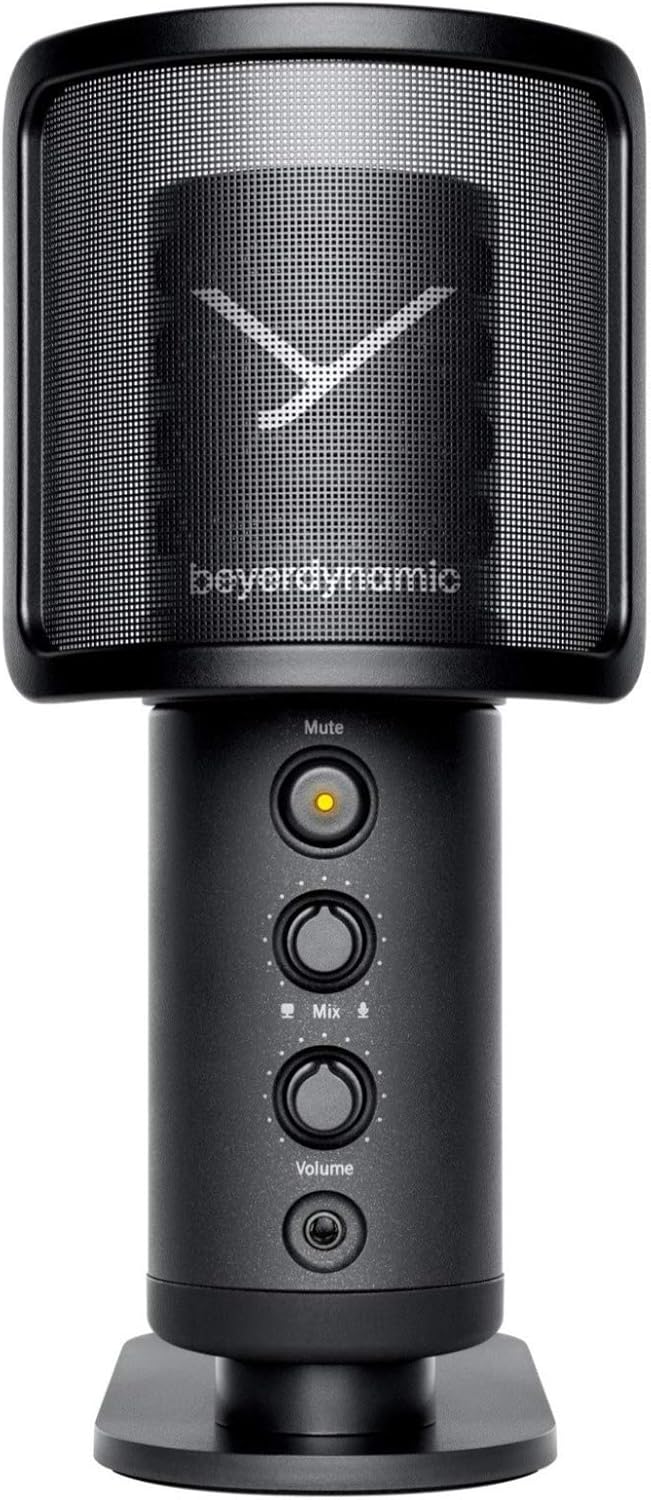
Image: The beyerdynamic FOX USB Studio Microphone and the included boom arm, showcasing the complete bundle.
Produktas baigtasview
Pagrindinės funkcijos:
- Didelės raiškos garsas: 24-bit / 96 kHz studio-grade quality for professional recordings.
- Large Condenser Capsule: Ensures accurate signal conversion and low inherent noise.
- Kardioidinis poliarinis modelis: Focuses on sound directly in front of the microphone, reducing unwanted background noise.
- Nulinės delsos stebėjimas: Integrated headphone output allows real-time monitoring of your audio.
- Nutildymo mygtukas: Instantly mutes the microphone for privacy or to prevent unwanted sounds from being recorded.
- Stiprinimo jungiklis: Adjustable gain for recording various sound sources, including loud instruments.
- USB jungtis: Simple plug-and-play connection to PC, Mac, or compatible smartphones/tablets.
Microphone Components:
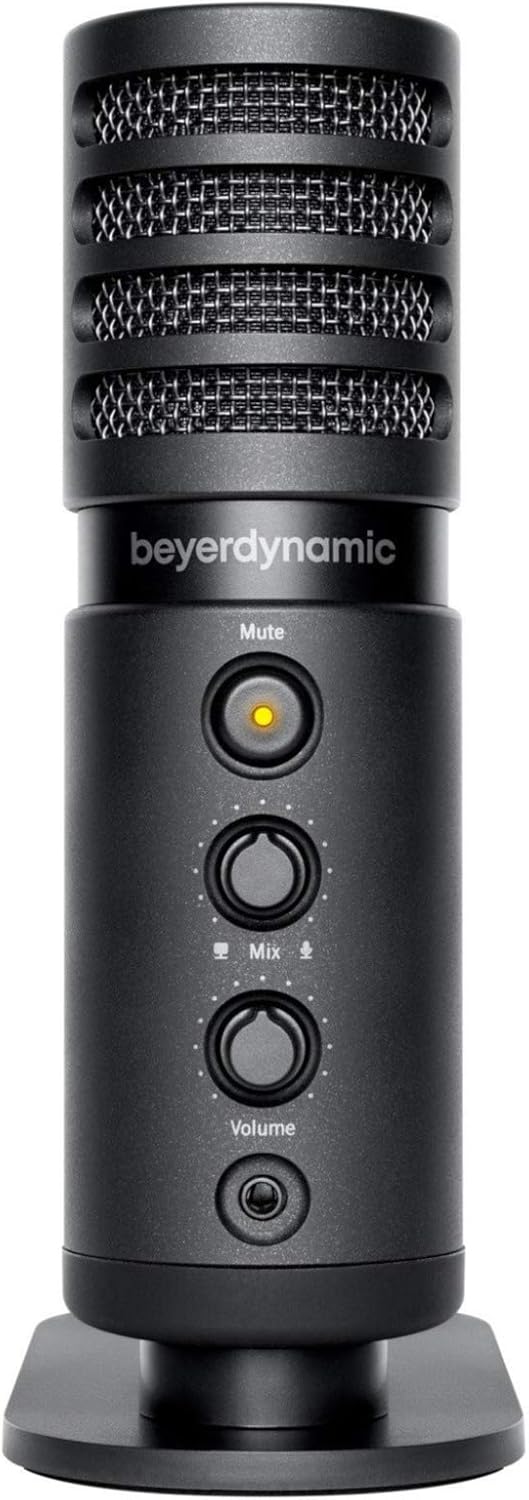
Vaizdas: priekis view of the beyerdynamic FOX microphone, highlighting the mute button, mix control, and volume knob.
- Mikrofono grotelės: Protects the condenser capsule.
- Nutildymo mygtukas: Press to mute/unmute the microphone. An indicator light will show status.
- Mix Control: Adjusts the balance between microphone input and computer playback in your headphones.
- Garsumo rankenėlė: Controls the headphone output volume.
- Ausinių lizdas (3.5 mm): For connecting monitoring headphones.
- USB-C prievadas: For connecting the microphone to your computer or mobile device.
- Srieginis tvirtinimas: For attaching to the desk stand or boom arm.
Sąranka
1. Assembling the Boom Arm:
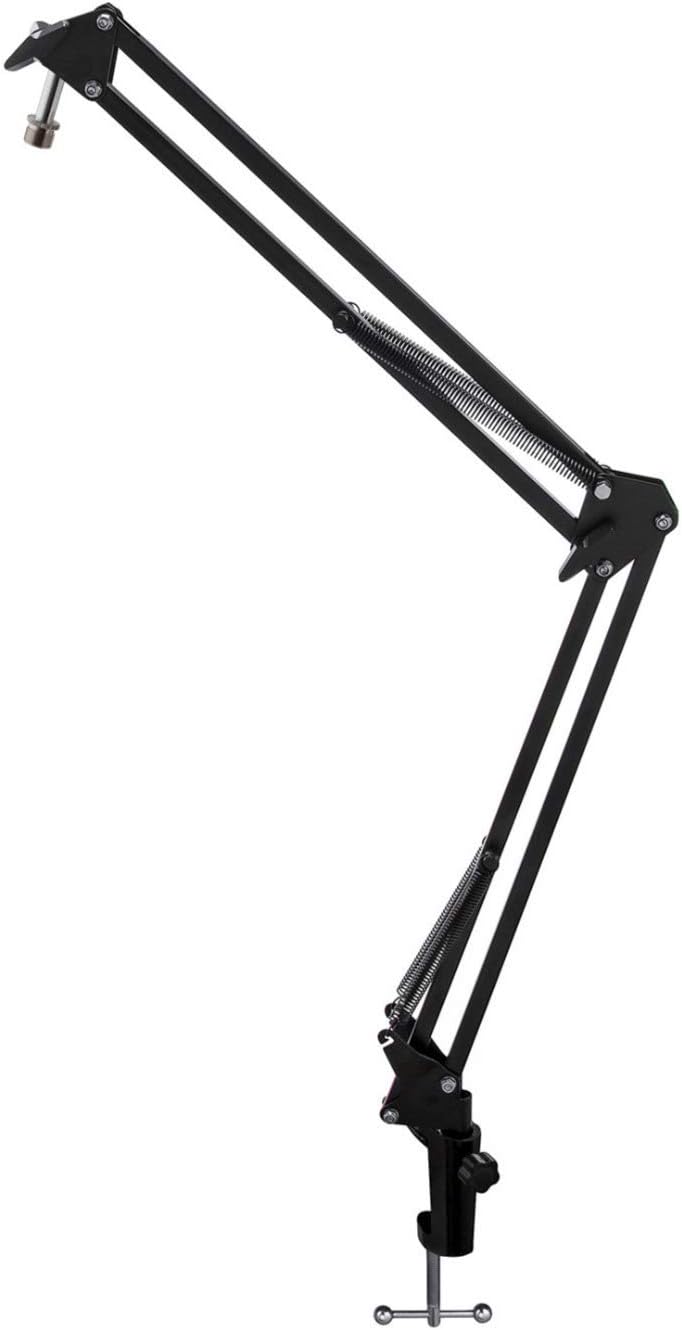
Image: The Microphone Suspension Boom Scissor Arm, showing its adjustable joints and desk clamp.
- Pritvirtinkite stalo clamp: Securely fasten the desk clamp to the edge of a sturdy desk or table. Ensure it is tight to prevent movement.
- Įdėkite strėlės svirtį: Įkiškite strėlės svirties pagrindą į stalo laikiklio skylęamp. Tighten the locking screw on the clamp to hold the arm in place.
- Koreguoti padėtį: Adjust the boom arm to your desired height and reach. The springs will help balance the microphone's weight.
2. Attaching the Microphone:
- To Boom Arm: Screw the beyerdynamic FOX microphone onto the 3/8-inch-16 threaded mount at the end of the boom arm. Ensure it is finger-tight.
- Using Desk Stand (Optional): If not using the boom arm, screw the microphone onto its included desk stand.
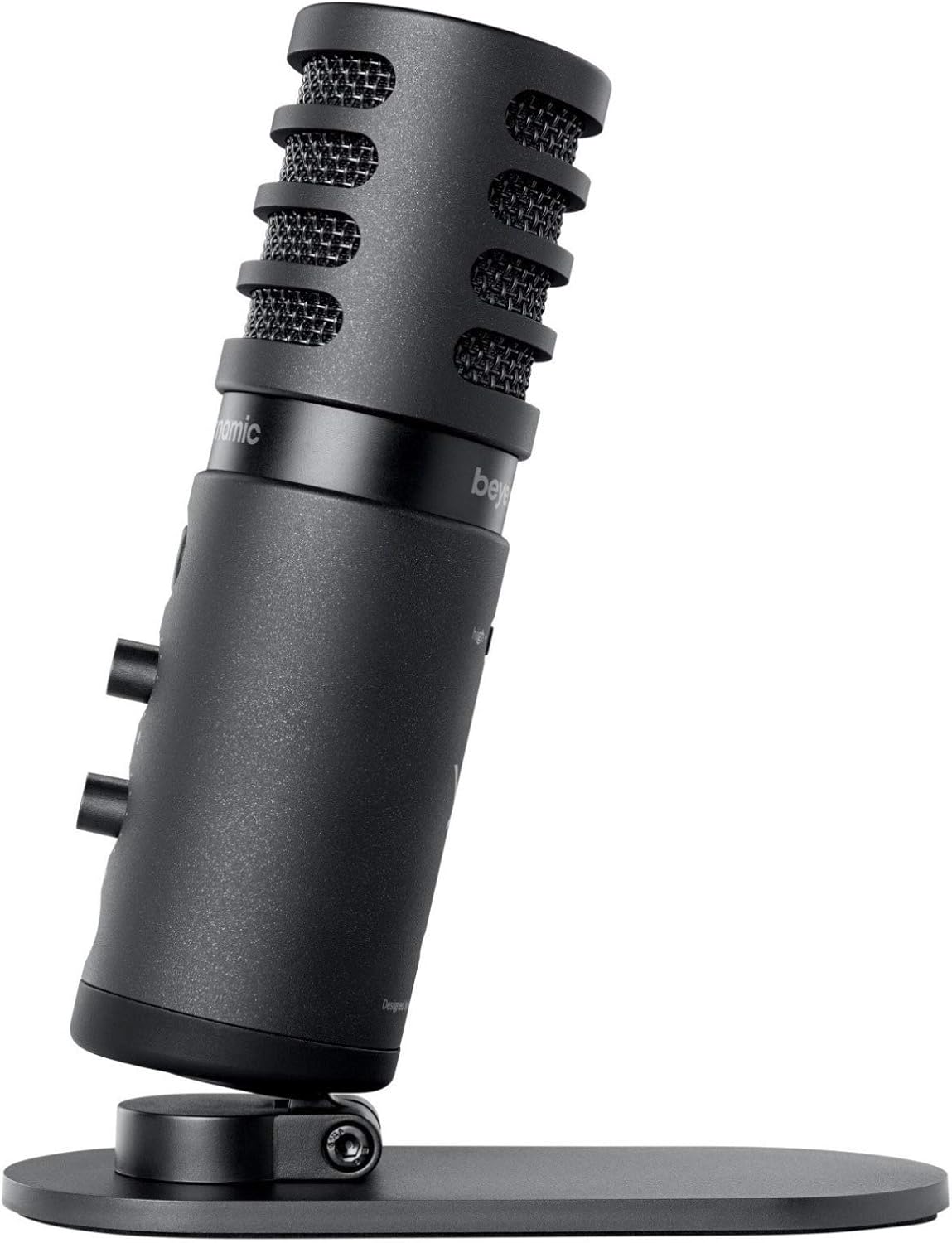
Image: The beyerdynamic FOX microphone mounted on its compact desk stand, ready for use.
3. Prisijungimas prie įrenginio:
- Connect the supplied USB cable to the USB-C port on the microphone.
- Connect the other end of the USB cable to an available USB port on your computer (PC/Mac) or compatible smartphone/tablet (adapter may be required for some mobile devices).
- The microphone is plug-and-play and should be automatically recognized by your operating system.
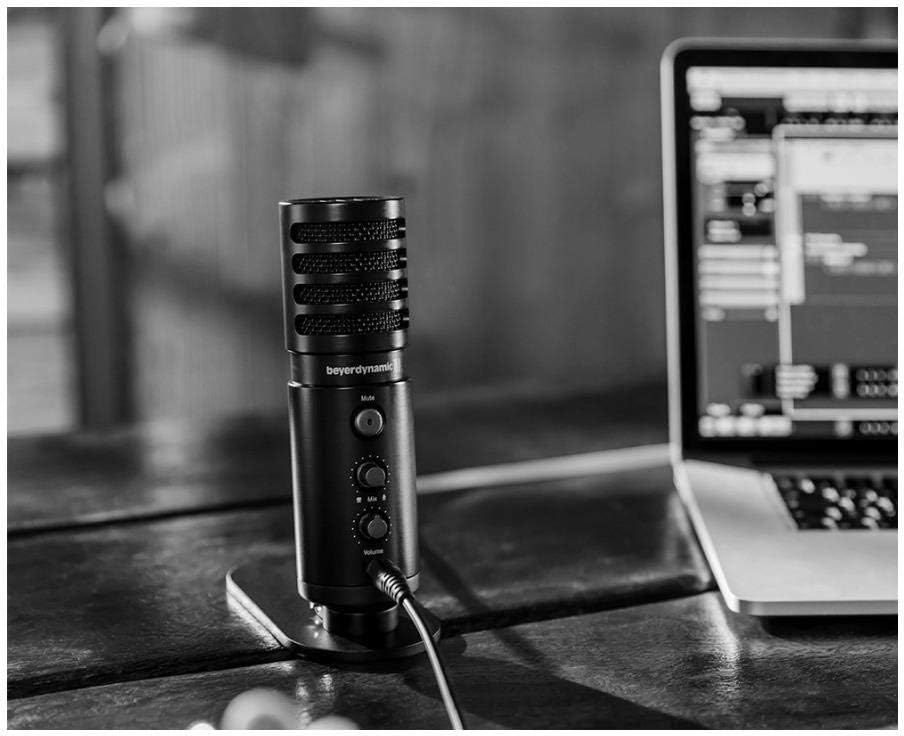
Image: The beyerdynamic FOX microphone in use, connected via USB to a laptop on a wooden desk.
Naudojimo instrukcijos
1. System Recognition:
- Once connected, your operating system (Windows, macOS, Android, iOS) should automatically detect the beyerdynamic FOX as an audio input and output device.
- You may need to select "beyerdynamic FOX" as your default input/output device in your system's sound settings or within your recording software.
2. Using the Mute Button:
- Paspauskite Nutildyti button on the front of the microphone to toggle between active and muted states.
- An indicator light will typically show the microphone's status (e.g., green for active, red/orange for muted).
3. Adjusting Gain (Input Level):
- The FOX microphone features a gain switch (often labeled "Gain" or represented by a symbol like a microphone with a "+" or "-").
- Use this switch to adjust the microphone's sensitivity. For quiet sources (e.g., soft vocals), use a higher gain setting. For loud sources (e.g., instruments, loud speaking), use a lower gain setting to prevent distortion.
- Monitor your recording software's input levels to ensure they are not peaking (clipping).
4. Zero-Latency Monitoring:
- Connect headphones to the 3.5mm headphone jack on the microphone.
- Naudokite Apimtis knob to adjust the headphone listening level.
- The Sumaišykite control allows you to blend the microphone's direct input with the audio playback from your computer. Turn towards the microphone icon to hear more of your live input, and towards the speaker icon to hear more of your computer's audio.
- This feature allows you to hear your voice or instrument in real-time without delay, which is crucial for accurate performance.
Priežiūra
- Valymas: Mikrofono išorę valykite minkšta, sausa šluoste. Nenaudokite skystų valiklių ar tirpiklių.
- Saugykla: Kai nenaudojate, laikykite mikrofoną sausoje, be dulkių aplinkoje.
- Strėlės svirtis: Periodically check the boom arm's clamps and joints for tightness. Lubricate moving parts if necessary with a small amount of silicone-based lubricant.
- Kabelio priežiūra: Avoid sharp bends or kinks in the USB cable. Store it neatly to prevent damage.
Trikčių šalinimas
| Problema | Galima priežastis | Sprendimas |
|---|---|---|
| Nėra garso iš mikrofono |
|
|
| Distorted or clipping sound |
|
|
| Ausinėse nėra garso |
|
|
| Boom arm is unstable |
|
|
Specifikacijos
| Funkcija | Detalė |
|---|---|
| Modelio numeris | FOXUSBMIC_K5 |
| Mikrofono formos faktorius | Table Array (with included desk stand) |
| Ryšio technologija | USB |
| Jungties tipas | USB |
| Polinis raštas | Vienakryptis (kardioidas) |
| Rezoliucija | 24 bitų / 96 kHz |
| Signalo ir triukšmo santykis | 78 dB |
| Aparatinės įrangos platforma | Kompiuteris, išmanusis telefonas |
| Suderinami įrenginiai | Headphone, Personal Computer, Smartphone |
| Maitinimo šaltinis | Laidinis elektrinis (maitinamas per USB) |
| Prekės svoris (mikrofonas) | 16 uncijų (1 svaras) |
| Gaminio matmenys | 16.2 x 8.3 x 6.8 inches (overall bundle dimensions) |
| Spalva | Juoda |
| UPC | 040962932483 |
Garantija ir palaikymas
For warranty information and technical support, please refer to the official beyerdynamic websvetainėje arba susisiekite tiesiogiai su jų klientų aptarnavimo tarnyba. Išsaugokite pirkimo įrodymą garantiniams reikalavimams.
Oficialus Websvetainė: www.beyerdynamic.com


