Įvadas
Thank you for choosing the TESSAN Surge Protector Power Strip. This device is designed to provide a convenient and safe power solution for your electronic devices, offering multiple AC outlets and USB charging ports, along with robust surge protection. Please read this manual carefully before use to ensure proper operation and safety.
Pagrindinės savybės
- 900J apsauga nuo viršįtampių: Safeguards your electronics against power surges, overloads, and short circuits.
- 10ft Flat Extension Cord: The ultra-thin 0.31-inch flat plug and flat wire design allow for easy placement in tight spaces and behind furniture, minimizing obstruction.
- 7 viename maitinimo sprendimas: Equipped with 4 standard AC outlets, 2 USB-A ports, and 1 USB-C port to charge up to 7 devices simultaneously.
- USB-C 15W Charging: The USB-C port delivers up to 3A, and USB-A ports up to 2.4A, providing efficient charging for various mobile devices.
- Montuojamas dizainas: Features 2 keyhole mounting slots on the back for secure installation on walls, workbenches, or under counters. Includes 4 anti-slip rubber feet for desktop stability.
Produktas baigtasview
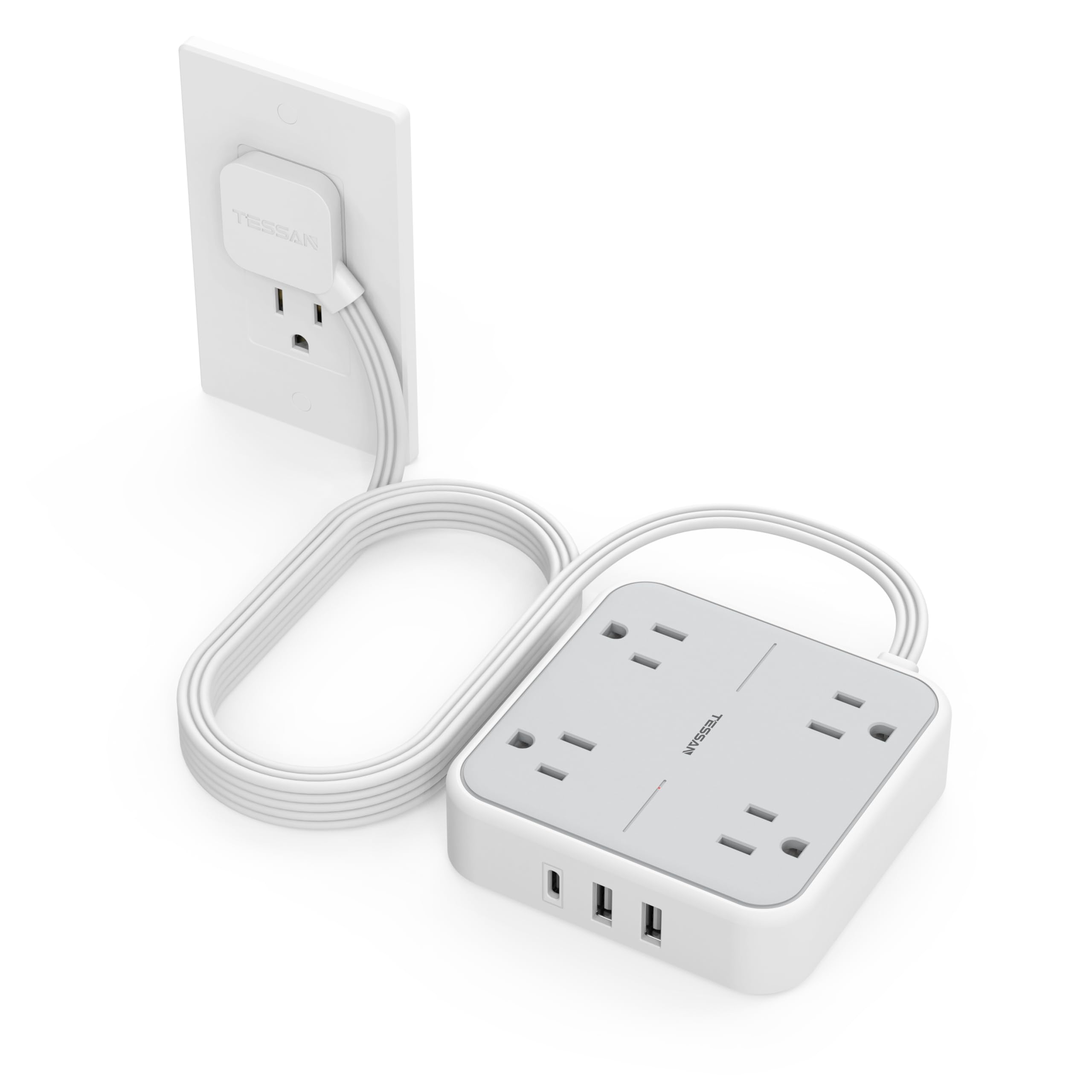


Sąrankos instrukcijos
- Išpakuoti: Carefully remove the TESSAN Surge Protector Power Strip from its packaging.
- Vieta: Choose a suitable location for the power strip. It can be placed on a desk, floor, or mounted to a wall.
- Prijunkite: Insert the flat plug of the power strip's 10ft extension cord into a standard 125V AC wall outlet. The flat design allows for minimal protrusion from the wall.
- Montavimas (pasirinktinai): If wall mounting, use the two keyhole slots on the back of the unit. Ensure the mounting screws (not included) are securely fastened to a stud or appropriate anchor.
- Maitinimas: Locate the ON/OFF switch on the side of the power strip and switch it to the 'ON' position. A blue indicator light will illuminate, confirming power is supplied.
Naudojimo instrukcijos
- Kintamosios srovės įrenginių prijungimas: Plug your electronic devices (e.g., laptops, lamps, small fans) into any of the 4 AC outlets. Ensure the total wattage of all connected AC devices does not exceed 1250W.
- USB įrenginių prijungimas: Connect your smartphones, tablets, earphones, or other USB-powered devices to the 2 USB-A ports or the 1 USB-C port. The USB-C port provides up to 15W (5V/3A) and USB-A ports provide up to 12W (5V/2.4A).
- Maitinimo valdymas: Use the ON/OFF switch to easily turn power to all connected devices on or off. This helps conserve energy and provides an additional layer of safety.
- Apsauga nuo viršįtampių: The integrated 900 Joules surge protection, along with overload, overcurrent, overvoltage, and short circuit protection, continuously monitors power conditions to protect your devices. In case of an overload, the power strip will automatically shut off.
Saugos informacija
- Neviršykite maksimalios 1250 W (10 A, 125 V) galios.
- This product is designed for indoor use only. Do not expose to moisture or wet conditions.
- Laikyti vaikams ir naminiams gyvūnėliams nepasiekiamoje vietoje.
- Do not disassemble, modify, or attempt to repair the unit. Contact qualified personnel for service.
- Ensure proper ventilation around the power strip; do not cover it with carpets or other materials.
- Avoid plugging high-power appliances (e.g., heaters, microwaves) into the power strip to prevent overloading.
Specifikacijos
| Modelio numeris | TS-102-C-SP |
| Gaminio matmenys | 3.9 x 3.9 x 0.04 colio |
| Prekės svoris | 4.2 uncijos |
| AC lizdai | 4 |
| USB-A išvestis | 5V/2.4A Max per port (12W) |
| USB-C išvestis | 5 V / 3 A maks. (15 W) |
| Bendra USB išvestis | 5 V / 3 A maks. (15 W) |
| Maksimali galia | 1250W / 10A / 125V |
| Apsauga nuo viršįtampių | 900 džaulių |
| Laido ilgis | 10 pėdų |
| Ypatinga funkcija | Flat Plug, USB Slot, Wall Mountable |
Trikčių šalinimas
- Nėra maitinimo įrenginiams:
- Ensure the power strip's flat plug is fully inserted into a functional wall outlet.
- Check that the ON/OFF switch on the power strip is in the 'ON' position.
- If the power strip has tripped due to an overload, disconnect some devices, then turn the power switch OFF and then ON again to reset.
- Device Not Charging via USB:
- Verify the USB cable is securely connected to both the device and the power strip's USB port.
- Test the USB cable with another device or charger to ensure it is not faulty.
- Confirm your device is compatible with the USB-A (5V/2.4A) or USB-C (5V/3A) output.
Garantija ir palaikymas
For detailed warranty information, product registration, or technical assistance, please visit the official TESSAN websvetainėje arba susisiekite su jų klientų aptarnavimo komanda. Išsaugokite pirkimo kvitą garantiniams reikalavimams.