Įvadas
This manual provides instructions for the Nillkin Medley Series Wireless Charge Friendly Armor Case with Assembled Kickstand, designed for the iPhone 12 and iPhone 12 Pro (6.1'' 2020 models). This case offers robust protection and enhanced functionality through its integrated kickstand.
Please read these instructions carefully before installing and using your new phone case to ensure proper fit and function.
Produkto savybės
- Suderinamas modelis: Specifically designed for iPhone 12 and iPhone 12 Pro. Not compatible with other models.
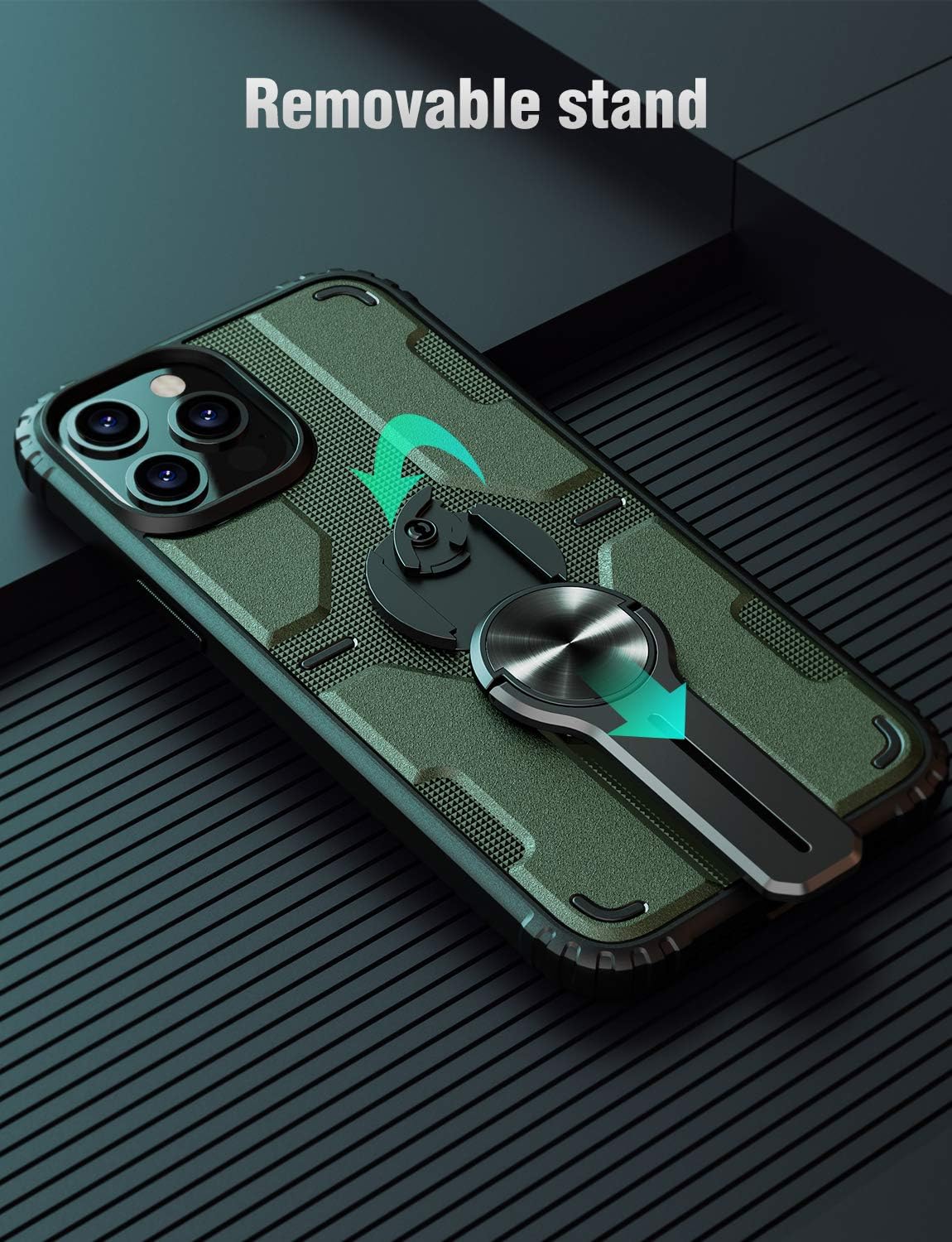
- Assembled Design: The kickstand can be disassembled to enable wireless charging and reattached for comfortable phone use.
- Useful Kickstand: Features a quality zinc alloy plated kickstand that rotates 180 degrees for both horizontal and vertical hands-free viewing.
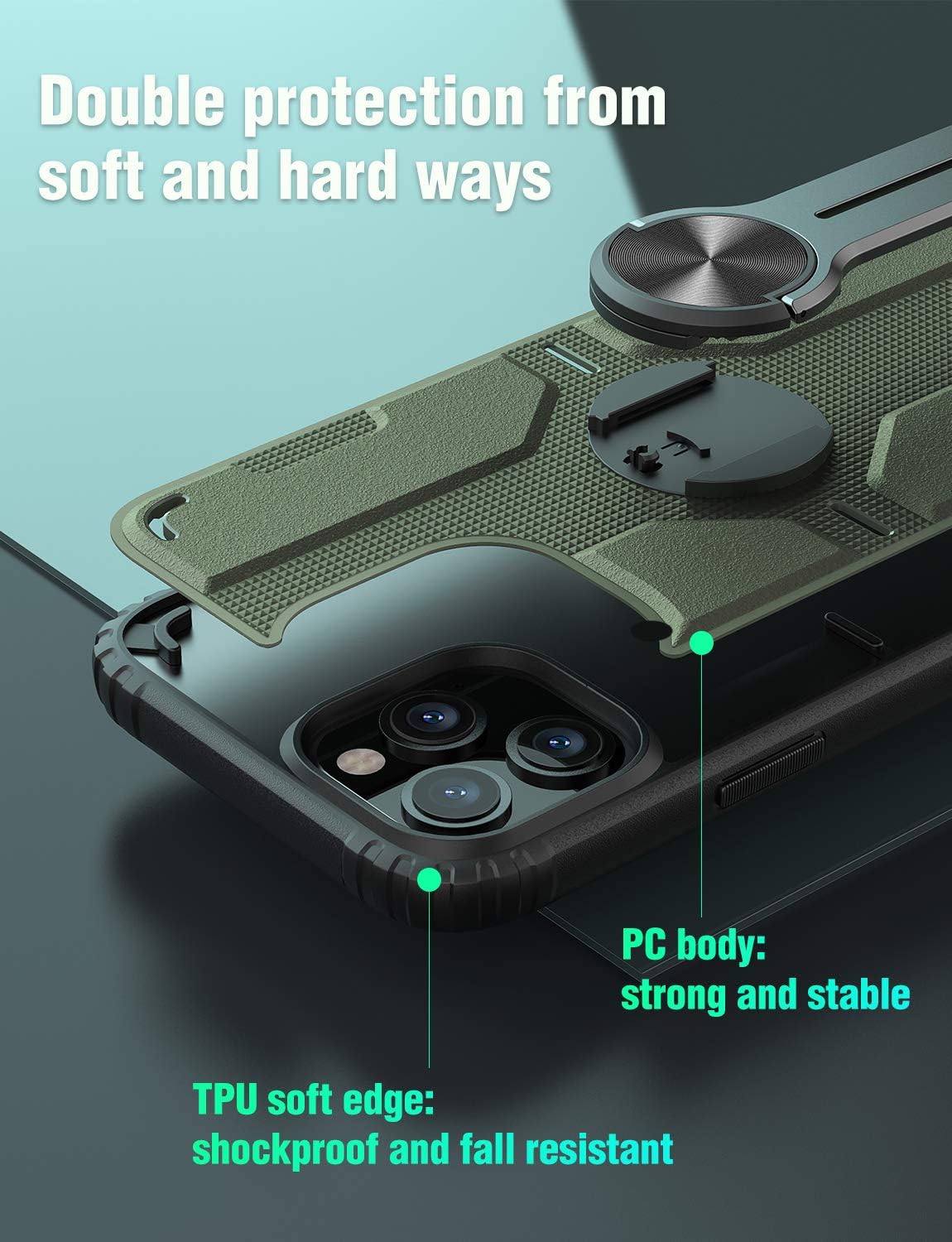
- Stipri apsauga: Constructed with a hard PC back for scratch resistance and built-in airbags with highly elastic molecules in four corners for drop cushioning.
- Accurate Cutouts: Precision cuts for volume keys, power button, charging port, speaker, and camera. Tactile buttons provide solid feedback.


Sąranka ir diegimas
- Išvalykite savo įrenginį: Before installation, ensure your iPhone 12 or iPhone 12 Pro is clean and free of dust or debris.
- Įterpti telefoną: Gently align your iPhone with the case, starting with one side, then carefully press the phone into the case until it is fully seated. Ensure all edges are securely covered by the case's TPU frame.
- Atraminės kojelės tvirtinimas: The kickstand is designed to be assembled. If detached, align the kickstand's base with the circular recess on the back of the case and press firmly until it clicks into place.

Naudojimo instrukcijos
Stovo naudojimas
To use the kickstand, gently pull it outwards from the back of the case. The kickstand can be rotated 180 degrees to support your iPhone in both horizontal (landscape) and vertical (portrait) orientations for hands-free viewing. Push the kickstand back into its recess when not in use to keep it flush with the case.
Belaidžio įkrovimo suderinamumas
The Nillkin Medley Series case is designed to be wireless charging friendly. For optimal wireless charging performance, the assembled kickstand can be easily disassembled (removed) from the case. This allows the phone to lie flat on a wireless charger without obstruction. Reattach the kickstand after charging if desired.
Produktas baigtasview Vaizdo įrašas
Video: Official Nillkin video demonstrating various iPhone 12 series cases, including the Medley case with its kickstand and protective features. This video provides a visual overview produktų linijos.
Priežiūra
To maintain the appearance and functionality of your Nillkin case, follow these simple care instructions:
- Valymas: Reguliariai valykite korpusą minkšta,amp cloth. For stubborn dirt, a mild soap solution can be used. Avoid harsh chemicals or abrasive cleaners, as these may damage the case material.
- Saugykla: Nenaudojamą dėklą laikykite vėsioje, sausoje vietoje, apsaugotoje nuo tiesioginių saulės spindulių.
- Patikra: Periodically inspect the case for any signs of wear or damage, especially around the edges and the kickstand mechanism, to ensure continued protection.
Trikčių šalinimas
If you encounter any issues with your Nillkin Medley Series case, consider the following:
- Korpusas netinkamai priglunda: Ensure you have the correct model (iPhone 12 or iPhone 12 Pro). Remove any screen protectors or other accessories that might interfere with the fit.
- Kickstand problemos: If the kickstand feels loose or does not deploy smoothly, check for any debris obstructing the mechanism. Ensure it is correctly assembled and clicked into place.
- Wireless Charging Interruption: Confirm the kickstand is removed when attempting wireless charging. Ensure your wireless charger is compatible with your iPhone model and is functioning correctly.
For further assistance, please refer to the support information provided in the Warranty and Support section.
Specifikacijos
| Funkcija | Detalė |
|---|---|
| Suderinami modeliai | iPhone 12, iPhone 12 Pro |
| Medžiaga | Polycarbonate (PC), Thermoplastic Polyurethane (TPU), Zinc Alloy (for kickstand) |
| Spalva | Green (for this specific variant) |
| Gaminio matmenys | 5.91 x 2.99 x 0.47 colio |
| Prekės svoris | 3.13 uncijos |
| Ypatingos savybės | Heavy Duty Protection, Assembled Kickstand, Wireless Charging Friendly (with kickstand removed) |
| Gamintojas | NILLKIN |
| Pasiekiama pirmoji data | 21 m. spalio 2020 d |
Garantija ir palaikymas
Nillkin products are designed for quality and durability. For information regarding product warranty, returns, or technical support, please refer to the official Nillkin websvetainėje arba susisiekite su pardavėju, iš kurio įsigijote gaminį. Išsaugokite pirkimo įrodymą, jei prireiktų pateikti garantinį ieškinį.
For direct inquiries, you may visit the Nillkin Store on Amazon.


