Įvadas
The Tera Pro Series Mini CMOS Ring Barcode Scanner (Model HW0010) is a versatile and portable device designed for efficient 1D, 2D, and QR code scanning. Its unique ring design allows for comfortable wear on the finger, enhancing mobility and ease of use in various work environments. This scanner supports multiple connection modes, including Bluetooth, 2.4G wireless, and USB 2.0 wired, offering flexible integration with a wide range of devices.
Pagrindinės savybės
- Portable Ring Design: Mini barcode scanner with a special ring design that rotates freely on the finger for enhanced convenience and ease of use.
- Didelės raiškos kamera: Equipped with a 1MP camera for fast and accurate scanning of high-density, blurry, damaged, or incomplete 1D, 2D, and QR barcodes, including those on screens or DPM codes.
- 3 viename ryšio režimai: Supports 2.4 GHz wireless, Bluetooth, and USB 2.0 cable connections for versatile compatibility.
- Vibracijos signalizacija: Features a vibration function to indicate successful barcode detection, ideal for quiet work environments.
- Du įkėlimo režimai: Instant upload mode and memory mode (16MB built-in memory, stores up to 50,000 barcodes).
- Pailgintas akumuliatoriaus veikimo laikas: 400 mAh battery provides longer standby and continuous working time compared to similar ring scanners.
- Palaikomi brūkšniniai kodai:
- 1D: UPC, EAN, Code128, Code39, Code 39 Full ASCII, Coda bar, Industrial 2/5, Interleaved 2/5, Code 93, MSI, Code11, ISBN, ISSN, GS1, Databar, Code32, etc.
- 2D: QR, Data Matrix, PDF417, Micro PDF417, MaxiCode, Aztec, etc.
Pakuotės turinys
Please check the package contents upon receipt. The standard package for the Tera Pro Series Mini CMOS Ring Barcode Scanner (HW0010) typically includes:
- 1 x Tera HW0010 Ring Barcode Scanner
- 1 x 2.4 G USB adapteris
- 1x USB įkrovimo laidas
- 1 x Naudotojo vadovas (šis dokumentas)
Sąranka
Skaitytuvo įkrovimas
Before first use, fully charge the scanner. Connect the provided USB charging cable to the scanner and a compatible USB power adapter (not included). The recommended charging voltage/current is 5V/1A. The maximum charging voltage/srovė yra 5V/1.2A. Do not use USB PD (Power Delivery) power adapters and cables to charge the device.

Image: Recommended charging specifications and a warning against using USB PD adapters.
Ryšio režimai
The Tera HW0010 scanner offers three primary connection methods:
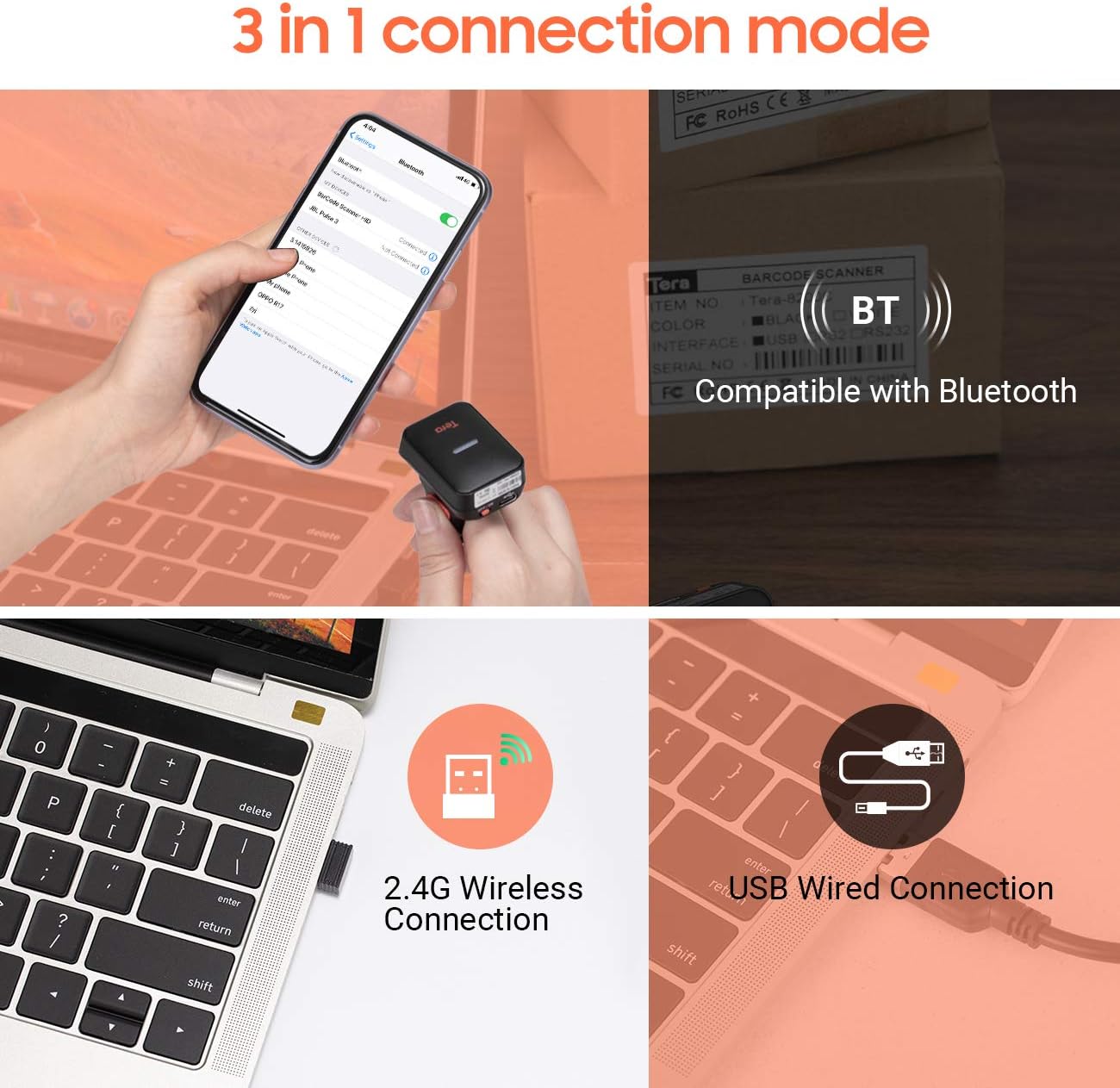
Vaizdas: Viršview 3 viename ryšio režimų.
- „Bluetooth“ ryšys:
To connect via Bluetooth, ensure the scanner is powered on. Scan the Bluetooth pairing barcode (usually found in the full manual or a quick start guide). On your host device (smartphone, tablet, computer), search for Bluetooth devices and select "Tera Barcode Scanner" or similar. The scanner will pair automatically.
- 2.4G belaidis ryšys:
Insert the 2.4G USB dongle into an available USB port on your computer or laptop. Power on the scanner. The scanner should automatically connect to the dongle. If not, scan the "Pair 2.4G Dongle" barcode (refer to the full manual for specific barcodes).
- USB laidinis jungtis:
Connect the scanner directly to your computer using the provided USB cable. The scanner will function as a wired scanner and also charge simultaneously. No special drivers are usually required for basic scanning functionality.
Compatible Devices and Systems
The scanner is compatible with a wide range of devices and operating systems, ensuring broad usability.

Image: Compatible devices (PC, laptop, iPad, iPhone) and systems (Windows, iOS, Linux, Android, Mac OS).
- Įrenginiai: Laptop, Desktop PC, Smartphone (iPhone, Android), Tablet (iPad).
- Operacinės sistemos: Windows, iOS, Android, Linux, Mac OS.
Naudojimo instrukcijos
Skaitytuvo nešiojimas
The scanner is designed to be worn comfortably on your finger, allowing for hands-free operation. Adjust the strap to ensure a snug fit without being too tight.

Image: The Tera ring scanner worn on a finger, demonstrating its ergonomic design.
Brūkšninių kodų nuskaitymas
To scan a barcode, point the scanner's lens at the barcode and press the scan button. The scanner will emit a light beam to read the code. A successful scan is typically indicated by a vibration (if enabled) and/or an audible beep.

Image: The scanner's capability to read 1D, 2D, and QR codes from various sources.
The scanner can read a wide variety of barcode types, including:
- 1D brūkšniniai kodai: UPC, EAN, Code128, Code39, Code 39 Full ASCII, Coda bar, Industrial 2/5, Interleaved 2/5, Code 93, MSI, Code11, ISBN, ISSN, GS1, Databar, Code32.
- 2D brūkšniniai kodai: QR Code, Data Matrix, PDF417, Micro PDF417, MaxiCode, Aztec.
Įkėlimo režimai
- Momentinio įkėlimo režimas: In this mode, scanned barcodes are immediately transmitted to the connected device. This is the default mode and is suitable for real-time data entry.
- Atminties režimas: If the scanner is out of range or not connected to a host device, it can store scanned barcodes in its internal 16MB memory. This memory can hold up to 50,000 barcodes. To upload stored data, reconnect the scanner to your device and scan the "Upload Data" barcode (refer to the full manual for specific barcodes).
Vibracijos funkcija
The scanner features a vibration function to provide tactile feedback upon a successful scan. This is particularly useful in noisy environments where audio cues might be missed, or in quiet environments where an audible beep is undesirable. You can typically enable or disable this function by scanning specific configuration barcodes (refer to the full manual).
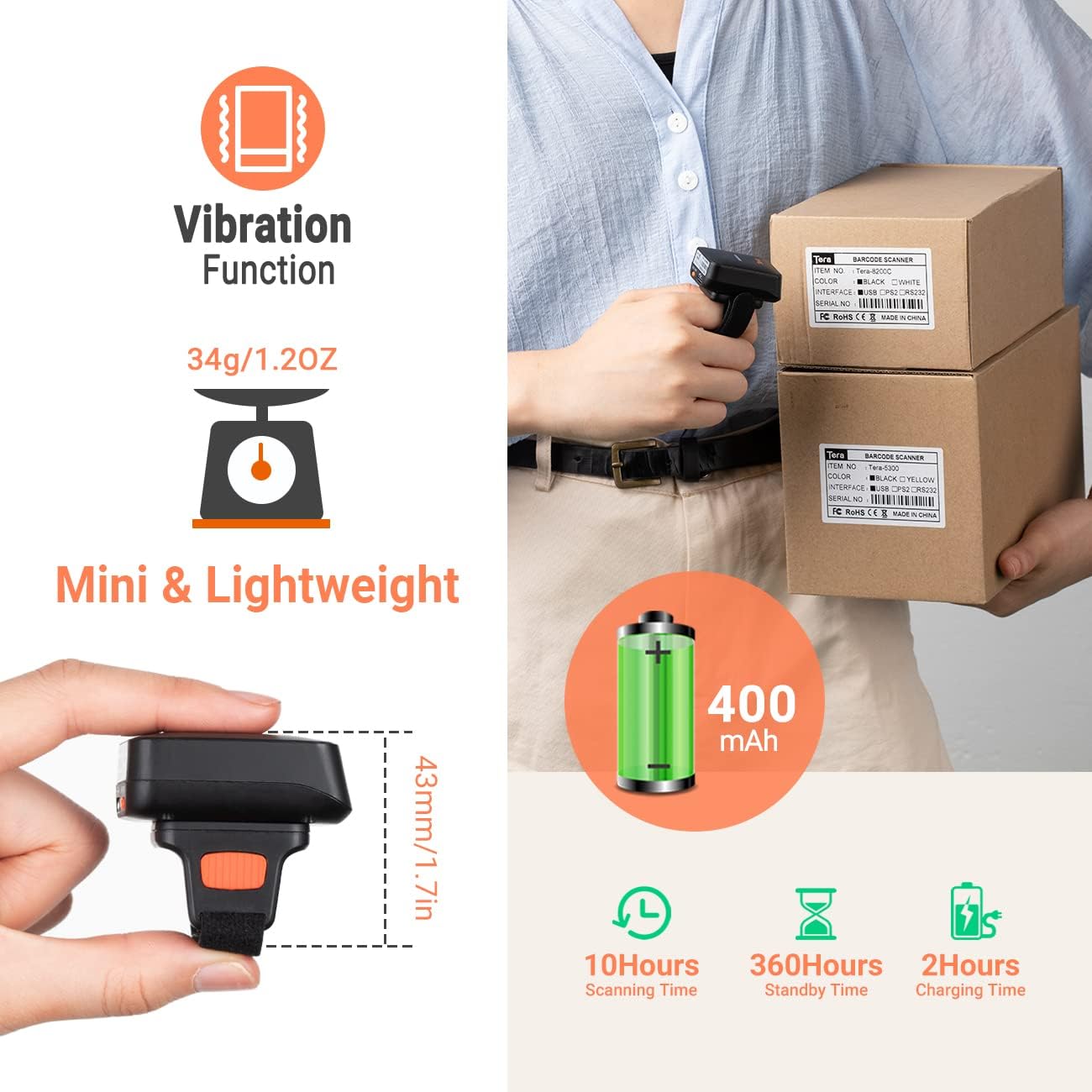
Image: Features including vibration, compact size, and battery life.
Priežiūra
Valymas
Wipe the scanner's exterior with a soft, dry, lint-free cloth. For stubborn dirt, slightly dampen the cloth with water. Do not use harsh chemicals, abrasive cleaners, or solvents, as these can damage the device.
Sandėliavimas
Skaitytuvą laikykite vėsioje, sausoje vietoje, toliau nuo tiesioginių saulės spindulių ir ekstremalių temperatūrų. Jei ilgesnį laiką laikysite, įsitikinkite, kad akumuliatorius yra iš dalies įkrautas (apie 50 %), kad pailgintumėte jo tarnavimo laiką.
Akumuliatoriaus priežiūra
The scanner is equipped with a 400mAh rechargeable battery. To maximize battery life:
- Venkite dažnai visiškai iškrauti akumuliatorių.
- Avoid leaving the scanner connected to power for prolonged periods after it's fully charged.
- Charge the scanner using only the provided USB cable and a compatible 5V/1A (max 5V/1.2A) power source.
Trikčių šalinimas
| Problema | Galima priežastis | Sprendimas |
|---|---|---|
| Skaitytuvas neprisijungia per „Bluetooth“. | Scanner not in pairing mode; device Bluetooth off; interference. | Ensure scanner is in Bluetooth pairing mode (scan appropriate barcode). Turn Bluetooth off/on on host device. Move closer to host device. |
| Skaitytuvas neskaito brūkšninių kodų. | Barcode damaged/unreadable; insufficient light; scanner settings. | Ensure barcode is clear and well-lit. Try scanning a different, known-good barcode. Check scanner's configuration settings (refer to full manual). |
| Nuskaityti duomenys nerodomi įrenginyje. | Not connected; incorrect upload mode; application issue. | Verify connection (Bluetooth, 2.4G, USB). Ensure scanner is in instant upload mode. Check if the receiving application is active and ready for input. |
| Trumpas baterijos veikimo laikas. | Battery not fully charged; aging battery; high usage. | Ensure full charge before use. Reduce continuous scanning if possible. If battery life significantly degrades, contact support. |
Specifikacijos
| Atributas | Detalė |
|---|---|
| Prekės ženklas | Tera |
| Modelio numeris | HW0010 |
| Spalva | Oranžinė |
| Ryšio technologija | Bluetooth, 2.4G Wireless, USB |
| Nuskaitymo greitis | 300 vaizdų per sekundę |
| Tikras View Kampas | 45 laipsnių |
| Suderinami įrenginiai | Laptop, Desktop PC, Smartphone, Tablet |
| Maitinimo šaltinis | Įkraunama baterija (400 mAh) |
| Vidinė atmintis | 16 MB (talpina iki 200 000 brūkšninių kodų) |
| Palaikomi 1D brūkšniniai kodai | UPC, EAN, Code128, Code39, Code 39 Full ASCII, Coda bar, Industrial 2/5, Interleaved 2/5, Code 93, MSI, Code11, ISBN, ISSN, GS1, Databar, Code32, etc. |
| Palaikomi 2D brūkšniniai kodai | QR, Data Matrix, PDF417, Micro PDF417, MaxiCode, Aztec, etc. |
| Produkto svoris | apytiksliai 34 g / 1.2 uncijos |
| Įkrovimo laikas | apytiksliai 2 valandas |
| Scanning Time (continuous) | apytiksliai 10 valandas |
| Budėjimo laikas | apytiksliai 360 valandas |
| Kilmės šalis | Kinija |
| UPC | 787803926484 |
Garantija ir palaikymas
Tera products are designed and manufactured to high-quality standards. For warranty information and technical support, please refer to the official Tera websvetainėje arba susisiekite tiesiogiai su jų klientų aptarnavimo tarnyba. Išsaugokite pirkimo kvitą kaip pirkimo įrodymą garantijos pretenzijoms.

Image: Tera Customer Support.
Dėl papildomos pagalbos apsilankykite Tera Brand Store on Amazon or consult the comprehensive user manual available on the manufacturer's websvetainę.


