1. Įvadas
This manual provides instructions for the Xgody Mate10+ smartphone. It covers device setup, operation, features, and maintenance to ensure optimal performance and user experience. The Mate10+ operates on Android 8.1, features a 5.5-inch HD display, dual 5MP cameras, and supports dual SIM functionality.
2. Pakuotės turinys
Patikrinkite, ar prekės pakuotėje yra visi reikalingi daiktai:
- 1 x Xgody Mate10+ Smartphone
- 1x įkroviklio adapteris
- 1x USB laidas
- 1 x telefono dėklas
- 1 x angliškas vartotojo vadovas
- 1 x HD Film (Screen Protector)
- 1 x grūdinta plėvelė (ekrano apsauga)

Image: Contents of the Xgody Mate10+ smartphone package.
3. Darbo pradžia
3.1. SIM kortelės ir atminties kortelės įdėjimas
The Xgody Mate10+ supports dual SIM dual standby, allowing the use of two SIM cards simultaneously. It has two independent card slots: one for a Nano SIM and one for a Micro SIM or a TF (microSD) card for expandable storage.
- Suraskite SIM/TF kortelės dėklą įrenginio šone.
- Norėdami atidaryti dėklą, naudokite pateiktą SIM kortelės išstūmimo įrankį.
- Carefully place your Nano SIM card, Micro SIM card, and/or TF card into the designated slots. Ensure correct orientation.
- Švelniai stumkite dėklą atgal į įrenginį, kol jis bus lygus.
3.2. Įrenginio įkrovimas
Before first use, fully charge the smartphone using the provided charger and USB cable.
- Connect the USB cable to the charger adapter.
- Prijunkite įkroviklio adapterį į maitinimo lizdą.
- Prijunkite USB laidą prie telefono įkrovimo prievado.
- Akumuliatoriaus piktograma ekrane parodys įkrovimo būseną.
3.3. Įjungimas/išjungimas
- Norėdami įjungti: paspauskite ir palaikykite maitinimo mygtuką, kol ekranas užsidegs.
- Norėdami išjungti: paspauskite ir palaikykite maitinimo mygtuką, tada ekrane pasirinkite „Išjungti“.
3.4. Pradinė sąranka
Upon first power-on, follow the on-screen prompts to complete the initial setup, including language selection, Wi-Fi connection, Google account setup, and security settings.
4. Pagrindinės savybės ir veikimas
4.1. Ekranas
The Xgody Mate10+ features a 5.5-inch HD full-view display, providing a wide visual experience for viewturinio.

Image: The 5.5-inch full-view display of the Xgody Mate10+.

Image: The compact design of the Xgody Mate10+ for easy portability.
4.2. Operating System (Android 8.1)
The device runs on Android 8.1, offering a user-friendly interface and enhanced performance for daily tasks.
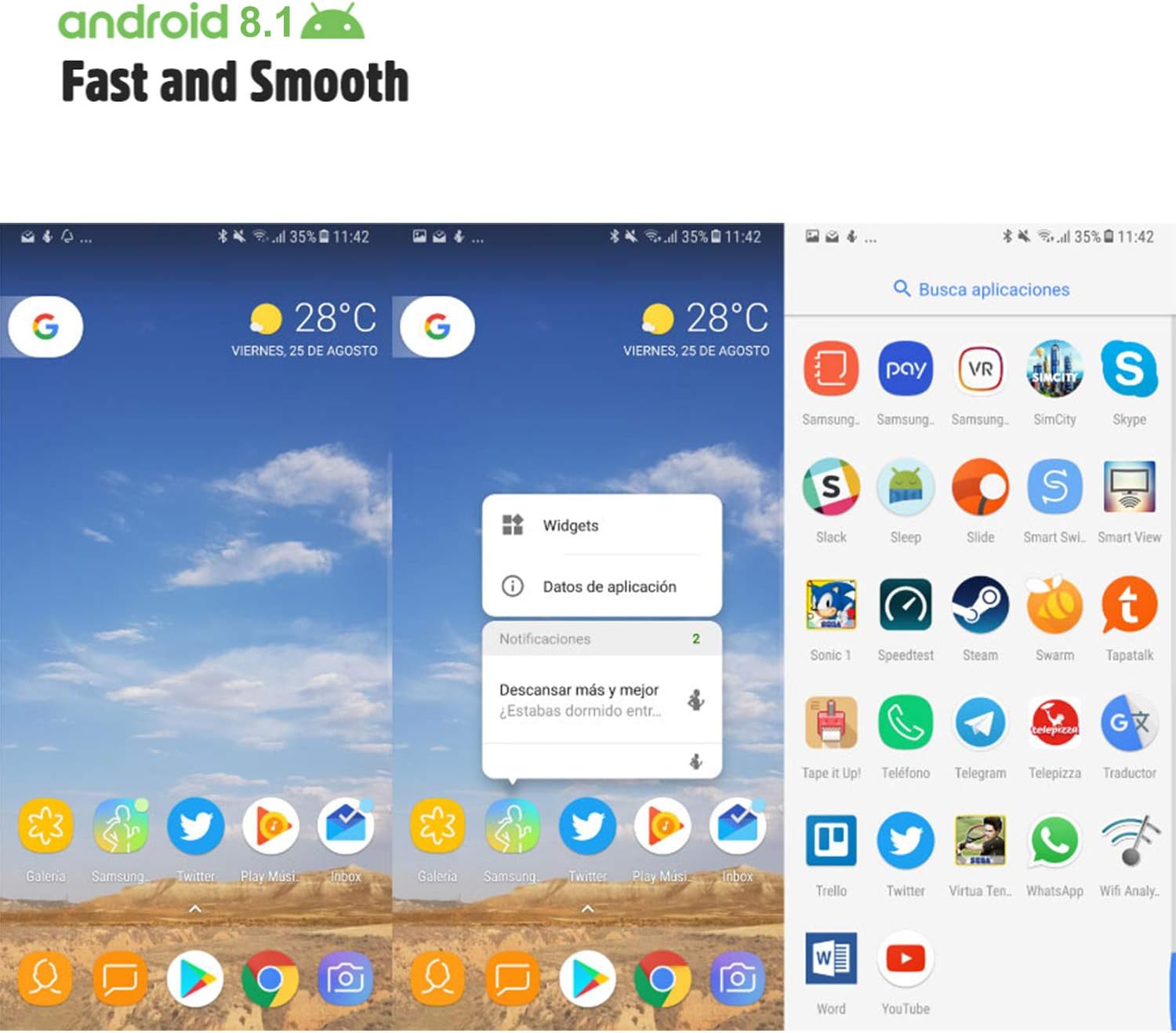
Image: Android 8.1 interface on the Xgody Mate10+.
4.3. Fotoaparatas
The Xgody Mate10+ is equipped with dual 5MP cameras, including a rear camera and a front beauty camera, for capturing photos and videos.

Image: Using the front camera for selfies.
4.4. Našumas ir saugykla
The device includes 1GB RAM and 8GB internal storage (ROM), expandable up to 32GB with an external SD card, providing sufficient space for applications and media.

Image: Internal components and storage capabilities.
4.5. Ryšys
The Xgody Mate10+ is a 3G unlocked smartphone, supporting WCDMA 850/1900/2100MHz and GSM 850/900/1800/1900 MHz network bands. It is compatible with most WCDMA SIM carriers but not with CDMA carriers (e.g., Sprint, Verizon, Boost Mobile).
4.6. Saugumas
The device supports Face ID for unlocking, providing a convenient and secure method to access your phone.
Vaizdo įrašas: Užbaigtaview of Xgody Mate10+ features, including camera, processor, memory, Face ID, 5.5-inch screen, dual SIM, and Android 8.1 operating system.
5. Specifikacijos
| Modelis | Mate10+ |
| Operacinė sistema | Android 8.1 |
| Ekranas | 5.5 inch HD Full View Ekranas |
| RAM | 1 GB |
| ROM (vidinė atmintis) | 8 GB |
| Išplečiama saugykla | Up to 32GB (TF card) |
| Galinė kamera | 5 MP |
| Priekinė kamera | 5MP (Beauty Camera) |
| SIM kortelių palaikymas | Dual SIM Dual Standby (1 Nano SIM, 1 Micro SIM or TF card) |
| Tinklo juostos | 3G WCDMA 850/1900/2100MHz, 2G GSM 850/900/1800/1900 MHz |
| Baterijos talpa | 2000 mAh |
| Belaidės technologijos | Bluetooth, Wi-Fi, Cellular |
| Ryšys | USB |
| GPS | GLONASS |
| Prekės svoris | 14 uncijos |
| Gaminio matmenys | 0.39 x 0.39 x 0.39 colio |
6. Problemų sprendimas
If you encounter issues with your Xgody Mate10+, refer to the following common solutions:
- Įrenginys neįsijungia: Įsitikinkite, kad akumuliatorius įkrautas. Prijunkite įkroviklį ir palaukite kelias minutes, prieš bandydami vėl įjungti.
- Prastas akumuliatoriaus veikimo laikas: Reduce screen brightness, close unused apps running in the background, disable Wi-Fi/Bluetooth when not in use, and limit background data usage.
- Tinklo ryšio problemos: Check if your SIM card is properly inserted. Verify that your SIM card supports the device's network bands (3G WCDMA 850/1900/2100MHz & 2G GSM 850/900/1800/1900 MHz). Restart the device.
- Applications freezing or crashing: Close and restart the application. If the issue persists, clear the app's cache and data in Settings > Apps. Consider uninstalling and reinstalling the app.
- Lėtas veikimas: Close unnecessary background applications. Clear cache data regularly. Ensure sufficient free storage space.
- Ekranas nereaguoja: Restart the device by holding the power button. If unresponsive, force restart by holding the power button for an extended period (usually 10-15 seconds).
7. Garantija ir palaikymas
For warranty information and technical support, please refer to the warranty card included in your product package or contact Xgody customer service through their official website or designated support channels. Keep your purchase receipt as proof of purchase for warranty claims.


