1. Saugos informacija
Please read all safety instructions carefully before operating this device. Keep this manual for future reference.
- Do not overload wall outlets or extension cords beyond their rated capacity. Overloading can cause electric shock or fire.
- Kad išvengtumėte gaisro ar elektros smūgio pavojaus, saugokite įrenginį nuo lietaus ar drėgmės.
- Neatidarykite spintelės. Aptarnavimą patikėkite tik kvalifikuotam personalui.
- Įsitikinkite, kad maitinimo laidas nėra suspaustas arba ant jo nevaikščiojama.
2. Produktas baigtasview
The DANFI AUDIO DF TE-2017 is a versatile 3-speed record player with built-in speakers, Bluetooth input, and USB recording capabilities. It supports 7", 10", and 12" vinyl records.

2.1 vaizdas: priekis view of the DANFI AUDIO DF TE-2017 Record Player with the dust cover open, showing the platter and tone arm.
Įtraukti komponentai:
- DANFI AUDIO DF TE-2017 Record Player
- 45 RPM adapteris
- Maitinimo laidas ir adapteris
- Replacement Needle (Stylus)
- Patefono kilimėlis
- Vartotojo vadovas (šis dokumentas)
3. Sąrankos instrukcijos
3.1 Išpakavimas ir įdėjimas
- Atsargiai išimkite patefono grotuvą iš pakuotės.
- Place the unit on a stable, level surface away from direct sunlight, heat sources, and excessive dust or vibrations.
- Užtikrinkite tinkamą vėdinimą aplink įrenginį.
3.2 Pradinis surinkimas
- Apsauga nuo dulkių: The removable dust cover can be placed on top of the unit to protect the platter and tone arm when not in use.
- Slipmat: Place the provided turntable slipmat onto the platter.
- Rašiklio apsauga: Remove the clear plastic stylus protector from the needle before first use. Be careful not to damage the stylus.
3.3 Maitinimo jungtis
- Connect the power adapter to the DC IN port on the back of the record player.
- Prijunkite maitinimo adapterį į tinkamą sieninį lizdą.
4. Naudojimo instrukcijos

Image 4.1: Diagram illustrating the various controls and components of the record player, including the 45 RPM adapter, tone arm, tone arm lifter, auto stop control, speed switch, ON/OFF button (volume control), and cartridge.
4.1 Pagrindinis patefono veikimas
- Maitinimo įjungimas / išjungimas ir garsumas: Rotate the ON/OFF/VOLUME knob clockwise to power on the unit and adjust the volume.
- Pasirinkite greitį: Set the speed switch (33, 45, or 78 RPM) to match the record you are playing. For 45 RPM records, place the 45 RPM adapter on the spindle.
- Vietos įrašas: Place your vinyl record on the turntable platter.
- Pakėlimo tono svirtis: Use the tone arm lifter to gently raise the tone arm.
- Tono svirties padėtis: Manually move the tone arm over the desired starting groove of the record.
- Apatinis tono svirties mechanizmas: Gently lower the tone arm using the lifter. The music will begin to play.
- Automatinis sustojimas: The turntable features an auto-stop function that will stop the platter rotation automatically when the record finishes playing. Ensure the 'Auto Stop Control' switch is engaged for this feature.
- Atkūrimo pabaiga: When the record finishes, use the tone arm lifter to raise the tone arm, return it to its rest, and secure it with the clip.
4.2 Bluetooth Input Mode
This record player can receive audio wirelessly from Bluetooth-enabled devices like smartphones or tablets.

Image 4.2: A smartphone displaying its Bluetooth settings, connected to the TE-2017 record player, demonstrating wireless music streaming.
- Pasirinkite Bluetooth režimą: Press the 'M' button on the front panel until 'BT' appears on the display. The unit will enter pairing mode.
- Įjunkite „Bluetooth“ įrenginyje: Išmaniajame telefone arba planšetiniame kompiuteryje įjunkite Bluetooth ir ieškokite galimų įrenginių.
- Suporuoti įrenginį: Select 'TE-2017' from the list of devices. Once paired, you will hear a confirmation sound.
- Groti muziką: You can now stream music from your device through the record player's built-in speakers.
Note: This unit functions as a Bluetooth receiver only and cannot connect to external Bluetooth speakers.
4.3 USB Recording (Vinyl to Digital)
Convert your vinyl records into digital audio files (WAV format) directly onto a USB flash drive.
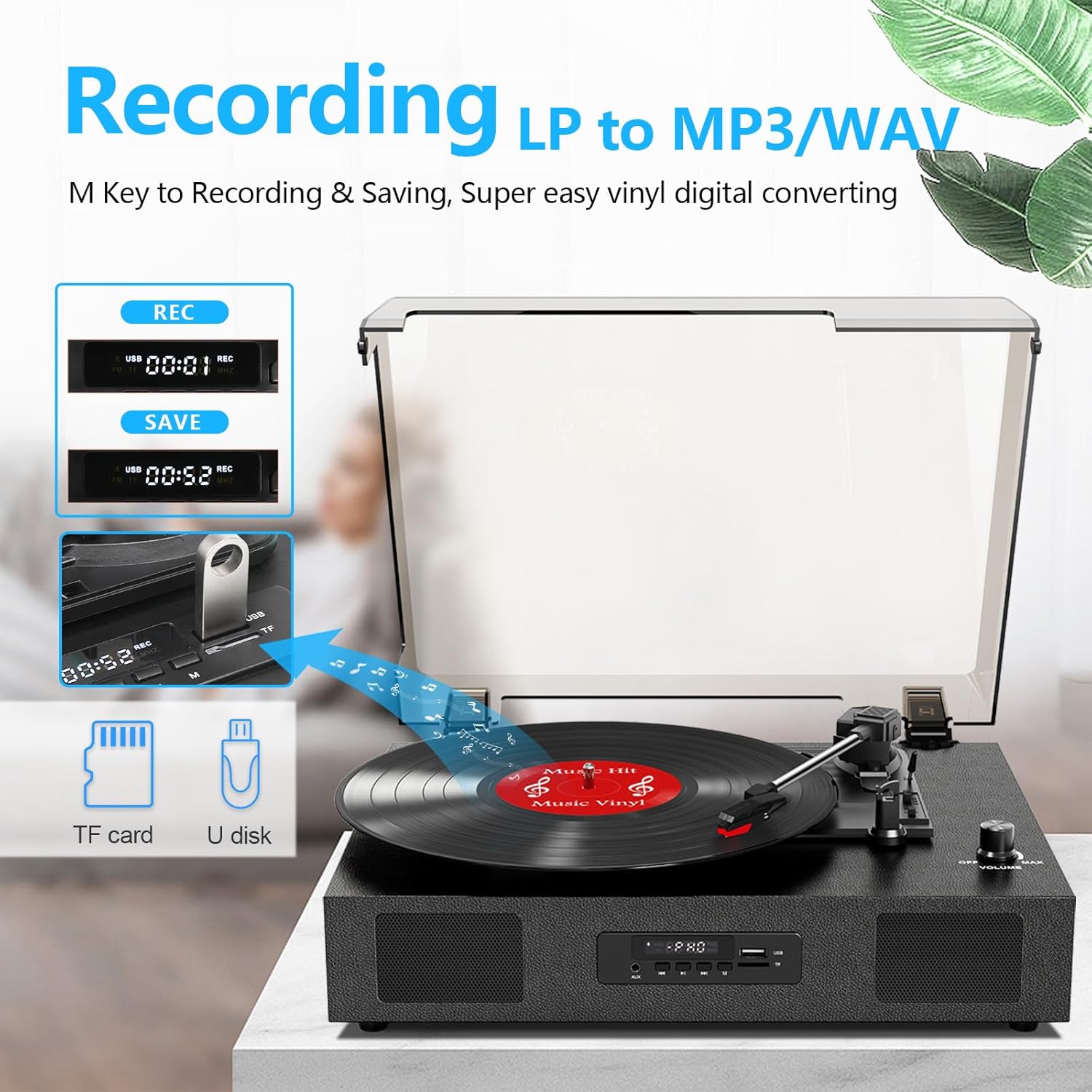
Image 4.3: The record player's display showing 'REC' and a timer, with a USB flash drive inserted, indicating the USB recording function.
- Įdėkite USB atmintinę: Insert a USB flash drive (formatted to FAT32) into the USB port on the front panel.
- Pradėti atkūrimą: Begin playing your vinyl record as described in section 4.1.
- Pradėti įrašymą: Press the 'REC' button on the front panel. The display will show 'REC' and a timer, indicating recording has started.
- Sustabdyti įrašymą: Norėdami sustabdyti įrašymą, dar kartą paspauskite mygtuką „REC“. Įrašytas file will be saved to your USB drive.
- Prieiga Files: You can access the recorded WAV files on your computer. If MP3 format is desired, conversion can be done using computer software.
4.4 RCA Line-Out Connection
Connect the record player to external powered speakers or a home audio system for enhanced sound.
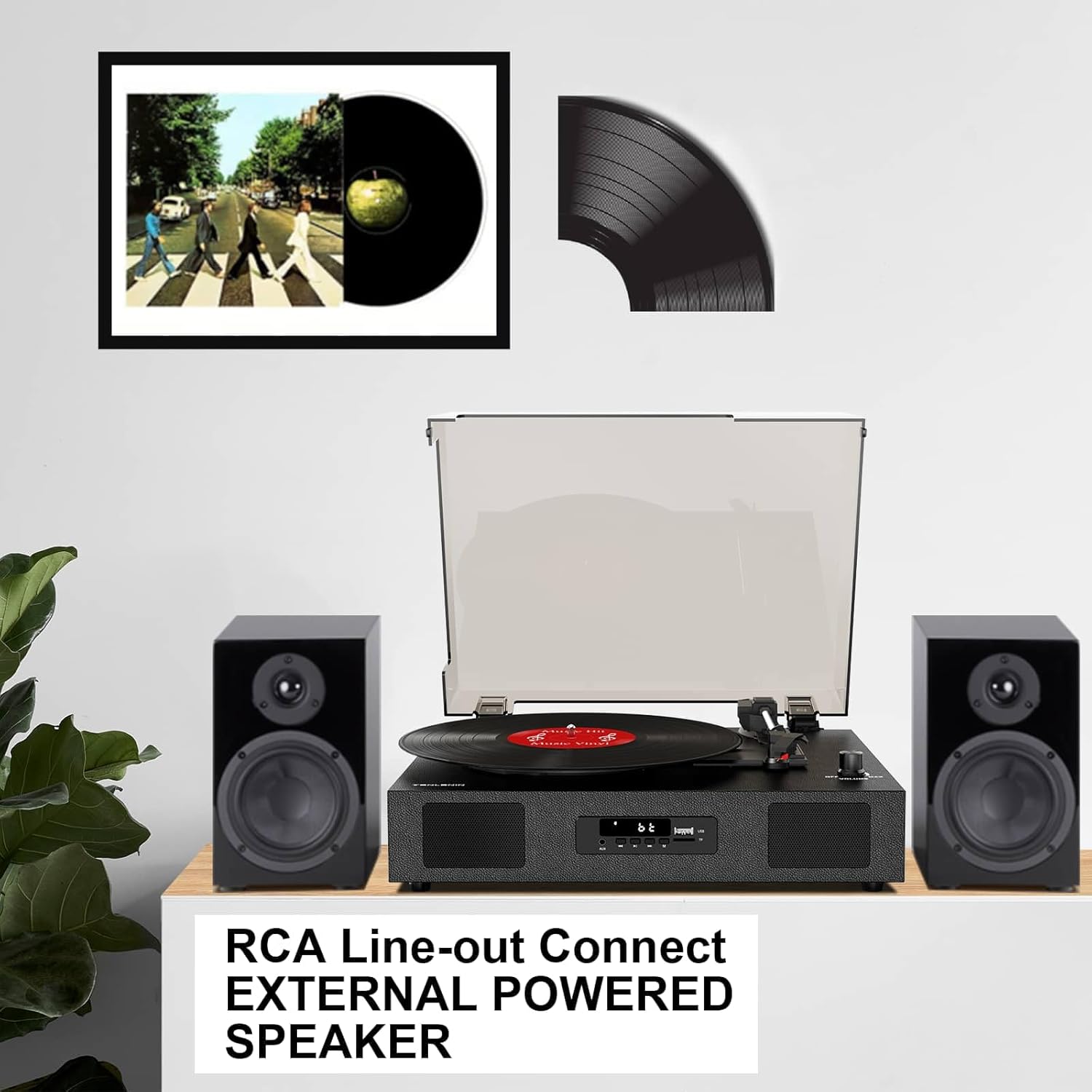
Image 4.4: The record player connected via RCA cables to a pair of external powered speakers, demonstrating the line-out functionality.
- Prijunkite kabelius: Use RCA audio cables (not included) to connect the RCA L/R output jacks on the back of the record player to the corresponding input jacks on your external ampkeltuvai arba maitinami garsiakalbiai.
- Reguliuoti garsumą: Control the volume primarily through your external audio system. The record player's volume knob will still affect the output level.
4.5 AUX Line-In
Connect external audio devices (e.g., MP3 players) via the AUX IN port.
- Kabelio prijungimas: Use a 3.5mm audio cable (not included) to connect your external device to the AUX IN port on the front panel.
- Pasirinkite AUX režimą: Press the 'M' button until 'AUX' appears on the display.
- Groti garso įrašą: Play audio from your connected device. The sound will be output through the record player's speakers.
5. Priežiūra
5.1 Įrenginio valymas
- Prietaiso išorę nuvalykite minkštu, sausu skudurėliu. Nenaudokite abrazyvinių valiklių ar tirpiklių.
- Keep the dust cover clean to prevent dust from settling on the platter and records.
5.2 Rašiklio priežiūra ir keitimas
- Plunksna (adata) yra gležnas komponentas. Elkitės su ja atsargiai.
- Reguliariai valykite rašiklį minkštu šepetėliu, švelniai braukdami iš galo į priekį.
- A worn stylus can damage records and degrade sound quality. Replace the stylus after approximately 300-500 hours of playback, or if you notice a decrease in sound quality or increased skipping.
- To replace the stylus, refer to the instructions provided with the replacement needle.
5.3 Įrašų priežiūra
- Always handle records by their edges to avoid transferring oils from your skin.
- Įrašus laikykite vertikaliai jų įmautėse vėsioje, sausoje vietoje.
- Reguliariai valykite plokšteles specialiu plokštelių valymo šepetėliu arba tirpalu, kad pašalintumėte dulkes ir statinę elektrą.
6. Problemų sprendimas
If you experience issues with your record player, consult the following troubleshooting guide.
- Nėra galios:
- Įsitikinkite, kad maitinimo adapteris yra tvirtai prijungtas prie įrenginio ir veikiančio maitinimo lizdo.
- Check if the ON/OFF/VOLUME knob is turned clockwise to power on.
- Nėra garso:
- Increase the volume using the ON/OFF/VOLUME knob.
- Ensure the correct input mode (PHONO, BT, AUX) is selected.
- If using RCA output, ensure external speakers are powered on and correctly connected, and their volume is adjusted.
- Check if the stylus protector has been removed.
- Praleidžiami įrašai:
- Įsitikinkite, kad patefono laikiklis stovi ant stabilaus, lygaus paviršiaus.
- Nuvalykite plokštelę nuo dulkių ar šiukšlių.
- Check the stylus for damage or wear; replace if necessary.
- Some records, especially new or heavier pressings, may be more prone to skipping.
- USB Recording Issues (e.g., skipping, corrupted files):
- Ensure the USB drive is formatted to FAT32. Other formats like exFAT may not be compatible for recording.
- Išbandykite kitą USB atmintinę.
- Ensure the record is clean and playing smoothly during recording.
- Bluetooth Disconnecting/Resetting:
- If the Bluetooth player is paused for an extended period, the unit may revert to another mode. Re-select Bluetooth mode using the 'M' button.
- Ensure your Bluetooth device is within range.
7. Specifikacijos
| Modelio pavadinimas | TE-2017 |
| Prekės ženklas | DANFI AUDIO DF |
| Gaminio matmenys | 14.1 x 11.2 x 4.9 colio |
| Prekės svoris | 4.85 svaro |
| Medžiaga | Inžinerinė mediena, plastikas |
| Maksimalus sukimosi greitis | 78 aps./min |
| Palaikomi greičiai | 33 1/3, 45, 78 aps./min |
| Ypatingos savybės | Built-In Bluetooth Receiver, Digital Display, Digital Recorder, RCA Output |
| Suderinami įrenginiai | Headphone, MP3 Player, Personal Computer, Smartphone, Tablet |
8. Garantija ir palaikymas
DANFI AUDIO DF offers a 30-day money-back or replacement policy for this product. For any inquiries or assistance, please contact customer service. Support is available 24 hours a day.
For further support or warranty claims, please refer to your purchase documentation or contact the seller directly.


