1. Produktas baigtasview
The HIKVISION Elite 7 Touch Portable SSD is a secure and high-performance external solid-state drive designed for reliable data storage and protection. It features a fingerprint encryption function, robust construction, and high-speed data transfer capabilities.

1.1 pav.: priekis view of the HIKVISION Elite 7 Touch Portable SSD, showcasing its sleek black design and illuminated HIKVISION logo.
Pagrindinės funkcijos:
- Didelės spartos našumas: Utilizes USB 3.2 Gen2 with NVMe solution for transfer speeds up to 1060MB/s.
- Pirštų atspaudų apsauga: Integrated fingerprint sensor for secure data access and encryption.
- Patvarus dizainas: All-aluminum alloy body with IPX7 waterproof rating.
- Programinės įrangos komplektas: Includes Hi Backup for data backup and Hi Security for enhanced data protection.
- Platus suderinamumas: Supports TV, PS4, Xbox, Windows, Mac, Linux, and Android devices.
2. Pakuotės turinys
Prieš tęsdami sąranką, patikrinkite, ar pakuotėje yra visi šie elementai:
- 1 x HIKVISION Elite 7 Touch Portable SSD
- 1 x C tipo–C tipo kabelis
- 1 x C tipo iki A tipo kabelis
- 1 x Naudotojo vadovas (šis dokumentas)

Figure 2.1: Contents of the HIKVISION Elite 7 Touch Portable SSD package, including the SSD unit, two types of USB cables, and the user manual.
3. Sąrankos vadovas
3.1 SSD prijungimas
- Select the appropriate cable: Use the Type-C to Type-C cable for devices with a USB-C port, or the Type-C to Type-A cable for devices with a standard USB-A port.
- Connect the Type-C end of the cable to the HIKVISION Elite 7 Touch Portable SSD.
- Connect the other end of the cable to an available USB port on your computer, gaming console, or compatible device.

3.1 pav. Iš arti view of the Type-C interface on the HIKVISION Elite 7 Touch Portable SSD, indicating its high-speed data transfer capability.
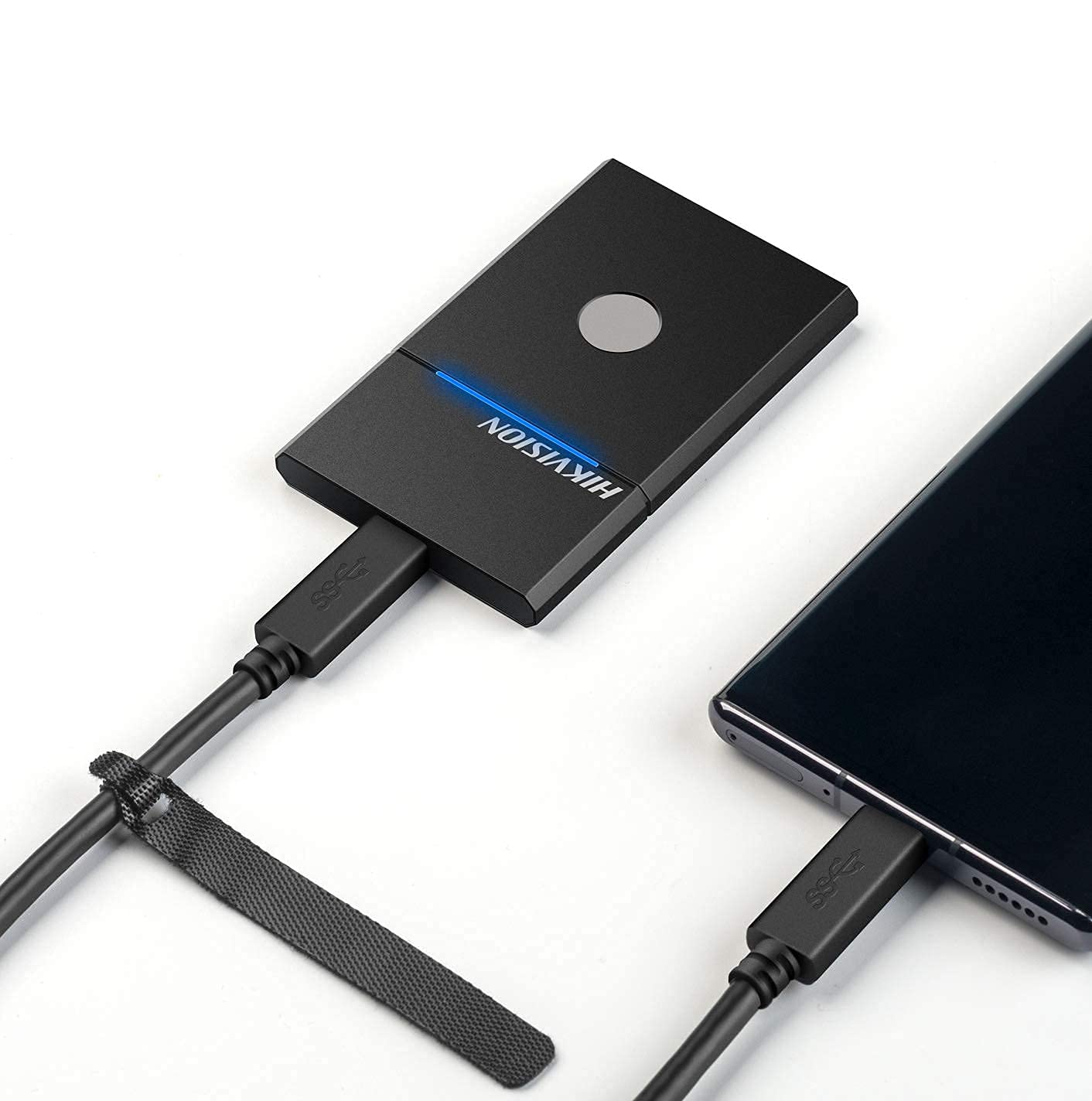
Figure 3.2: The HIKVISION Elite 7 Touch Portable SSD connected to a laptop via a USB-C cable, ready for data transfer.

Figure 3.3: The HIKVISION Elite 7 Touch Portable SSD connected to a smartphone, demonstrating its compatibility with mobile devices.
3.2 Pradinis formatavimas (jei reikia)
For optimal compatibility with your specific device (TV, PS4, Xbox, Windows, Mac, Linux, Android), it may be necessary to format the SSD to the required file system. Refer to your device's operating system instructions for formatting external storage devices. Pastaba: Formatting will erase all data on the drive. Back up any important data before proceeding.
3.3 Software Installation (Hi Backup & Hi Security)
The HIKVISION Elite 7 Touch comes with pre-loaded software for enhanced data management and security. Connect the SSD to a computer and locate the installer files for 'Hi Backup' and 'Hi Security'. Follow the on-screen instructions to install these applications.
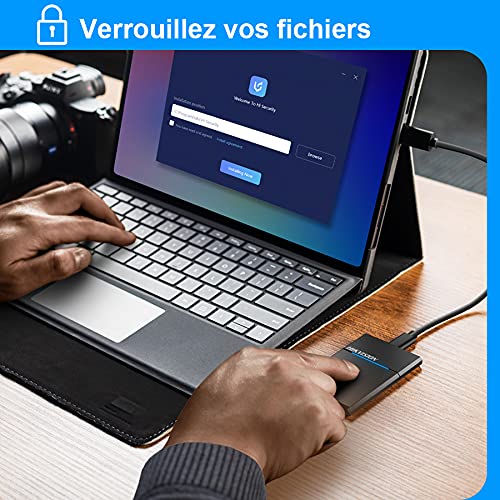
Figure 3.4: Screenshot of the 'Hi Security' software interface on a laptop, illustrating the setup process for data protection.
4. Naudojimo instrukcijos
4.1 Duomenų perdavimas
Once connected and recognized by your device, the SSD will appear as an external storage drive. You can drag and drop files, nukopijuokite ir įklijuokite arba naudokite savo operacinės sistemos file management tools to transfer data to and from the SSD.
4.2 Fingerprint Unlocking and Security
The Elite 7 Touch features a fingerprint sensor for secure access to your data. After installing the 'Hi Security' software, you can register your fingerprints. The SSD can be configured to require fingerprint authentication for unlocking, creating separate private storage areas.
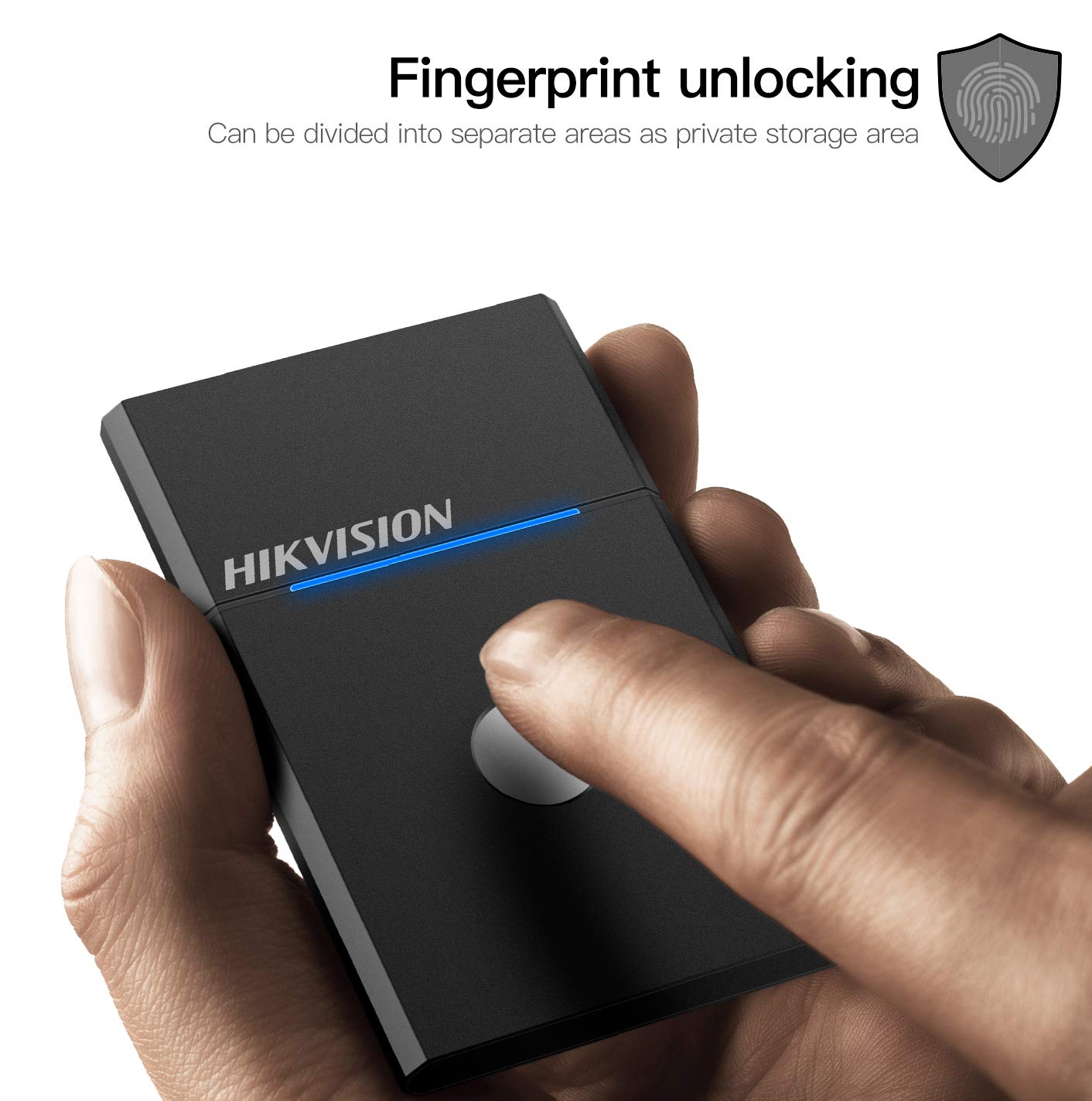
Figure 4.1: The HIKVISION Elite 7 Touch Portable SSD highlighting its fingerprint unlocking capability, allowing for secure access to data.

Figure 4.2: A user's hand interacting with the fingerprint sensor on the HIKVISION Elite 7 Touch Portable SSD to unlock the device.
4.3 Using Hi Backup Software
The 'Hi Backup' software allows you to create backups of your important files. Follow the software's interface to configure backup schedules, select files for backup, and manage your backup history. This software can also be integrated with cloud storage services for additional data redundancy.
5. Priežiūra
5.1 Bendroji priežiūra
- Keep the SSD clean by wiping it with a soft, dry cloth.
- Venkite SSD disko ilgalaikio laikymo itin aukštoje temperatūroje arba tiesioginiuose saulės spinduliuose.
- Ensure the USB port is free from dust and debris before connecting the cable.
5.2 Atsparumas vandeniui (IPX7)
The Elite 7 Touch Portable SSD is designed with an IPX7 waterproof rating, meaning it can withstand immersion in water up to 1 meter for 30 minutes. While this provides protection against accidental spills or submersion, it is not recommended for continuous underwater use. Always ensure the USB port is dry before connecting to a device.
6. Problemų sprendimas
- SSD neaptiktas:
- Įsitikinkite, kad USB laidas yra tvirtai prijungtas prie SSD ir jūsų įrenginio.
- Išbandykite kitą įrenginio USB prievadą.
- Išbandykite kitą USB kabelį.
- Paleiskite kompiuterį arba įrenginį iš naujo.
- Check your device's disk management utility to see if the drive is recognized but unformatted.
- Mažas perdavimo greitis:
- Ensure you are using a USB 3.2 Gen2 compatible port on your device for optimal performance.
- Patikrinkite, ar jūsų įrenginio tvarkyklės yra atnaujintos.
- Uždarykite visas nereikalingas fone veikiančias programas.
- Pirštų atspaudų jutiklis nereaguoja:
- Įsitikinkite, kad pirštas yra švarus ir sausas.
- Re-register your fingerprints through the 'Hi Security' software.
- Ensure the 'Hi Security' software is running and properly configured.
- Duomenų prieigos problemos:
- If using fingerprint security, ensure the correct fingerprint is used.
- Check if the drive requires formatting for your specific operating system (refer to Section 3.2).
7. Specifikacijos

Figure 7.1: Diagram illustrating the compact dimensions of the HIKVISION Elite 7 Touch Portable SSD: 84mm length, 53mm width, and 8mm thickness.
| Funkcija | Specifikacija |
|---|---|
| Prekės ženklas | HIKVISIONAS |
| Modelis | Elite 7 Touch (HS-ESSD-Elite 7 Touch) |
| Talpa | 1 TB (1024 GB) |
| Sąsaja | USB 3.2 Gen2 tipo C |
| Maksimalus perdavimo greitis | Iki 1060 MB/s |
| Matmenys (IxPxH) | 8.35 x 5.35 x 0.79 cm (3.29 x 2.10 x 0.31 colio) |
| Svoris | 280 g (0.62 svaro) |
| Atsparumo vandeniui įvertinimas | IPX7 |
| Aparatinės įrangos platforma | Mac, Windows, Linux, Android, Gaming Consoles |
| Spalva | Juoda |
8. Garantija ir palaikymas
8.1 Gamintojo garantija
The HIKVISION Elite 7 Touch Portable SSD comes with a 3 metų gamintojo garantija nuo įsigijimo datos. Ši garantija taikoma medžiagų ir gamybos defektams įprasto naudojimo sąlygomis. Išsaugokite pirkimo įrodymą, jei norėtumėte pateikti pretenzijas dėl garantijos.
8.2 Techninė pagalba
For technical assistance, troubleshooting beyond this manual, or warranty inquiries, please contact HIKVISION customer support through their official websvetainėje arba kontaktinę informaciją, pateiktą kartu su jūsų produkto dokumentais.


