
Įvadas
Thank you for choosing the AUNA Microstar Sing Vertical Karaoke Micro System. This manual provides essential information for the safe and efficient operation of your device. Please read it thoroughly before use and retain it for future reference.
Saugos instrukcijos
- Prieš naudodami įrenginį, atidžiai perskaitykite visas instrukcijas.
- Laikykite įrenginį atokiau nuo vandens, drėgmės ir tiesioginių saulės spindulių.
- Neužblokuokite ventiliacijos angų. Užtikrinkite pakankamai vietos aplink įrenginį tinkamam oro cirkuliavimui.
- Naudokite tik su įrenginiu pateiktą maitinimo adapterį.
- Nebandykite patys taisyti ar modifikuoti įrenginio. Visus techninės priežiūros darbus patikėkite kvalifikuotiems specialistams.
- Clean the unit only with a dry, soft cloth. Do not use liquid cleaners or aerosols.
- Keep small parts and packaging materials out of reach of children.
Pakuotės turinys
Patikrinkite pakuotę, ar joje yra šie daiktai:
- AUNA Microstar Sing Main Unit
- Stereo garsiakalbiai (2 vnt.)
- Laidinis mikrofonas
- Maitinimo adapteris
- Vartotojo vadovas (šis dokumentas)
Produktas baigtasview
The AUNA Microstar Sing is a versatile micro system designed for karaoke and audio playback. It features a compact design, multiple input options, and integrated LED lighting.

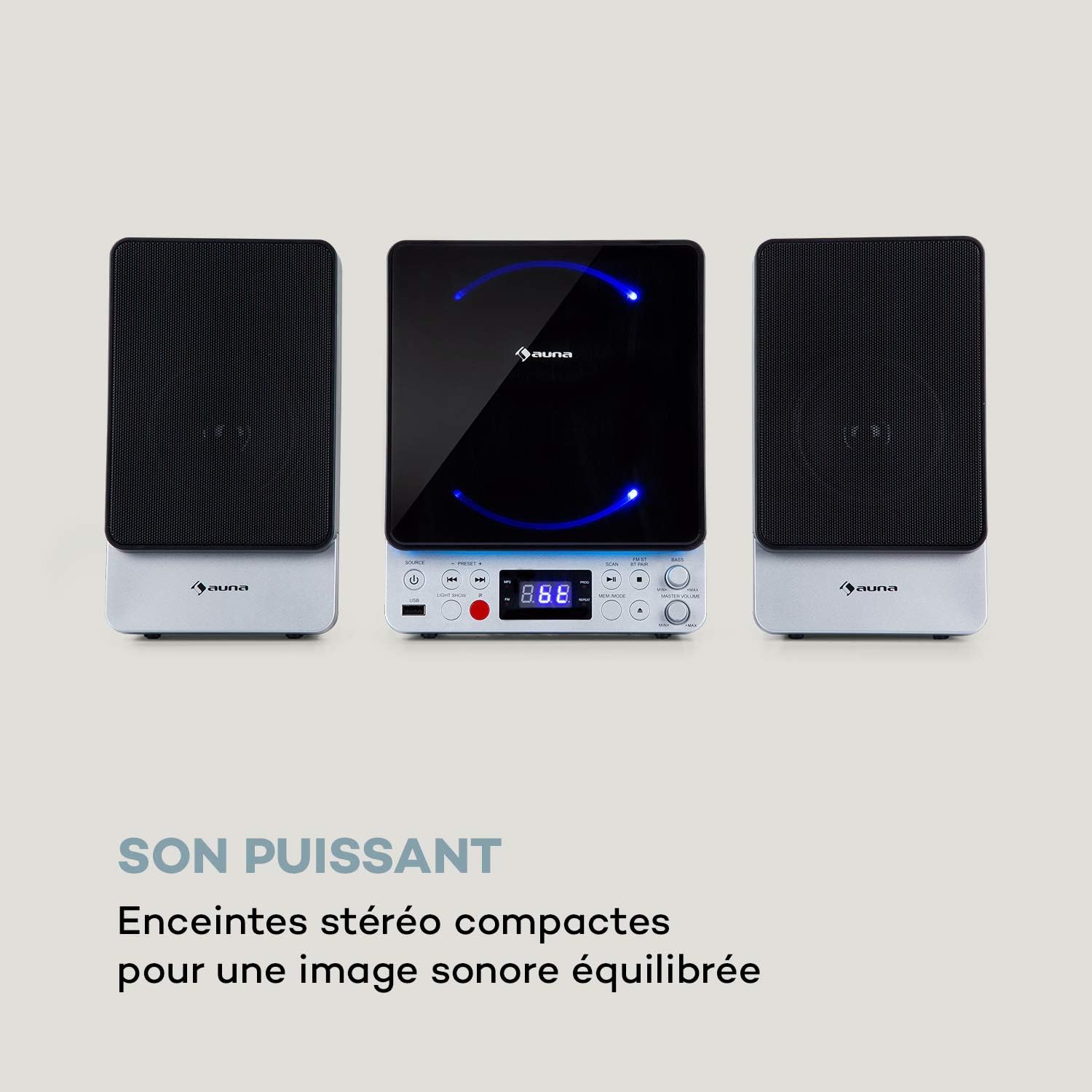

Pagrindinės funkcijos:
- Space-saving vertical design
- CD player compatible with standard audio CDs, CD-R, CD-RW, MP3 CDs, and CD-G (Karaoke CDs with graphics)
- Video output (composite PAL) for displaying CD-G lyrics on an external screen
- Bluetooth interface for wireless audio streaming
- USB port for MP3 playback from USB storage devices
- FM radio tuner with 30 preset stations
- Two microphone inputs for duets
- Integrated LED lighting for ambiance
- AUX-In for connecting external audio sources
Sąranka
1. Išpakavimas ir įdėjimas:
Carefully remove all components from the packaging. Place the main unit and speakers on a stable, flat surface. Ensure there is adequate ventilation around the unit.
2. Garsiakalbių prijungimas:
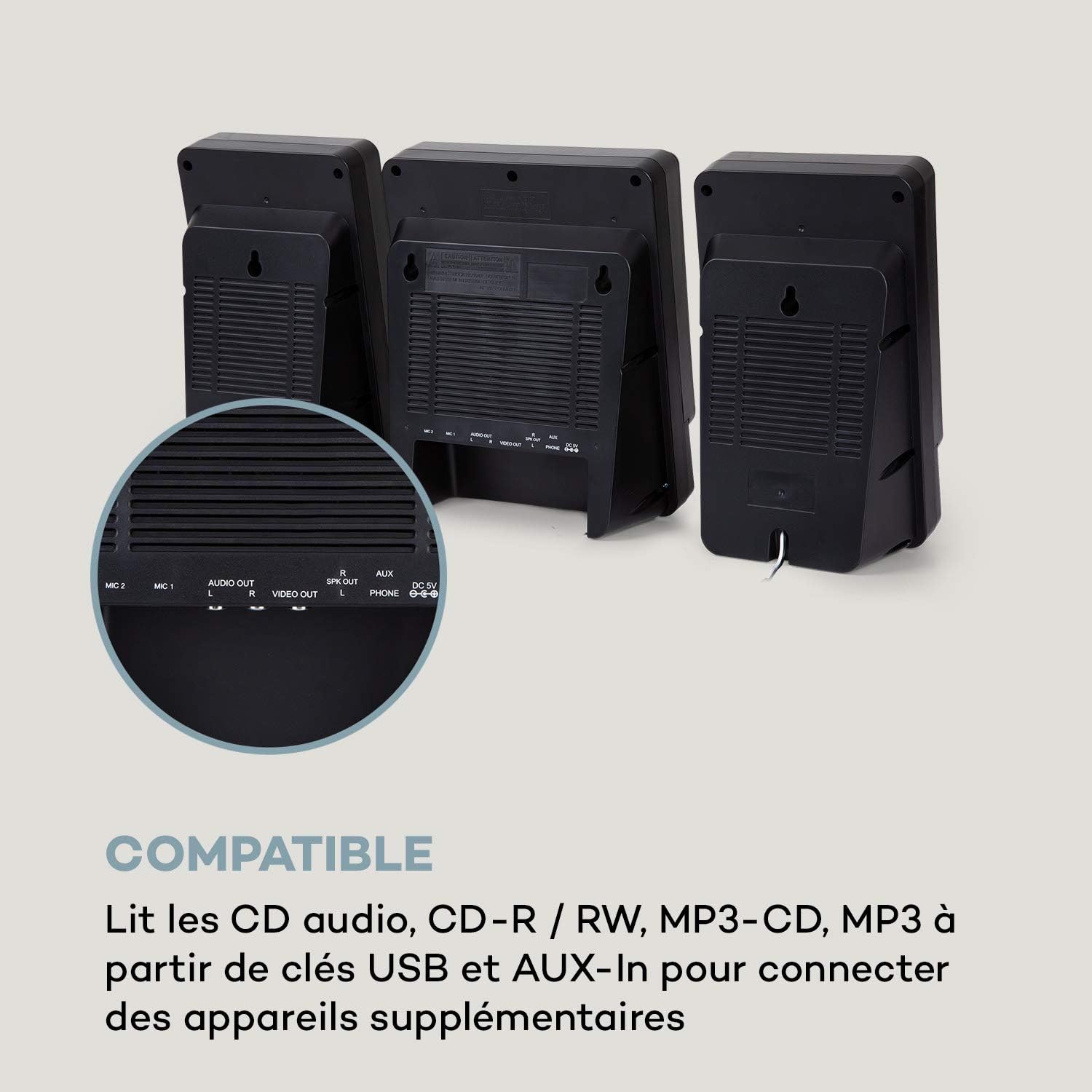
Connect the two stereo speakers to the speaker output ports on the main unit. Ensure a secure connection for optimal sound quality.
3. Maitinimo prijungimas:
Connect the supplied power adapter to the DC 5V input on the main unit, then plug the adapter into a wall outlet.
4. Mikrofono prijungimas:
Plug the wired microphone into one of the MIC input jacks (MIC 1 or MIC 2) on the main unit.
5. Video Output (for CD-G):
If using CD-G discs, connect a composite video cable (not included) from the VIDEO OUT port on the main unit to the video input of your TV or monitor.
Naudojimo instrukcijos
1. Maitinimo įjungimas/išjungimas:
Paspauskite GALIA mygtuką, kad įjungtumėte arba išjungtumėte įrenginį.
2. Šaltinio pasirinkimas:
Paspauskite ŠALTINIS button repeatedly to cycle through available modes: CD, Bluetooth (BT), USB, FM, AUX.
3. CD grojimas:
- Pasirinkite CD režimą naudodami ŠALTINIS mygtuką.
- Atidarykite kompaktinių diskų skyrių.
- Place a CD (audio CD, CD-R, CD-RW, MP3 CD, or CD-G) onto the spindle with the label side facing up.
- Close the CD compartment. The disc will begin playing automatically or after pressing PALEISTI / PAUZĖ.
- Naudokite ANKSTESNĖ ir KITAS mygtukai, norėdami praleisti takelius.

4. Bluetooth poravimas:
- Select BT mode using the ŠALTINIS mygtuką. Ekrane bus rodoma „BT“ ir ji mirksės, rodydama susiejimo režimą.
- Įjunkite „Bluetooth“ savo mobiliajame įrenginyje (išmaniajame telefone, planšetiniame kompiuteryje ir kt.).
- Ieškokite "AUNA Microstar Sing" in your device's Bluetooth settings and select it to pair.
- Once paired, you can stream audio wirelessly from your device to the Microstar Sing.

5. USB atkūrimas:
- Įdėkite USB atmintinę, kurioje yra MP3 garso įrašų files į USB prievadą.
- Pasirinkite USB režimą naudodami ŠALTINIS mygtuką.
- Įrenginys automatiškai aptiks ir pradės groti MP3 files.
- Naudokite ANKSTESNĖ ir KITAS mygtukus, kad galėtumėte naršyti takelius.
6. FM radijas:
- Pasirinkite FM režimą naudodami ŠALTINIS mygtuką.
- Paspauskite NUSKAITYTI mygtuką, kad automatiškai nuskaitytumėte ir išsaugotumėte galimas FM stotis.
- Naudokite PRESET + ir IŠANKSTINIS NUSTATYMAS - buttons to cycle through saved stations.
7. Karaoke Function:
With a CD-G disc playing and connected to a TV, or any audio source playing, adjust the microphone volume using the dedicated MIKRO TŪRIS knob. Sing along with the music. The LED lighting will enhance the karaoke experience.
8. Garsumo valdymas:
Bendrą garsumą reguliuokite naudodami PAGRINDINIS GARSAS rankenėlė. The BASS knob allows for bass level adjustment.
9. LED Light Show:
Paspauskite ŠVIESOS ŠOVAS button to activate or deactivate the integrated LED lighting effects.
Priežiūra
Valymas:
Wipe the unit with a soft, dry cloth. Do not use abrasive cleaners, waxes, or solvents as they may damage the finish. Ensure the unit is unplugged before cleaning.
Saugykla:
If not in use for an extended period, unplug the unit and store it in a cool, dry place, away from direct sunlight and extreme temperatures.
Trikčių šalinimas
| Problema | Galima priežastis | Sprendimas |
|---|---|---|
| Nėra galios | Neprijungtas maitinimo adapteris arba sugedęs lizdas. | Įsitikinkite, kad maitinimo adapteris yra tvirtai prijungtas prie įrenginio ir veikiančio maitinimo lizdo. |
| Nėra garso | Per mažas garsumas; pasirinktas neteisingas šaltinis; neprijungti garsiakalbiai. | Increase master volume. Select the correct input source. Check speaker connections. |
| CD negroja | CD inserted incorrectly; disc scratched/dirty; incorrect mode. | Ensure CD is inserted correctly. Clean or replace the disc. Select CD mode. |
| Bluetooth neprisijungia | Unit not in pairing mode; device too far; Bluetooth off on source device. | Įsitikinkite, kad įrenginys veikia BT režimu ir mirksi. Perkelkite įrenginį arčiau. Įjunkite „Bluetooth“ savo įrenginyje. |
| Mikrofonas neveikia | Microphone not connected; MIC volume too low. | Ensure microphone is securely plugged in. Increase MIC volume. |
| Prastas FM radijo priėmimas | Silpnas signalas; antena netinkamai pastatyta. | Adjust the position of the unit or external antenna (if applicable) for better reception. |
Specifikacijos
| Funkcija | Specifikacija |
|---|---|
| Prekės ženklas | AUNA |
| Modelio numeris | MG3-9200-hghg |
| Spalva | Sidabras |
| Ryšio technologija | Bluetooth, USB |
| Jungtys | USB, AUX-In, Microphone (2), Video Out (Composite) |
| Iš viso USB prievadų | 1 |
| Medijos tipas | CD-RW, USB, MP3 CD, CD-G |
| Kalbėtojų skaičius | 2 (Stereo) |
| Sudedamosios dalys | Mikrofonas |
| Rekomenduojami naudojimo būdai | Pradžia |
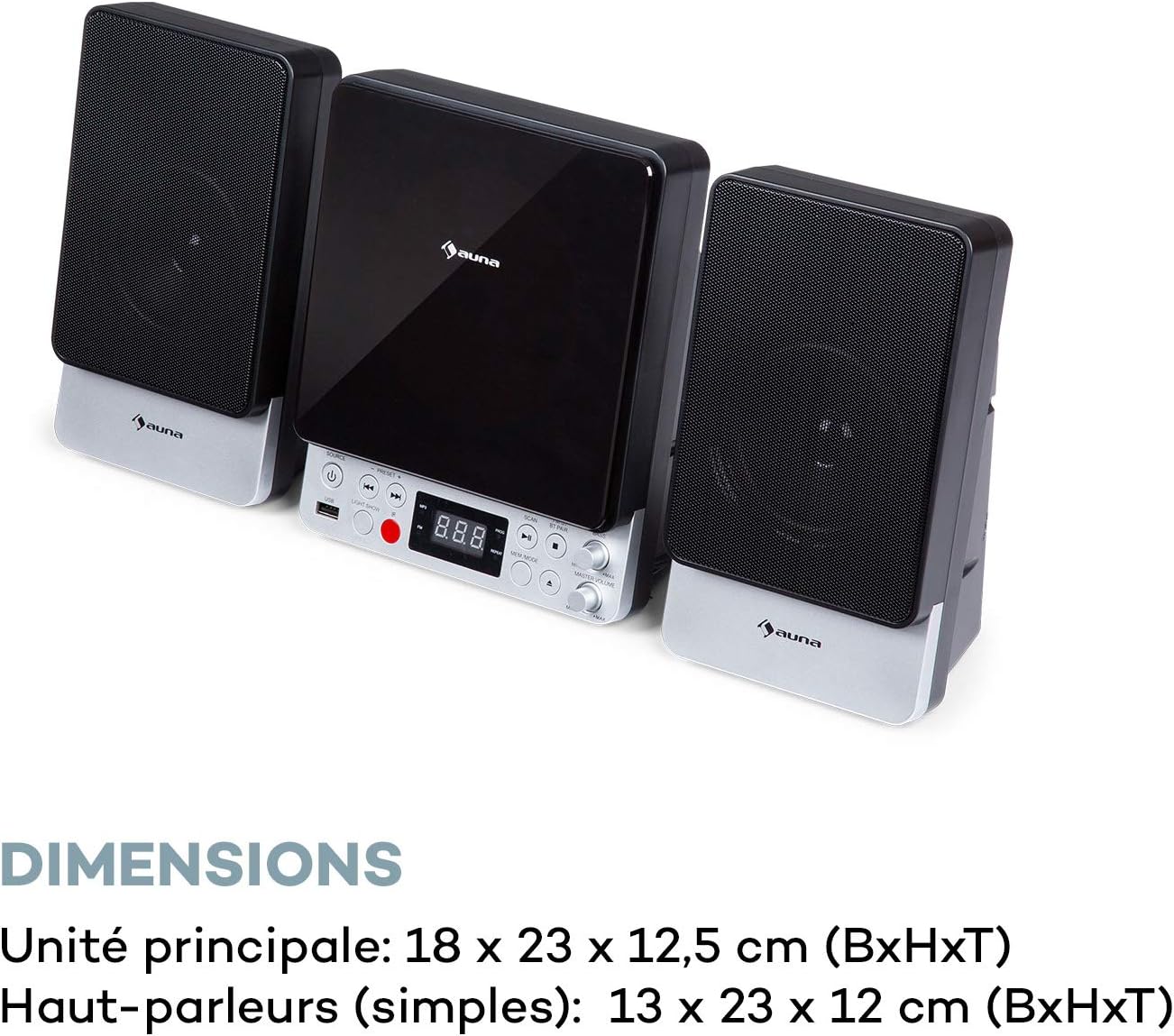
| Pagrindinio įrenginio matmenys (P x A x G) | 18 x 23 x 12.5 cm |
| Speaker Dimensions (WxHxD, each) | 13 x 23 x 12 cm |
Garantija ir palaikymas
For warranty information and technical support, please refer to the warranty card included with your product or contact AUNA customer service directly. Keep your proof of purchase for any warranty claims.
For further assistance, please visit the official AUNA websvetainėje arba susisiekite su jų palaikymo kanalais.