Produktas baigtasview
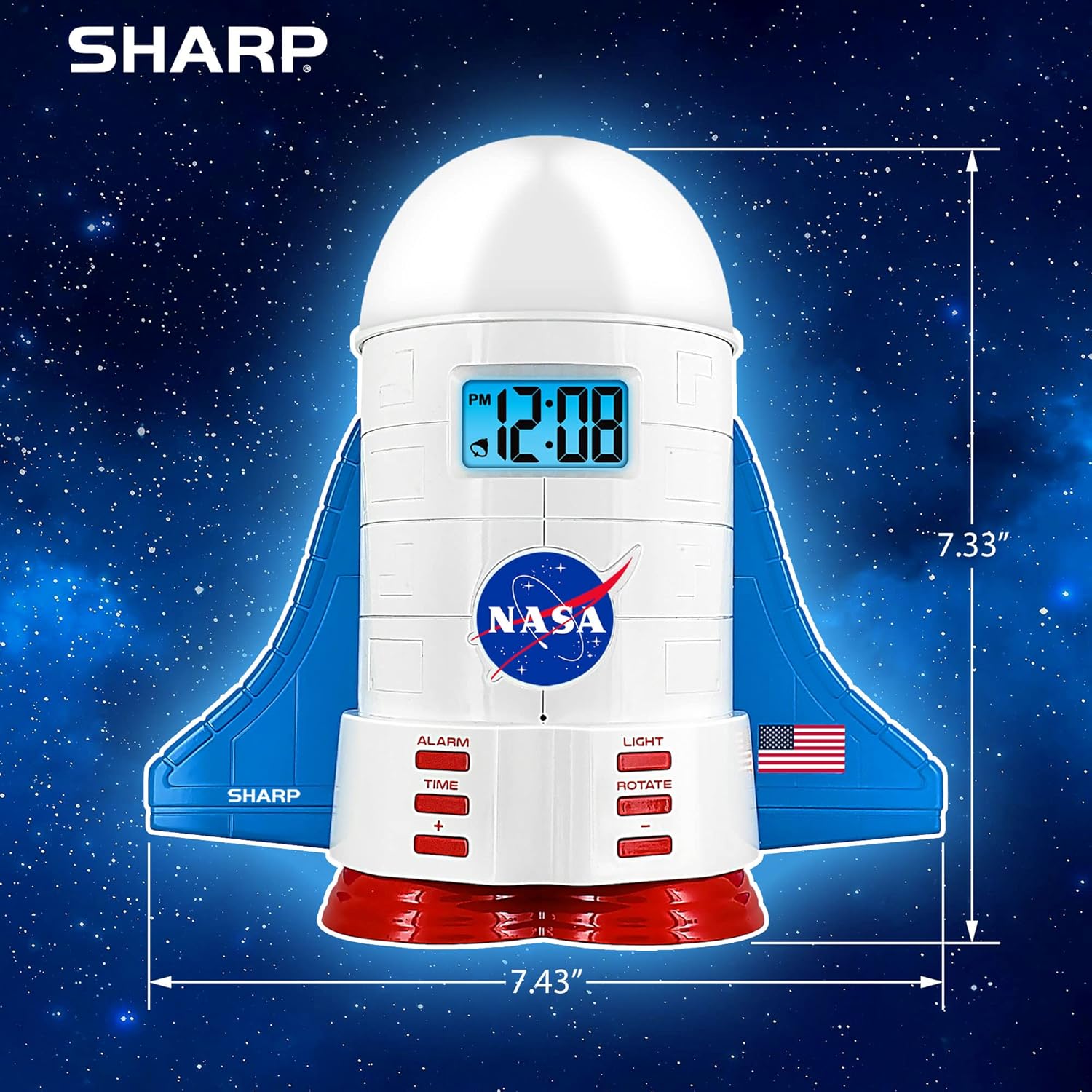
This manual provides instructions for the Sharp NASA Space Shuttle Night Light Alarm Clock. This device combines an alarm clock with a space-themed nightlight and projection feature, designed to enhance a child's bedroom environment.

Sąranka
Išpakavimas
- Atsargiai išimkite visus komponentus iš pakuotės.
- Patikrinkite, ar yra visi daiktai, išvardyti skyriuje „Kas yra dėžutėje“.
Maitinimo prijungimas
The alarm clock can be powered via the included electric adapter. For continuous operation of all features, including the nightlight and projection, direct power is recommended.
For battery backup, insert appropriate batteries (not included) into the battery compartment located at the base of the unit. This ensures timekeeping and alarm function during power outages.

Naudojimo instrukcijos
Laiko nustatymas
- Paspauskite LAIKAS mygtuką.
- Naudokite + ir - mygtukais, kad sureguliuotumėte valandas ir minutes.
- Paspauskite LAIKAS dar kartą patvirtinti.
Signalo nustatymas
- Paspauskite SIGNALAS mygtuką.
- Naudokite + ir - mygtukus, kad nustatytumėte norimą žadintuvo laiką.
- Paspauskite SIGNALAS dar kartą, kad įjungtumėte žadintuvą. Ekrane pasirodys žadintuvo piktograma.
Snaudimo funkcija
To temporarily silence the alarm, tap the top of the unit. The alarm will sound again after a short interval.
Nightlight and Projection Features
The unit features light-up wings and a rocket booster base, along with a rotating projection cap.

Įjungiamos lemputės
Paspauskite ŠVIESA button to cycle through the 4 color options for the wings and booster lights.
Projection Caps
The device includes two interchangeable space-themed projection caps and a frosted nightlight cap. Twist counter-clockwise to attach or remove caps.

Besisukanti projekcija
Paspauskite PASUKTI button to activate or deactivate the rotation of the projected images.
Priežiūra
- Clean the unit with a soft, dry cloth. Avoid abrasive cleaners or solvents.
- Ensure the projection caps are free from dust or smudges for clear image projection.
- Replace batteries in the backup compartment as needed to maintain time settings during power interruptions.
Trikčių šalinimas
| Problema | Galima priežastis | Sprendimas |
|---|---|---|
| Clock not displaying time | Nėra galios | Ensure the electric adapter is securely plugged in. Check battery backup. |
| Signalizacija neskamba | Alarm not set or deactivated | Verify alarm time is set and activated (alarm icon visible). |
| Projection unclear or dim | Dust on cap or insufficient darkness | Clean the projection cap. Ensure the room is sufficiently dark for optimal projection. |
| Projekcija nesisuka | Rotate function off | Paspauskite PASUKTI button to activate the rotation feature. |
Specifikacijos
- Prekinis ženklas: Aštrus
- Modelio numeris: Sharp NASA e Shuttle Alarm Clock
- Maitinimo šaltinis: Electric Adapter (Battery backup for timekeeping)
- Šviesos šaltinio tipas: LED
- Nightlight Colors: 4 variantų
- Projection Themes: 2 interchangeable space scenes
- Ekranas: LCD su mėlynu foniniu apšvietimu
- Matmenys: 7.43 x 1.5 x 7.43 colio
- Svoris: 1.33 svaro
- Medžiaga: Plastikiniai
- Ypatingos savybės: Color Changing, Snooze Function, Rotating Projection
Garantija ir palaikymas
Dėl garantijos informacijos ar techninės pagalbos kreipkitės į oficialią gamintojo svetainę. websvetainėje arba susisiekite su jų klientų aptarnavimo tarnyba.
Gamintojas: Aštrus
UPC: 049353005447
ASIN: B08PL6K2C5


