1. Įvadas
Thank you for choosing the KLARSTEIN VapoAir Opal Smart Humidifier. This device is designed to improve air quality and comfort in your home by adding moisture to dry air. It features smart control via an app, an ionizer, a large 5-liter water tank, and multiple mist levels. Please read this manual carefully before use to ensure proper operation and maintenance.
2. Saugos instrukcijos
- Always place the humidifier on a firm, flat, waterproof surface away from direct sunlight and heat sources.
- Nestatykite drėkintuvo šalia baldų ar prietaisų, kurie yra jautrūs drėgmei.
- Prietaisą laikykite vaikams ir naminiams gyvūnėliams nepasiekiamoje vietoje.
- Nemerkite įrenginio į vandenį ar kitus skysčius.
- Prieš pildydami, valydami ar perkeldami drėkintuvą, atjunkite jį nuo elektros lizdo.
- Naudokite tik švarų, vėsų vandentiekio vandenį. Rekomenduojamas distiliuotas arba demineralizuotas vanduo, kad nesusikauptų mineralų.
- Nepilkite eterinių aliejų tiesiai į vandens bakelį; naudokite specialų aromatų difuzoriaus dėklą.
- Jei maitinimo laidas pažeistas, jį turi pakeisti gamintojas, jo techninės priežiūros atstovas arba panašios kvalifikacijos asmenys, kad būtų išvengta pavojaus.
- Neužblokuokite rūko išleidimo angos.
3. Pakuotės turinys
Patikrinkite pakuotę, ar joje yra šie daiktai:
- KLARSTEIN VapoAir Opal Smart Humidifier
- Nuotolinio valdymo pultas
- Instrukcijų vadovas
- Cleaning Brush (may be included)
4. Produktas baigtasview ir komponentai
Susipažinkite su pagrindinėmis drėkintuvo dalimis:

Vaizdas: priekis view of the KLARSTEIN VapoAir Opal Smart Humidifier, showcasindėl savo elegantiško dizaino ir LED ekrano.
- Mist Outlet: Where the mist is released into the air.
- Vandens bakas: Removable tank for water storage.
- Pagrindinis blokas: Contains the ultrasonic transducer and heating element.
- Valdymo skydelis / LED ekranas: Touch-sensitive buttons and digital display for settings.
- Aroma difuzoriaus dėklas: Small tray for essential oils (located at the bottom/side).
- Maitinimo laidas: Skirta prijungti prie elektros lizdo.

Image: The KLARSTEIN VapoAir Opal Smart Humidifier with its dimensions labeled: 23cm (depth), 18cm (width), 37cm (height).
5. Sąranka
5.1 Išpakavimas
Carefully remove all packaging materials. Retain the packaging for future storage or transport.
5.2 Įdėjimas
Place the humidifier on a flat, stable surface at least 15 cm away from walls and furniture. Ensure the mist outlet is not directed towards any objects or walls.
5.3 Vandens bako užpildymas
- Įsitikinkite, kad drėkintuvas yra atjungtas nuo elektros tinklo.
- Carefully lift the water tank from the base unit.
- Invert the water tank and unscrew the cap at the bottom.
- Fill the tank with clean, cool tap water. Distilled or demineralized water is recommended to minimize mineral residue. Do not fill past the MAX line.
- Tvirtai užsukite dangtelį.
- Place the filled water tank back onto the base unit, ensuring it is seated correctly. The auto-stop function will prevent operation if the tank is not properly placed or if water is absent.
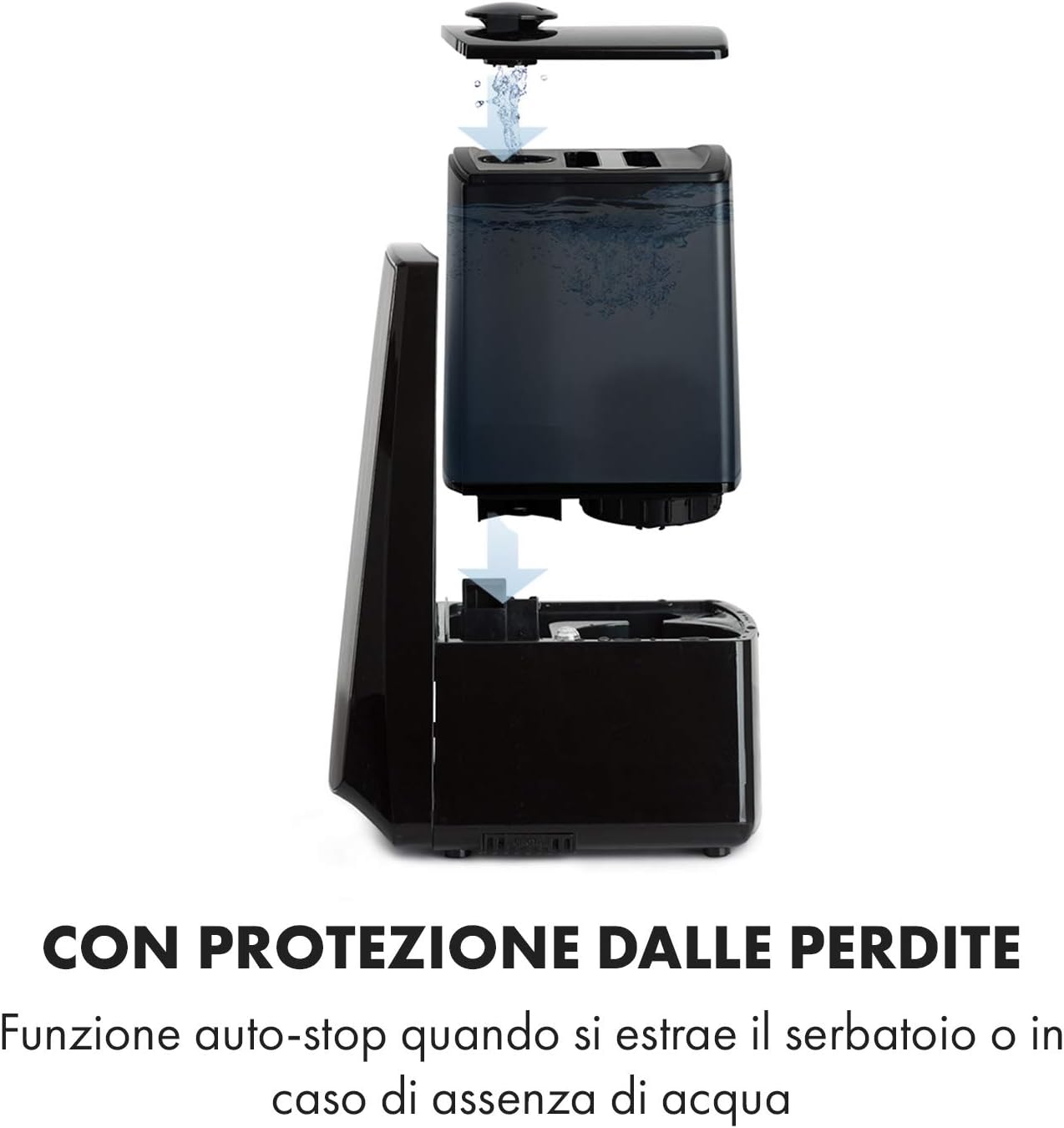
Image: Diagram illustrating the removal and refilling process of the water tank, highlighting the auto-stop feature when the tank is removed or empty.
5.4 Maitinimo jungtis
Prijunkite maitinimo laidą į tinkamą elektros lizdą (230 V).
6. Naudojimo instrukcijos
6.1 Valdymo skydas baigtasview

Vaizdas: Stambus planas view of the humidifier's LED display and touch controls, showing a hand interacting with the buttons.
The LED display shows current humidity, temperature, and selected settings. The touch buttons allow control over various functions.
6.2 Maitinimo įjungimas/išjungimas
Paspauskite ĮJUNGTA/IŠJUNGTA mygtuką valdymo skydelyje arba nuotolinio valdymo pulte, kad įjungtumėte arba išjungtumėte įrenginį.
6.3 Mist Level Adjustment
Drėkintuvas siūlo 7 rūko išleidimo lygius. Paspauskite MIGLAS button repeatedly to cycle through the mist intensity levels. The current level will be displayed on the screen.
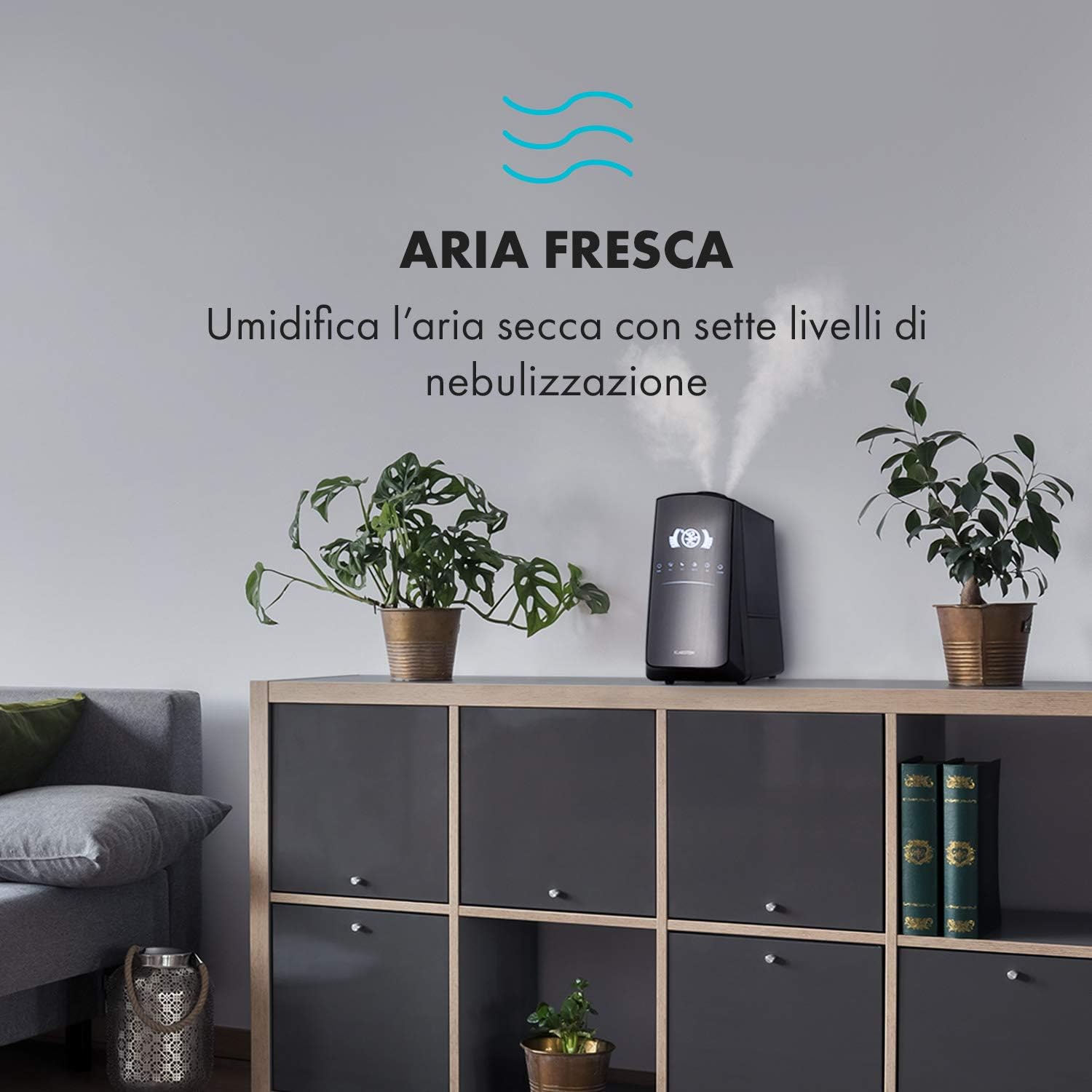
Image: The humidifier operating in a room, releasing mist to humidify the air.
6.4 Humidity Setting (Humidistat)
Paspauskite DRĖGMĖ button to set your desired humidity level (e.g., 40% to 80% RH). The unit will automatically maintain this level, turning on and off as needed.
6.5 Šiltas/vėsus rūkas
Paspauskite ŠILUMAS button to activate the warm mist function. Press again to switch back to cool mist. Warm mist can help raise room temperature slightly and is often preferred in colder climates.

Image: A close-up shot of the mist output, illustrating the option for either cool or warm mist.
6.6 Laikmačio funkcija
Paspauskite LAIKMATIS button to set an operating duration from 1 to 12 hours. The unit will automatically turn off after the set time.
6.7 Jonizatoriaus funkcija
Paspauskite JONŲ button to activate the ionizer. This function releases negative ions to help purify the air by attracting dust and other particles.
6.8 Aroma difuzorius
Pull out the aroma diffuser tray located at the bottom of the unit. Add a few drops of essential oil onto the sponge pad. Slide the tray back in. The mist will carry the aroma into the air.

Image: The integrated aroma diffuser tray, shown pulled out with an essential oil bottle and lemon slices nearby, indicating its use for adding scents.
6.9 Naktinis režimas
Paspauskite NAKTIS button to dim the LED display and reduce operational noise for undisturbed sleep.

Image: The humidifier in a modern living space, illustrating its versatile functions like auto mode, heating, health, baby, night mode, and timer.
7. Programos valdymas
The KLARSTEIN VapoAir Opal Smart Humidifier can be controlled via a dedicated smartphone application.

Image: A person using a smartphone with the Klarstein app open, showing controls for the humidifier's settings and current humidity levels.
7.1 Programėlės atsisiuntimas
Ieškokite the 'Klarstein App Experience' in your smartphone's app store (available for Android and iOS).
7.2 Prisijungimas prie „Wi-Fi“.
- Ensure your humidifier is plugged in and turned on.
- Open the Klarstein App and follow the on-screen instructions to add a new device.
- The humidifier requires a 2.4 GHz Wi-Fi tinklas for connection. It is not compatible with 5 GHz networks. Ensure your router is configured to support 2.4 GHz or that your phone is connected to the 2.4 GHz band during setup.
- Once connected, you can control all humidifier functions remotely via the app.

Image: A smartphone displaying the Klarstein app interface, indicating smart home control via WiFi for Android and iOS devices.
8. Priežiūra ir valymas
Reguliarus valymas yra būtinas optimaliam našumui ir higienai.
8.1 Kasdienė priežiūra
- Kasdien ištuštinkite ir išskalaukite vandens baką.
- Wipe the inside of the water tank with a clean cloth.
8.2 Savaitinis valymas
- Išjunkite įrenginį prieš valymą.
- Remove the water tank and empty any remaining water from both the tank and the base unit.
- Vandens bako valymas: Fill the tank with a mixture of water and white vinegar (1:1 ratio). Let it sit for 30 minutes, then rinse thoroughly.
- Pagrindo valymas: Gently wipe the ultrasonic transducer (the small disc in the center of the base) with a soft brush or cloth to remove mineral deposits. Do not scrape or use abrasive cleaners. You can use a cotton swab dipped in vinegar for hard-to-reach areas.
- Aroma difuzoriaus dėklas: Remove and clean the sponge pad with mild soap and water. Allow it to dry completely before reinserting.
- Wipe all external surfaces with a soft, damp audinys.
8.3 Saugykla
Jei drėkintuvas bus nenaudojamas ilgesnį laiką, kruopščiai jį išvalykite, įsitikinkite, kad visos dalys yra sausos, ir laikykite jį originalioje pakuotėje vėsioje, sausoje vietoje.
9. Problemų sprendimas
| Problema | Galima priežastis | Sprendimas |
|---|---|---|
| Nėra rūko arba rūko išmetimas mažas |
|
|
| Įrenginys neįsijungia |
|
|
| Nemalonus kvapas |
|
|
| Baltos dulkės aplink įrenginį | Hard water with high mineral content | Use distilled or demineralized water. Clean the unit regularly. |
| Wi-Fi ryšio problemos |
|
|
10. Specifikacijos
| Funkcija | Specifikacija |
|---|---|
| Prekės ženklas | KLARŠTEINAS |
| Modelio numeris | XJ3-VapoAirOpalSmart |
| Spalva | Juoda |
| Matmenys (I x P x A) | 23 x 18 x 37 cm |
| Svoris | 2.5 kg |
| Galia | 110 vatų |
| ttage | 230 voltų |
| Vandens rezervuaro talpa | 5 litrai |
| Veikimo laikas | Up to 2 hours (continuous, depending on mist level) |
| Ypatingos savybės | Remote Control, Timer, App Control, Ionizer, LED Display, 7 Mist Levels, Warm/Cool Mist, Aroma Diffuser |
| Kambario tipas | Svetainė |
11. Garantija ir palaikymas
„KLARSTEIN“ gaminiams taikoma gamintojo garantija. Išsamesnės informacijos apie garantiją ieškokite prie gaminio pridėtoje garantijos kortelėje arba apsilankykite oficialioje „KLARSTEIN“ svetainėje. website. For technical support, spare parts, or service inquiries, please contact KLARSTEIN customer service through their official channels.
Išsaugokite pirkimo įrodymą, kad galėtumėte kreiptis dėl garantijos.


