Įvadas
Thank you for choosing the 4smarts Dual Foldable 15W Wireless Charger. This manual provides essential information for the safe and efficient use of your new device. Please read these instructions carefully before use and retain them for future reference.
Saugos informacija
- Saugokite įkroviklį nuo vandens, drėgmės ar ekstremalių temperatūrų.
- Venkite įkroviklio numetimo ar stiprių smūgių.
- Neardykite, nemodifikuokite ir nebandykite taisyti įrenginio patys.
- Naudokite tik pridėtą USB-C laidą arba sertifikuotą lygiavertį laidą.
- Ensure the charger is placed on a stable, flat surface during use.
- Keep metallic objects away from the charging surfaces to prevent interference or damage.
- Atjunkite įkroviklį žaibuojant arba kai jis ilgą laiką nenaudojamas.
Pakuotės turinys
- 1x 4smarts Dual Foldable 15W Wireless Charger
- 1x USB-C įkrovimo laidas
- 1x Naudotojo vadovas (šis dokumentas)
Produktas baigtasview
The 4smarts Dual Foldable Wireless Charger offers convenient wireless charging for two devices simultaneously, such as a smartphone and a smartwatch. Its foldable design makes it highly portable.

Image: The 4smarts Dual Foldable Wireless Charger actively charging a smartphone and a smartwatch, illustrating its dual charging capability.

Image: A visual representation of the charger's 180-degree folding mechanism, highlighting its flexible and portable design.
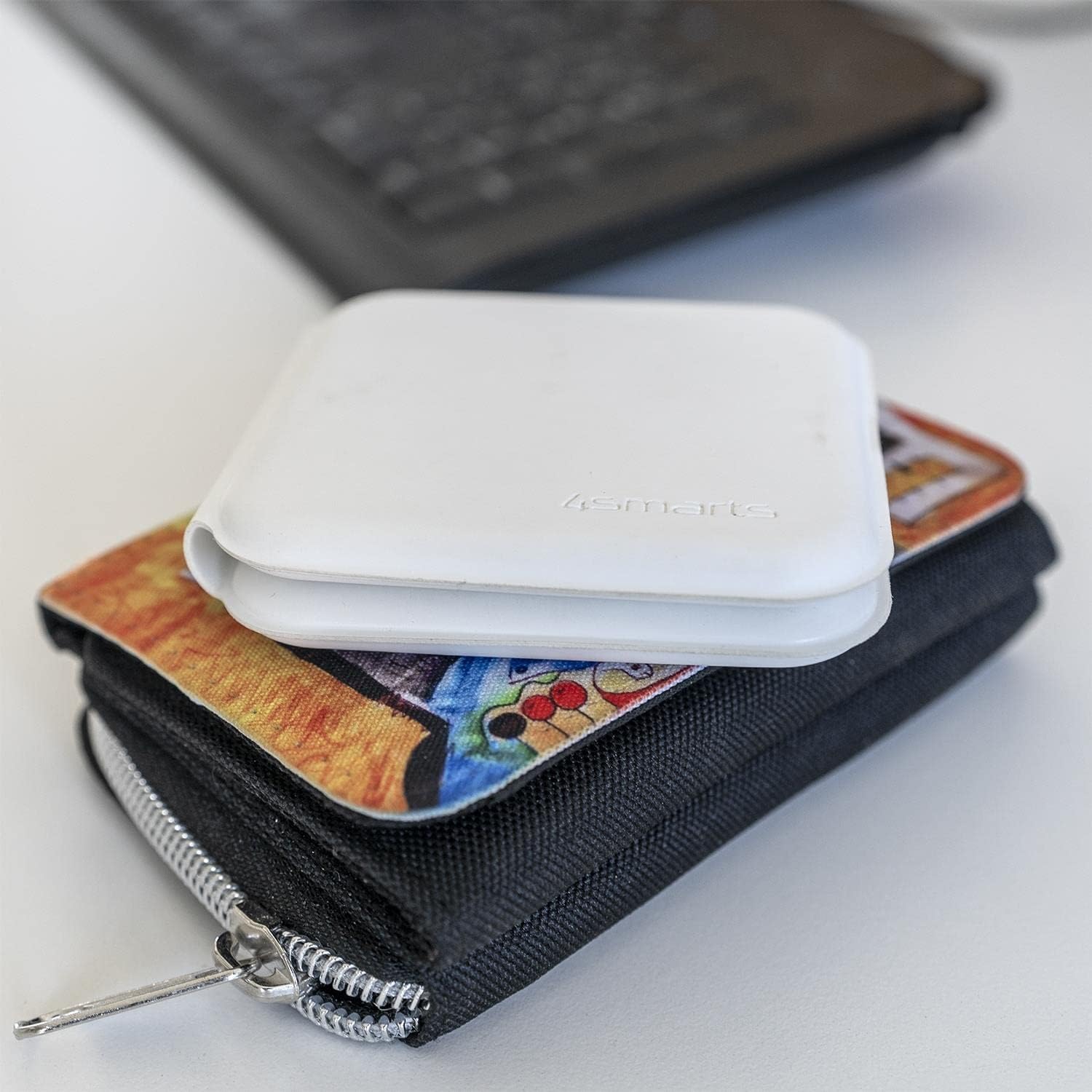
Image: The charger in its compact, folded state, demonstrating its portability by being placed on a wallet.
Sąranka
- Išpakuoti: Carefully remove the wireless charger and USB-C cable from its packaging.
- Prijunkite maitinimą: Insert the USB-C end of the provided cable into the charging port on the 4smarts wireless charger.
- Maitinimo šaltinis: Connect the other end of the USB-C cable to a compatible USB power adapter (not included) with a minimum output of 5V/2A, or preferably a Quick Charge (QC) or Power Delivery (PD) adapter for optimal 15W charging.
- Rodiklis: The charger may briefly illuminate an LED indicator to show it is powered on and ready for use.
Naudojimo instrukcijos
Išmaniojo telefono įkrovimas:
- Unfold the charger to its flat position.
- Place your Qi-compatible smartphone on the designated charging pad (usually the larger pad).
- Ensure the phone is centered on the charging pad for optimal contact.
- The phone's screen should indicate that charging has begun.
Išmaniojo laikrodžio įkrovimas:
- Place your compatible smartwatch (e.g., Apple Watch) on the smaller, designated charging pad.
- Ensure the smartwatch is correctly aligned and magnetically attaches to the charging surface.
- The smartwatch display should show a charging indicator.
Dvigubas įkrovimas:
You can charge both a smartphone and a smartwatch simultaneously by placing each device on its respective charging pad as described above.
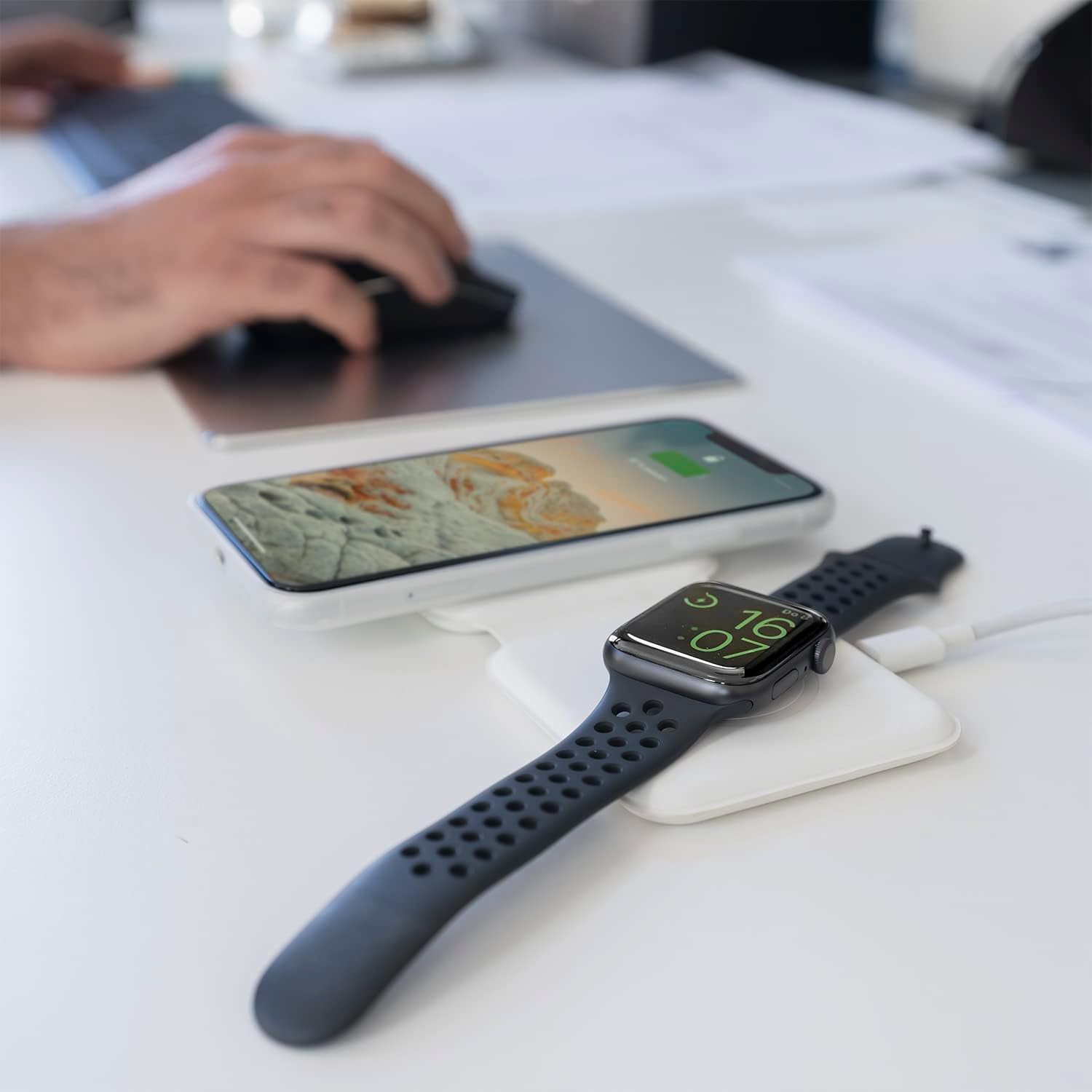
Image: The charger unfolded on a desk, simultaneously charging a smartphone and a smartwatch, demonstrating a typical use scenario.
Priežiūra
- Valymas: Disconnect the charger from power before cleaning. Use a soft, dry, lint-free cloth to wipe the surfaces. Do not use liquid cleaners or aerosols.
- Saugykla: Kai nenaudojate, laikykite įkroviklį vėsioje, sausoje vietoje, toliau nuo tiesioginių saulės spindulių ir ekstremalių temperatūrų. Sulankstomas dizainas leidžia kompaktiškai laikyti.
- Kabelio priežiūra: Avoid bending or crimping the USB-C cable excessively to prevent damage.
Trikčių šalinimas
| Problema | Galima priežastis | Sprendimas |
|---|---|---|
| Įrenginys neįkraunamas. | Device not Qi-compatible; improper placement; foreign object on pad; insufficient power adapter; faulty cable. | Ensure device supports wireless charging. Reposition device. Remove any foreign objects. Use a compatible power adapter (5V/2A minimum, QC/PD recommended). Try a different USB-C cable. |
| Lėtas įkrovimas. | Power adapter output too low; device case too thick; background apps running. | Use a QC/PD compatible power adapter. Remove thick phone cases. Close unnecessary background applications on your device. |
| Charger LED blinking/not working. | Power issue; foreign object detection. | Check power connection. Remove any metallic objects from the charging surface. |
Specifikacijos
- Prekinis ženklas: 4 išmanieji
- Modelio numeris: 4S462334
- Gaminio matmenys: 12 x 10 x 15.4 cm
- Svoris: 30 gramų
- Jungties tipas: USB-C
- Suderinami įrenginiai: Mobile Phones (Qi-compatible), Smartwatches (e.g., Apple Watch)
- Įtraukti komponentai: USB kabelis
- Ypatinga funkcija: Nešiojamas, sulankstomas
- Įvesties tomastage: 5 voltų
- Dabartinis įvertinimas: 4.8 Amperes
- Iš viso USB prievadų: 1 (maitinimo įvesties)
- Vattage: 15 Watts (Max output)
- Atitiktis: CE
Garantija ir palaikymas
For warranty information or technical support, please refer to the warranty card included with your purchase or visit the official 4smarts website. Please have your model number (4S462334) and proof of purchase ready when contacting support.