Įvadas
This manual provides instructions for the MARVO GT-80 Wireless Gamepad. It covers setup, operation, maintenance, and troubleshooting for optimal use with compatible devices including PlayStation 4, PC, Android, and iOS.
Pakuotės turinys
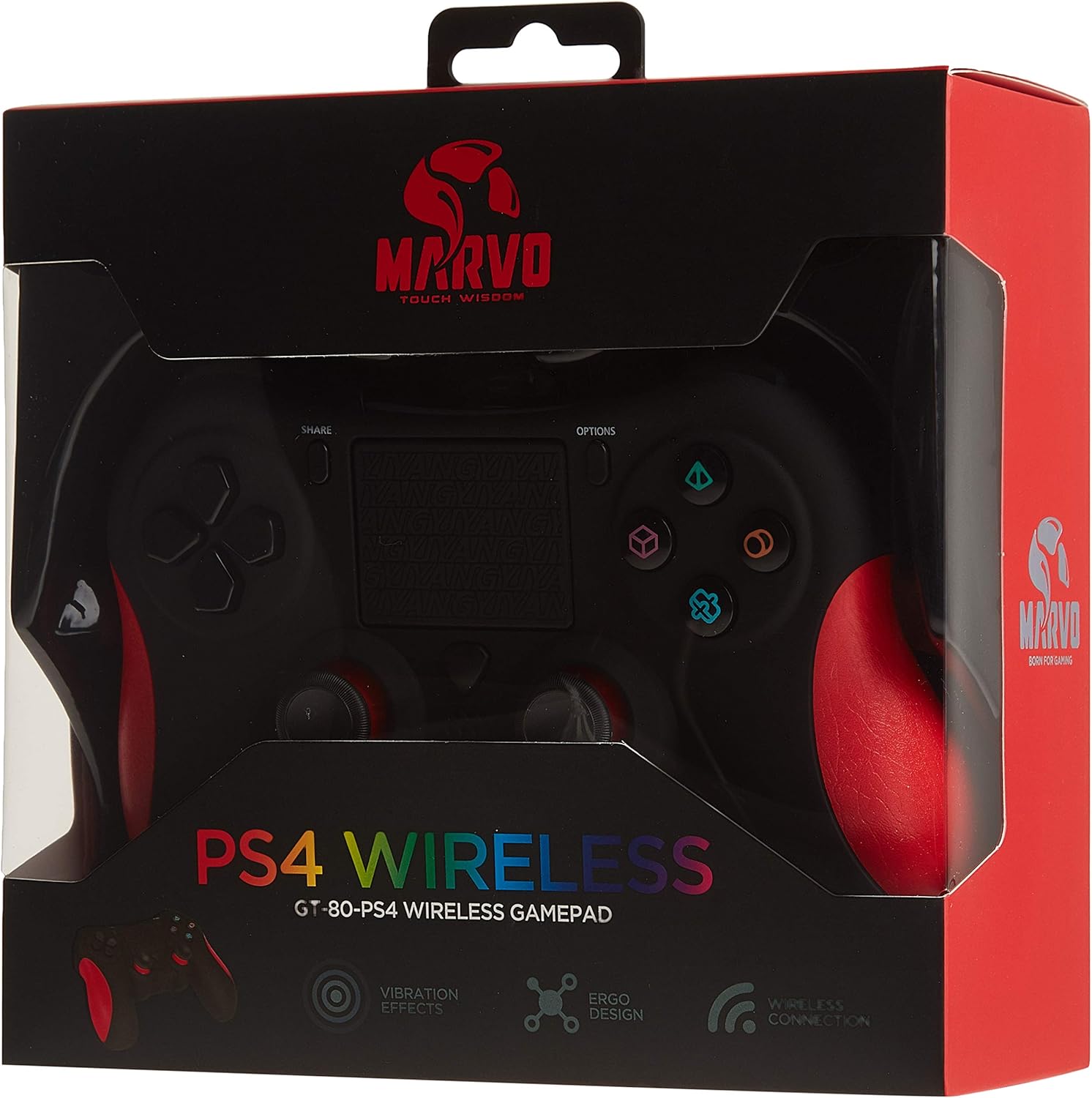
Image: The MARVO GT-80 Wireless Gamepad in its retail packaging.
- MARVO GT-80 belaidis žaidimų pultelis
- USB Charging Cable (80 cm)
- Vartotojo vadovas (šis dokumentas)
Produkto savybės
- Wireless connectivity via Bluetooth V4.2
- Wired connectivity via USB cable
- Built-in rechargeable battery (600 mAh capacity)
- Double vibration feedback for immersive gaming
- Integrated 6-axis sensor (3D-Sensor + G-Sensor)
- Large LED light bar
- Built-in loudspeaker function
- 3.5 mm stereo ausinių lizdo palaikymas
- "Touchpad" valdiklis
- 19 programuojami mygtukai
Sąranka
1. Žaidimų pulto įkrovimas
Before first use, fully charge the gamepad. Connect the supplied USB cable to the Micro USB port on the gamepad and the other end to a USB power source (e.g., console, PC, USB wall adapter).

Image: The MARVO GT-80 Gamepad connected to its USB charging cable.
The LED light bar will indicate charging status. A full charge typically takes approximately 2-3 hours.
2. Connecting to PlayStation 4 (PS4)
- Įjunkite PS4 konsolę.
- Connect the gamepad to the PS4 console using the USB cable.
- Press the "PS" button on the gamepad. The gamepad will pair with the console.
- Sujungus, galite atjungti USB laidą ir leisti belaidžiu būdu.
3. Prijungimas prie kompiuterio („Windows“)
The gamepad supports both D-input and X-input modes for PC.
Laidinis ryšys:
Connect the gamepad to your PC using the USB cable. The PC should automatically detect and install the necessary drivers. The gamepad will operate in D-input mode by default. Some games may require X-input mode, which can often be toggled via specific button combinations or software.
„Bluetooth“ ryšys:
- Įsitikinkite, kad jūsų kompiuteryje įjungtas „Bluetooth“ ryšys.
- Put the gamepad into pairing mode (specific button combination, usually "SHARE" + "PS" button until LED flashes rapidly).
- Kompiuteryje eikite į „Bluetooth“ nustatymus ir ieškokite naujų įrenginių.
- Select "Wireless Controller" or "GT-80" from the list of available devices to pair.
4. Prisijungimas prie „Android“ / „iOS“ įrenginių
- Įsitikinkite, kad jūsų „Android“ arba „iOS“ įrenginyje įjungtas „Bluetooth“.
- Put the gamepad into pairing mode (specific button combination, usually "SHARE" + "PS" button until LED flashes rapidly).
- Mobiliajame įrenginyje eikite į „Bluetooth“ nustatymus ir ieškokite naujų įrenginių.
- Select "Wireless Controller" or "GT-80" from the list of available devices to pair.
Naudojimo instrukcijos
Mygtukų išdėstymas ir funkcijos

Vaizdas: priekis view of the MARVO GT-80 Wireless Gamepad.

Vaizdas: Galinis view of the MARVO GT-80 Wireless Gamepad, highlighting the M-buttons.
- Direction Buttons (D-Pad): Used for directional input.
- Analoginės lazdelės: Two analog sticks for precise 3D movement and camera control.
- Veiksmų mygtukai (trikampis, apskritimas, kryžius, kvadratas): Pagrindiniai veiksmų mygtukai.
- BENDRINIMO mygtukas: Used for sharing gameplay content (PS4).
- Mygtukas PARINKTYS: Pasiekite žaidimo meniu arba sistemos parinktis.
- PS mygtukas: Power on/off the gamepad, access PS4 system menu.
- L1/R1 mygtukai: Pečių sagos.
- L2/R2 paleidikliai: Analoginiai trigeriai.
- Jutiklinė dalis: Multi-touch input surface.
- M1, M2, M3, M4 mygtukai: Programmable back buttons (refer to device-specific instructions for programming).
Specialios funkcijos
- Double Vibration: Provides tactile feedback during gameplay.
- 6-Axis Sensor: Includes a 3D-Sensor and G-Sensor for motion-controlled gameplay.
- Garsiakalbis: Integrated speaker for enhanced audio effects (PS4).
- Ausinių funkcija: Connect a 3.5mm stereo headset for audio output and microphone input (PS4).
Priežiūra
Valymas
Wipe the gamepad with a soft, dry cloth. Do not use harsh chemicals or abrasive cleaners. Avoid getting moisture into openings.
Sandėliavimas
Store the gamepad in a cool, dry place away from direct sunlight and extreme temperatures. Avoid placing heavy objects on the gamepad.
Trikčių šalinimas
Gamepad Does Not Power On
- Ensure the gamepad is fully charged. Connect it to a power source using the USB cable.
- Press the PS button to attempt to power it on.
Ryšio problemos
- Belaidis ryšys: Ensure Bluetooth is enabled on your device and the gamepad is in pairing mode. Try re-pairing the device.
- Laidinis: Įsitikinkite, kad USB laidas yra tvirtai prijungtas prie žaidimų pulto ir įrenginio. Išbandykite kitą USB prievadą arba laidą.
- PS4: If issues persist, try resetting the gamepad (a small reset button is usually located on the back, requiring a pin to press).
Mygtukai arba valdymo svirtelės nereaguoja
- Įsitikinkite, kad žaidimų pultas tinkamai prijungtas ir įjungtas.
- Test the gamepad with another game or application to rule out software issues.
- If possible, try resetting the gamepad.
Vibracija neveikia
- Patikrinkite žaidimo nustatymus, kad įsitikintumėte, jog įjungtas vibracijos grįžtamasis ryšys.
- Įsitikinkite, kad žaidimų pultas yra visiškai įkrautas.
Specifikacijos

Image: Technical specifications as printed on the product packaging.
| Funkcija | Detalė |
|---|---|
| Modelis | GT-80 |
| Ryšys | Wireless (Bluetooth V4.2), Wired (USB cable) |
| Mygtukai | 19 |
| Baterijos talpa | 600 mA |
| Pranešėjas | 6/8Ω-1W |
| Sąsaja | EXT atrama, 3.5 mm lizdas |
| Suderinamumas | PS4, PC (D-input & X-input), Android, iOS |
| Judesio jutiklis | 3D-Sensor + G-Sensor |
| Mikro USB kabelio ilgis | 80 cm |
| Matmenys | 40.49 x 9.5 x 9.5 cm |
| Svoris | 310 g |
Garantija ir palaikymas
For warranty information and technical support, please refer to the documentation provided with your purchase or contact MARVO customer service directly. Keep your proof of purchase for warranty claims.


