1. Įvadas
Thank you for choosing the Hama 186369 Weather Forecast Center. This device provides comprehensive weather data, including satellite-based forecasts, indoor and outdoor temperature/humidity, and more. This manual will guide you through the setup, operation, and maintenance of your weather station to ensure optimal performance.
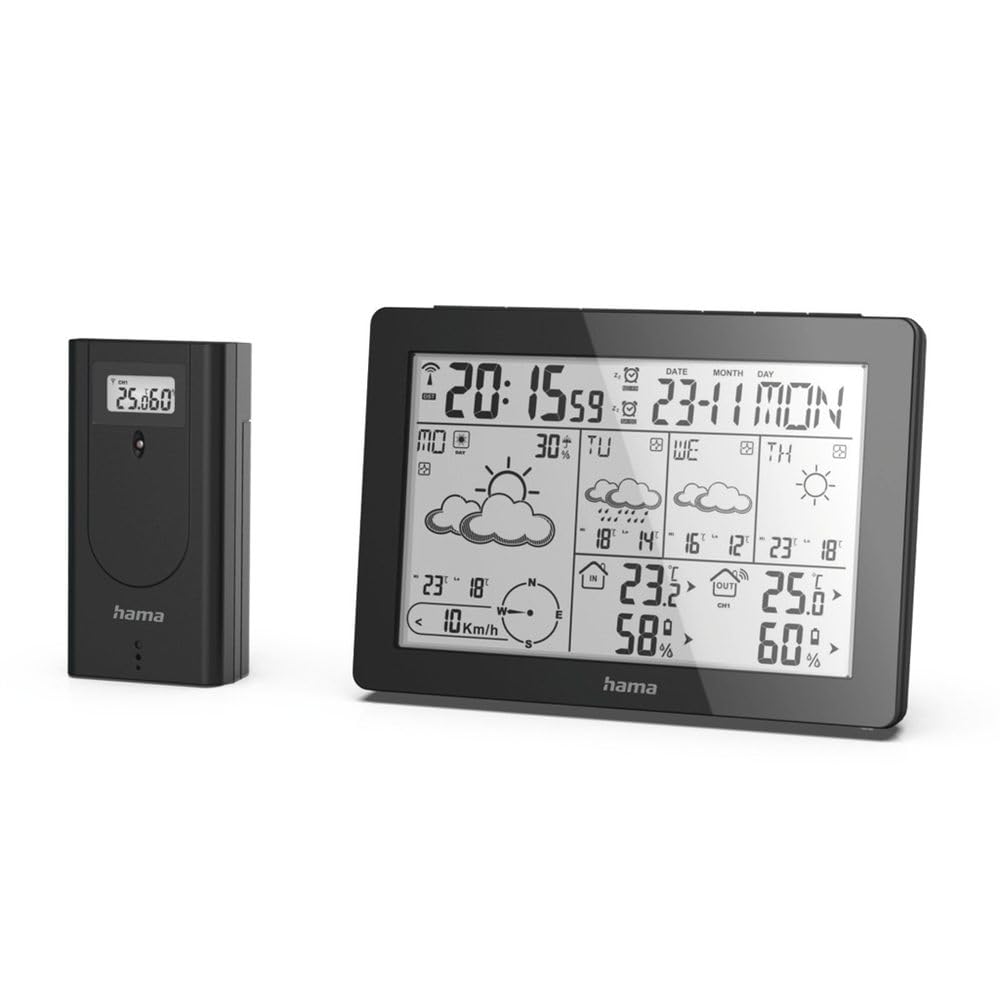
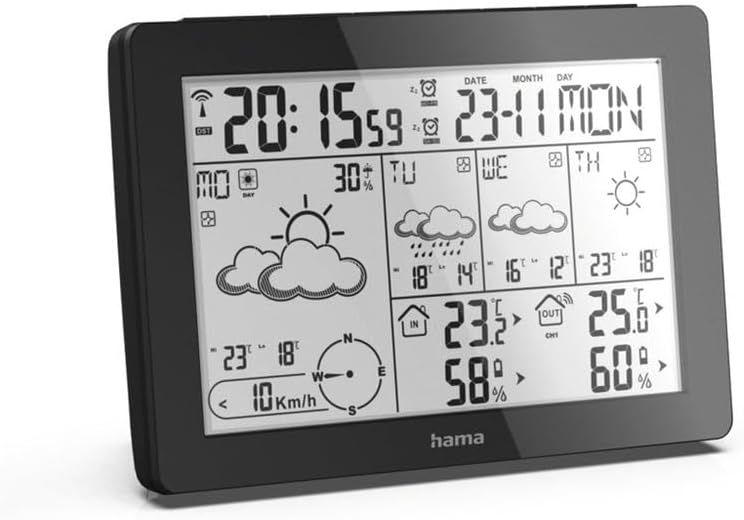
The Hama 186369 Weather Forecast Center main unit, showcasing its digital display with various weather parameters.
2. Pakuotės turinys
Prašome patikrinti, ar visi toliau išvardyti daiktai yra ir yra geros būklės:
- Hama 186369 Weather Forecast Center (Base Station)
- Belaidis lauko jutiklis
- 4 x AA Batteries (for both units)
- Šis naudojimo vadovas

The complete set, including the base station and the wireless outdoor sensor.
3. Saugos instrukcijos
- Do not open the device. Improper repair can lead to considerable hazards for the user.
- Nelaikykite gaminio tiesioginiuose saulės spinduliuose, ekstremaliose temperatūrose ar didelėje drėgmėje.
- Šį gaminį, kaip ir visus elektros gaminius, laikykite vaikams nepasiekiamoje vietoje.
- Saugokite gaminį nuo purvo, drėgmės ir perkaitimo.
- Naudokite gaminį tik pagal paskirtį.
- Nenaudokite gaminio vietose, kuriose elektroniniai gaminiai neleidžiami.
- When inserting batteries, note the correct polarity (+ and - markings) and insert the batteries accordingly. Otherwise, the batteries could leak or explode.
- Replace all batteries of a set at the same time. Do not mix old and new batteries or batteries of different types.
4. Sąranka
4.1 Baterijų įdėjimas
The Hama 186369 Weather Forecast Center and its outdoor sensor require AA batteries for operation.
- Open the battery compartment cover on the back of both the base station and the outdoor sensor.
- Insert the AA batteries, ensuring correct polarity (+ and -). The base station requires 2x AA batteries, and the outdoor sensor requires 2x AA batteries.
- Saugiai uždarykite akumuliatoriaus skyriaus dangtelius.
Inserting batteries into the base station. Ensure correct polarity.

The wireless outdoor sensor, which also requires batteries.
4.2 Initial Operation and Signal Reception
After inserting the batteries, the base station will automatically search for the DCF-77 signal and connect to the outdoor sensor.
- Place the base station and the outdoor sensor close to each other during initial setup.
- The DCF-77 radio signal for time and date synchronization will be automatically received. This process may take several minutes.
- The outdoor sensor will transmit temperature and humidity data to the base station. Ensure they are within range (up to 30 meters in open areas).

Baigėsiview of the weather station's features and components, including the outdoor sensor and base station display.
5. Operating the Weather Forecast Center
5.1 Ekranas baigtasview
The main display shows various information at a glance:
- Laikas ir data: Synchronized via DCF-77 signal.
- Patalpų temperatūra ir drėgmė: Measured by the base station.
- Lauko temperatūra ir drėgmė: Received from the wireless outdoor sensor.
- Orų prognozė: Satellite-based 4-day forecast for 60 regions/30 regions in Europe, updated daily.
- Rain Probability: Indication of precipitation likelihood.
- Vėjo greitis ir kryptis: Displayed graphically.
- Šalčio signalizacija: Activates when temperatures drop to a critical level.
5.2 Mygtukų funkcijos
The buttons on the top of the base station allow you to adjust settings and view different information.

Į viršų view of the base station showing the control buttons.
- MODE: Switches between display modes (e.g., time, alarm setting).
- KANALAS: Selects different outdoor sensor channels if multiple sensors are used.
- DAY/NIGHT/SNOOZE+LIGHT: Activates backlight, snooze function for alarm, or switches between day/night display.
- BANDYMAS: Initiates a test of the sensor connection.
- AUKŠTYN ŽEMYN: Adjusts values during settings or navigates through forecast data.
5.3 Laiko ir datos nustatymas (rankinis reguliavimas)
While the time and date are usually set automatically via the DCF-77 signal, you can manually adjust them if needed.
- Paspauskite ir palaikykite REŽIMAS mygtuką, kol pradės mirksėti laiko ekranas.
- Naudokite UP ir ŽEMYN mygtukais nustatykite valandas, tada paspauskite REŽIMAS , kad patvirtintumėte ir pereitumėte prie minučių.
- Pakartokite su minutėmis, metais, mėnesiu ir diena.
- Paspauskite REŽIMAS dar kartą, kad išeitumėte iš nustatymo režimo.
5.4 Aliarmo funkcija
Meteorologinė stotelė turi žadintuvo funkciją.
- Paspauskite REŽIMAS button repeatedly until the alarm time is displayed.
- Paspauskite ir palaikykite REŽIMAS Norėdami įjungti žadintuvo nustatymo režimą.
- Naudokite UP ir ŽEMYN norėdami nustatyti norimą žadintuvo laiką.
- Paspauskite REŽIMAS kad patvirtintumėte kiekvieną nustatymą.
- Norėdami įjungti / išjungti žadintuvą, paspauskite UP button when the alarm time is displayed. An alarm icon will appear/disappear.
6. Priežiūra
6.1 Valymas
- Šį gaminį valykite tik šiek tiek damp, nepūkuotu skudurėliu ir nenaudokite agresyvių valymo priemonių.
- Ensure that no water gets into the device.
6.2 Akumuliatoriaus keitimas
When the battery indicator appears on the display, replace all batteries in the respective unit (base station or outdoor sensor).
- Follow the steps in section 4.1 "Inserting Batteries".
- Išmeskite panaudotas baterijas laikydamiesi vietinių taisyklių.
7. Problemų sprendimas
| Problema | Galima priežastis | Sprendimas |
|---|---|---|
| No display / Weak display | Baterijos išsikrovusios arba įdėtos neteisingai. | Pakeiskite baterijas, užtikrindami teisingą poliškumą. |
| Nėra lauko temperatūros / drėgmės rodmenų | Outdoor sensor not connected or out of range. |
|
| Neteisingas laikas / data | DCF-77 signal not received or interference. |
|
| Netiksli orų prognozė | Incorrect region setting or temporary signal issue. |
|
8. Specifikacijos
| Funkcija | Detalė |
|---|---|
| Modelio numeris | 186369 |
| Dimensions (Base Station) | 3 x 15.3 x 10.5 cm |
| Svoris | 510 g |
| Medžiaga | Akrilas |
| Maitinimo šaltinis | Battery-powered (4 AA batteries required, included) |
| Ryšys | Belaidis (lauko jutikliui) |
| Ypatingos savybės | Alarm, Wireless Outdoor Sensor, Frost Alarm, DCF-77 Radio Clock |
| Orų prognozė | Satellite-based 4-day forecast for 60 regions/30 regions in Europe, daily updated data for 611 locations. |
| Rekomenduojamas naudojimas | Temperature measurement, hobby, private, business. |
9. Garantija ir palaikymas
Hama GmbH & Co KG neprisiima jokios atsakomybės ir neteikia garantijos už žalą, atsiradusią dėl netinkamo įrengimo/montavimo, netinkamo gaminio naudojimo arba dėl naudojimo instrukcijų ir (arba) saugos nurodymų nesilaikymo.
For technical support or warranty claims, please contact your retailer or visit the official Hama webSvetainė, kurioje rasite tolesnę pagalbą.

Hama: Experience and competence since 1923.