1. Įvadas
This user manual provides comprehensive instructions for the installation, operation, and maintenance of your DYNAVIN D9-55 Premium Flex Android Car Radio Navigator. Designed specifically for the VW Passat B8 (2014-2020), this system integrates advanced navigation, multimedia, and connectivity features to enhance your driving experience. Please read this manual thoroughly before using the product to ensure proper functionality and safety.
2. Produkto ypatybės
- Suderinamumas su transporto priemone: Specifically designed for VW Passat B8 models (2014-2020).
- Didelės raiškos ekranas: 10.1-inch (1280 x 720 pixels) anti-glare touchscreen for optimal visibility.
- Galingas garsas: Integrated 4 x 60 W RMS Class D DSP amplifier with adjustable frequency response and speaker gain.
- Operacinė sistema: Android 11 OS with a quad-core CPU and 4 GB RAM for smooth performance.
- Belaidis ryšys: Supports wireless Apple CarPlay, Android Auto, and Smartphone Mirroring.
- Projekcinis ekranas (HUD): Included HUD shows navigation information (from Dynaway, Apple Maps, Google Maps), vehicle speed, and speed camera data (Blitzer.de).
- Transporto priemonės integravimas: Preserves original vehicle settings menus, supports steering wheel controls, Multifunctional Display (MFD+), Climatronic control status, virtual parking guidelines, and real-time vehicle data.
- Patobulinta garso kokybė: Kompaktiškas skaitmeninis dvigubas mikrofonas su triukšmo mažinimo funkcija, užtikrinančia puikią skambučių kokybę.
- Navigacija: Integrated GPS navigation with Dynaway app (trial period applies).
- DAB/DAB+ radijas: Integrated digital radio tuner.
- Išplečiamumas: Rear camera input, supports original VW reversing camera. Optional support for VW traffic sign recognition (with D8-CANMIB-H) and VW Dynaudio sound system (with D8-MO150-V).
3. Sąranka ir diegimas
The DYNAVIN D9-55 Premium Flex is designed for a vehicle-specific installation. It is recommended that installation be performed by a qualified technician. Refer to the included installation guide and accessory list for detailed steps and component identification.
3.1. Priedų sąrašas
The package includes various components necessary for installation and operation. Ensure all items are present before beginning the installation process.

3.1 paveikslas: Baigėsiview of included accessories. This image displays the various components provided with the Dynavin D9-55 Premium Flex, including the display screen, main unit, trim, connection cables, digital radio antenna, rear camera adapter, display connection cable, GPS antenna, extension cables, USB panel, microphone, mounting frame, HUD 150, disassembly tools, radio removal tools, and screws.
3.2. Pradinė konfigūracija
After physical installation, power on the unit. The system runs on Android 11 OS. Follow the on-screen prompts for initial setup, including language selection and network configuration.
- Garso nustatymai: Vehicle-specific sound setting filegalima atsisiųsti iš „Dynavin“ website to optimize audio performance.
- Dynapp Package: The Dynapp package, which includes the Dynaway navigation app and Google Playstore access, requires an activation code after a 31-day trial period.
- „CarPlay“ / „Android Auto“ aktyvinimas: Wireless CarPlay and Android Auto also have a 31-day trial period, after which an activation code must be purchased online.
4. Naudojimo instrukcijos
4.1. Pagrindinė sąsaja ir navigacija
The 10.1-inch touchscreen provides access to all functions. The interface is designed to mimic the original VW user experience.

4.1 paveikslas: Main interface of the Dynavin D9-55 Premium Flex. This image shows the 10.1-inch display integrated into a car dashboard, featuring icons for phone, music, messages, DSP amplifier, navigation, Spotify, and YouTube, demonstrating the system's multimedia capabilities.
4.2. Belaidis „CarPlay“ ir „Android Auto“
Connect your compatible smartphone wirelessly to access Apple CarPlay or Android Auto. This allows for seamless integration of your phone's navigation, communication, and entertainment apps directly on the unit's display.
4.3. Head-up Display (HUD)
The included Head-up Display projects essential information onto your windshield, allowing you to keep your eyes on the road.

4.3 paveikslas: Head-up Display in use. This image illustrates the compact Head-up Display unit and how it projects navigation directions, speed, and other relevant data onto the windshield, enhancing driver focus.
The HUD displays navigation cues from Dynaway, Apple Maps (via CarPlay), and Google Maps (via Android Auto), along with vehicle speed and Blitzer.de speed camera information.
4.4. Skaitmeninis garso procesorius (DSP) Ampgyvybingesnis
The integrated 4 x 60 W RMS Class D DSP amplifier provides high-quality audio output. You can adjust frequency response and speaker gain through the system's audio settings.
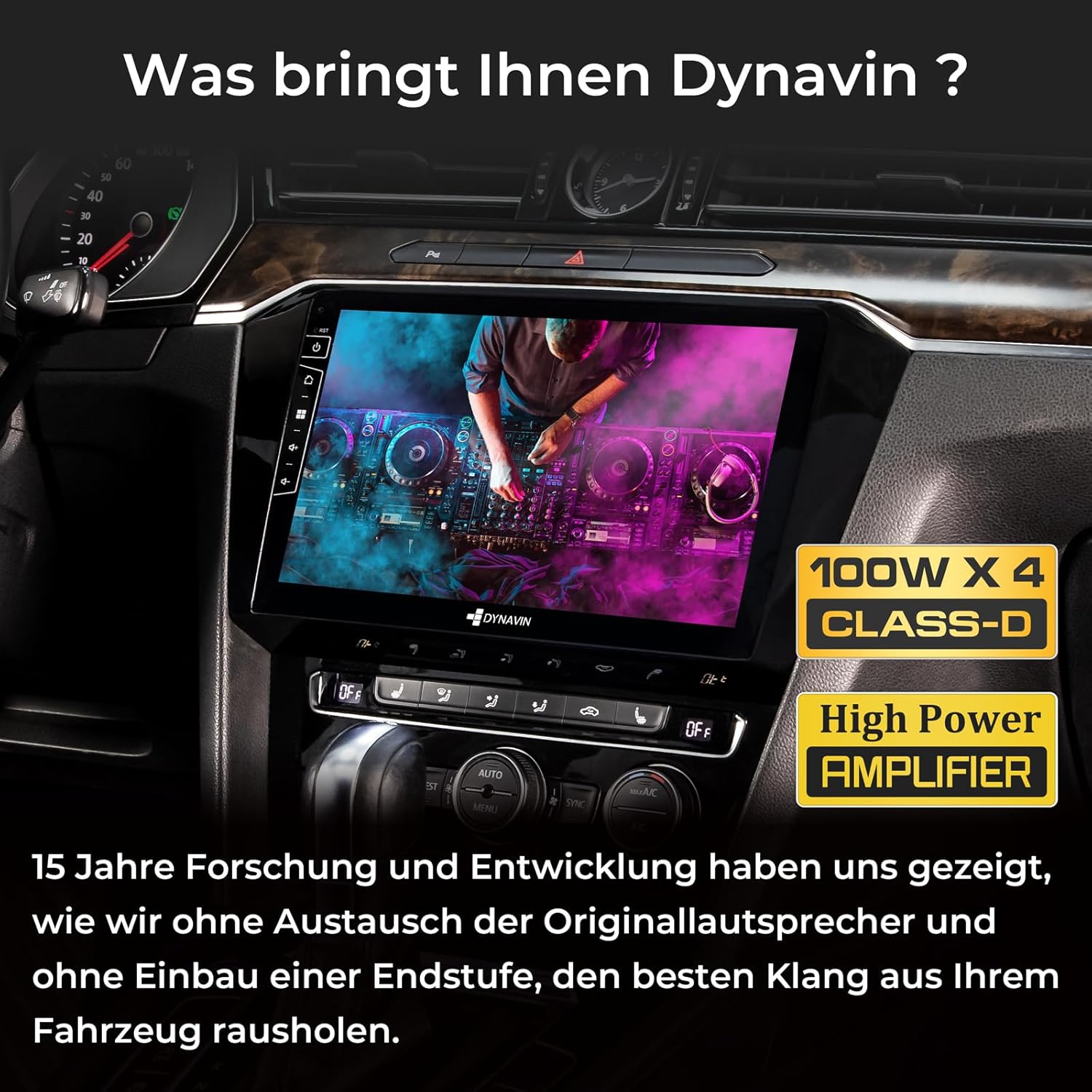
4.4 paveikslas: Integruotas DSP Amplifier. This image highlights the 100W x 4 Class-D High Power Amplifier, emphasizing Dynavin's focus on delivering superior sound quality without needing to replace original speakers or add an external ampgyvesnis.
4.5. Digital Dual Microphone
The compact digital dual microphone utilizes a unique noise reduction algorithm to ensure clear call quality during hands-free operation.

4.5 paveikslas: Dynavin Digital Dual Microphone. This image shows the small, discreet digital dual microphone, typically mounted near the speedometer, designed for stable and excellent call quality with noise reduction.
4.6. DAB/DAB+ radijas
Access digital radio stations with the integrated DAB/DAB+ tuner. Scan for available stations and enjoy high-quality digital audio.

4.6 paveikslas: DAB/DAB+ Radio Interface. This image displays the user interface for the integrated DAB/DAB+ radio, showing station selection and information display.
5. Priežiūra
To ensure the longevity and optimal performance of your DYNAVIN D9-55 Premium Flex, follow these maintenance guidelines:
- Ekrano valymas: Jutiklinį ekraną valykite minkšta, nepūkuota šluoste. Įsisenėjusias dėmes šiek tiek nuvalykite.ampNuvalykite šluostę vandeniu arba ekranui saugiu valikliu. Venkite abrazyvinių medžiagų ar stiprių cheminių medžiagų.
- Programinės įrangos atnaujinimai: Periodically check the Dynavin website for available software updates. Keeping the system's firmware updated ensures access to the latest features, performance improvements, and bug fixes.
- Aplinkos sąlygos: Venkite įrenginio ilgalaikio laikymo tiesioginiuose saulės spinduliuose, itin aukštose temperatūrose ar drėgmės.
- Kabelių jungtys: Įsitikinkite, kad visi laidai yra tvirtai prijungti. Atsilaisvinusios jungtys gali sukelti nutrūkstamą veikimą arba prastą našumą.
6. Problemų sprendimas
If you encounter issues with your DYNAVIN D9-55 Premium Flex, refer to the following common troubleshooting steps:
| Problema | Galima priežastis | Sprendimas |
|---|---|---|
| Įrenginys neįsijungia. | Atsilaisvinęs maitinimo laidas, perdegęs saugiklis. | Check power cables and vehicle fuses. Consult a professional if unsure. |
| Nėra garso arba garsas iškraipytas. | Incorrect audio settings, loose speaker connections, ampkeltuvo problema. | Verify audio settings (volume, balance, fader, DSP settings). Check speaker wiring. |
| „CarPlay“ / „Android Auto“ neprisijungia. | Bluetooth/Wi-Fi interference, trial period expired, phone compatibility. | Ensure phone's Bluetooth/Wi-Fi is on. Check trial status and activate if needed. Restart phone and unit. |
| GPS signalas prarastas arba netikslus. | GPS antenna obstruction or faulty connection. | Įsitikinkite, kad GPS antena turi laisvą view dangaus ir yra saugiai prijungtas. |
| Jutiklinis ekranas nereaguoja. | Programinės įrangos triktis, laikinas užšalimas. | Perform a soft reset (refer to the main unit's manual for specific instructions). If issue persists, contact support. |
For issues not covered here, or if troubleshooting steps do not resolve the problem, please contact Dynavin customer support.
7. Specifikacijos
| Funkcija | Detalė |
|---|---|
| Prekės ženklas | Dynavin |
| Modelis | D9-55 Premium Flex |
| Dalies numeris | D8-55 Flex |
| Operacinė sistema | Android 11 |
| RAM | 4 GB |
| Sandėliavimo talpa | 32 GB |
| Ekrano dydis | 10.1 colių |
| Ekrano raiška | 1280 x 720 pikselių |
| Ekrano tipas | LCD, apsauga nuo akinimo |
| Ampgyvybingesnė išvestis | 4 x 60 W RMS Class D DSP |
| Bendra galia | 180 vatų |
| Garso išvesties režimas | Aplink |
| Speaker Channel Config | 4.1 |
| Ryšys | Bluetooth, USB |
| USB prievadai | 2 |
| Žmogaus sąsajos įvestis | Jutiklinis ekranas |
| Suderinami įrenginiai | Išmanusis telefonas |
| Medijos tipas | SD |
| Vaizdo įrašų kodavimas | H.264, H.265/HEVC, MPEG-4 |
| Gaminio matmenys | 47 x 28 x 19 cm |
| Produkto svoris | 3 kg |
8. Garantija ir palaikymas
Informacijos apie garantiją ieškokite kartu su pirkiniu pateiktuose dokumentuose arba apsilankykite oficialioje „Dynavin“ svetainėje. website. Dynavin offers customer support for technical assistance and inquiries.
Internetiniai ištekliai:
- Dynavin Official Websvetainė: www.dynavin.com (for software updates, sound files, and support contact information)
Please have your product model (D9-55 Premium Flex) and any relevant purchase details ready when contacting support.


