Produktas baigtasview
The Sharp HP-TW30 True Wireless Noise Cancelling Earphones are designed for an immersive audio experience with enhanced comfort and durability. Featuring active noise cancellation, these earphones reduce background noise, making them ideal for various environments. They offer wireless charging, Bluetooth 5.0 connectivity, and are splashproof for active lifestyles.
Pagrindinės funkcijos:
- Aktyvus triukšmo slopinimas: Reduces ambient noise by 22dB for improved focus and enjoyment.
- Belaidis įkrovimas: Convenient charging with the included case, providing up to 4 full charges.
- "Bluetooth 5.0": Ensures stable and efficient wireless connectivity with a range of up to 33 feet.
- IPX4 atsparumas purslams: Resistant to splashes, sweat, and light rain, suitable for workouts and outdoor activities.
- Jutikliniai valdikliai: Intuitive controls for managing playback, calls, and voice assistants.
- Valdymas balsu: Full integration with Apple Siri and Google Assistant for hands-free operation.
- Ilgas grojimo laikas: Iki 6 valandų garso atkūrimo vienu įkrovimu.

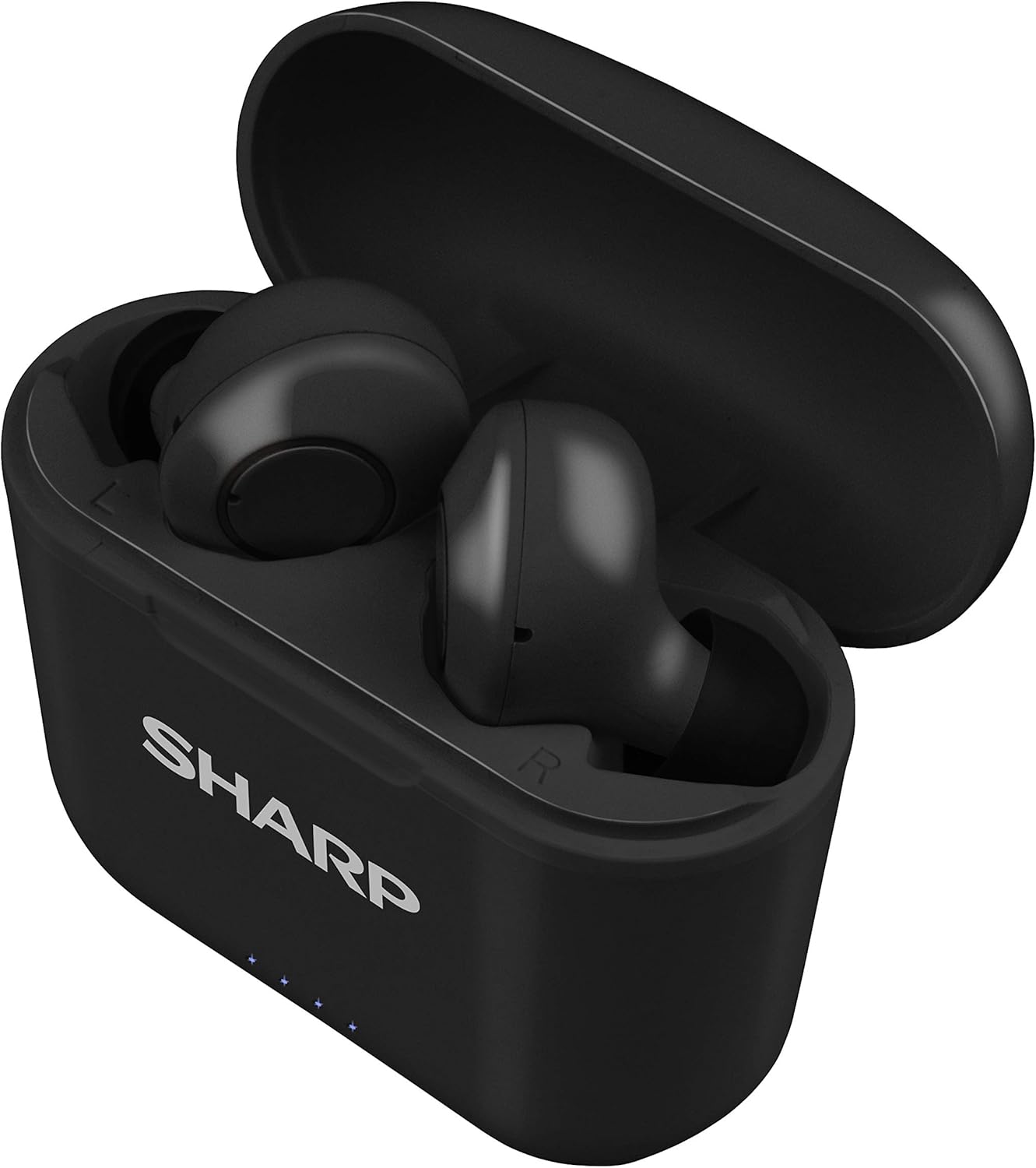
Figure 1: Sharp HP-TW30 True Wireless Earphones (Black)
Pakuotės turinys
Prieš pradėdami, įsitikinkite, kad pakuotėje yra visi reikalingi daiktai:
- Sharp HP-TW30 True Wireless Earphones (Left and Right)
- Įkrovimo dėklas
- USB Type-C Charging Cable (not explicitly listed in 'whats_in_the_box' but implied by 'Charging Port: USB Type C')
- Small, Medium, and Large Ultra-comfortable Ear Tips (3 sizes)
- Instrukcijų vadovas (šis dokumentas)
Sąranka
1. Ausinių ir dėklo įkrovimas
For first-time use, fully charge the earphones and the charging case. The charging case provides approximately 4 full charges for the earphones.
- Place both earphones into their respective slots in the charging case. Ensure they are seated correctly.
- Connect the USB Type-C charging cable to the charging port on the case and the other end to a USB power source (e.g., wall adapter, computer USB port).
- The LED indicators on the case will show charging status. Charging time for the case and earphones is approximately 2 hours.
- Visiškai įkrovę atjunkite įkrovimo kabelį.
2 pav.: Ausinės įkrovimo dėkle
2. Susiejimas su jūsų įrenginiu
The HP-TW30 earphones feature auto-pairing for effortless setup.
- Atidarykite įkrovimo dėklą. Ausinės automatiškai įsijungs ir pradės veikti susiejimo režimu.
- Išmaniajame telefone, planšetiniame kompiuteryje ar kitame įrenginyje su „Bluetooth“ ryšiu eikite į „Bluetooth“ nustatymus.
- Ieškokite available devices and select "HP-TW30" from the list.
- Prijungus, balso pranešimas patvirtins sėkmingą susiejimą.
- Ausinės automatiškai prisijungs prie paskutinio suporuoto įrenginio, kai bus išimtos iš dėklo, jei įrenginyje įjungtas „Bluetooth“.
Naudojimo instrukcijos
Palieskite valdiklius
The HP-TW30 earphones utilize touch-sensitive controls on each earbud for various functions:
- Leisti / pristabdyti: Vieną kartą bakstelėkite bet kurią ausinę.
- Kitas takelis: Dukart palieskite dešinįjį ausinės antgalį.
- Ankstesnis takelis: Dukart palieskite kairįjį ausinės antgalį.
- Atsiliepti / Baigti skambutį: Vieną kartą bakstelėkite bet kurią ausinę įeinančio skambučio metu.
- Atmesti skambutį: Įeinančio skambučio metu paspauskite ir 2 sekundes palaikykite nuspaudę bet kurią ausinę.
- Activate Voice Assistant (Siri/Google Assist): Tris kartus palieskite bet kurią ausinę.
- Aktyvus triukšmo slopinimas (ANC) įjungtas / išjungtas: Paspauskite ir palaikykite dešiniąją ausinę 2 sekundes.
Aktyvus triukšmo panaikinimas (ANC)
The ANC feature reduces ambient background noise, providing a more focused listening experience. Activate or deactivate ANC using the touch control as described above.
Atsparumas vandeniui (IPX4)
The earphones are rated IPX4 splashproof, meaning they are resistant to water splashes from any direction. This makes them suitable for light rain, sweat, and gym use. Do not submerge the earphones in water.
Priežiūra
Tinkama priežiūra užtikrina jūsų ausinių ilgaamžiškumą ir optimalų veikimą.
- Valymas: Reguliariai valykite ausines ir įkrovimo dėklą minkštu, sausu, nepūkuotu skudurėliu. Nenaudokite abrazyvinių valiklių ar tirpiklių.
- Ausų patarimai: Periodiškai nuimkite ir valykite ausų antgalius naudodami reklamą.amp šluoste ir švelniu muilu, tada kruopščiai nusausinkite prieš vėl pritvirtindami.
- Saugykla: Kai nenaudojate, laikykite ausines įkrovimo dėkle, kad apsaugotumėte jas nuo dulkių ir pažeidimų.
- Temperatūra: Venkite ausinių laikymo ekstremaliose temperatūrose (karštyje ar šaltyje) arba didelėje drėgmėje.
- Įkrovimo kontaktai: Ensure the charging contacts on both the earphones and inside the case are clean and free of debris to maintain proper charging.
Trikčių šalinimas
If you encounter issues with your Sharp HP-TW30 earphones, try the following solutions:
- Ausinės nesusijungia / nesusijungia:
- Įsitikinkite, kad abi ausinės yra visiškai įkrautos.
- Išjunkite „Bluetooth“ savo įrenginyje, tada vėl jį įjunkite.
- Forget/delete "HP-TW30" from your device's Bluetooth list and attempt to re-pair.
- Place both earphones back into the charging case, close the lid for 5 seconds, then open it again to reset.
- Garsą groja tik viena ausinė:
- Įsitikinkite, kad abi ausinės yra įkrautos.
- Įdėkite abi ausines atgal į įkrovimo dėklą, uždarykite dangtelį ir vėl jį atidarykite. Tai dažnai iš naujo sinchronizuoja jas.
- Nuvalykite įkrovimo kontaktus abiejose ausinėse ir dėklo viduje.
- Try resetting and re-pairing the earphones as described above.
- Mažas garsumas arba prasta garso kokybė:
- Sureguliuokite garsumą tiek savo įrenginyje, tiek ausinėse.
- Ensure the ear tips are the correct size for a snug fit and are clean.
- Patikrinkite, ar ausinių antgaliuose nėra kliūčių.
- Ausinės neįkraunamos:
- Įsitikinkite, kad įkrovimo laidas yra tvirtai prijungtas tiek prie dėklo, tiek prie maitinimo šaltinio.
- Išbandykite kitą USB C tipo laidą ir maitinimo adapterį.
- Nuvalykite ausinių ir dėklo vidaus įkrovimo kontaktus.
Specifikacijos
| Modelio pavadinimas | HP-TW30(BK) |
| Ryšio technologija | Belaidis ryšys („Bluetooth“) |
| Bluetooth versija | 5.0 |
| Bluetooth diapazonas | Iki 33 pėdų (10 metrų) |
| Triukšmo valdymas | Active Noise Cancellation (22dB reduction) |
| Žaidimo laikas | apytiksliai 6 valandas |
| Budėjimo laikas | apytiksliai 90 valandas |
| Įkrovimo laikas | Approx. 2 hours (earphones and case) |
| Įkrovimo prievadas | C tipo USB |
| Atsparumas vandeniui | IPX4 Atsparus purslams |
| Valdymo tipas | Palieskite valdymą |
| Valdymas balsu | „Apple Siri“, „Google“ asistentas |
| Įtraukti komponentai | Maži, vidutiniai ir dideli itin patogūs ausų antgaliai |
| Medžiaga | Silikonas (ausų antgaliai) |
| Prekės svoris | 7.9 uncijos |
Garantija ir palaikymas
Sharp products are manufactured to the highest quality standards. For warranty information, technical support, or service inquiries, please refer to the warranty card included with your purchase or visit the official Sharp support website. Please have your model number (HP-TW30(BK)) and proof of purchase ready when contacting support.
For further assistance, you may visit the Sharp Store on Amazon: Sharp Official Store


