Įvadas
The VOX VFS3 is a dedicated 3-button footswitch designed to enhance the functionality and control of your VOX Mini Go series amplifier. This footswitch allows for hands-free operation of various amplifier features, such as program switching, effect on/off, or looper control, depending on your specific Mini Go amplifier model. This manual provides essential information for the proper setup, operation, and maintenance of your VFS3 footswitch.
Saugos informacija
- Saugokite įrenginį nuo lietaus ar drėgmės.
- Venkite įrenginio statyti šalia šilumos šaltinių arba tiesioginiuose saulės spinduliuose.
- Nebandykite ardyti ar modifikuoti įrenginio. Visus techninės priežiūros darbus patikėkite kvalifikuotiems darbuotojams.
- Use only with compatible VOX Mini Go ampgelbėtojai.
- Laikyti vaikams nepasiekiamoje vietoje.
Pakuotės turinys
- VOX VFS3 3-Button Footswitch (with integrated cable)
- Vartotojo vadovas (šis dokumentas)
Produktas baigtasview
The VFS3 footswitch features three robust buttons, each with an associated LED indicator, and an integrated cable for connection to your ampgyvesnis.
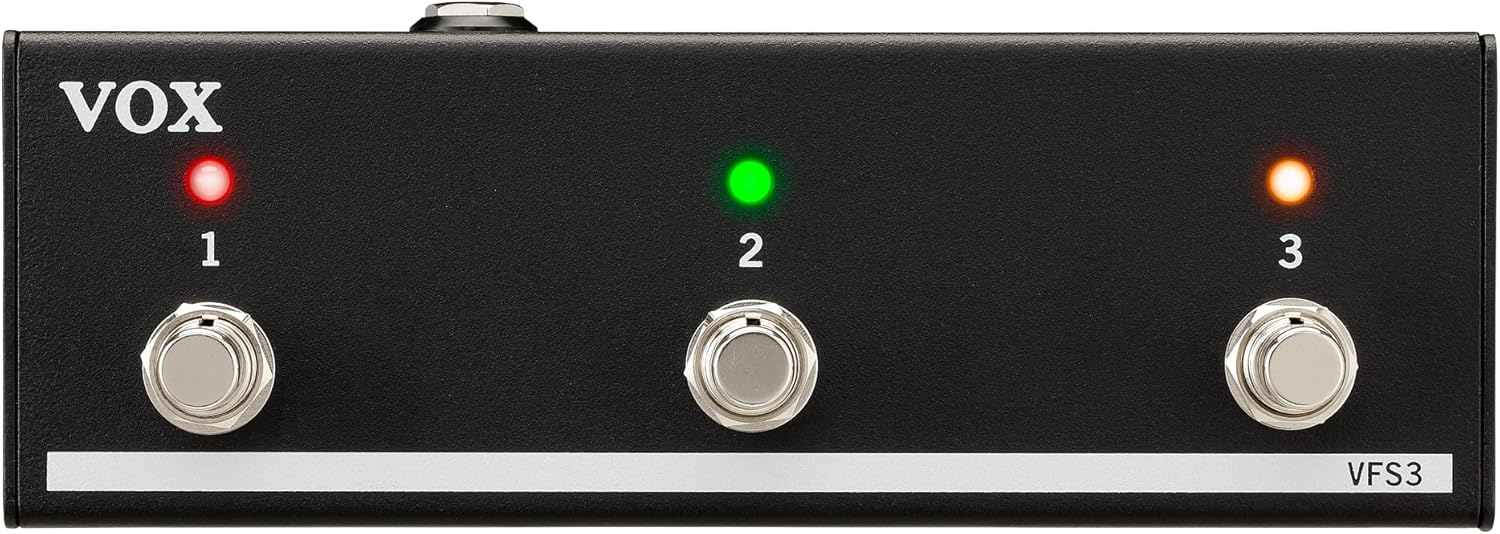
Priekyje view of the VOX VFS3 3-Button Footswitch. It features three silver footswitches labeled 1, 2, and 3, each with a corresponding LED indicator above it. The VOX logo is on the left, and 'VFS3' is on the bottom right.
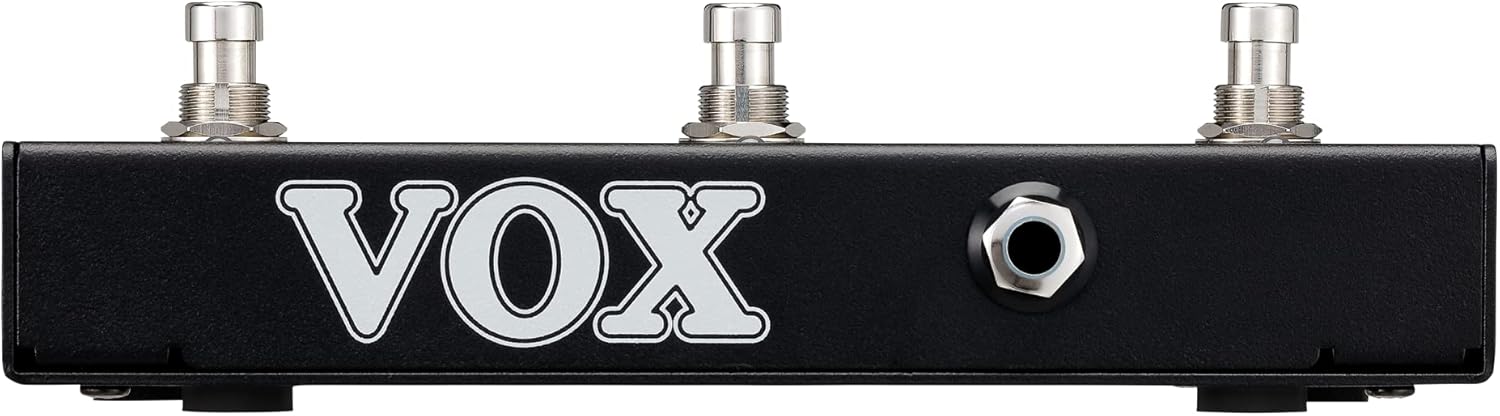
Šoninė view of the VOX VFS3 footswitch, highlighting its compact and durable metal casing.

Atgal view of the VOX VFS3 footswitch, displaying the integrated cable that connects to the amplifier. The VOX logo is prominently featured.
Sąranka
- Connect the Footswitch: Locate the footswitch input jack on your VOX Mini Go amplifier. This is typically a 3.5mm (1/8-inch) stereo jack.
- Įdėkite kabelį: Firmly insert the integrated 3.5mm cable from the VFS3 footswitch into the footswitch input jack on your Mini Go ampgyvesnis.
- Maitinimas: Turn on your VOX Mini Go amplifier. The footswitch is powered by the amplifier, so no external power supply is needed for the VFS3.
- Patikrinkite ryšį: The amplifier should recognize the footswitch. Refer to your Mini Go amplifier's manual for specific indications or settings related to footswitch connection.

The VOX VFS3 footswitch connected to a VOX Mini Go amplifier, illustrating the proper connection of the cable to the amplifier įvesties lizdas.
Naudojimo instrukcijos
The specific functions controlled by the VFS3 footswitch buttons (1, 2, and 3) are determined by the connected VOX Mini Go amplifier model and its current settings. Please consult the user manual for your specific VOX Mini Go amplifier for detailed information on footswitch assignments and configuration.
Common Functions (May Vary by Amplifier Model):
- Program/Preset Switching: Buttons may be assigned to switch between amplifier programs or presets (e.g., Clean, Overdrive, Distortion).
- Efekto įjungimas / išjungimas: Control individual effects (e.g., Reverb, Delay, Chorus) by toggling them on or off.
- Looperio valdymas: For Mini Go models with a built-in looper, the buttons often control looper functions such as:
- 1 mygtukas: Įrašyti/leisti
- 2 mygtukas: Sustok
- 3 mygtukas: Clear/Undo
- Bakstelėkite Tempo: Kai kurie amplifiers may allow one of the buttons to be used for tap tempo functionality for time-based effects.
The LEDs above each button indicate the status of the assigned function (e.g., effect on/off, selected program). Refer to your amplifier's manual for the meaning of specific LED colors or states.
Priežiūra
- Valymas: Nuvalykite įrenginį minkštu, sausu skudurėliu. Nenaudokite abrazyvinių valiklių, vaško ar tirpiklių.
- Saugykla: When not in use for extended periods, store the footswitch in a clean, dry environment away from extreme temperatures.
- Kabelio priežiūra: Avoid sharp bends or kinks in the integrated cable to prevent damage.
Trikčių šalinimas
| Problema | Galima priežastis | Sprendimas |
|---|---|---|
| Footswitch not responding | Cable not fully inserted; Amplifier not powered on; Incorrect ampkeltuvo nustatymai. | Ensure the 3.5mm cable is securely connected to the amplifier. Verify the amplifier is powered on. Check your Mini Go amplifier's settings to ensure footswitch control is enabled and configured correctly. |
| Šviesos diodai nedega | No power from amplifier; Faulty connection. | Patvirtinkite amplifier is on and the cable is properly connected. The footswitch draws power from the ampgyvesnis. |
| Buttons perform unexpected functions | Footswitch assignments are incorrect on the ampgyvesnis. | Refer to your VOX Mini Go amplifier's manual to reconfigure the footswitch button assignments. |
Specifikacijos
- Modelis: VFS3
- Suderinami įrenginiai: VOX Mini Go Ampgelbėtojai
- Jungties tipas: 3.5mm Jack (integrated cable)
- Medžiaga: Metalinis važiuoklė
- Matmenys (P x P x A): Apytiksliai 7.9 x 3 x 2.5 colio (20.1 x 7.6 x 6.4 cm)
- Svoris: Maždaug 1.1 svarų (0.5 kg)
- Maitinimo šaltinis: Powered by connected ampgyvybingesnis
Garantija ir palaikymas
For warranty information and technical support, please refer to the documentation provided with your VOX Mini Go amplifier or visit the official VOX websvetainėje. Išsaugokite pirkimo kvitą kaip pirkimo įrodymą.


