Įvadas
The Sharkoon Skiller SGK30 is a mechanical gaming keyboard designed for performance and durability. It features customizable RGB lighting, N-Key rollover, and a 1000Hz polling rate for responsive gameplay and typing. This manual provides essential information for setting up, operating, and maintaining your keyboard.

Image: Sharkoon Skiller SGK30 Mechanical Gaming Keyboard banner displaying the product name and type.
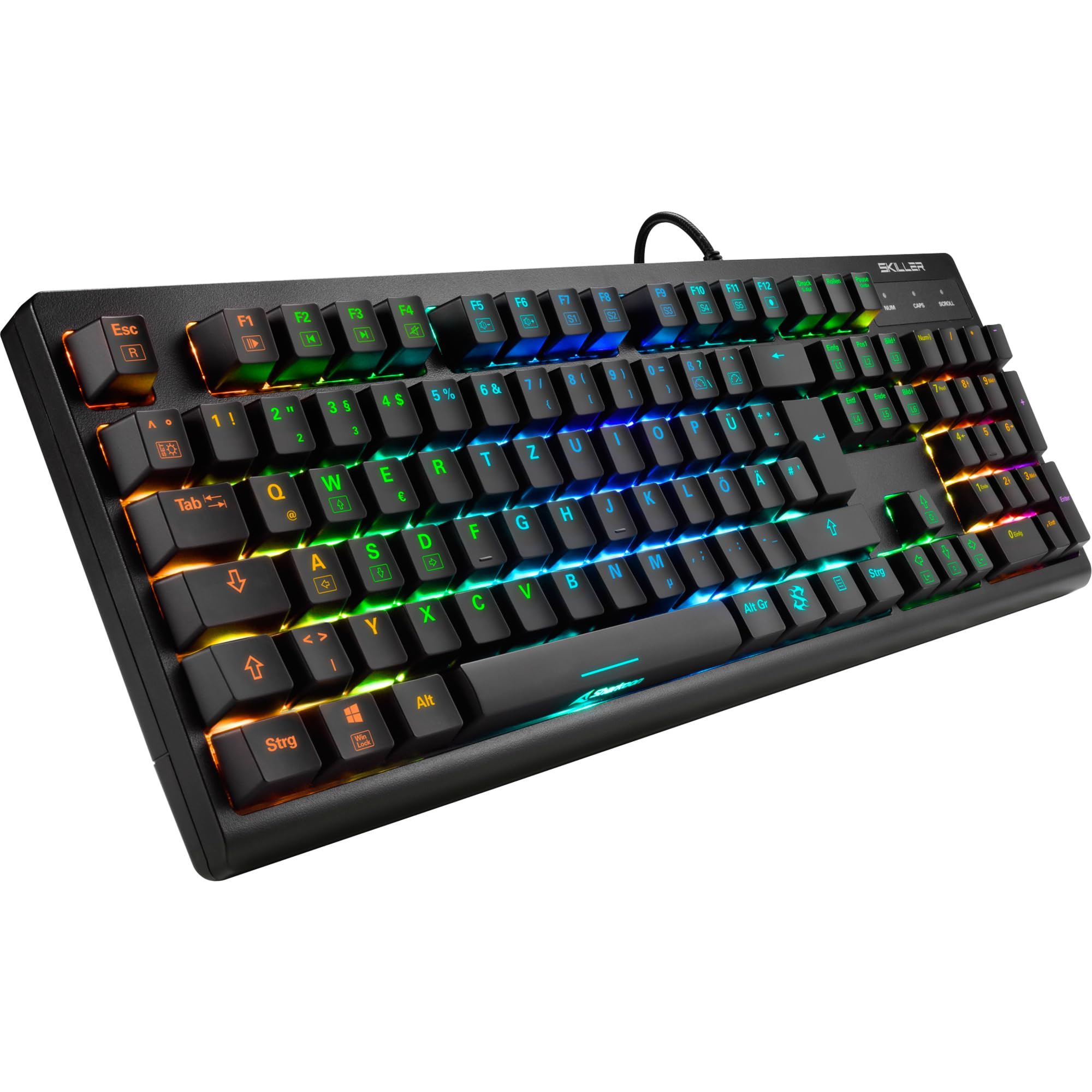
Paveikslėlis: Iš viršaus į apačią view of the Sharkoon Skiller SGK30 mechanical gaming keyboard, showcasindėl viso išdėstymo ir ryškaus RGB foninio apšvietimo.
Produktas baigtasview Vaizdo įrašas
Vaizdo įrašas: Oficialus produktas baigtasview of the Sharkoon Skiller SGK30 Mechanical Gaming Keyboard, demonstrating its features, RGB lighting effects, and mechanical switches.
Sąranka
Follow these steps to set up your Sharkoon Skiller SGK30 keyboard:
- Išpakuokite klaviatūrą: Carefully remove the keyboard and the included USB cable from its packaging.
- Prisijunkite prie kompiuterio: Plug the Micro USB end of the cable into the keyboard's port and the standard USB-A end into an available USB port on your computer.
- Tvarkyklės diegimas: The keyboard is plug-and-play. Your operating system (Windows 10 or later recommended) should automatically detect and install the necessary drivers.
- Programinės įrangos diegimas (nebūtina): For advanced customization of RGB lighting and key assignments, download the official Sharkoon software from the manufacturer's websvetainę.

Image: The Sharkoon Skiller SGK30 keyboard positioned on a desk, ready for connection.
Naudojimo instrukcijos
Pagrindinės klavišų funkcijos
The Sharkoon Skiller SGK30 features a standard layout with additional function keys accessible via the FN raktas.
- FN + F1–F12: Access multimedia controls (e.g., play/pause, volume up/down, mute).
- FN + „Windows“ klavišas: Užrakinkite / atrakinkite „Windows“ klavišą, kad išvengtumėte atsitiktinio paspaudimo žaidimo metu.
- N klavišo užvedimas: All keys are registered simultaneously, ensuring every keystroke is detected, even during rapid input.
RGB apšvietimo valdymas
The keyboard offers extensive RGB lighting customization. Use the following combinations to adjust lighting effects:
- FN + Insert/Home/Page Up/Delete/End/Page Down: Cycle through various pre-programmed lighting effects.
- FN + Arrow Keys (Up/Down): Adjust brightness levels of the lighting.
- FN + Arrow Keys (Left/Right): Reguliuokite dinaminio apšvietimo efektų greitį.
- Custom Illumination: Use the dedicated software for advanced per-key lighting customization.

Vaizdas: Stambus planas view of the keyboard keys highlighting the adjustable RGB illumination capabilities.
Programinės įrangos pritaikymas
For advanced settings, macro programming, and detailed RGB customization, download and install the Sharkoon Skiller SGK30 software from the official Sharkoon websvetainė. Programinė įranga leidžia jums:
- Sukurkite ir išsaugokite pasirinktinį apšvietimo profesionaląfiles.
- Program macros for specific keys.
- Pertvarkyti pagrindines funkcijas.

Image: A screenshot showing the graphical user interface of the Sharkoon Skiller SGK30 customization software, illustrating various options for lighting and key remapping.
Priežiūra
Tinkama priežiūra užtikrina jūsų klaviatūros ilgaamžiškumą ir našumą:
- Valymas: Use a soft, dry cloth to wipe the surface of the keyboard. For deeper cleaning, use compressed air to remove dust and debris from between the keycaps.
- Klaviatūros dangtelio nuėmimas: If necessary, keycaps can be carefully removed using a keycap puller (not included) for thorough cleaning of the switches. Reinstall keycaps by pressing them firmly onto the switch stems.
- Venkite skysčių: Saugokite klaviatūrą nuo skysčių. Išsipylus, nedelsdami atjunkite klaviatūrą ir leiskite jai visiškai išdžiūti prieš vėl prijungdami.
- Saugykla: Klaviatūrą laikykite vėsioje, sausoje vietoje, apsaugotoje nuo tiesioginių saulės spindulių ir ekstremalių temperatūrų.

Vaizdas: Stambus planas view of the mechanical switches on the Sharkoon Skiller SGK30 keyboard, illustrating their design for durability and ease of maintenance. Note: This model is available with Red switches, while the image shows Blue switches.
Trikčių šalinimas
If you encounter issues with your Sharkoon Skiller SGK30 keyboard, refer to the following common solutions:
| Problema | Galima priežastis | Sprendimas |
|---|---|---|
| Klaviatūra nereaguoja | Atsilaisvinęs USB ryšys, sugedęs USB prievadas, tvarkyklės problema. |
|
| RGB apšvietimas neveikia arba yra netinkamas | Neteisingi apšvietimo nustatymai, programinės įrangos konfliktas. |
|
| Raktai neregistruojami | Dulkės/šiukšlės po klaviatūros dangteliu, sugedęs jungiklis. |
|
Specifikacijos
| Funkcija | Detalė |
|---|---|
| Prekės ženklas | Šarkoonas |
| Modelio numeris | 4044951030026 |
| Klaviatūros tipas | Mechaninė žaidimų klaviatūra |
| Jungiklio tipas | Red Switch (Blue switches are also available for this model series) |
| Ryšys | Mikro USB |
| Apklausos rodiklis | 1000 Hz |
| N klavišo perkėlimas | Palaikoma |
| RGB apšvietimas | Pritaikomas RGB |
| Operacinė sistema | „Windows 10“ (ir suderinama su kitomis „Windows“ versijomis) |
| Matmenys (IxPxH) | 44 x 14.4 x 3.5 cm |
| Svoris | 867 g |
Kas yra dėžutėje
The Sharkoon Skiller SGK30 package includes:
- Sharkoon Skiller SGK30 Mechanical Gaming Keyboard
- USB kabelis
Garantija ir palaikymas
Dėl garantijos informacijos ir techninės pagalbos kreipkitės į oficialią „Sharkoon“ svetainę. websvetainėje arba susisiekite su vietiniu pardavėju. Išsaugokite pirkimo įrodymą, jei prireiktų pateikti garantinį prašymą.
Pastaba: Produkto specifikacijos ir funkcijos gali būti keičiamos be išankstinio įspėjimo.


