1. Įvadas
Thank you for choosing the Lenco SCD-720 Boombox. This versatile audio system offers a wide range of playback options, including DAB+ and FM radio, Bluetooth 5.0 connectivity, a CD/MP3 player, a cassette player, and a USB port for digital audio files. It features 2 x 6W RMS audio output with Bass Reflex for enhanced sound and comes with a remote control for convenient operation. This manual provides essential information for setting up, operating, and maintaining your device.
2. Svarbi saugos informacija
- Prieš naudodami įrenginį atidžiai perskaitykite visas instrukcijas.
- Išsaugokite šį vadovą ateityje.
- Saugokite įrenginį nuo lietaus ar drėgmės, kad išvengtumėte gaisro ar elektros smūgio.
- Užtikrinkite tinkamą vėdinimą. Neužblokuokite jokių ventiliacijos angų.
- Nestatykite įrenginio šalia šilumos šaltinių, tokių kaip radiatoriai, šildytuvai, viryklės ar kiti prietaisai (įskaitant ampkeltuvai), kurie gamina šilumą.
- Saugokite maitinimo laidą, kad ant jo neužeitų ar nesuspaustų, ypač prie kištukų, patogių lizdų ir toje vietoje, kur jie išeina iš aparato.
- Naudokite tik gamintojo nurodytus priedus/priedus.
- Atjunkite šį įrenginį žaibuojant arba kai nenaudojate ilgą laiką.
- Visus techninės priežiūros darbus patikėkite kvalifikuotam techninės priežiūros personalui. Techninė priežiūra reikalinga, kai aparatas buvo kaip nors pažeistas, pvz., pažeistas maitinimo laidas arba kištukas, į aparatą išsiliejo skystis ar įkrito daiktai, aparatas buvo paveiktas lietaus ar drėgmės, neveikia normaliai. , arba buvo numestas.
3. Produktas baigtasview
Familiarize yourself with the main components and controls of your Lenco SCD-720 Boombox.
Priekyje View su USB prievadu

This image shows the front of the Lenco SCD-720 Boombox, highlighting the main control panel, speakers, and a USB stick inserted into the USB port on the top left.
Priekyje View with CD Compartment Open

This image displays the Lenco SCD-720 Boombox from the front, with the top-loading CD compartment lid open, ready for CD insertion.
Galinis View
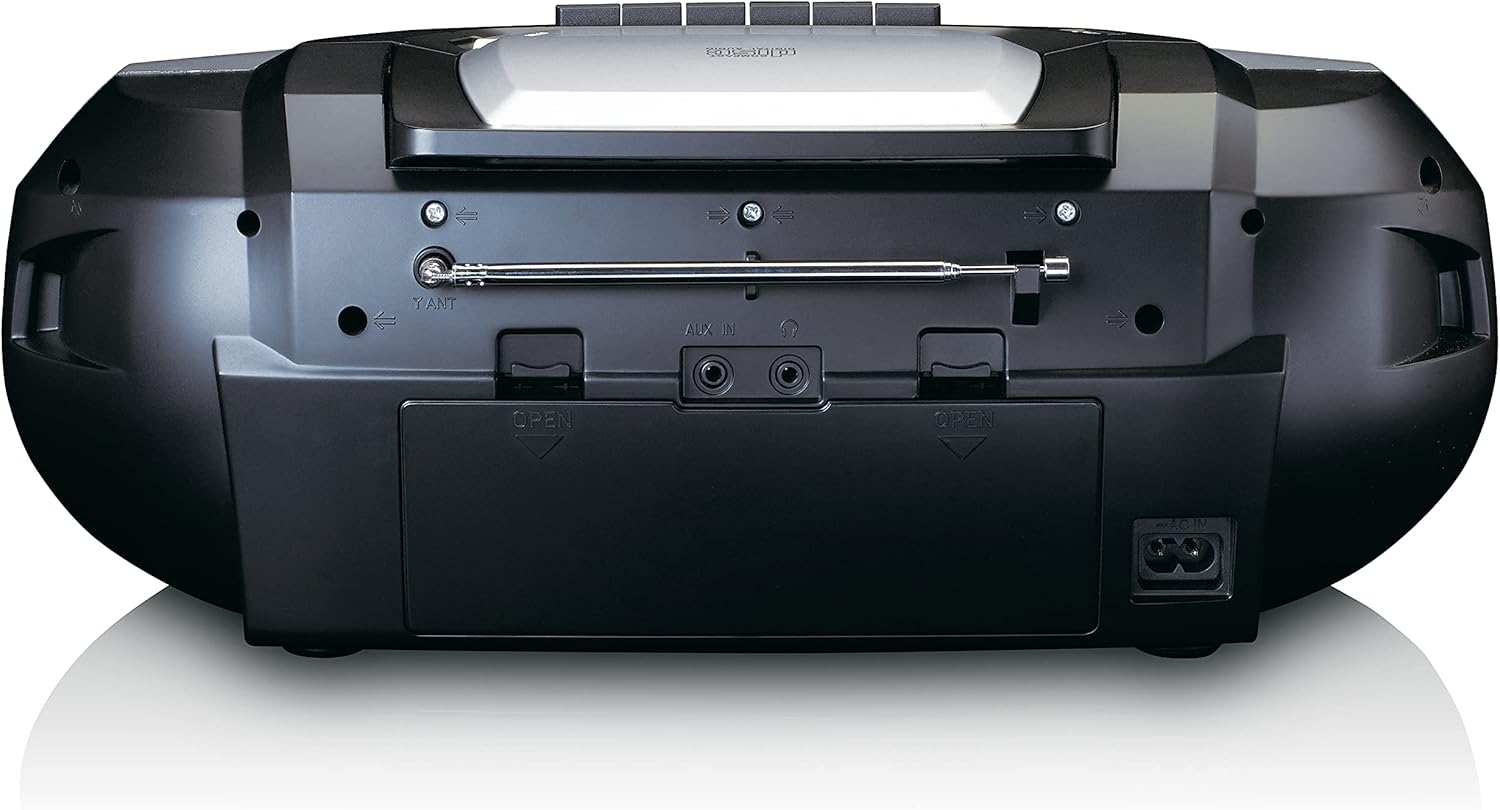
This image shows the back of the Lenco SCD-720 Boombox, featuring the telescopic antenna, AUX input, headphone jack, and the AC power input socket.
Control Panel Close-up

Išsamią view of the Lenco SCD-720 Boombox's central control panel, including the digital display, source selection buttons, tuning/navigation buttons, and the illuminated volume knob.
Boombox with Remote Control
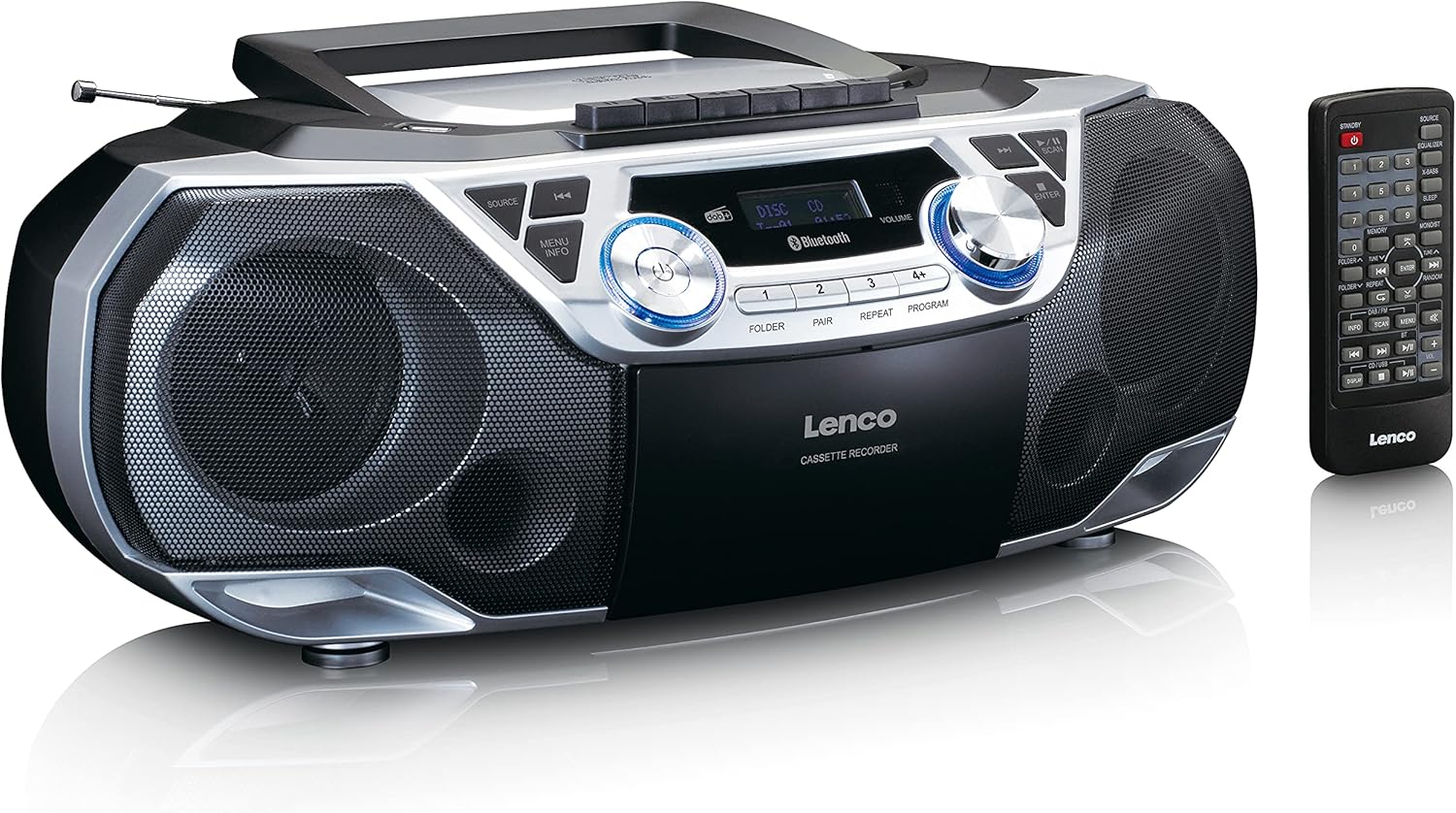
The Lenco SCD-720 Boombox is displayed next to its included remote control, illustrating the complete package.
Nuotolinio valdymo pulto išdėstymas

A close-up image of the remote control for the Lenco SCD-720 Boombox, showing all buttons for power, source selection, playback, tuning, and other functions.
4. Sąranka
4.1 Maitinimo jungtis
The Lenco SCD-720 Boombox can be powered by AC mains or batteries.
- Kintamosios srovės maitinimas: Connect the supplied AC power cord to the AC IN socket on the rear of the unit and then to a standard wall outlet.
- Baterijos veikimas: For portable use, open the battery compartment on the rear of the unit and insert 8 x 'C' type batteries (not included), ensuring correct polarity. Close the compartment securely.
4.2 Antenos reguliavimas
For optimal radio reception, extend the telescopic antenna fully. Adjust its position and angle to achieve the best signal quality for both DAB+ and FM broadcasts.
4.3 Pradinis įjungimas
Paspauskite GALIA button on the unit or remote control to turn on the boombox. The display will light up, and the unit will typically start in the last used mode.
5. Naudojimo instrukcijos
5.1 Bendrieji valdikliai
- Maitinimo įjungimas/išjungimas: Paspauskite GALIA mygtuką.
- Garsumo valdymas: Pasukite TOMAS rankenėlę ant įrenginio arba naudokite GARSUMAS + / - nuotolinio valdymo pulto mygtukai.
- Šaltinio pasirinkimas: Paspauskite ŠALTINIS button on the unit or the dedicated source buttons (DAB/FM, CD/USB, BT) on the remote to switch between modes (DAB+, FM, CD, USB, Bluetooth, AUX).
5.2 Radijo veikimas (DAB+/FM)
- Pasirinkite režimą: Paspauskite ŠALTINIS button until DAB+ or FM mode is selected.
- Automatinis nuskaitymas: DAB+ arba FM režime paspauskite NUSKAITYTI mygtuką, kad automatiškai ieškotumėte ir išsaugotumėte galimas stotis.
- Rankinis derinimas: Naudokite TUNE < / > mygtukais, kad rankiniu būdu reguliuotumėte dažnį.
- Iš anksto nustatytos stotys: The unit allows you to save your favorite stations. Press and hold one of the numbered preset buttons (1-4) to store the current station. Briefly press a preset button to recall a stored station.
- DAB+ Information: DAB+ režimu paspauskite INFORMACIJA button to cycle through various information such as program type, signal strength, time, and date.
5.3 CD/MP3 atkūrimas
- Įkelti kompaktinį diską: Open the CD compartment lid by pressing the ATIDARYTI button. Place a CD or MP3 CD with the label side facing up. Close the lid securely.
- Atkūrimas: The CD will start playing automatically. If not, press the PALEISTI / PAUZĖ mygtuką.
- Valdikliai: Naudokite SKIP << / >> buttons to skip tracks. Press and hold to fast forward/rewind.
- Pakartokite: Paspauskite KARTOT , kad kartotumėte dabartinį takelį arba visus takelius.
- Programa: Paspauskite PROGRAMA to create a custom playback order for tracks.
5.4 Kasečių atkūrimas ir įrašymas
- Load Cassette: Open the cassette compartment. Insert a cassette tape.
- Atkūrimas: Paspauskite ŽAISTI mygtuką.
- Įrašas: To record from Radio, CD, USB, or AUX, select the desired source. Insert a blank cassette. Press the ĮRAŠAS button (usually red) along with the ŽAISTI mygtuką vienu metu.
- Valdikliai: Naudokite GREITI PIRMYN ir ATSUKTI mygtukai. Paspauskite STOP/IŠMESTI to stop playback and open the compartment.
5.5 „Bluetooth“ 5.0 Ryšys
- Įjunkite „Bluetooth“ režimą: Paspauskite ŠALTINIS mygtuką, kol ekrane pasirodys „BT“ arba „Bluetooth“. Įrenginys įsijungs susiejimo režimu, tai nurodys mirksinti „Bluetooth“ piktograma.
- Poravimas: On your smartphone or tablet, enable Bluetooth and search for available devices. Select 'Lenco SCD-720' from the list. Once paired, the Bluetooth icon will stop flashing.
- Atkūrimas: Start playing audio on your connected device. The sound will be streamed to the boombox.
5.6 USB atkūrimas
- Insert USB: Įdėkite USB atmintinę su MP3 files į USB prievadą.
- Pasirinkite USB režimą: Paspauskite ŠALTINIS button until 'USB' appears. The unit will automatically scan and begin playing MP3 files.
- Valdikliai: Naudokite atkūrimo valdymo mygtukus (PLAY/PAUSE, SKIP << / >>) to manage your music.
5.7 AUX įvestis
Connect external audio devices (e.g., MP3 players, smartphones without Bluetooth) to the Aux in jack on the rear of the unit using a 3.5mm audio cable (not included). Select AUX mode via the ŠALTINIS mygtuką.
5.8 Ausinių išvestis
For private listening, connect headphones to the AUSINĖS jack on the rear of the unit. The main speakers will be muted automatically.
5.9 Nuotolinis valdymas
The included remote control provides full functionality for the boombox, allowing you to control power, source, volume, playback, tuning, and other settings from a distance. Ensure the remote has working batteries and is pointed towards the front of the boombox.
6. Priežiūra
6.1 Įrenginio valymas
Wipe the exterior of the boombox with a soft, dry cloth. Do not use abrasive cleaners, waxes, or solvents as they may damage the finish. For stubborn stains, a slightly damp galima naudoti šluostę, po to – sausą šluostę.
6.2 CD objektyvo priežiūra
If CD playback becomes erratic, the CD lens may need cleaning. Use a commercially available CD lens cleaner disc. Do not touch the lens directly.
6.3 Kasetės galvutės valymas
Regularly clean the cassette heads, pinch rollers, and capstans with a cotton swab lightly moistened with isopropyl alcohol to ensure optimal sound quality and prevent tape damage.
6.4 Akumuliatoriaus keitimas
If the unit is powered by batteries and performance degrades, replace all 8 'C' type batteries with new ones, ensuring correct polarity. Do not mix old and new batteries or different types of batteries.
7. Problemų sprendimas
| Problema | Galima priežastis | Sprendimas |
|---|---|---|
| Nėra galios | Neprijungtas maitinimo laidas; Baterijos išsikrovusios arba neteisingai įdėtos. | Patikrinkite kintamosios srovės laido jungtį; Pakeiskite baterijas, užtikrindami teisingą poliškumą. |
| Nėra garso | Per mažas garsumas; pasirinktas neteisingas šaltinis; prijungtos ausinės. | Padidinkite garsumą; Pasirinkite tinkamą šaltinį; Atjunkite ausines. |
| Prastas radijo priėmimas | Antena neištiesta arba netinkamai pastatyta; silpnas signalas. | Extend and adjust the telescopic antenna; Try moving the unit to a different location. |
| CD / USB negroja | Disc dirty/scratched; USB format not supported; Incorrect mode. | Clean or replace disc; Ensure USB contains MP3 files; Select CD or USB mode. |
| „Bluetooth“ susiejimas nepavyko | Boombox not in pairing mode; Device too far; Bluetooth off on device. | Ensure boombox is in BT pairing mode; Move device closer; Enable Bluetooth on your device. |
| Cassette recording issues | Incorrect source selected; Cassette write-protect tab engaged. | Select the desired recording source; Ensure the write-protect tab on the cassette is not broken off. |
8. Specifikacijos
- Modelis: SCD-720SI
- Prekinis ženklas: Lenco
- Ryšys: DAB+, FM Radio, Bluetooth 5.0, CD/MP3 Player, Cassette Player, USB Playback, AUX Input, Headphone Output
- Garso išvestis: 2 x 6 W RMS
- Maitinimo šaltinis: AC 230V ~ 50Hz or 8 x 'C' type batteries (DC 12V)
- Palaikomi garso formatai: CD, CD-R/RW, MP3 (from CD/USB)
- Ypatingos savybės: Bass Reflex, Remote Control
- Matmenys (P x P x A): Maždaug 38.5 cm x 23.5 cm x 14.5 cm
- Spalva: Sidabras
- Gamintojas: Lenco GmbH
- Kilmės šalis: Kinija
9. Garantija ir palaikymas
Lenco products are covered by a warranty in accordance with European law. For specific warranty terms and conditions, please refer to the warranty card included with your product or visit the official Lenco website. For technical support, service, or spare parts information, please contact Lenco customer service or your local dealer. Please have your model number (SCD-720SI) and purchase details ready when contacting support.
Information regarding software updates and spare parts availability is not provided at this time.


