1. Įvadas
This manual provides detailed instructions for the operation and maintenance of your QFX R-37-BL 6-Band Bluetooth Solar Radio with LED Flashlight. Please read this manual thoroughly before using the device to ensure proper function and safety. This versatile radio is designed for portability and includes multiple power options, making it suitable for various indoor and outdoor activities.
2. Produkto ypatybės
- 6-Band Radio: Receives AM, FM, and Shortwave (SW1-SW4) frequencies.
- Bluetooth ryšys: Wirelessly connect your devices for audio playback.
- Integruotas LED žibintuvėlis: Suteikia apšvietimą įvairioms situacijoms.
- Saulės įkrovimas: Built-in solar panel for eco-friendly battery recharging.
- Įkraunama baterija: Includes a removable lithium-ion battery.
- USB ir TF kortelių atkūrimas: Leisti garsą files directly from USB drives or TF cards.
- USB įkrovimo prievadas: Output for charging external 5V USB devices.
- Ausinių lizdas: Privačiam pasiklausymui.
- Teleskopinė antena: Enhances radio signal reception.
- Kompaktiškas ir nešiojamas dizainas: Lightweight with a carrying strap for easy transport.
2.1 Produktas baigtasview
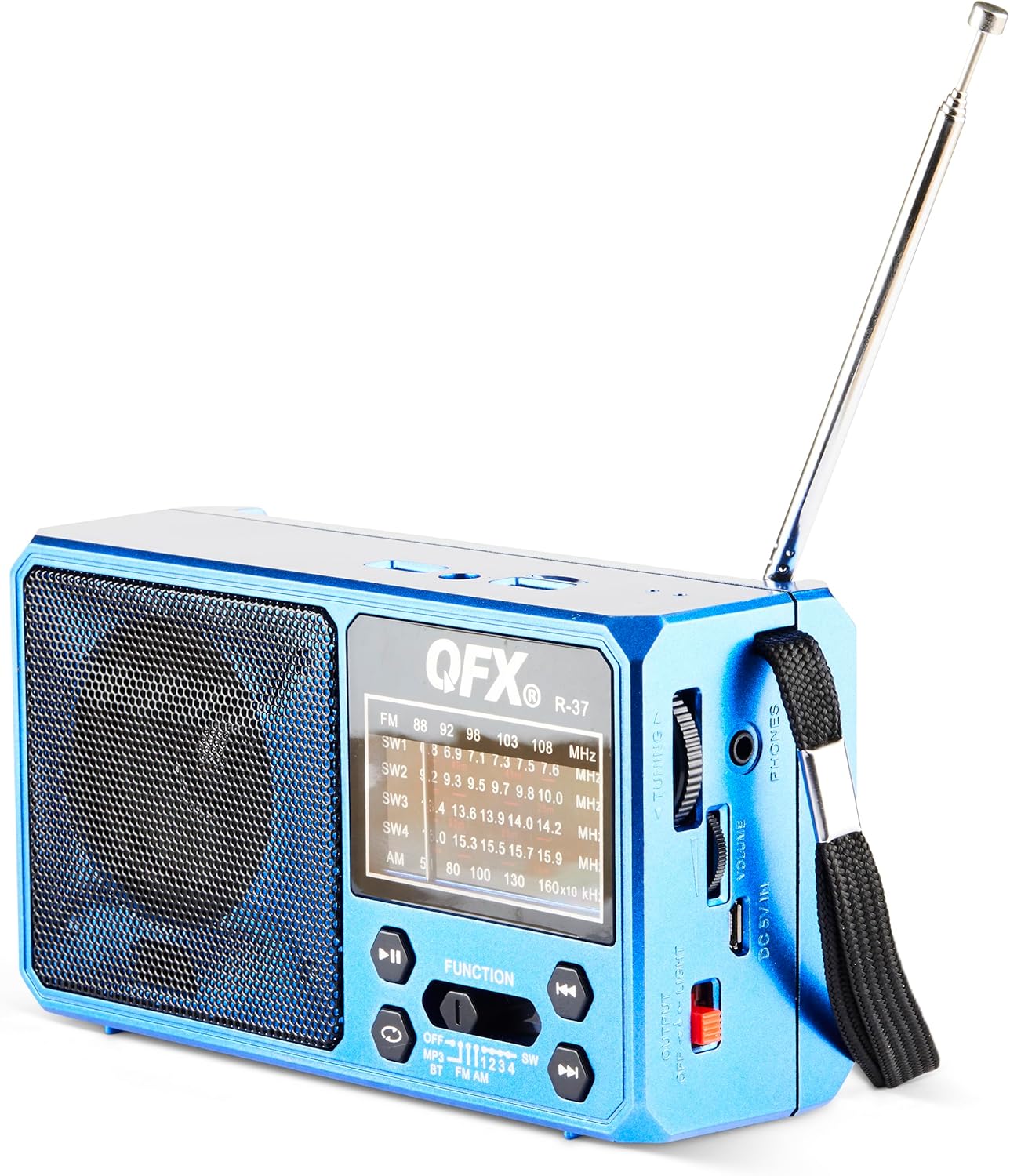
1 pav.: priekis view of the QFX R-37-BL radio, displaying the speaker, frequency display, and main control buttons.

Figure 2: Detailed diagram highlighting key components of the QFX R-37-BL, including the solar panel, LED flashlight, USB and TF card ports, charging port, and various controls.

3 pav.: šonas view of the radio, illustrating the tuning dial, volume control, headphone jack, DC 5V input, and the flashlight power switch.
3. Saugos informacija
- Nelaikykite įrenginio itin aukštose temperatūrose, tiesioginiuose saulės spinduliuose ilgą laiką (neskaitant įkrovimo) ar didelėje drėgmėje.
- Saugokite prietaisą nuo vandens ir kitų skysčių.
- Nebandykite ardyti ar modifikuoti įrenginio. Tai panaikins garantiją ir gali sukelti žalos ar sužalojimų.
- Use only the specified charging cable and power adapter (if applicable) to charge the device.
- Išmeskite baterijas laikydamiesi vietinių taisyklių.
- Laikyti vaikams nepasiekiamoje vietoje.
4. Sąranka
4.1 Baterijos įdėjimas ir pradinis įkrovimas
- Radijo gale raskite akumuliatoriaus skyrių.
- Atidarykite skyriaus dangtelį.
- Insert the provided rechargeable lithium-ion battery, ensuring correct polarity.
- Saugiai uždarykite akumuliatoriaus skyriaus dangtelį.
- For first use, fully charge the radio using the included USB charging cord connected to a 5V USB power source. The charging indicator light will illuminate during charging and turn off when fully charged.
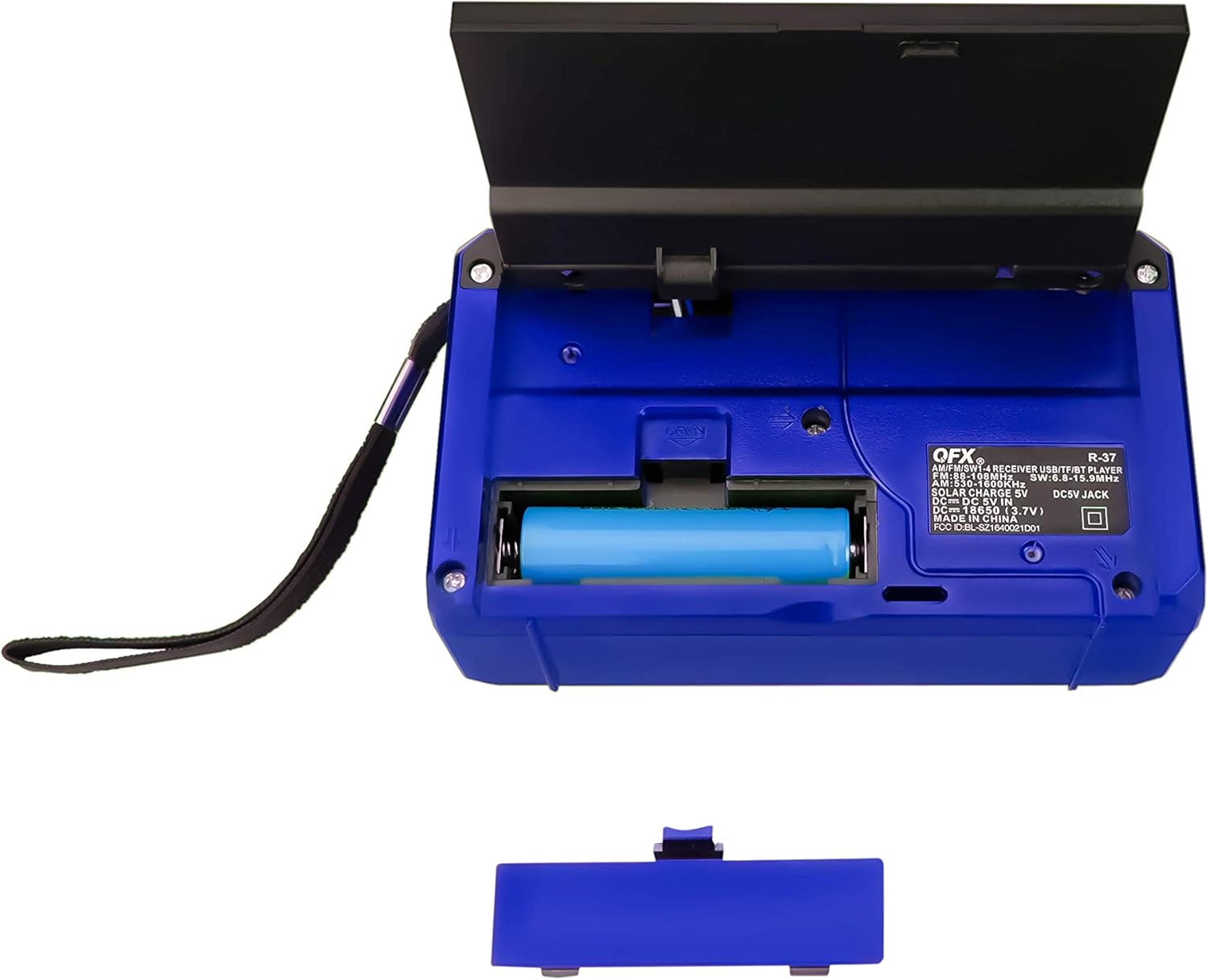
4 pav.: galinis view of the radio with the battery compartment open, showing the removable rechargeable battery.
4.2 Įkrovimas saulės energija
The radio features a built-in solar panel for convenient charging. Place the radio with the solar panel facing direct sunlight. The solar charging indicator will light up. Solar charging is slower than USB charging and is best used for maintaining charge or in emergency situations.
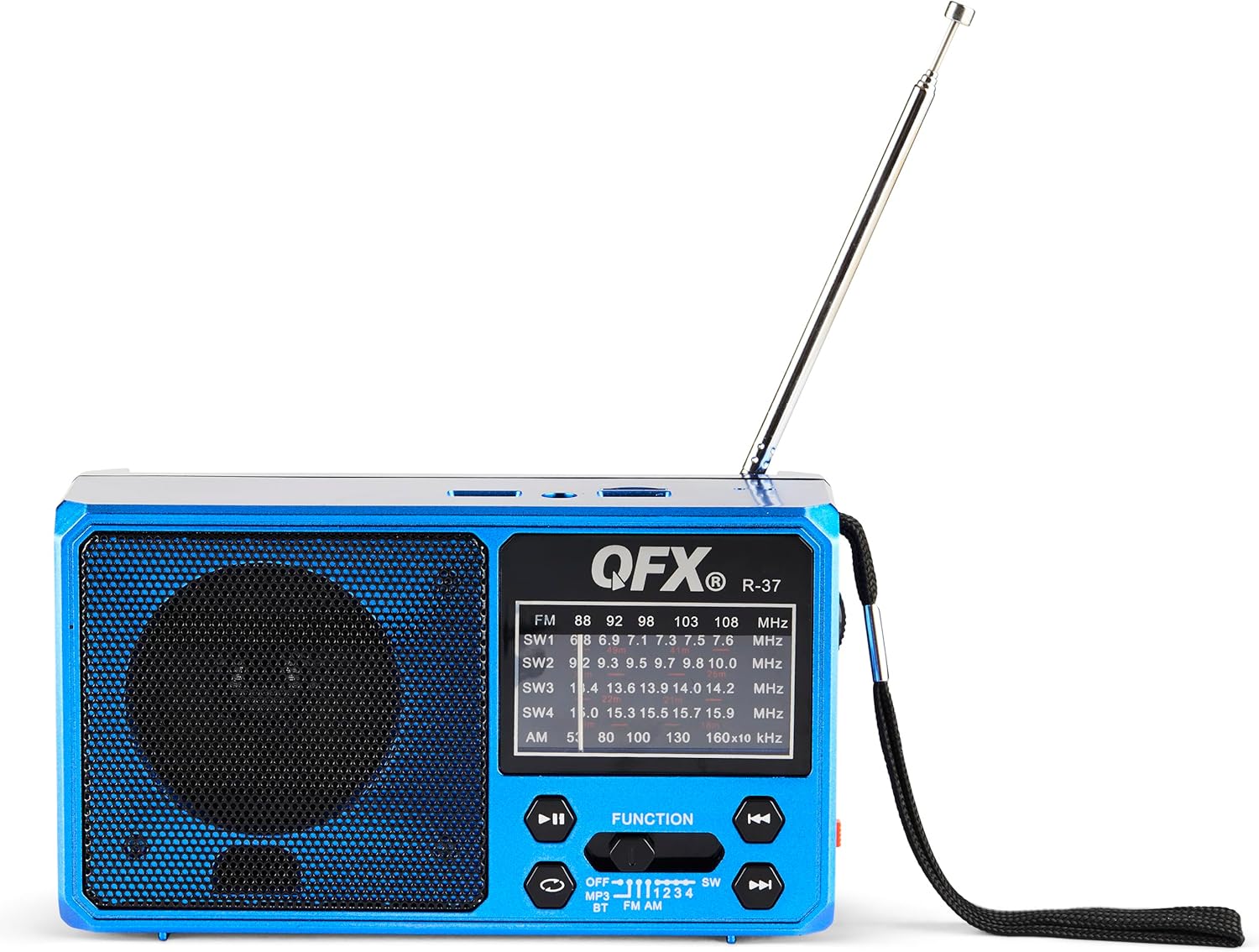
Figure 5: The solar panel on the side of the radio, shown in an extended position for optimal sun exposure.
5. Naudojimo instrukcijos
5.1 Maitinimo įjungimas/išjungimas
Locate the power switch (usually a slider) on the front or side of the unit. Slide it to the 'ON' position to power on the radio. Slide it to 'OFF' to power off.
5.2 Radijo veikimas (AM/FM/SW)
- Ištieskite teleskopinę anteną, kad signalas būtų geresnis.
- Use the 'FUNCTION' button or switch to select the desired band: FM, AM, SW1, SW2, SW3, or SW4.
- Rotate the 'TUNING' dial (located on the side) to scan for radio stations.
- Nustatykite „VOLUME“ ratuką iki pageidaujamo klausymosi lygio.
5.3 „Bluetooth“ ryšys
- Switch the radio to Bluetooth mode (often labeled 'BT' or indicated by a Bluetooth icon). The radio will enter pairing mode, usually indicated by a flashing light or an audible prompt.
- Savo mobiliajame įrenginyje įjunkite Bluetooth ir ieškokite galimų įrenginių.
- Select 'QFX R-37' (or similar name) from the list of devices to pair.
- Susiejus, galite leisti garsą iš savo įrenginio per radiją.
5.4 USB/TF kortelių atkūrimas
- Insert a USB flash drive or TF card (with compatible audio files) į atitinkamą prievadą.
- Switch the radio to MP3 mode (often labeled 'MP3' or 'USB/TF'). The radio should automatically begin playing audio files.
- Use the playback control buttons (Play/Pause, Next/Previous Track) on the radio to manage your audio.
5.5 LED žibintuvėlio veikimas
Locate the flashlight switch (often a slider or button) on the side of the radio. Slide or press it to turn the LED flashlight on or off.
5.6 Išorinių įrenginių įkrovimas
The radio features a 5V USB output port. Connect your external device (e.g., smartphone) to this port using its USB charging cable. The radio's internal battery will provide power to charge your device. Note that this will drain the radio's battery.
6. Priežiūra
- Radijo imtuvą valykite minkštu, sausu skudurėliu. Nenaudokite abrazyvinių valiklių ar tirpiklių.
- Ensure the solar panel is clean and free of debris for efficient charging.
- If the radio will not be used for an extended period, fully charge the battery and store it in a cool, dry place.
- Periodically check the battery for any signs of damage or leakage.
7. Problemų sprendimas
| Problema | Galima priežastis | Sprendimas |
|---|---|---|
| Radijas neįsijungia. | Baterija išsikrovusi arba netinkamai įdėta. | Įsitikinkite, kad akumuliatorius yra tinkamai įdėtas ir visiškai įkrautas. |
| Prastas radijo priėmimas. | Antena neištiesta, silpnas signalas arba trukdžiai. | Visiškai ištieskite teleskopinę anteną. Pabandykite pakeisti radijo imtuvo padėtį. |
| „Bluetooth“ įrenginio nepavyksta susieti. | Radijas neįjungtas susiejimo režimu, įrenginys per toli arba jau susietas. | Įsitikinkite, kad radijas veikia „Bluetooth“ susiejimo režimu. Perkelkite įrenginį arčiau. Atjunkite nuo kitų „Bluetooth“ įrenginių. |
| USB/TF kortelė neveikia. | Neteisingas režimas, nepalaikomas file format, or corrupted card. | Ensure radio is in MP3 mode. Check file formats (e.g., MP3). Try a different USB drive or TF card. |
| Žibintuvėlis neveikia. | Battery is low or flashlight switch is off. | Charge the radio's battery. Ensure the flashlight switch is in the 'ON' position. |
8. Specifikacijos
- Modelis: R-37-BL
- Matmenys: 6.1 x 2.28 x 3.43 colio (15.5 x 5.8 x 8.7 cm)
- Svoris: 15.8 uncijos (448 gramų)
- Radijo grupės: AM, FM, SW1, SW2, SW3, SW4
- Ryšys: „Bluetooth“, USB, TF kortelė
- Maitinimo šaltinis: Solar Powered, Rechargeable Lithium-Ion Battery, DC 5V USB Input
- Įtraukti komponentai: Radio, removable rechargeable battery, USB charging cord
9. Garantija ir palaikymas
For warranty information, technical support, or service inquiries, please visit the official QFX websvetainėje arba susisiekite su jų klientų aptarnavimo skyriumi. Išsaugokite pirkimo kvitą kaip pirkimo įrodymą garantijos pretenzijoms.


