1. Produktas baigtasview
The HyperX Alloy Origins 60 is a supremely portable 60% form factor keyboard designed to provide more room for mouse movements. It features a durable, full aluminum body and reliable HyperX switches optimized for speed and performance, rated for 80 million keypresses. The double shot PBT keycaps include secondary functions printed on them for quick access. The exposed LED design of the HyperX switches allows for stunning RGB lighting effects. Further customization, including macros and personalized lighting profiles, can be achieved using HyperX NGENUITY software.

Figure 1.1: HyperX Alloy Origins 60 Mechanical Gaming Keyboard with vibrant RGB backlighting.
2. Pagrindinės savybės
- Petite 60% Form Factor: Maximizes desk space for mouse movement.

Figure 2.1: The compact 60% form factor of the keyboard.
- Pilnai orlaiviams skirtas aliuminio korpusas: Ensures structural soundness and stability.

Figure 2.2: Illustration of the durable full aluminum body construction.
- Double Shot PBT Keycaps with Side Printing: Durable keycaps resistant to wear, with secondary functions clearly printed.

Figure 2.3: Double shot PBT keycaps with secondary functions printed on the sides.
- „HyperX“ mechaniniai jungikliai: Custom-designed for speed and accuracy, rated for 80 million keypresses.

Figure 2.4: HyperX mechanical switches designed for optimal performance.
- RGB foninio apšvietimo klavišai su spinduliavimo apšvietimo efektais: Enhanced RGB lighting due to exposed LED design.

Figure 2.5: The keyboard displaying its radiant RGB lighting effects.
- Advanced Customization with HyperX NGENUITY: Software for Game Mode, macros, and per-key lighting.

Figure 2.6: HyperX NGENUITY software for advanced customization.
- Three Adjustable Keyboard Angles and Detachable USB-C Cable: For ergonomic comfort and portability.

Figure 2.7: The keyboard's adjustable feet for three different tilt angles.
- Included Keycap Puller and Additional Keycaps: For customization and maintenance.
Figure 2.8: Included accessories for keycap customization.
- Kelių platformų suderinamumas: Compatible with PC, PS5, PS4, Xbox Series X|S, and Xbox One.
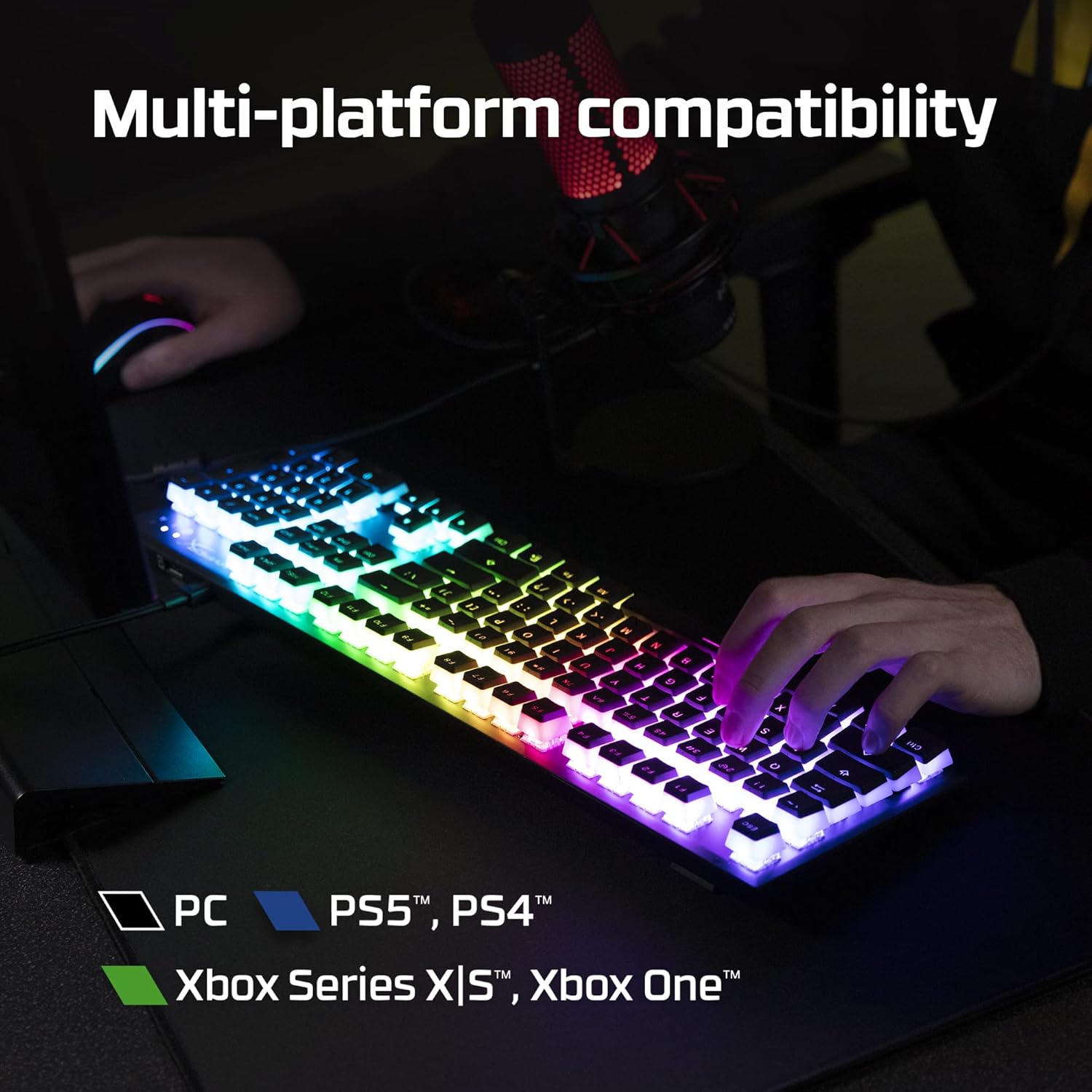
Figure 2.9: The keyboard's multi-platform compatibility.
3. Sąrankos vadovas
3.1 Pakuotės turinys
Prieš pradėdami, įsitikinkite, kad pakuotėje yra visi reikalingi daiktai:
- HyperX Alloy Origins 60 mechaninė žaidimų klaviatūra
- Nuimamas USB-C–USB-A laidas
- Klaviatūros traukiklis
- Additional Keycaps (e.g., alternate Esc key, special spacebar)
Figure 3.1: All components included in the HyperX Alloy Origins 60 package.
3.2 Klaviatūros prijungimas
- Locate the detachable USB-C to USB-A cable.
- Connect the USB-C end of the cable to the USB-C port on the back of the HyperX Alloy Origins 60 keyboard.
- Connect the USB-A end of the cable to an available USB-A port on your PC or gaming console.
- The keyboard will automatically be detected and drivers will install if necessary. The RGB lighting will illuminate upon successful connection.

Figure 3.2: Connecting the detachable USB-C cable to the keyboard.
3.3 Klaviatūros kampo reguliavimas
The keyboard features two-step keyboard feet, allowing you to set it at three different tilt angles (3°, 7°, 11°) for optimal ergonomic comfort.
- Apverskite klaviatūrą, kad pasiektumėte apačioje esančias kojeles.
- Extend the smaller feet for a moderate tilt.
- Extend both the smaller and larger feet for the maximum tilt.

Figure 3.3: Adjusting the keyboard's tilt angle using the integrated feet.
4. Naudojimo instrukcijos
4.1 Pagrindinės funkcijos
The HyperX Alloy Origins 60 is a 60% keyboard, meaning it omits the number pad, function row, navigation cluster, and arrow keys to achieve its compact size. These functions are typically accessed via a combination of the Fn key and other keys.
- Fn + [Klavišas]: Activates the secondary function printed on the side of the keycap. Refer to the side legends for specific functions.
- Žaidimo režimas: Prevents accidental presses of the Windows key during gaming. Activate/deactivate via NGENUITY software.
4.2 HyperX NGENUITY Software
For advanced customization of your keyboard, download and install the HyperX NGENUITY software from the official HyperX websvetainė. Ši programinė įranga leidžia jums:
- Customize RGB lighting effects and colors on a per-key basis.
- Create and manage macros for complex commands.
- Set up and switch between multiple onboard profiles.
- Adjust Game Mode settings.

Figure 4.1: HyperX NGENUITY software for comprehensive keyboard control.
5. Priežiūra
Proper maintenance ensures the longevity and optimal performance of your HyperX Alloy Origins 60 keyboard.
5.1 Klaviatūros valymas
- Prieš valydami atjunkite klaviatūrą nuo kompiuterio.
- Dulkėms ir šiukšlėms pašalinti tarp klaviatūros dangtelių naudokite suslėgto oro balionėlį.
- Paviršiui valyti švelniai nuvalykite klavišų dangtelius ir rėmelį minkštu, nepūkuotu skudurėliu.ampnuplaukite nedideliu kiekiu vandens arba švelniu, neabrazyviniu valymo tirpalu. Venkite per didelės drėgmės.
- Nepurkškite valymo tirpalų tiesiai ant klaviatūros.
5.2 Klaviatūros dangtelio nuėmimas ir pakeitimas
Pridedamas klavišų dangtelių ištraukiklis gali būti naudojamas norint saugiai nuimti ir pakeisti klavišų dangtelius valymui arba pritaikymui.
- Gently place the keycap puller over the keycap you wish to remove, ensuring the wires hook onto opposite sides of the keycap.
- Tolygiai spauskite ir traukite tiesiai aukštyn, kol klavišo dangtelis atsikabins nuo jungiklio koto.
- Norėdami pakeisti klavišo dangtelį, sulygiuokite jį su jungiklio kotu ir tvirtai paspauskite žemyn, kol jis užsifiksuos vietoje.

Figure 5.1: Using the keycap puller to remove keycaps.
6. Problemų sprendimas
If you encounter issues with your HyperX Alloy Origins 60 keyboard, try the following troubleshooting steps:
| Problema | Galima priežastis / sprendimas |
|---|---|
| Klaviatūra nereaguoja / Nėra apšvietimo |
|
| RGB lighting not working correctly |
|
| Raktai neregistruojami arba įvedami du kartus |
|
If these steps do not resolve the issue, please contact HyperX customer support for further assistance.
7. Specifikacijos
| Funkcija | Detalė |
|---|---|
| Gaminio matmenys | 11.7 x 1.5 x 4.2 colio |
| Prekės svoris | 2.14 svaro |
| Gamintojas | HP Inc. |
| Kalba | anglų kalba |
| ASIN | B08XBQ79MN |
| Prekės modelio numeris | HKBO1S-RB-US/G |
| Prekės ženklas | HyperX |
| Suderinami įrenginiai | Žaidimų konsolė, kompiuteris |
| Ryšio technologija | USB-C į USB-A |
| Klaviatūros aprašymas | Mechaninė, žaidimų |
| Rekomenduojami gaminio naudojimo būdai | Žaidimas |
| Ypatinga funkcija | Backlit, Lighting, Portable |
| Spalva | Juoda |
| Raktų skaičius | 61 |
| Klaviatūros foninio apšvietimo spalvų palaikymas | RGB |
| Stilius | HyperX Red |
8. Garantija ir palaikymas
For detailed warranty information and technical support, please refer to the official HyperX resources:
- Oficialus naudotojo vadovas (PDF): Atsisiųskite vartotojo vadovą
- HyperX Brand Store: Visit HyperX Store on Amazon
- For further assistance, contact HyperX customer support through their official websvetainę.


