Įvadas
Thank you for choosing the YISSVIC 2.4-inch Wireless Baby Monitor. This manual provides essential information for the safe and efficient operation of your device. Please read it thoroughly before use and retain it for future reference. This monitor utilizes 2.4GHz wireless digital transmission, ensuring a secure and private connection without the need for Wi-Fi.
Pakuotės turinys
- Baby Monitor Unit (Parent Unit)
- Baby Camera Unit (Baby Unit)
- Maitinimo adapteris monitoriui
- Maitinimo adapteris kamerai
- Vartotojo vadovas
Sąranka
1. Kameros išdėstymas
Place the baby camera unit in a location that provides a clear view of your baby. Ensure it is at least 1 meter (3 feet) away from the baby to prevent entanglement with the power cord. The camera features a 360° adjustable angle for optimal positioning. Avoid placing the camera near other electronic devices that may cause interference.

Image: Camera and Monitor Dimensions with 360° Adjustable Camera Angle.
2. Įjungimas
- Connect the camera unit to a power outlet using its dedicated power adapter. The camera will power on automatically.
- Connect the monitor unit to a power outlet using its dedicated power adapter. Press and hold the power button on the monitor to turn it on.
- The camera and monitor are pre-paired from the factory. The monitor should automatically display the camera's video feed. If not, refer to the 'Troubleshooting' section for pairing instructions.
Naudojimo instrukcijos
1. Pagrindinis stebėjimas
Once powered on, the monitor will display live video from the camera. You can adjust the screen brightness and volume on the monitor unit using the dedicated buttons.
2. Dvipusis garso ryšys
The monitor features a two-way audio function, allowing you to speak to your baby through the camera's speaker. Press and hold the talk button on the monitor to speak. Release the button to hear your baby.

Image: Two-Way Audio feature in use.
3. ECO Mode (VOX)
Activate ECO mode to conserve battery power. In this mode, the monitor screen will turn off, and the audio will be muted. The monitor will automatically activate (screen on, audio on) when it detects sound above a certain threshold from the baby's room, such as crying.
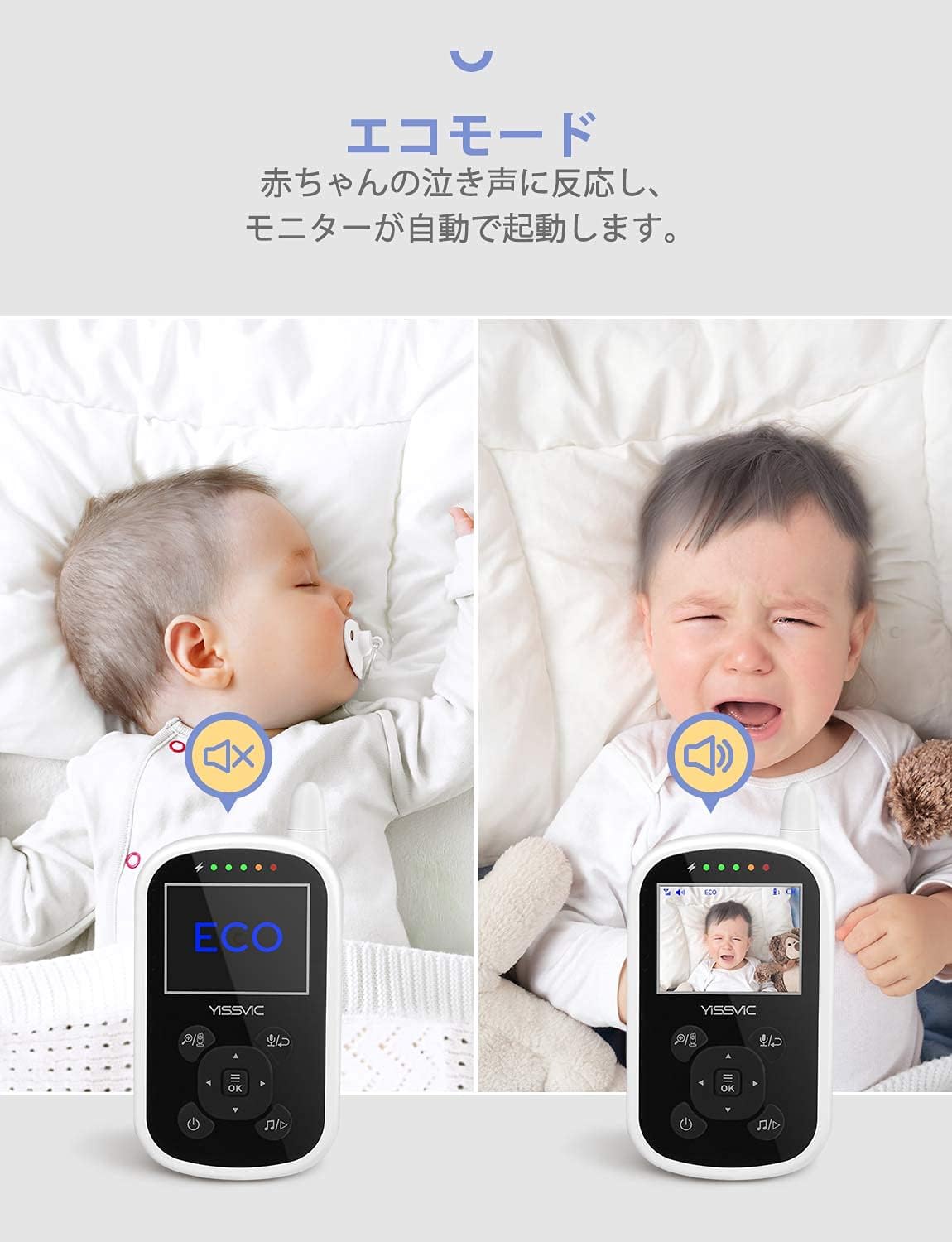
Image: ECO Mode (VOX) activation based on baby's sound.
4. Naktinis matymas
The camera is equipped with automatic infrared night vision. When the ambient light is low, the camera will automatically switch to night vision mode, providing a clear black and white image on the monitor.
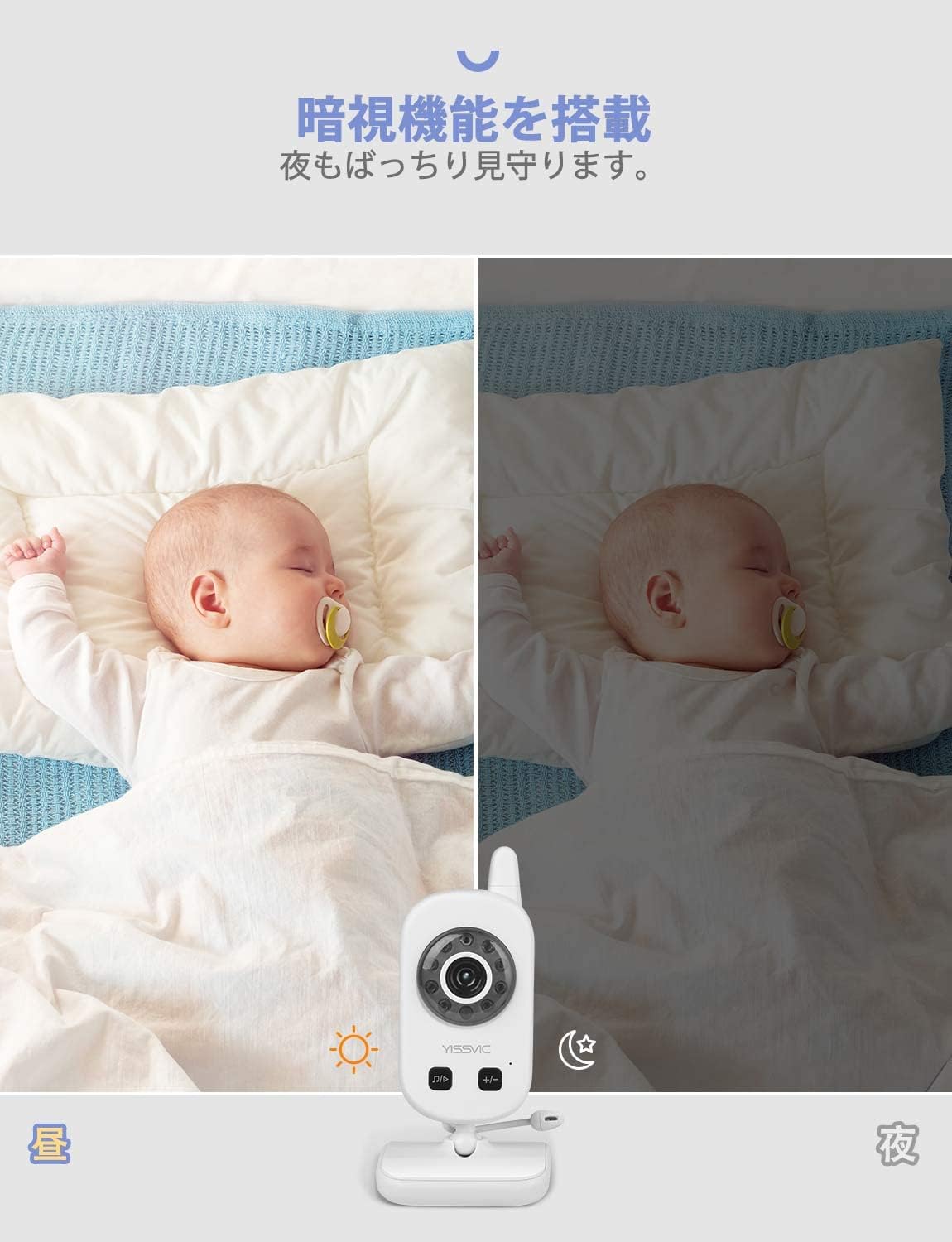
Image: Automatic Night Vision function.
5. Priartinimo funkcija
The monitor features a 2x digital zoom function. Use the dedicated zoom button on the monitor to magnify the image for a closer view jūsų kūdikio.

Image: 2x Digital Zoom function.
6. Lopšinės
The camera has built-in lullabies. You can play these melodies from the camera unit to soothe your baby. Use the music button on the monitor to control playback and adjust the volume.

Image: Lullaby feature in action.
7. Multi-Camera Support
The system supports connecting up to four cameras (sold separately) simultaneously. The monitor can automatically cycle through the camera feeds, allowing you to monitor multiple rooms or angles.
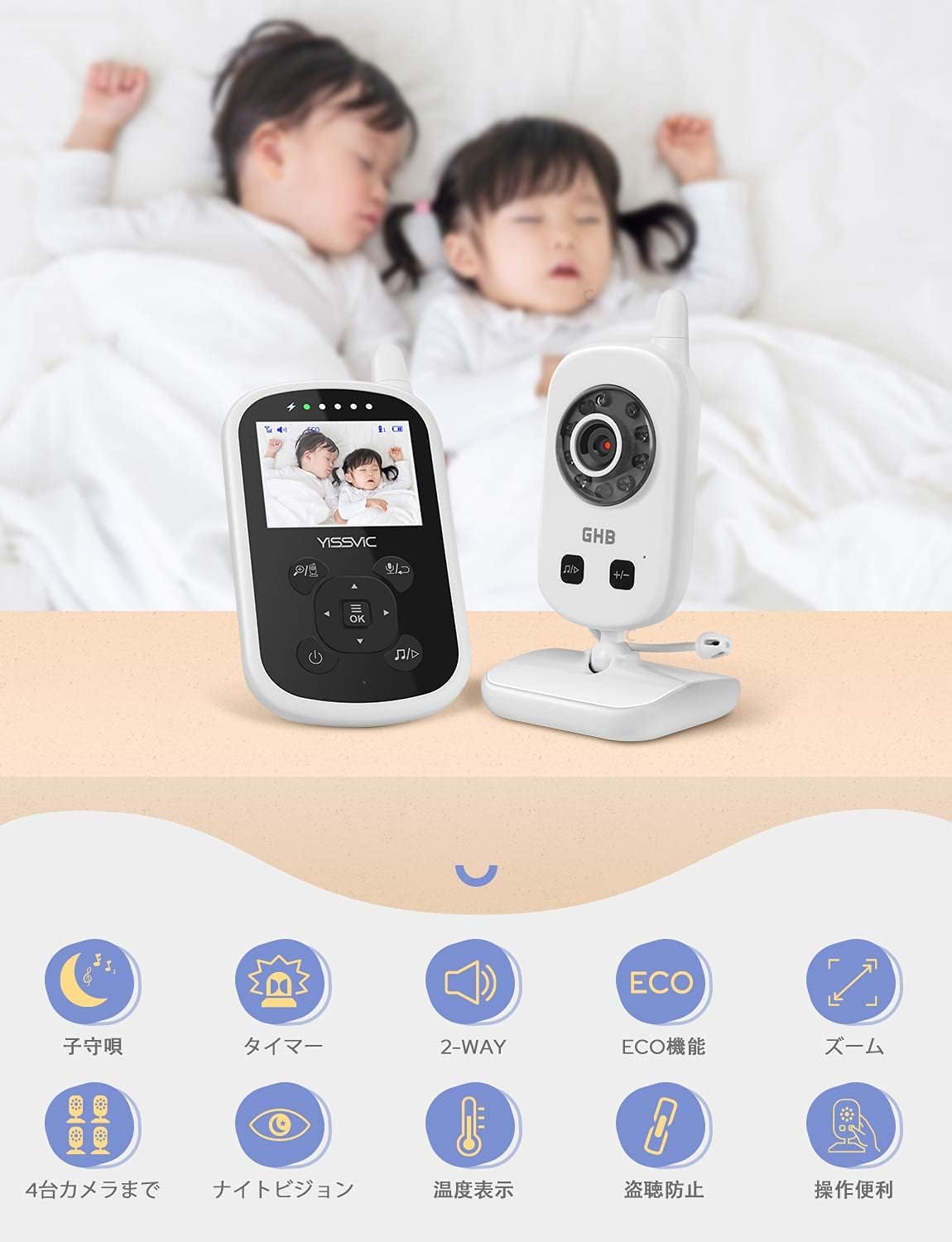
Vaizdas: Viršview of features including multi-camera support.
8. Papildomos funkcijos
- Temperatūros stebėjimas: The camera unit includes a temperature sensor, and the monitor displays the room temperature.
- Maitinimo laikmatis: Set reminders for feeding times directly from the monitor unit.
Priežiūra
- Valymas: Use a soft, dry cloth to clean the camera and monitor units. Do not use liquid cleaners or aerosols.
- Akumuliatoriaus priežiūra: The monitor unit contains a rechargeable lithium-ion battery. For optimal battery life, avoid fully discharging the battery frequently. Charge the monitor regularly.
- Saugykla: If storing the device for an extended period, ensure both units are turned off and disconnected from power. Store in a cool, dry place.
Trikčių šalinimas
| Problema | Galima priežastis | Sprendimas |
|---|---|---|
| Monitoriuje nėra vaizdo / garso | Units not powered on; Out of range; Not paired. | Ensure both units are powered and charged. Move units closer. Re-pair units (refer to manual for specific pairing steps if needed, typically found in advanced settings). |
| Poor image quality/interference | Obstructions; Other 2.4GHz devices; Low battery. | Reduce distance between units. Move away from Wi-Fi routers, microwaves, or cordless phones. Charge monitor battery. |
| Monitoriaus baterija greitai išsikrauna | ECO mode off; Frequent use. | Activate ECO mode to save power. Reduce screen brightness. |
| Neveikia dvipusis garsas | Volume too low; Microphone/speaker obstruction. | Adjust volume on both units. Ensure no obstructions cover the microphone or speaker. |
Specifikacijos
- Modelis: B08XYQR8Z
- Perdavimo dažnis: 2.4 GHz skaitmeninis belaidis ryšys
- Monitoriaus ekrano dydis: 2.4 colių
- Kameros ypatybės: Night Vision, Two-Way Audio, Lullabies, Temperature Sensor, 360° Adjustable Angle
- Monitoriaus savybės: 2x Digital Zoom, ECO Mode (VOX), Feeding Timer, Multi-Camera Support (up to 4 cameras, sold separately)
- Monitoriaus baterija: 1 ličio jonų baterija (pridedama)
- Maitinimas: DC 5V/0.7A via included power adapters
- Prekės svoris: Maždaug 500 g
- Pakuotės matmenys: 18 x 17.6 x 7.8 cm
- Pirmoji prieinama data: 4 m. kovo 2021 d
Garantija ir palaikymas
YISSVIC products are designed and manufactured to the highest quality standards. This product is covered by a standard manufacturer's warranty. For detailed warranty information, technical support, or service inquiries, please refer to the contact information provided with your purchase or visit the official YISSVIC website. Please have your model number (B08XYQR8Z) ready when contacting support.


