1. Įvadas
The OnePlus 7 Pro (Model GM1917) is a high-performance smartphone designed to deliver a smooth and immersive user experience. It features a 6.67-inch Fluid AMOLED display with a 90 Hz refresh rate and QHD+ resolution, offering exceptional clarity and fluidity. The device is equipped with a versatile camera system, including a 48 MP main camera, an ultra-wide-angle lens, and 3x optical zoom, enhanced by smart scene recognition and Nightscape 2.0 technology. This manual provides essential information for setting up, operating, and maintaining your OnePlus 7 Pro.

1 pav.: priekis view „OnePlus 7 Pro“ išmaniojo telefono.
2. Pradinė sąranka
2.1. Pakuotės turinys
Prieš tęsdami įsitikinkite, kad pakuotėje yra visi reikalingi daiktai:
- OnePlus 7 Pro Smartphone (Model GM1917)
- Maitinimo adapteris
- C tipo USB kabelis
- SIM išstūmimo įrankis
- Greitos pradžios vadovas
- Saugos informacija
2.2. SIM kortelių įdėjimas
- Suraskite SIM kortelės dėklą savo įrenginio šone.
- Įkiškite SIM kortelės išstūmimo įrankį į mažą dėklo skylutę ir tvirtai spauskite, kol dėklas išslys.
- Place your Nano-SIM cards into the tray with the gold contacts facing down. The OnePlus 7 Pro supports Dual SIM functionality.
- Atsargiai vėl įdėkite dėklą į įrenginį.
2.3. Įjungimas ir pradinė konfigūracija
- Paspauskite ir palaikykite maitinimo mygtuką (esantį dešinėje pusėje), kol pasirodys „OnePlus“ logotipas.
- Vykdykite ekrane pateikiamus nurodymus, kad pasirinktumėte kalbą, prisijunkite prie „Wi-Fi“ tinklo ir sukonfigūruotumėte „Google“ paskyrą.
- You will be guided through setting up security features such as fingerprint unlock and face unlock.
3. Operating Your OnePlus 7 Pro
3.1. Ekrano funkcijos
The OnePlus 7 Pro features a 6.67-inch Fluid AMOLED display with a QHD+ resolution (2560 x 1440 pixels) and a 90 Hz refresh rate. This combination provides incredibly smooth scrolling, fluid animations, and vibrant colors. Adjust display settings such as brightness, color mode, and refresh rate (if applicable) in the Settings menu under 'Display'.
3.2. Našumas ir saugykla
Powered by a Qualcomm Snapdragon 855 processor and 6GB of RAM, the OnePlus 7 Pro delivers robust performance for multitasking, gaming, and demanding applications. The device comes with 128GB of internal storage, providing ampvietos programėlėms, nuotraukoms ir vaizdo įrašams.
3.3. Navigacija
Your device offers various navigation options, including traditional on-screen navigation buttons or gesture navigation. These can be customized in the Settings menu under 'Buttons & gestures'.
4. Kamerų sistema
The OnePlus 7 Pro is equipped with a triple rear camera setup and a unique pop-up front camera.

2 pav.: priekis view of the OnePlus 7 Pro with its pop-up selfie camera.
4.1. Galinės kameros
- Pagrindinė kamera: 48 MP sensor for high-resolution photos.
- Ypač plataus kampo objektyvas: Apima platesnį lauką view, idealiai tinka peizažams ir grupinėms nuotraukoms.
- Teleobjektyvas: Offers 3x optical zoom for clear, detailed shots from a distance.
4.2. Priekinė kamera
The device features a motorized pop-up front camera, ensuring an uninterrupted full-screen display. This camera is designed for high-quality selfies and video calls.
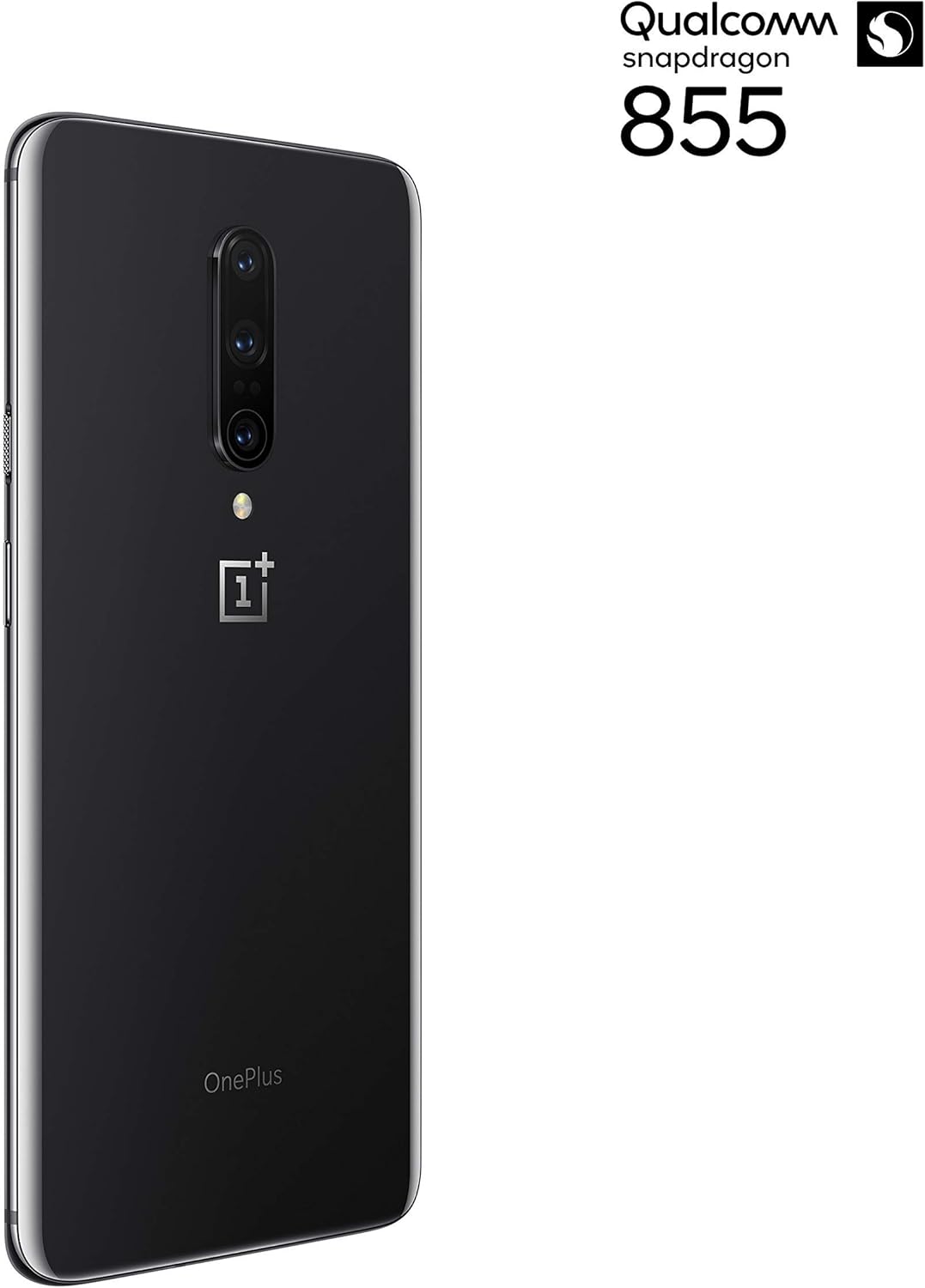
3 pav.: galinis view of the OnePlus 7 Pro highlighting the triple camera module.
4.3. Kameros režimai
Išbandykite įvairius fotoaparato režimus, kad pagerintumėte savo fotografiją:
- Nuotrauka: Standartinis režimas kasdienėms nuotraukoms.
- Portretas: Sukuria lauko gylio efektą, suliedamas foną.
- Nightscape 2.0: Optimizes photos taken in low-light conditions for brighter and clearer results.
- Pro režimas: Offers manual control over settings like ISO, shutter speed, and white balance.
- Vaizdo įrašas: Records high-quality videos.
5. Baterija ir įkrovimas
The OnePlus 7 Pro is equipped with a 4000 mAh battery, designed to provide extended usage. It supports Warp Charge technology for rapid charging.
5.1. Įrenginio įkrovimas
To charge your device, connect the provided USB Type-C cable to the phone's charging port and the power adapter. Plug the adapter into a wall outlet. For optimal charging speed, use only the official OnePlus Warp Charge adapter and cable.
5.2. Baterijos optimizavimas
To maximize battery life, consider the following:
- Sureguliuokite ekrano ryškumą.
- Įjunkite akumuliatoriaus taupymo režimą, kai reikia.
- Uždarykite nenaudojamas programas, veikiančias fone.
- Apriboti foninių duomenų naudojimą tam tikroms programoms.
6. Techninės specifikacijos
| Funkcija | Specifikacija |
|---|---|
| Modelio numeris | GM1917 |
| Ekranas | 6.67-inch Fluid AMOLED, QHD+ (2560 x 1440), 90 Hz |
| Procesorius | „Qualcomm Snapdragon 855“. |
| RAM | 6 GB |
| Vidinė saugykla | 128 GB |
| Galinė kamera | 48 MP Main, Ultra-Wide, 3x Optical Zoom Telephoto |
| Priekinė kamera | Pop-up Selfie Camera |
| Baterijos talpa | 4000 mAh |
| Operacinė sistema | Android |
| Ryšys | Wi-Fi, 4G LTE (AT&T, Verizon, T-Mobile compatible) |
| SIM tipas | Dvi nano SIM kortelės |
7. Problemų sprendimas
If you encounter issues with your OnePlus 7 Pro, try the following steps:
- Įrenginys nereaguoja: Press and hold the Power button for approximately 10 seconds to force restart the device.
- Programos problemos: Clear the cache and data for the problematic app in Settings > Apps > [App Name] > Storage. If the issue persists, uninstall and reinstall the app.
- Tinklo ryšys: Įjunkite ir išjunkite lėktuvo režimą. Paleiskite įrenginį iš naujo. Patikrinkite SIM kortelės įdėjimą.
- Akumuliatoriaus išsikrovimas: Review 'Battery Usage' in Settings to identify apps consuming excessive power. Reduce screen brightness and disable unnecessary features.
- Programinės įrangos trūkumai: Ensure your device's software is up to date via Settings > System > System updates.
- Gamykliniai nustatymai: Kraštutiniu atveju galite atlikti gamyklinių parametrų atkūrimą (Nustatymai > Sistema > Atstatymo parinktys > Ištrinti visus duomenis). Įspėjimas: tai ištrins visus jūsų įrenginyje esančius duomenis. Prieš tęsdami sukurkite svarbios informacijos atsarginę kopiją.
8. Priežiūra ir priežiūra
To ensure the longevity and optimal performance of your OnePlus 7 Pro:
- Keep the device clean using a soft, lint-free cloth. Avoid harsh chemicals.
- Apsaugokite ekraną ekrano apsauga ir naudokite apsauginį dėklą.
- Venkite įrenginio laikymo ekstremaliose temperatūrose, tiesioginiuose saulės spinduliuose ar drėgmėje.
- Regularly back up your data to a cloud service or external storage.
- Install software updates to benefit from the latest features and security enhancements.
9. Garantija ir palaikymas
For information regarding warranty coverage, technical support, or service, please refer to the documentation provided with your purchase or visit the official OnePlus support website. As this is a renewed product, specific warranty terms may vary; please consult your seller for details on their renewed product warranty and return policy.


