1. Įvadas
Thank you for choosing the NEC E438 43-inch LCD 4K UHD Commercial-Grade Monitor. This manual provides detailed instructions for the safe and efficient use of your display. Please read this manual thoroughly before operating the product and retain it for future reference.
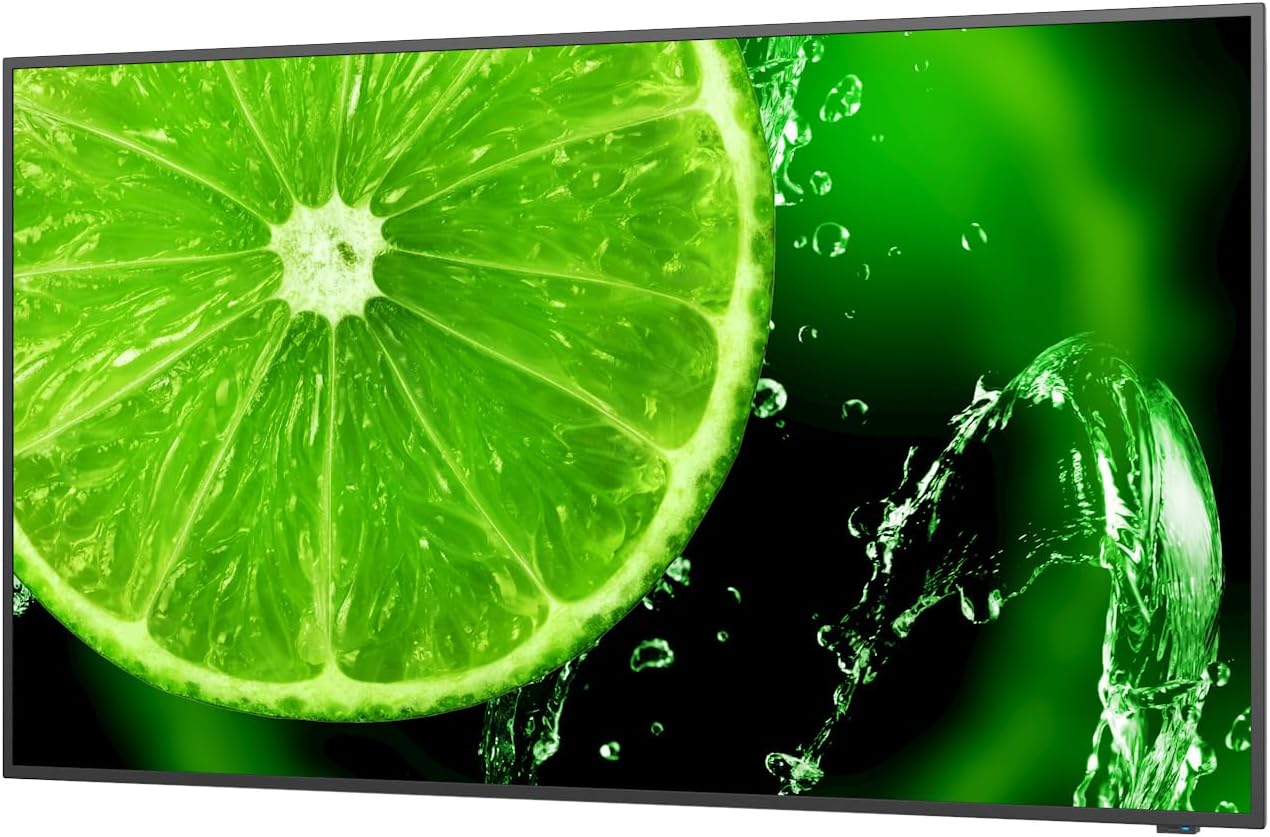
1 pav.: priekis view of the NEC E438 43-inch 4K UHD monitor.
2. Saugos informacija
Observe the following safety precautions to prevent damage to the product and to ensure your safety:
- Saugokite monitorių nuo lietaus ar drėgmės, kad išvengtumėte gaisro ar elektros smūgio.
- Neatidarykite monitoriaus c.asing. Visus techninės priežiūros darbus patikėkite kvalifikuotiems techninės priežiūros darbuotojams.
- Užtikrinkite tinkamą vėdinimą. Neužblokuokite ventiliacijos angų.
- Naudokite tik prie monitoriaus pridėtą maitinimo laidą arba tinkamą pakaitalą.
- Place the monitor on a stable, level surface or mount it securely according to VESA standards.
- Jei monitorius ilgą laiką nebus naudojamas, atjunkite maitinimo kištuką nuo sieninio lizdo.
3. Pakuotės turinys
Patikrinkite, ar pakuotėje yra visi reikalingi daiktai:
- NEC E438 43-inch LCD 4K UHD Monitor
- Maitinimo laidas
- HDMI kabelis
- USB-C kabelis
- Nuotolinio valdymo pultas (su baterijomis)
- Vartotojo vadovas (šis dokumentas)
- Greito sąrankos vadovas
4. Sąranka
4.1 Fizinis išdėstymas
Place the monitor on a sturdy, flat surface or mount it using a VESA-compatible wall mount or stand. Ensure adequate space around the monitor for ventilation.
4.2 Jungiamieji kabeliai
Connect the necessary cables to the corresponding ports on the monitor and your source device (e.g., computer, media player).

2 pav.: galinis view of the monitor showing connection ports and mounting points.

3 pav.: šonas view of the monitor illustrating the input port cluster.
- Galia: Connect the power cord to the monitor's AC input and then to a grounded electrical outlet.
- Vaizdo įvestis: Use an HDMI, VGA, or USB-C cable to connect your source device to the monitor. The monitor supports multiple HDMI inputs.
- LAN: Connect an Ethernet cable to the LAN port for network connectivity.
- USB-C: For video, data, and power delivery (if supported by the source device).
5. Naudojimo instrukcijos
5.1 Maitinimo įjungimas/išjungimas
Press the power button located on the monitor or on the remote control to turn the display on or off. The power indicator light will illuminate when the monitor is on.
5.2 Įvesties pasirinkimas
Use the 'Input' button on the remote control or the monitor's control panel to cycle through available input sources (HDMI 1, HDMI 2, HDMI 3, VGA, USB-C, etc.).
5.3 Ekrano meniu (OSD)
Access the OSD menu to adjust various display settings such as brightness, contrast, color temperature, aspect ratio, and audio settings. Navigate the menu using the directional buttons on the remote or monitor and confirm selections with the 'Enter' button.
5.4 garsas
The monitor includes integrated speakers. Adjust the volume using the remote control or through the OSD menu. You can also connect external audio devices if desired.
6. Priežiūra
6.1 Monitoriaus valymas
- Visada atjunkite monitorių prieš valydami.
- Šiek tiek naudokite minkštą, be pūkelių šluostę dampnuplaukite vandeniu arba švelniu, neabrazyviniu ekrano valikliu.
- Nepurkškite valiklio tiesiai ant ekrano.
- Venkite naudoti stiprias chemines medžiagas, tirpiklius ar abrazyvines medžiagas.
6.2 Bendroji priežiūra
- Laikykite monitorių atokiau nuo tiesioginių saulės spindulių ir šilumos šaltinių.
- Užtikrinkite tinkamą vėdinimą, kad išvengtumėte perkaitimo.
- Venkite dėti sunkių daiktų ant monitoriaus ar jo laidų.
7. Problemų sprendimas
Jei kyla problemų dėl monitoriaus, žr. šiuos įprastus trikčių šalinimo veiksmus:
| Problema | Galimas sprendimas |
|---|---|
| Nėra galios | Patikrinkite, ar maitinimo laidas yra tvirtai prijungtas prie monitoriaus ir maitinimo lizdo. Įsitikinkite, kad maitinimo lizdas veikia. |
| Nėra signalo | Verify that the video cable (HDMI, VGA, USB-C) is correctly connected to both the monitor and the source device. Select the correct input source using the 'Input' button. |
| Vaizdas iškraipytas arba neaiškus | Adjust resolution and refresh rate settings on your source device. Check cable connections for looseness or damage. Perform an auto-adjustment via the OSD menu if using VGA. |
| Iš garsiakalbių nėra garso | Check the volume settings on the monitor and your source device. Ensure the audio output is correctly configured on your source device. |
If the problem persists after trying these steps, please contact NEC customer support.
8. Specifikacijos
Key technical specifications for the NEC E438 monitor:
- Ekrano dydis: 43 colių
- Rezoliucija: 3840 x 2160 (4K UHD)
- Kraštinių santykis: 16:9
- Skydelio tipas: IPS (plokštumos perjungimas)
- Vaizdo ryškumas: 350 cd/m² (NITS)
- Vaizdo įėjimai: HDMI (multiple), VGA, USB-C
- Kiti prievadai: LAN, Total 2 USB Ports
- Garsiakalbiai: Integruota
- Gaminio matmenys: 2.8 x 38.2 x 22.04 colio
- Prekės svoris: 19.58 svaro
- ttage: 240 voltų
- Modelio numeris: 60005045

Figure 4: Excerpt from the product data sheet.
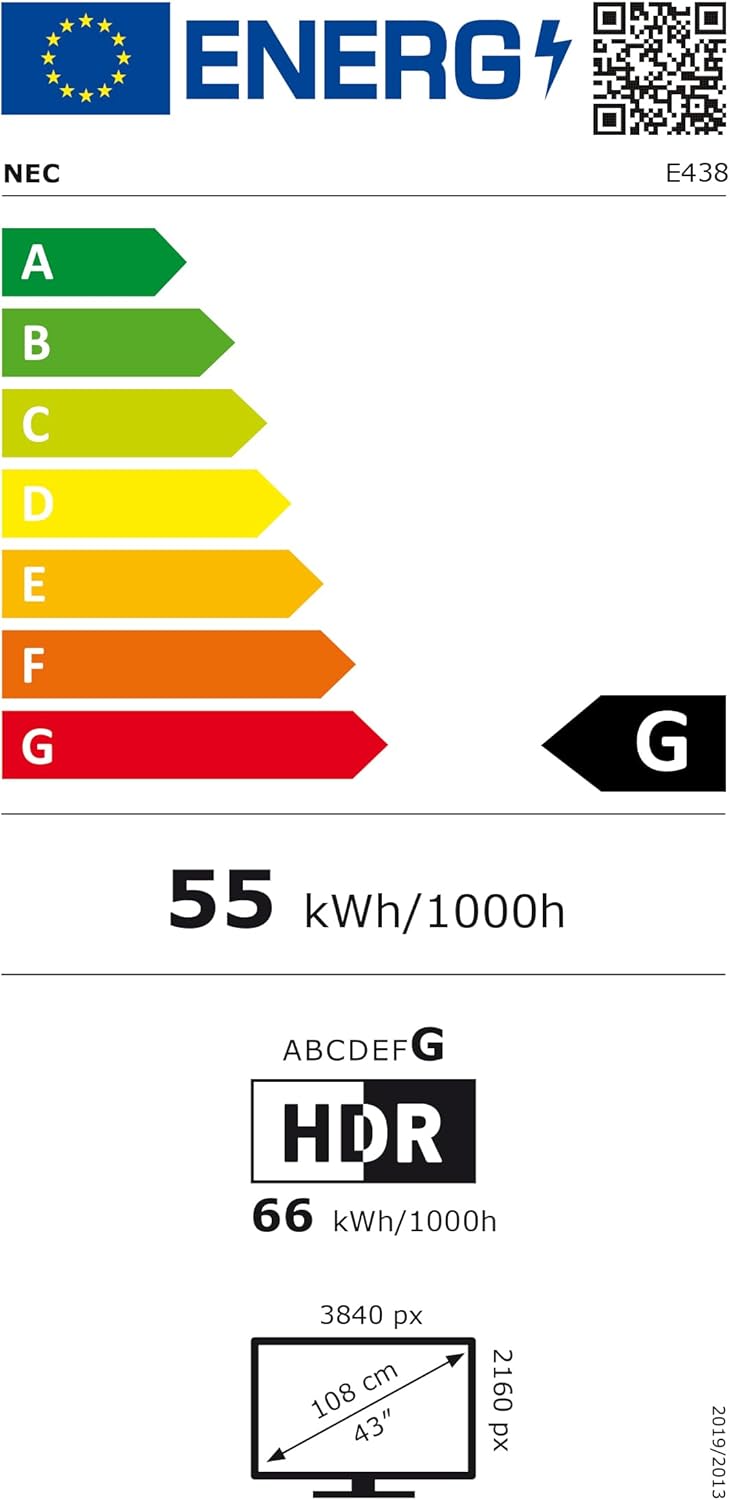
Figure 5: EU Energy Label for the NEC E438 monitor.
For more detailed energy information, please visit the EPREL database: https://eprel.ec.europa.eu/qr/429363
9. Garantija ir palaikymas
9.1 Informacija apie garantiją
This NEC E438 monitor comes with a 3-year limited warranty. Please refer to the warranty card included in your package for specific terms and conditions. Keep your proof of purchase for warranty claims.
9.2 Pagalba klientams
For technical assistance, service, or further inquiries, please contact NEC customer support. Visit the official NEC websvetainėje, kurioje rasite kontaktinę informaciją ir pagalbos išteklius.


